
Overview
The Details screen in Settings holds your property's name, times, night audit rules, age groups and support access.
Settings → Details holds the facts about your property. It has seven tabs. Each tab saves on its own.
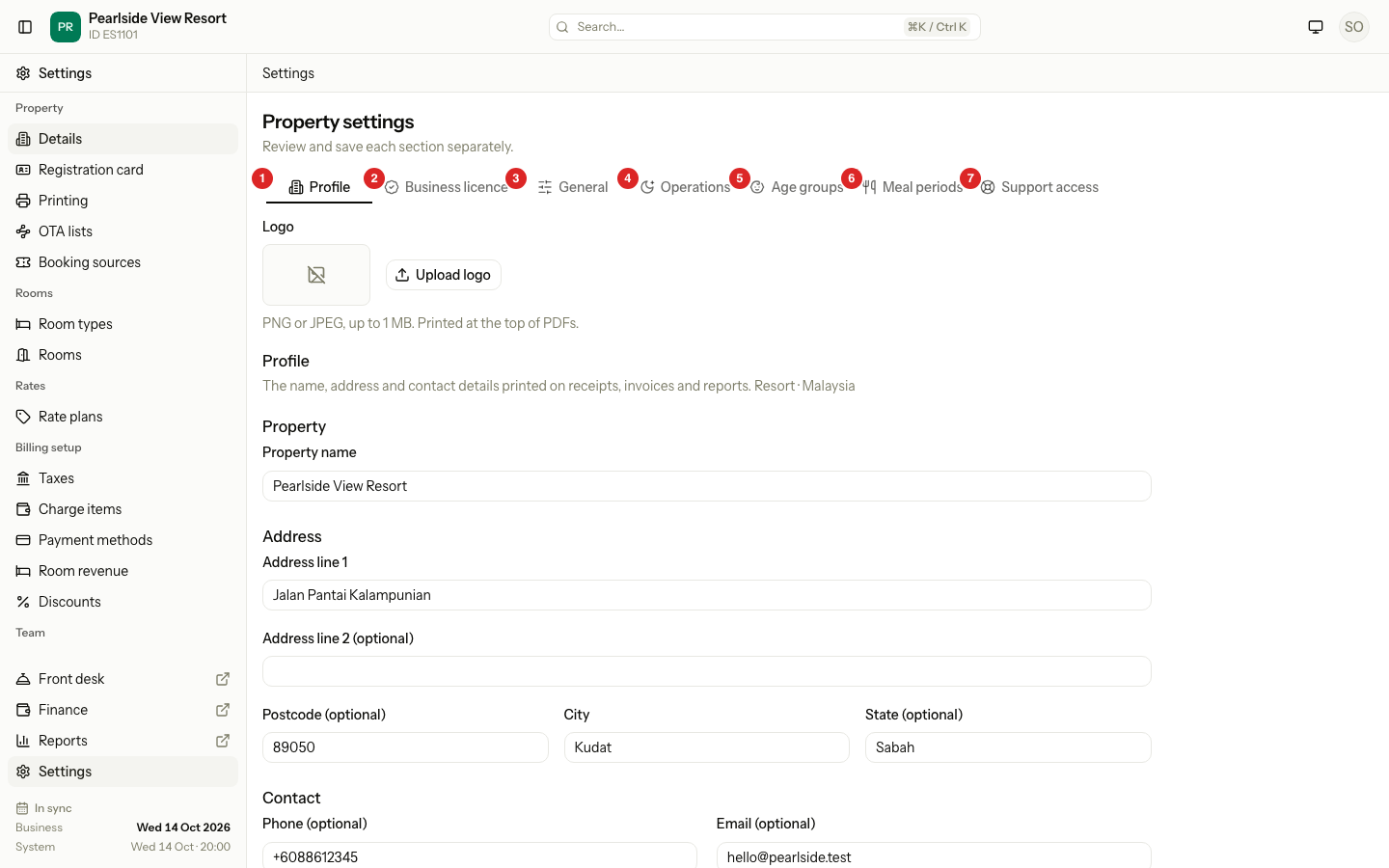
| # | Tab | What it is for | Page |
|---|---|---|---|
| 1 | Profile | Name, logo, address, phone and email. | Profile and business licence |
| 2 | Business licence | Registered name, registration number, tax number and licences. | Profile and business licence |
| 3 | General | Currency, time zone, language, check-in and check-out times, room assignment. | Check-in and check-out |
| 4 | Operations | Night audit time, missed arrivals, overdue departures, weekend nights. | Operations |
| 5 | Age groups | Who counts as an infant or a child. | Age groups |
| 6 | Meal periods | Breakfast, lunch and dinner times. | Meals |
| 7 | Support access | What the Estatell team may see and do. | Support access |
Before you start
- Permission: Manage property settings. Owners and managers have it by default.
- Finish the Basics step of setup first. Until then, the Details screen asks you to Set up basics.
How saving works
- Change a field. Save stays grey until something changes.
- Select the save button at the bottom of the tab, for example Save profile.
- If you try to leave a tab with unsaved changes, Estatell asks you to Cancel, Discard or Save.
Each tab saves alone. Changes on one tab are never saved by another tab's button.
What locks at go-live
| Setting | Before go-live | After go-live |
|---|---|---|
| Currency | You can change it on General. | Fixed. |
| Time zone | You can change it on General. | Fixed. |
| Country | Changed on the Basics step of setup. | Fixed. |
| Everything else on Details | You can change it. | You can still change it. |
Money and business dates depend on the currency and time zone. That is why they stop changing once guests are booked. Learn more in Go live.
Special cases
| Situation | What happens | What to do |
|---|---|---|
| You open Details before Basics is done | Estatell shows Complete property basics and a Set up basics button. | Select Set up basics and finish that step. |
| You have no permission to manage settings | The Details screen does not open. | Ask an owner or manager. |
| You need to change the country | The country is not on this screen. | Before go-live, use Change country on Basics. After go-live, contact Estatell support. |
| A support person is signed in as you | The Support access tab says "Not available during support access." | Change the switches yourself, outside a support session. |