
Age groups
Define who counts as an infant, a child or an adult, once, for every rate plan and booking.
Age groups say who counts as an infant, a child or an adult. You set them once. Every rate plan, the booking form and your channels use them.
Before you start
- Permission: Manage property settings. Owners and managers have it by default.
- Decide the oldest age of each group. Estatell starts you with Infant 0 to 3 and Child 4 to 11.
Steps
- Open Settings, then Details, then the Age groups tab.
- Edit the Label of a group if you want a different name.
- Edit the To age. The From age is worked out for you.
- To add a group, select Add age group. Enter a Label and a To age.
- To delete a group, select the bin button on its row.
- Select Save age groups.
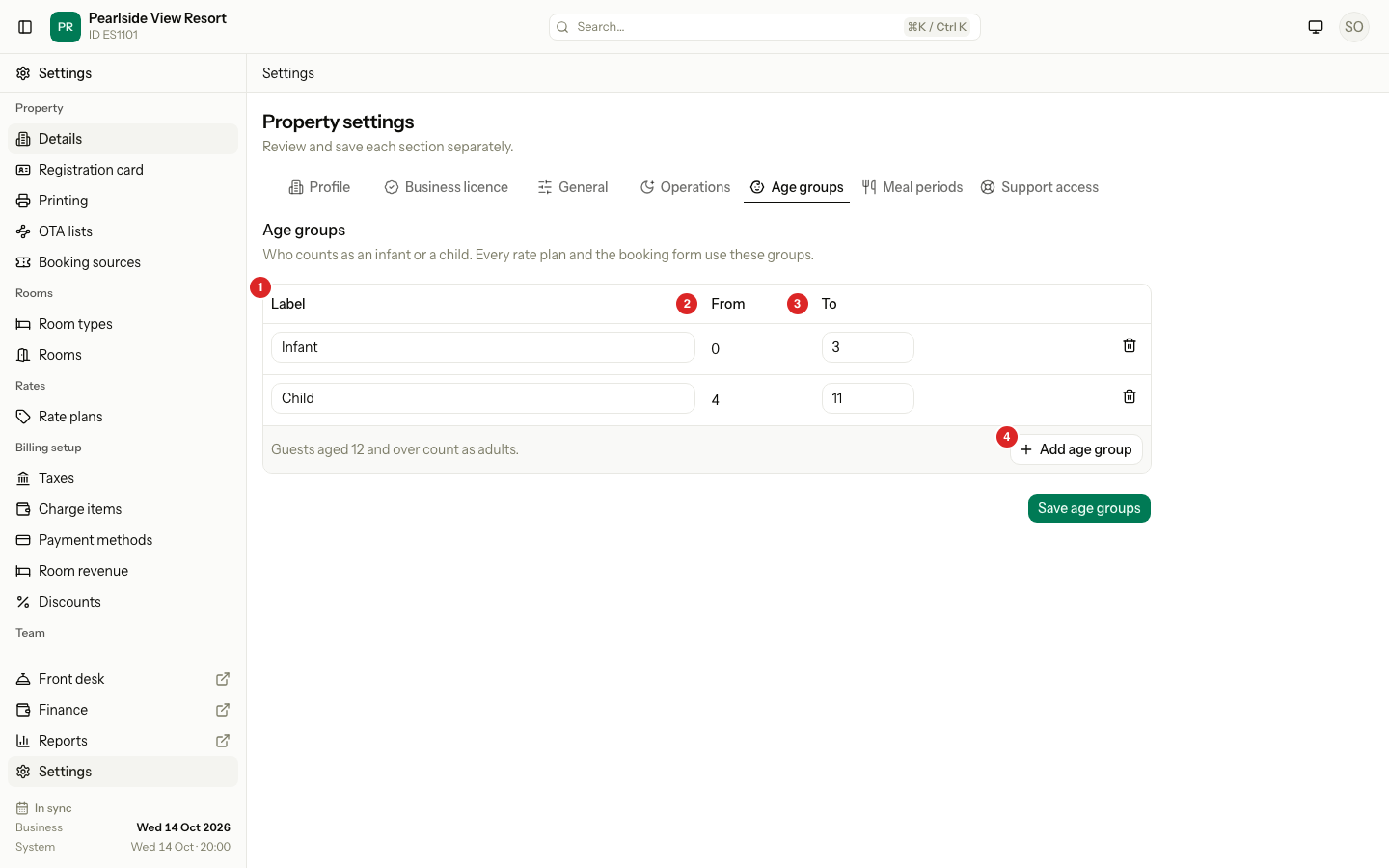
Under the table, Estatell says "Guests aged 12 and over count as adults." The adult age is always one year after the last group.
| Field | Rule |
|---|---|
| Label | Up to 50 characters. Two groups cannot have the same label, in any capitals. |
| From | Not editable. The first group starts at 0. Each next group starts one year after the one above. |
| To | A whole number from 0 to 17. Each group must be older than the one above. |
Worked example
You want free stays for children under 6 and a child price from 6 to 12.
| Label | From | To | Guests aged… | Count as |
|---|---|---|---|---|
| Infant | 0 | 5 | 0 to 5 | Infant |
| Child | 6 | 12 | 6 to 12 | Child |
| (none) | 13 | 13 and over | Adult |
What happens
- A new group gets a Free child price on every rate plan that prices by guest. Those plans show Check child prices until you review them.
- A new group on a charge item that prices by guest starts at 100 percent of the adult price, so children still pay as adults until you change it.
- Deleting a group deletes its child prices.
- Changes apply to new prices only. Existing bookings keep their amounts.
Special cases
| Situation | What happens | What to do |
|---|---|---|
| You delete a group in the middle | The next group takes over its ages. Deleting Infant turns Child into 0 to 11. | Check the ages of the group below. |
| You delete every group | Every guest counts as an adult. | Add a group when you want to price children. |
| Two groups share a label | Estatell shows "Another age group already uses this label." | Rename one. |
| A To age is not above the group above | Estatell shows "This age must be higher than the group above." | Raise the age. |
| The last group ends at 17 | Add age group is grey. | Delete a group, or raise an earlier To age. |
| You add a group | Rate plans show Check child prices. | Open each plan and set the new child price. |
| A group no longer exists when you save | Estatell shows "This age group no longer exists." | Reload the tab and try again. |