
Support access
Choose whether the Estatell team can open your property to help you, and whether they can fix money mistakes.
Sometimes the Estatell team, or your partner, needs to see your property to help you. You decide if they can. The Support access tab has two switches.
Before you start
- Permission: Manage property settings. Owners and managers have it by default.
Steps
- Open Settings, then Details, then the Support access tab.
- Turn Allow platform support access on or off.
- Turn Allow support to refund, void and issue credit notes on or off.
- Select Save settings.
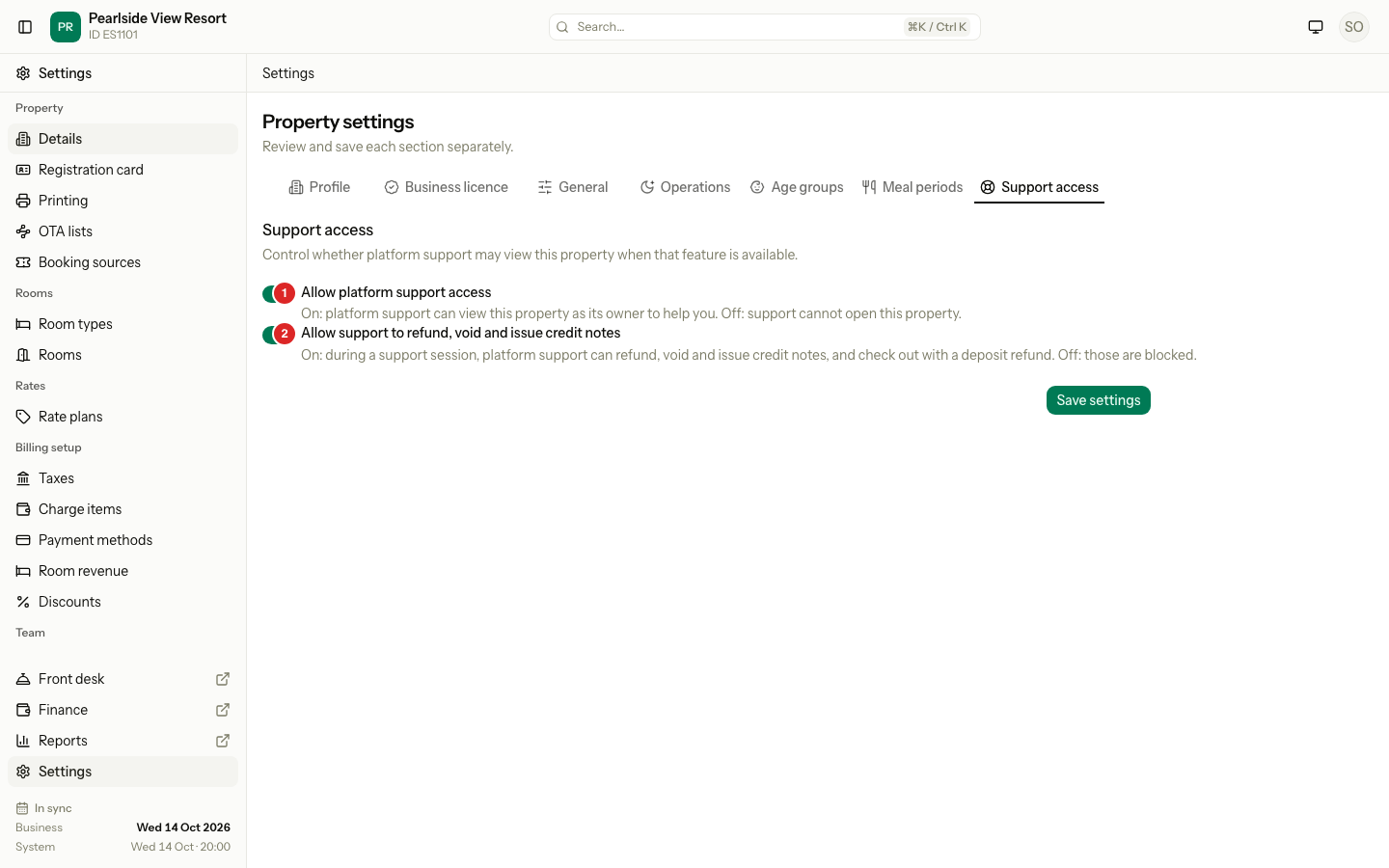
Both switches are on when you start.
What support can do
| Switch 1: access | Switch 2: money | Can support open your property? | Can support refund, void or issue credit notes? |
|---|---|---|---|
| On | On | Yes, as your owner. | Yes. You get an in-app notice for each one. |
| On | Off | Yes, as your owner. | No. Those actions are blocked, and so is a check-out that refunds a deposit. |
| Off | Any | No. The start button is off. | No. |
What happens
- Support only opens your property after they give a reason. Every session is logged.
- While they work, a banner shows at the top of the screen.
- Support cannot change these two switches. If a support person opens this tab, it says "Not available during support access."
- Every change support makes is recorded with their name.
Special cases
| Situation | What happens | What to do |
|---|---|---|
| You turn access off during a support call | Support cannot open the property again. | Turn it back on when you need help. |
| Access is on and money is off | Support can fix most things but not money. | Do the refund or void yourself, or turn the second switch on for a short time. |
| A support person is already in your property | They cannot change the switches. | End the session, then change them. |
| You are not an owner or manager | The tab does not open. | Ask an owner or manager. |