
Payment methods
Choose the ways your guests pay, and add your own.
Payment methods is the second Finance section. It is required. Here you choose how guests pay at your front desk. You can open it as soon as Basics is done.
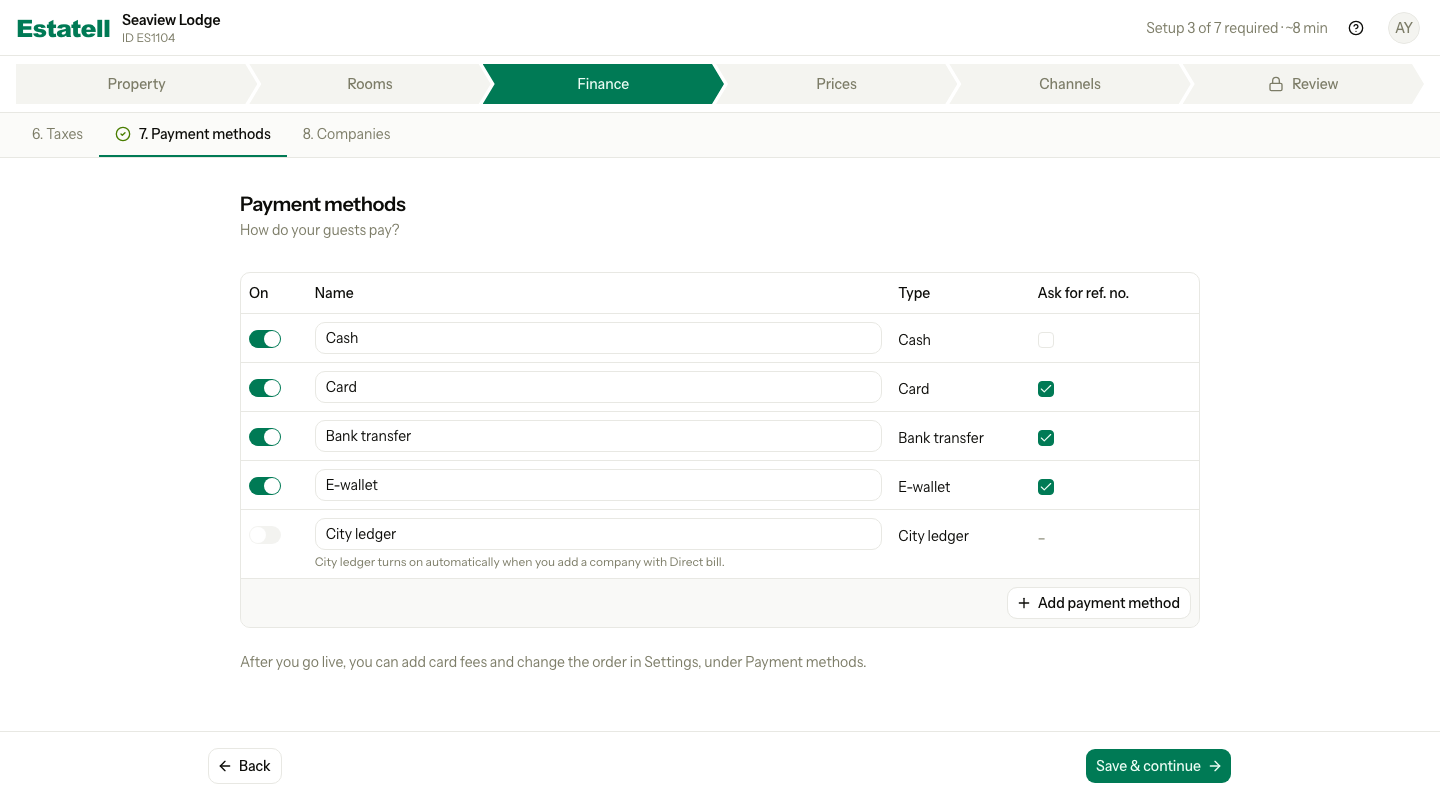
Estatell has already turned on Cash, Card, Bank transfer and E-wallet for you. City ledger is on the list too, and it is off. Because of this, Payment methods shows as done before you open it. Select Next to visit it anyway, so you can check the list and turn off what you do not use.
Turn methods on or off
- Turn the switch in the On column off for a method you do not accept.
- Change the Name if your guests know it by another name, for example "Credit card".
- Check Ask for ref. no. Tick it for a method that has a slip or a transaction number. Staff must then enter the number when they take a payment.
- Select Save & continue.
| Column | What it does |
|---|---|
| On | Turn it on to accept this method. A method that is off is not offered when staff take a payment. |
| Name | The name staff and guests see. |
| Type | The kind of method. You cannot change the type of a method you have saved. |
| Ask for ref. no. | Staff must enter a reference number, for example a card slip number. |
| Method | Starts | Ask for ref. no. |
|---|---|---|
| Cash | On | No |
| Card | On | Yes |
| Bank transfer | On | Yes |
| E-wallet | On | Yes |
| City ledger | Off | – |
If your country is not Malaysia, the list has no E-wallet. You can add it yourself.
Payment methods is done when at least one of Cash, Card, Bank transfer or E-wallet is on. City ledger does not count.
You cannot delete a saved method. Turn it off instead. You can remove a method only before you save it.
Add a payment method
If you accept another way to pay, for example DuitNow QR, add it.
- Select Add payment method.
- Enter the Name, for example "DuitNow QR".
- Choose the Type: Cash, Card, Bank transfer or E-wallet. Pick the one that is closest.
- Check Ask for ref. no. Estatell ticks it for you when the type usually has a reference.
- Select Save & continue.
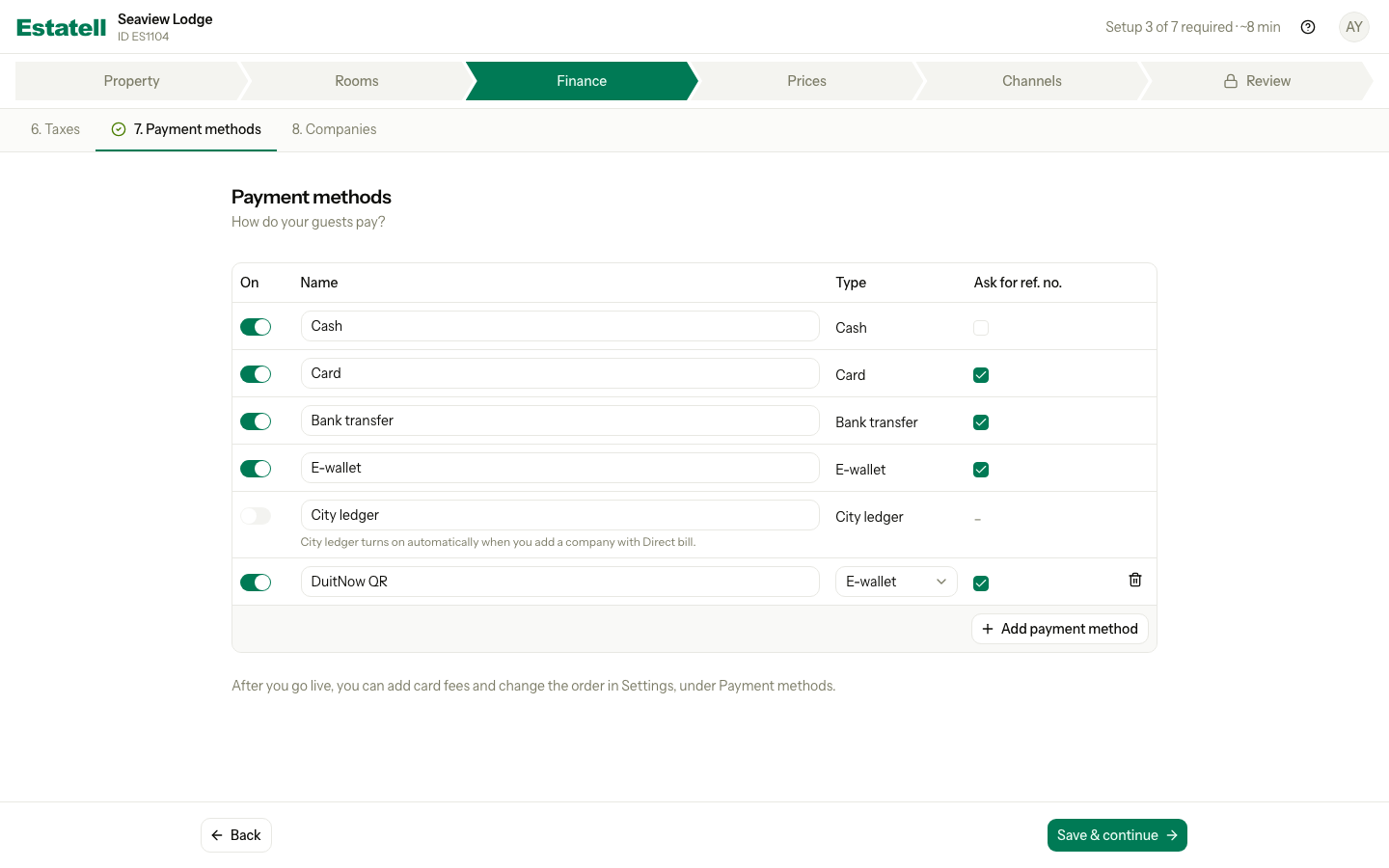
A new method goes to the end of the list that is on. After you save it, you cannot change its type. The table holds up to 20 methods. To remove a row you added but did not save, select the bin icon on it.
City ledger
City ledger is for a stay that a company pays later. It is off at the start, and you cannot turn it on here. The row says "City ledger turns on automatically when you add a company with Direct bill."
To use it, go to Companies and save a company with Direct bill ticked. Estatell turns City ledger on, and shows "Companies saved. City ledger turned on in Payment methods."
You can change the name of City ledger. Its switch and its reference box are fixed.
What you do later in Settings
- Card fees. In the wizard no method has a fee. After you go live, you can add card fees in Settings, under Payment methods. A fee uses a charge item. See Charge items.
- The order of the methods in the payment menu.
- The short code of a method. Estatell makes one from the name.
See Payment methods in Settings.
Special cases
| Situation | What happens | What to do |
|---|---|---|
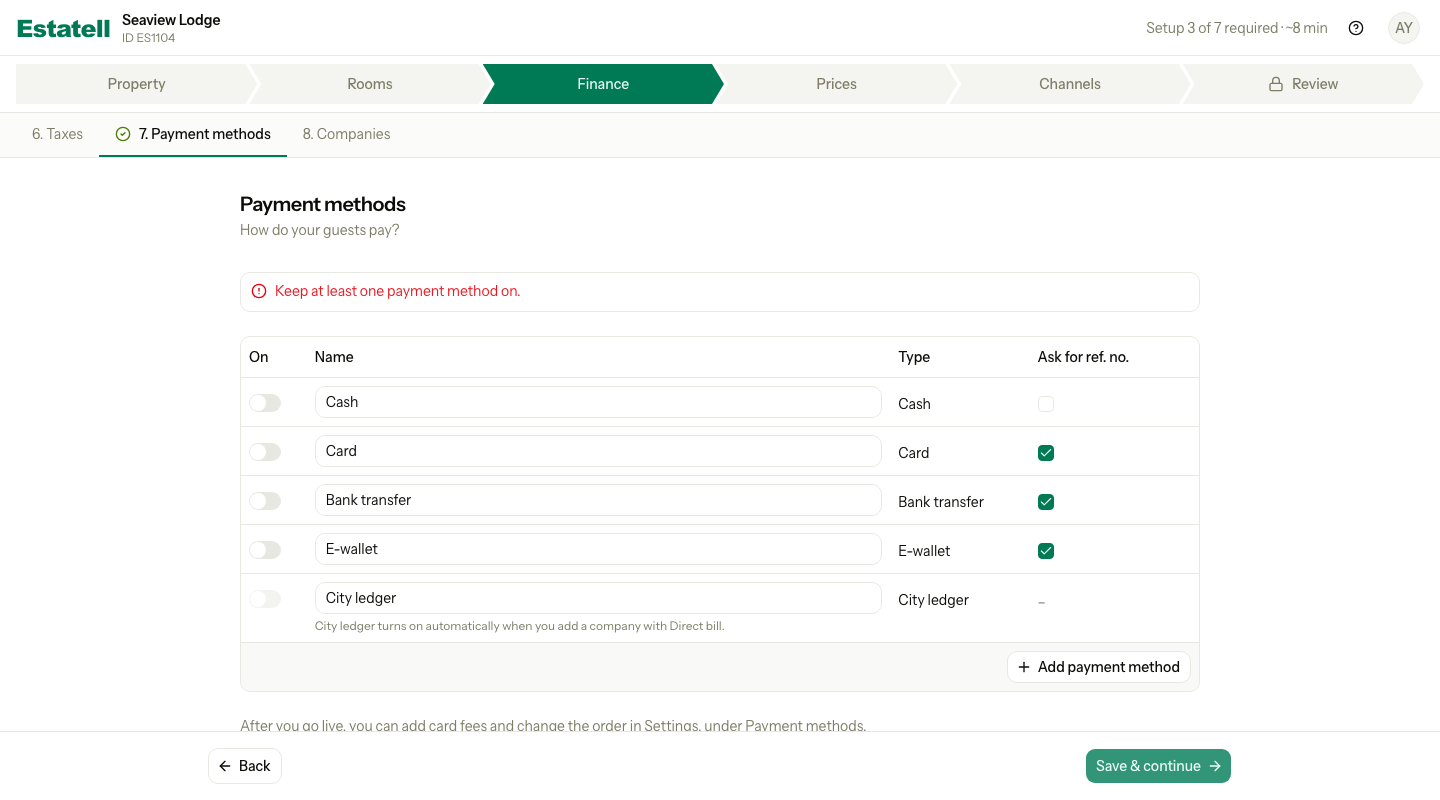
| You turn off every method | Estatell shows "Keep at least one payment method on." It does not save. | Leave at least one of Cash, Card, Bank transfer or E-wallet on. |
| You add a method with no type | Estatell shows "Choose a type." | Choose a type from the menu. |
| Two methods have the same name | Estatell shows "Another payment method in this table uses this name." Capital letters do not count. | Give each method its own name. |
| A name is already used by a saved method | Estatell shows "Another payment method already uses this name." | Choose another name. |
| You want to accept OTA payments | The wizard has no row for them. Channels come after go-live. | Nothing to do now. |
| You want to delete a saved method | You cannot delete it. | Turn it off. |
| You want to turn on City ledger | You cannot turn it on in the wizard. | Save a company with Direct bill in Companies. |
| You leave the section with unsaved changes | Estatell asks if you want to save them. | Save, or leave without saving. |
| You use a phone | Each row becomes a card. | Scroll down to see each field. |