
Payment methods
The ways guests pay, how to add one such as DuitNow QR, and how to add a surcharge.
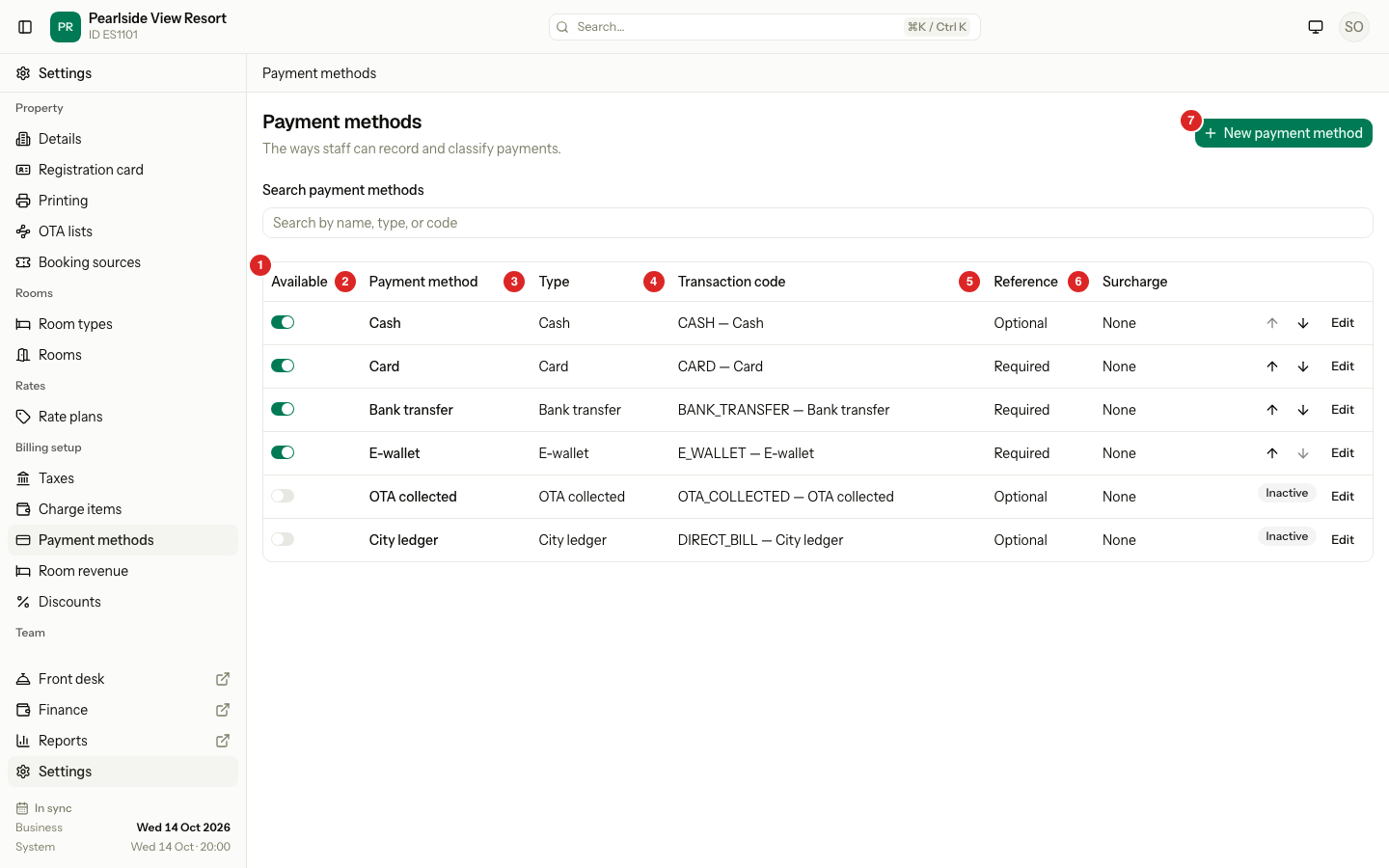
A payment method is a way a guest pays: cash, card, bank transfer, e-wallet. Staff choose one when they record a payment. The type of a method decides its report line. The method owns a code that shows in reports and the accounting export.
You choose your first methods in onboarding. See Payment methods. This page covers changes after go-live.
Before you start
- Permission: Manage property settings. Owners and managers have it by default.
- For a card fee, add a charge item for the fee first.
Steps
- Open Settings, then Payment methods under Billing setup.
- Select New payment method. To change one, select Edit on its row.
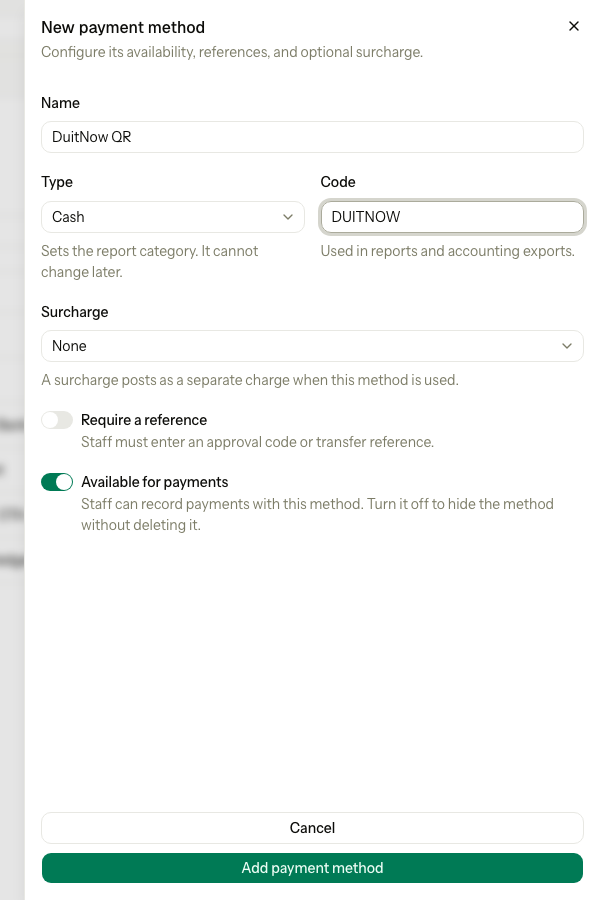
- Enter the Name, for example "DuitNow QR".
- Choose the Type. You cannot change it later.
- Enter the Code, for example
DUITNOW. - If the method charges a fee, choose the Surcharge. See Surcharge.
- Turn Require a reference on if staff must enter an approval code or transfer reference. Estatell turns it on for you for a type that usually has one.
- Keep Available for payments on.
- Select Add payment method, or Save changes.
Types
| Type | You can add it | Reference | Starts |
|---|---|---|---|
| Cash | Yes | Optional | On |
| Card | Yes | Required | On |
| Bank transfer | Yes | Required | On |
| E-wallet | Yes | Required | On |
| OTA collected | No. Estatell makes it. | Optional | On |
| City ledger | No. Estatell makes it. | Optional | Off |
OTA collected records money the guest already paid the booking site. Channel bookings post it for you, and staff can also choose it in Record payment. It never takes a surcharge, because the desk did not take the money. City ledger moves a balance to a company account, so it is not offered when staff record a payment. A property outside Malaysia starts with Cash, Card, Bank transfer and City ledger. Staff may also see Old system during the migration window.
Surcharge
A surcharge is a fee Estatell adds when a guest pays with this method, for example 2% on cards. It posts as a separate charge on the bill.
| Setting | What to do |
|---|---|
| None | No fee. |
| Fixed amount | Enter the Surcharge value in your currency. |
| Percentage | Enter the Surcharge value, from 0.01 to 100. |
| Surcharge charge item | Choose the charge item the fee posts to. Only available items can be chosen. |
An OTA collected payment never takes a surcharge, even when the method has one.
Special cases
| Situation | What happens | What to do |
|---|---|---|
| The name is used | Estatell shows "Another payment method already uses this name." | Use a different name. |
| The code is used | Estatell says the code is already in use. | Choose another code. |
| You want to remove a method | You cannot delete a method. Past payments keep it. | Turn Available off. The row shows Inactive. |
| You turn a method on again | It goes to the end of the list. | Move it with the arrows. |
| You want a different type | The type cannot change. | Add a new method with the right type, and turn the old one off. |
| A seeded method | Its code and type are fixed. You can rename it. | Edit the name only. |
| You turn OTA collected off | Channel bookings cannot post the money the booking site took. Estatell opens an OTA payment not posted alert. | Keep it on if you use channels. |
| Surcharge with no charge item | Estatell refuses to save. | Choose an active charge item in Surcharge charge item. |
| The fee's charge item is turned off later | The method keeps the item, and the item shows as inactive. | Choose another item. |