
Room types
Add, change, order, archive and restore the kinds of room or bed you sell.
A room type is a kind of room or bed you sell, for example "Standard Double" or "6-Bed Dorm". Every room belongs to one room type. Rooms of one type share the same prices.
Use this page after go-live, or to add details the setup wizard does not ask for. The short version is in Rooms.
Before you start
- Permission: Manage rooms and room types. Owners and managers have it by default. With only View rooms and room types, you can look but not change.
- You need a room type before you can add rooms.
The Room types screen
Open Settings → Room types.
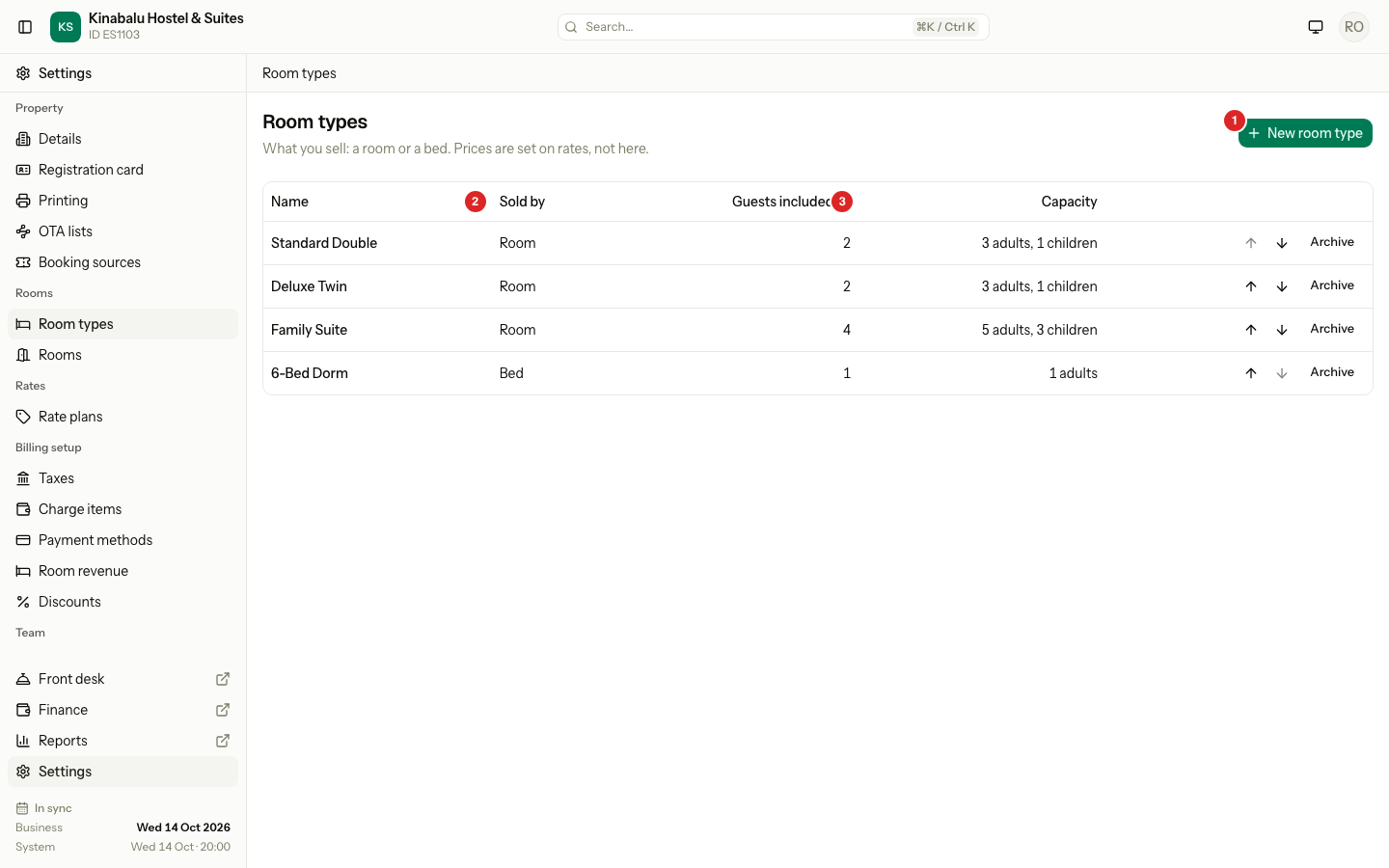
| # | What | What it does |
|---|---|---|
| 1 | New room type | Opens the form to add a room type. |
| 2 | Sold by | Room sells the whole room. Bed sells one bed at a time, for dorms. |
| 3 | Capacity | The most adults and children the room fits. |
The Guests included column shows how many guests the room price covers. Archived room types are listed under Archived, with a Restore button.
Add a room type
- Select New room type.
- Enter the Name.
- Enter a Description if you want one. It is for your team.
- Choose Sold by: Room or Bed.
- Enter Max adults and Max children.
- Check Guests included.
- If your property has more than one registration terms document, choose the Terms document guests of this type sign. Default uses the property default.
- Switch on Smoking allowed or Pets allowed if they apply.
- Select Create room type.
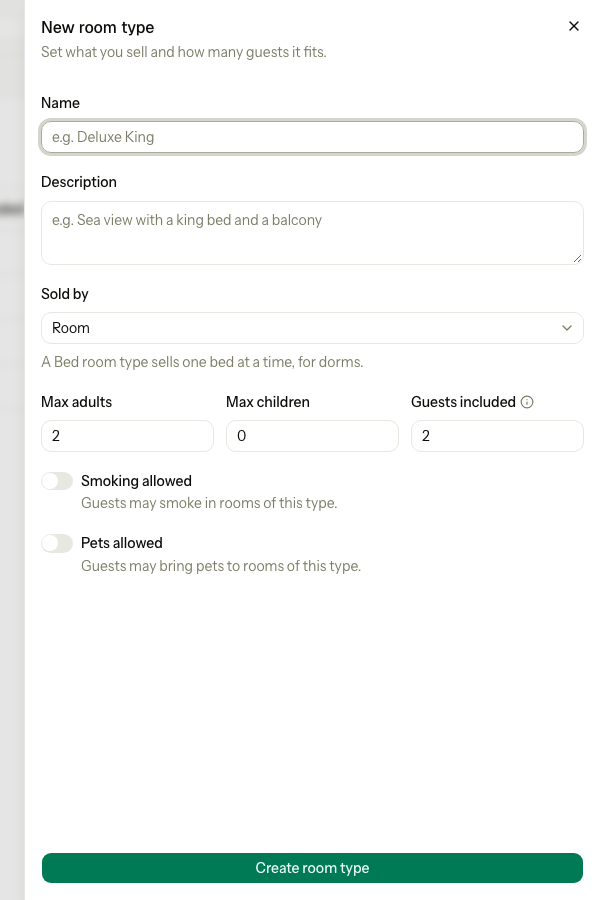
Estatell opens the new room type on its Details tab. Next, add its rooms. See Rooms and room groups.
| Field | What to enter |
|---|---|
| Name | A name your guests and staff know. Up to 100 characters. It must differ from every other active room type. Capital letters do not count. |
| Description | Up to 2000 characters. Optional. |
| Sold by | Room or Bed. You cannot change it after the room type has rooms. |
| Max adults | From 1 to 50. |
| Max children | From 0 to 50. |
| Guests included | How many guests a per-room price covers. At least 1. It cannot be more than Max adults plus Max children. |
| Terms document | Shows only when you have more than one terms document. |
| Smoking allowed, Pets allowed | On or off. They tell your team the rule for this room type. |
Estatell links a new room type to your first rate plan that fits. A room type sold by room gets a per-room plan, such as Basic Rate. A room type sold by bed gets a per-bed plan. If no plan fits, set it up in Rate plans.
Change a room type
- Select the name of the room type in the list.
- On the Details tab, change the fields.
- Select Save details.
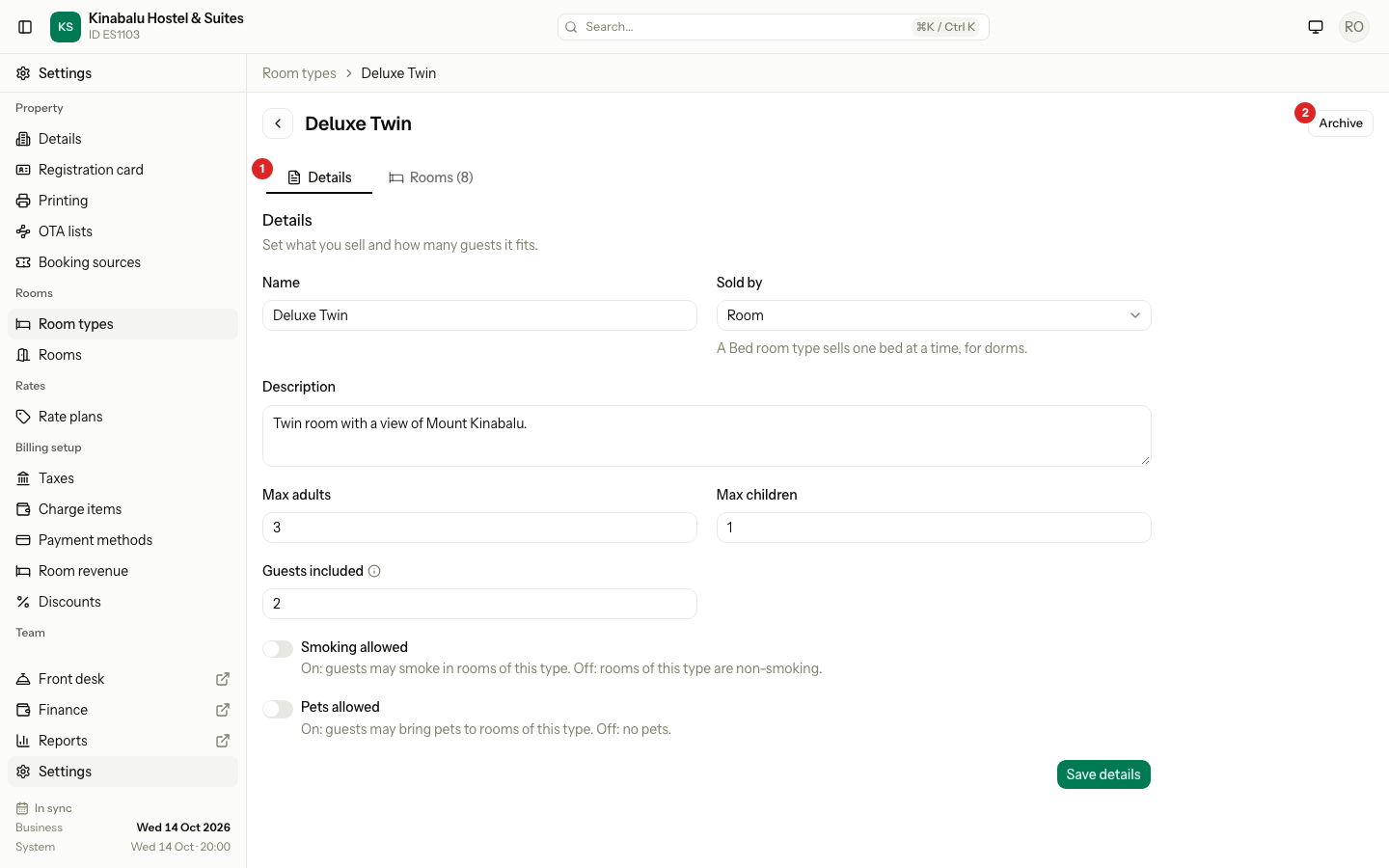
| # | What | What it does |
|---|---|---|
| 1 | Details and Rooms tabs | Details has the fields. Rooms lists the rooms of this type. |
| 2 | Archive | Hides the room type. See below. |
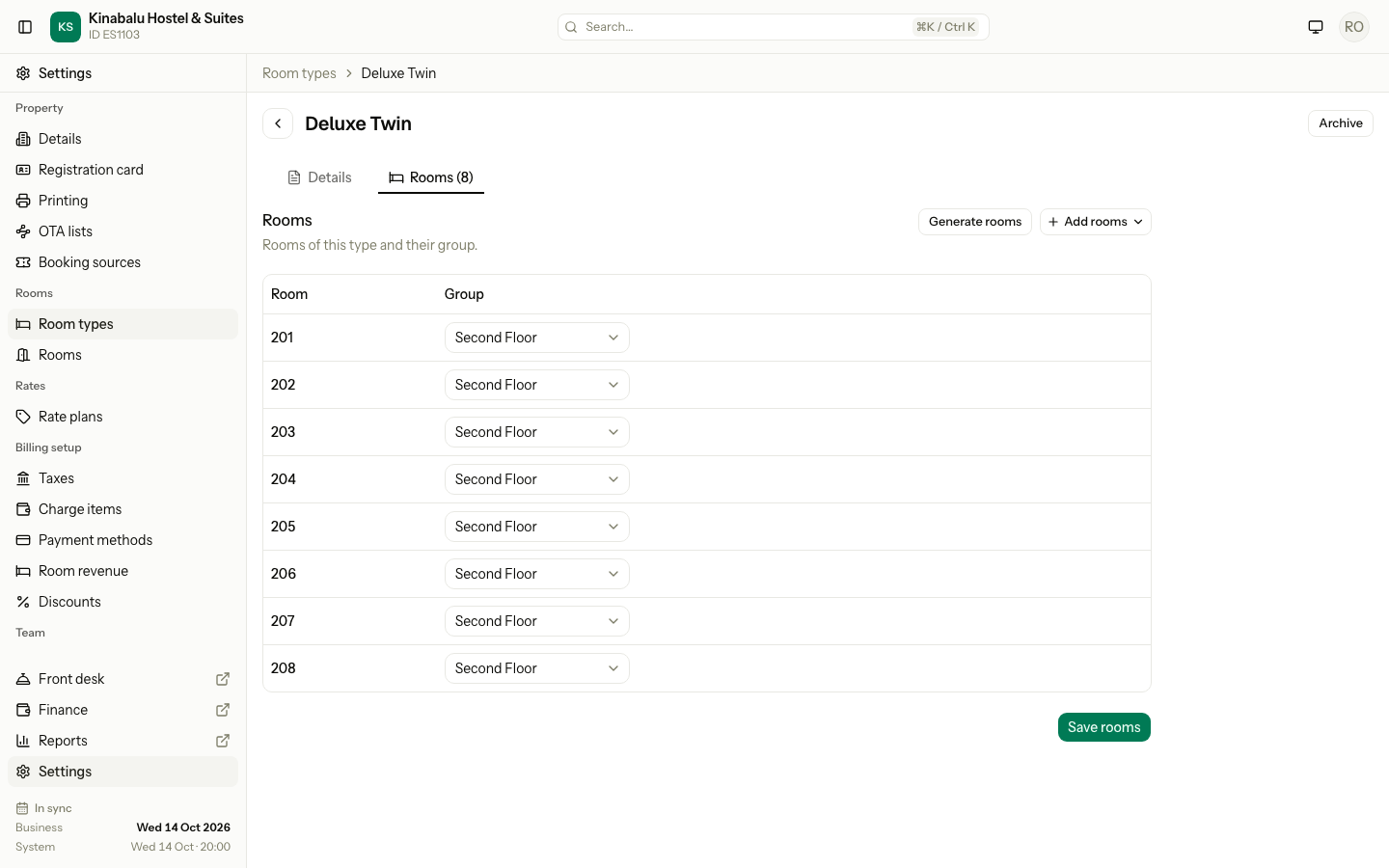
The Rooms tab shows the rooms of this type and their groups. You can also move rooms into this type there. See Rooms and room groups.
Change the order
In the list, use the up and down arrows on a row. Estatell shows the room types in this order.
Archive and restore
Archive a room type you no longer sell. It leaves the active list and cannot be used for new work. Old bookings keep it.
- Select Archive on the row, or on the room type page.
- Select Archive in the question.
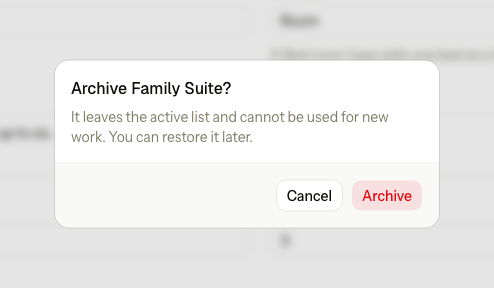
To bring it back, select Restore. A restored room type goes to the end of the list. Estatell also links it to a rate plan again if it has none.
Special cases
| Situation | What happens | What to do |
|---|---|---|
| The name is already used | "Another active room type already uses this name." | Choose another name. An archived room type does not count. |
| You change Sold by on a room type with rooms | "Sold by cannot change while this room type has rooms." | Make a new room type with the right Sold by. Move the rooms to it. A room with beds can move only to a room type sold by bed. |
| Guests included is more than the guests the room fits | "Guests included cannot be more than the maximum guests." | Lower Guests included, or raise Max adults or Max children. |
| You change Sold by | Estatell removes the rate plan links that no longer fit, and links the first plan that does. | Check Rate plans afterwards. |
| The room type is on the channel manager | "Deluxe Twin is on the channel manager. Ask the estatell team to remove it there first." The room type stays active. | Ask the Estatell team, then archive it. |
| You archive a room type that has rooms | Its rooms stay in the list. | Archive or move the rooms yourself. |
| You restore a room type and its name is now used | "Deluxe Twin cannot be restored. Another room type uses the same name." | Rename the other room type, then restore. |
| You open an archived room type | The page is read-only. A Restore button replaces Archive. | Select Restore to edit it. |
| A second person changed the order at the same time | "The room types changed. Reload the page and try again." | Reload the page. |
| You have only the view permission | Fields are disabled, and Save details and Archive are hidden. | Ask an owner or manager. |