
Charge items
Set up the extras that staff charge on a guest bill, like laundry or an extra bed.
Charge items is the second Prices section. It is optional. A charge item is an extra that staff add to a guest bill, for example laundry, a minibar drink or an extra bed. You can open it when Taxes is done.
Before you start
Set your taxes in Taxes. The Taxes column of each item uses the taxes that you turned on there. If no tax is on, the column says "No taxes are on yet. Turn on a tax in Taxes first."
Starter items
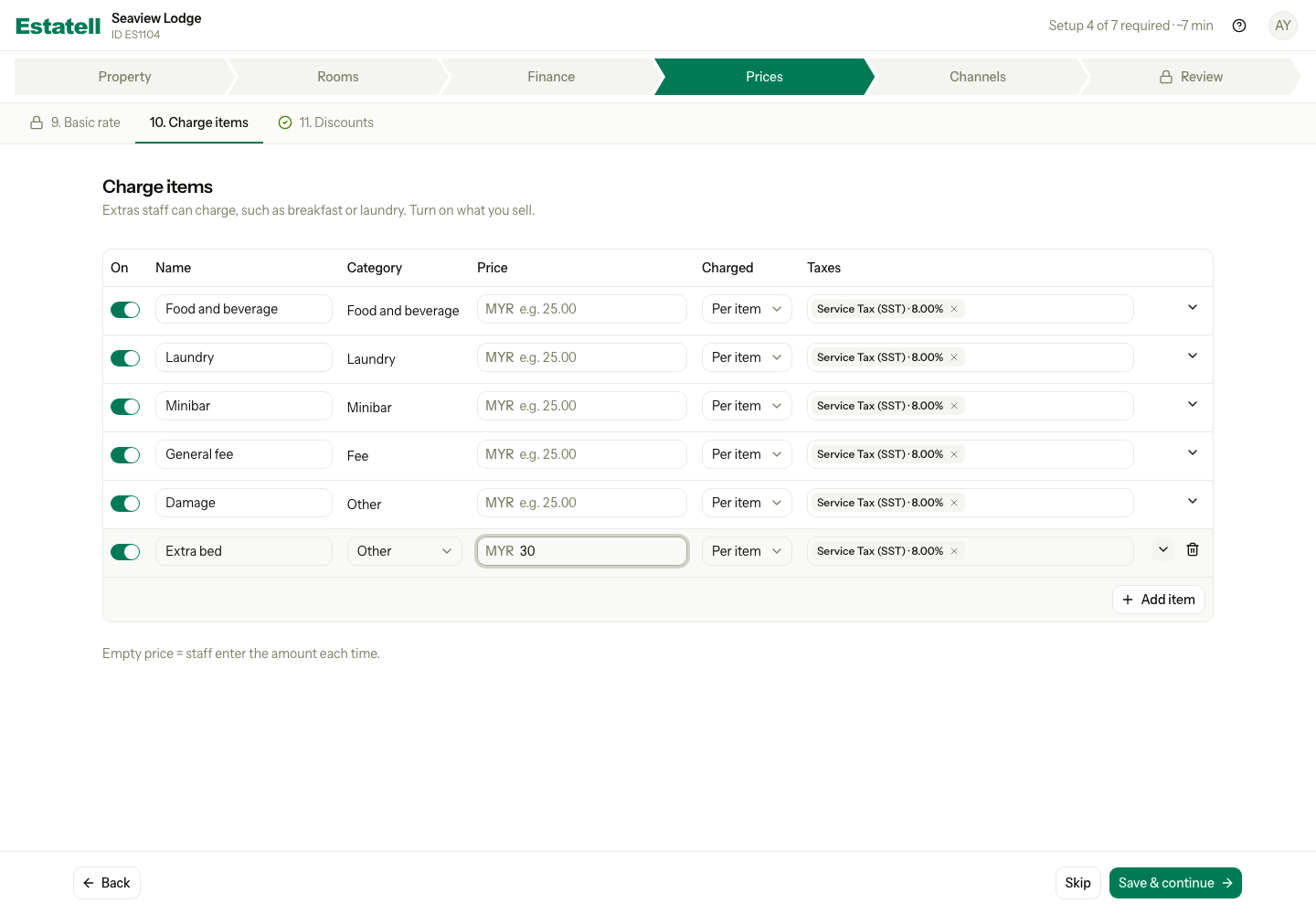
For a Malaysian property, the table starts with five items. All are turned on and none has a price.
| Item | Category |
|---|---|
| Food and beverage | Food and beverage |
| Laundry | Laundry |
| Minibar | Minibar |
| General fee | Fee |
| Damage | Other |
Set up your charge items
- Turn off the items that you do not sell. Use the switch in the On column.
- Enter a Price for the items that always cost the same.
- Check Charged and Taxes for each item.
- To add your own item, select Add item and fill in the new row.
- Select Save & continue. Or select Skip if you want to set this up after you go live.
| Column | What to enter |
|---|---|
| On | Turn the item on or off. A turned off item does not show to staff. |
| Name | The name staff see, for example "Extra bed". It must be different from the other names. |
| Category | The group the item belongs to. A starter item keeps its category. For a new item, choose one. It starts as Other. |
| Price | The amount in your currency. Leave it empty to let staff enter the amount each time. |
| Charged | How Estatell counts the item. See the table below. |
| Taxes | The taxes that Estatell adds to the item. You can choose more than one. |
Charged
| Charged | Estatell charges the price | Example |
|---|---|---|
| Per item | Once for each item that staff add | A drink from the minibar |
| Per night | Once for each night of the stay | An extra bed |
| Per stay | Once for the whole stay | A cleaning fee |
| Per guest-night | Once for each guest, each night | A breakfast for each guest |
| Per guest | Once for each guest | A welcome pack |
Taxes
Estatell turns on the taxes for you when you open the section. It picks each tax that is a percentage and applies to all guests, for example SST or a service charge. It does not pick a flat tax or a tax for foreign guests only, for example the tourism tax. Add those yourself if the item needs them.
Nothing is saved until you select Save & continue.
More options
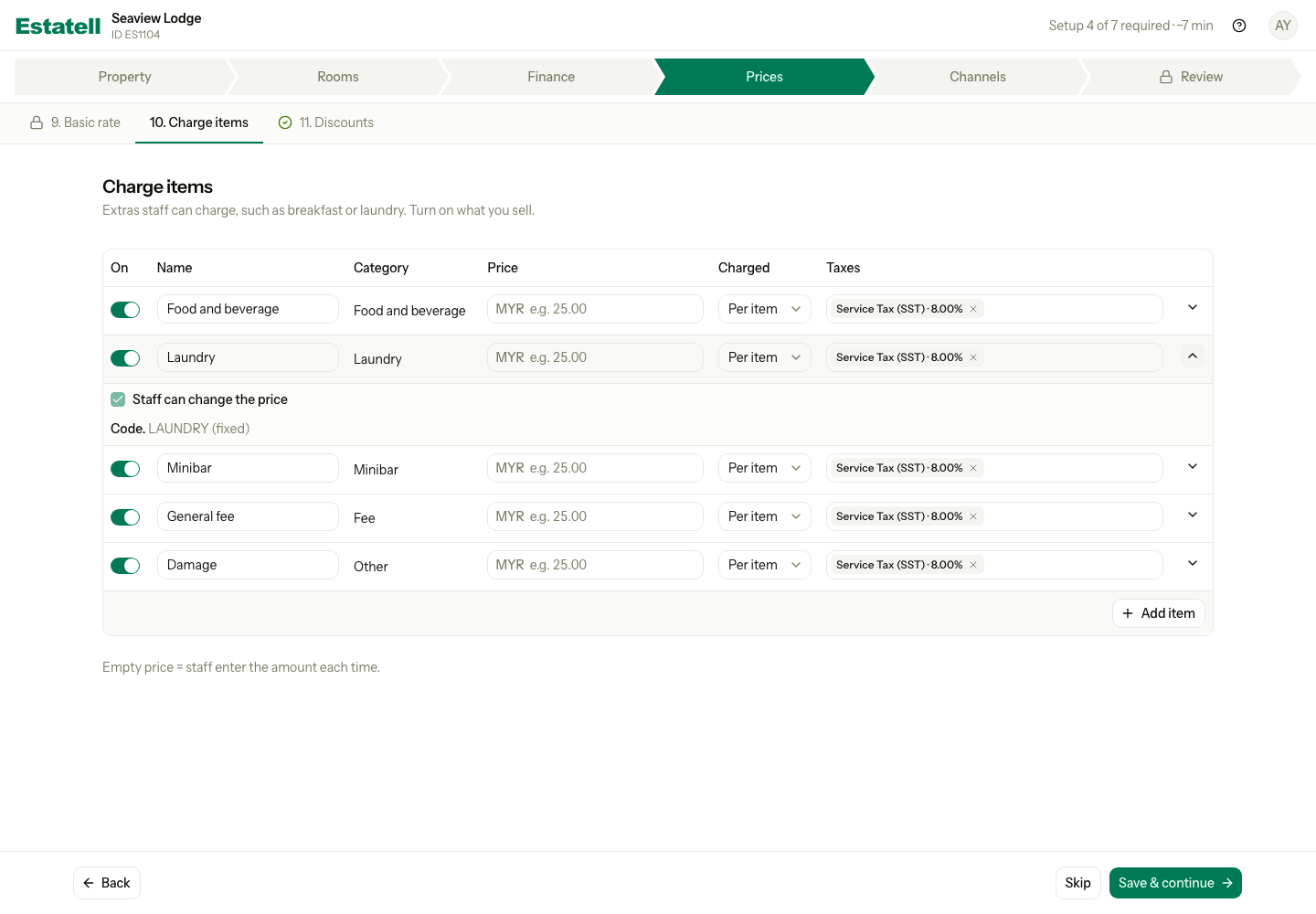
Select the arrow at the end of a row to see more options.
| Option | What it does |
|---|---|
| Staff can change the price | Lets staff enter another amount when they charge the item. It is on at the start. It stays on when the price is empty, because staff must enter the amount. |
| Children | Shows for Per guest and Per guest-night. A child pays the full price. You can set child prices in Settings, under Charge items, after you go live. |
| Code | The short code of the item, for example LAUNDRY. A starter item shows "fixed". A new item gets its code from its name, and the code changes while you type. |
When is Charge items done?
Charge items never stops you from going live. It is done when at least one item that is on has a price or a tax. If you select Skip, it counts as skipped.
Special cases
| Situation | What happens | What to do |
|---|---|---|
| You want to remove an item | You cannot delete a saved item. | Turn it off. |
| You add a new row by mistake | The row has a bin icon. | Select the bin to remove it. |
| You leave Price empty | Staff enter the amount each time. | Nothing. This is fine for items like damage. |
| No tax is on in Taxes | The Taxes column is empty. | Turn on a tax in Taxes first. |
| You need a boat fare | This section does not offer Transport items. Boat fares have their own tab in Settings. | Set it up there after you go live. |
| You need an item that adds itself to the bill, or a description | Not in this section. | Use Settings, under Charge items, after you go live. |
| You want to charge a card fee | Not in this section. | Use the Payment surcharges step on your checklist after you go live. |
| You use a phone | Each row becomes a card. | Scroll down to see each field. |