
Discounts
Set up the discounts that staff can give on a booking or a guest bill.
Discounts is the third Prices section. It is optional. A discount is a reduction that staff can apply on a booking or a guest bill, for example a walk-in rate or a returning guest rate. You can open it as soon as Basics is done.
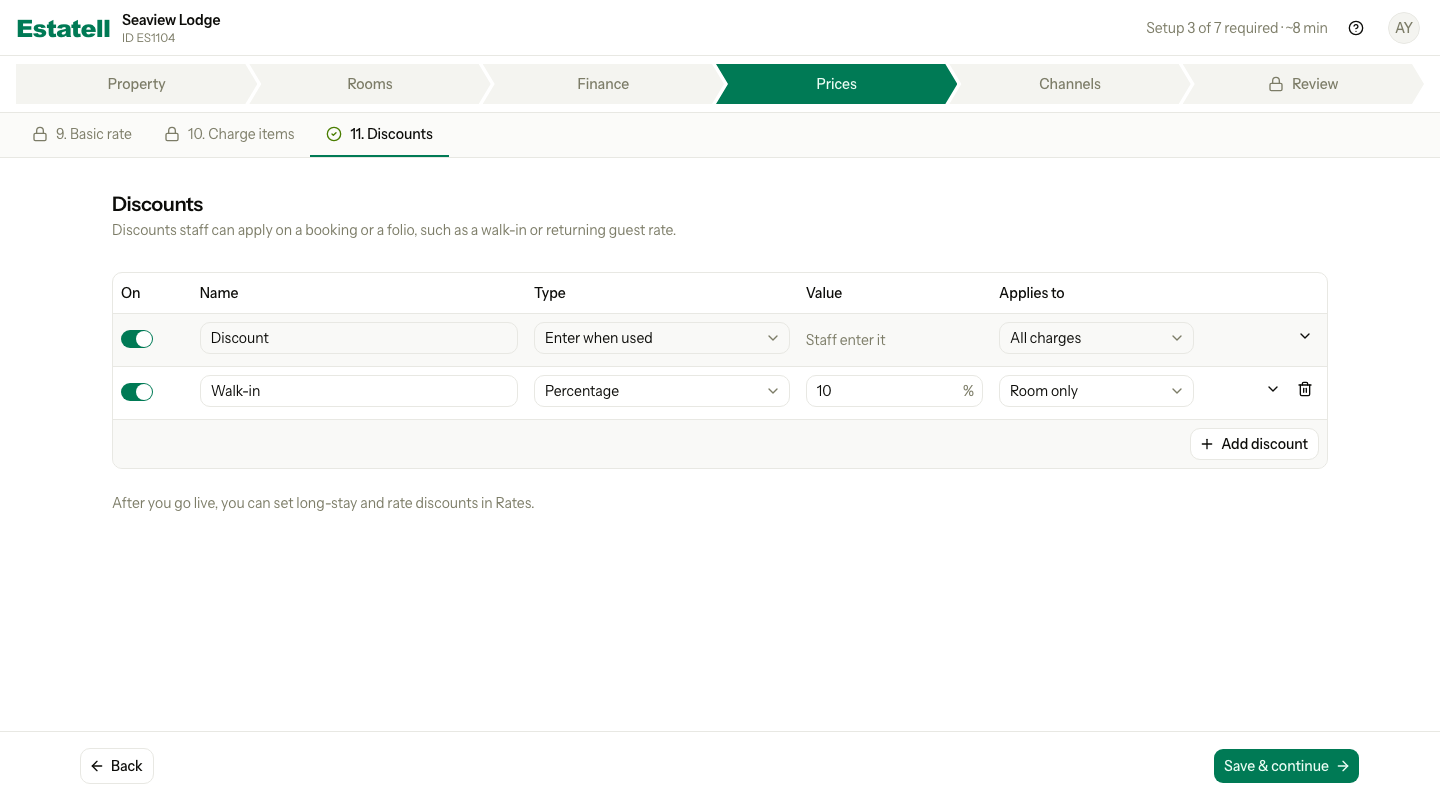
Starter discount
The table starts with one discount, named Discount. It is turned on, and its type is Enter when used. It applies to All charges. Staff enter the amount each time they use it.
You can keep it, rename it or turn it off.
Set up your discounts
- Check the starter discount. Turn it off if you do not want it.
- To add a discount, select Add discount.
- Enter a Name, for example "Walk-in".
- Choose the Type and enter the Value.
- Choose what the discount Applies to.
- Select Save & continue.
| Column | What to enter |
|---|---|
| On | Turn the discount on or off. Staff can use only the discounts that are on. |
| Name | The name staff see. It must be different from the other names, whether you use capital letters or not. |
| Type | How the discount works. See the table below. |
| Value | The size of the discount. It depends on the type. |
| Applies to | The charges that the discount takes money off. See the table below. |
Type
| Type | Value | Example |
|---|---|---|
| Percentage | A number from 1 to 100, in % | 10% for a walk-in guest |
| Fixed amount | An amount more than 0, in your currency | MYR 20 for a returning guest |
| Enter when used | None. Staff enter it each time. | A discount that the manager decides at the desk |
Applies to
| Choice | The discount takes money off |
|---|---|
| Room only | The room charges only |
| All charges | Every charge, except tax |
| Selected charges | Only what you tick. The list has Room charges and each charge item that is on. Tick at least one. |
Estatell does not show an example of what a guest pays, because a discount applies to the whole bill. An example would be wrong for most bills.
More options
Select the arrow at the end of a row to see more options.
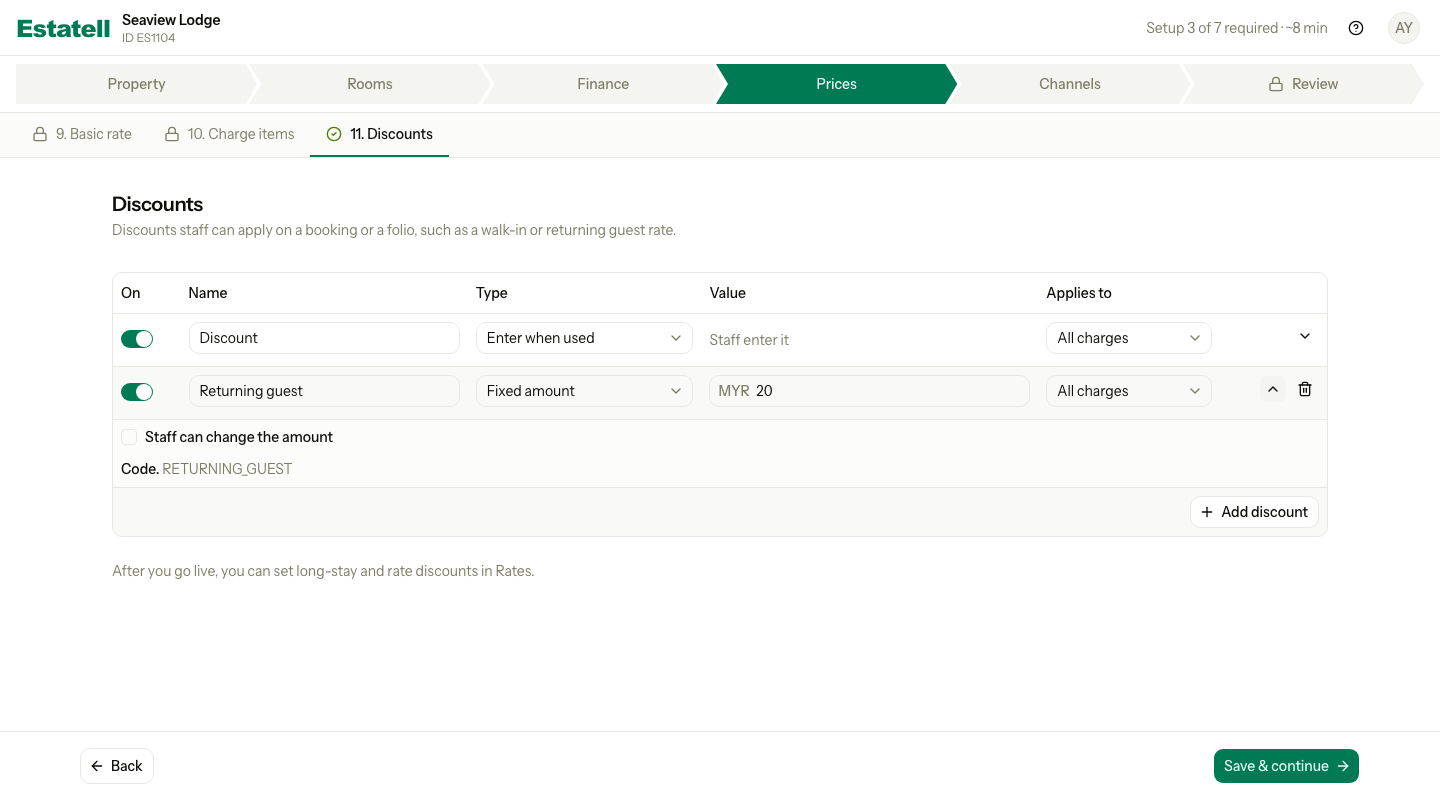
| Option | What it does |
|---|---|
| Staff can change the amount | Lets staff enter another amount when they use the discount. You can tick it for Fixed amount only. For Percentage it is off. For Enter when used it is on. You cannot change them. |
| Code | The short code of the discount, for example RETURNING_GUEST. A new discount gets its code from its name. A starter discount shows "fixed". |
When is Discounts done?
Discounts never stops you from going live. It is done when at least one discount is turned on, or when you skip it. The starter discount is on, so Discounts usually shows as done before you open it. Select Next to visit it.
Special cases
| Situation | What happens | What to do |
|---|---|---|
| You want to remove a discount | You cannot delete a saved discount. | Turn it off. |
| You add a new row by mistake | The row has a bin icon. | Select the bin to remove it. |
| You turn off every discount | Staff cannot use a discount. | Turn one on here, or in Settings. |
| You choose Selected charges and tick nothing | Estatell shows an error. | Tick at least one charge. |
| You use a name that exists | Estatell shows an error. | Use another name. |
| You need a long-stay or rate discount | Not in this section. | Use Settings, under Rates, after you go live. |
| You use a phone | Each row becomes a card. | Scroll down to see each field. |