
Portal bookings
What happens at the front desk when a company books, edits guests, cancels or asks to cancel in the portal.
A company books in the portal without calling you. The booking is confirmed at once, the company pays through the city ledger, and you see it on the reservation list like any other booking. Use this page to know what the company can do, why a booking is refused, and how to answer a cancel request.
Before you start
- Permission to see and answer:
reservations.manage. Owners, managers and front desk staff have it by default. These staff also get the notifications. - The company needs a portal login.
- The company needs a rate plan that is open to it in the portal. See Company rates.
Which rate plans a company sees
The company picks the rate plan first, then the room type, because it books on its own contract rate.
| Rate plan | Does the company see it? |
|---|---|
| All companies with Portal on | Yes |
| Only these companies, with the company listed and Portal on for it | Yes |
| Everyone | No. The portal never offers a public rate. |
| Day use | No |
| A plan whose Market does not match the company's market | No. A company with no market sees only plans open to every market. |
| A plan that is archived or turned off | No |
A Package plan is offered like any other. The company must book the number of nights the package sells.
Make a booking in the portal
This is what the company does. You do not need to do anything.
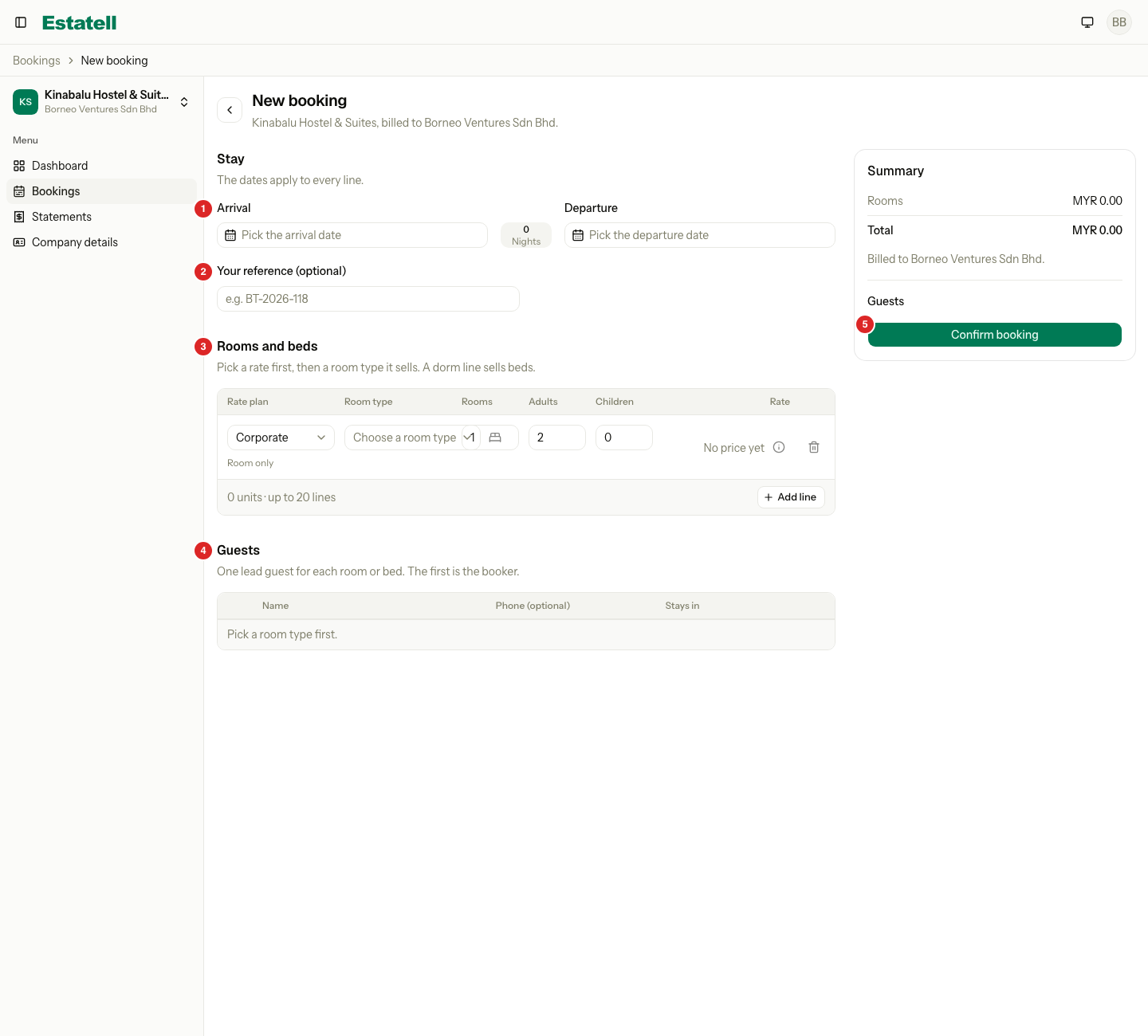
- Select Book a stay, or New booking on the Bookings page.
- Pick the Arrival and Departure.
- Enter Your reference if the company has a voucher or file number.
- Under Rooms and beds, pick the Rate plan, then the Room type. Each room type shows its price and how many are left.
- Enter Rooms (or Beds for a dorm), Adults and Children. Each child needs an age.
- To book another room type, select Add line. A booking has up to 20 lines.
- Under Guests, enter the name of the lead guest for each room or bed. The first guest is the booker.
- Check the Summary, then select Confirm booking.
| Part | What it does |
|---|---|
| Stay | The dates apply to every line. The arrival cannot be before the property's business date. |
| Rooms and beds | One line for each rate plan and room type. A line can book many rooms with the same number of adults and children. A dorm line books beds. |
| Rate | The price of the line, with the items Estatell adds by itself. The company cannot change it. |
| Guests | One lead guest for each room or bed. Names are new guest records, with no search. |
| Summary | The total, Billed to the company, and Free cancellation until the last free day. Confirm booking is off until every line has a price and every room has a guest name. |
What you see at the front desk
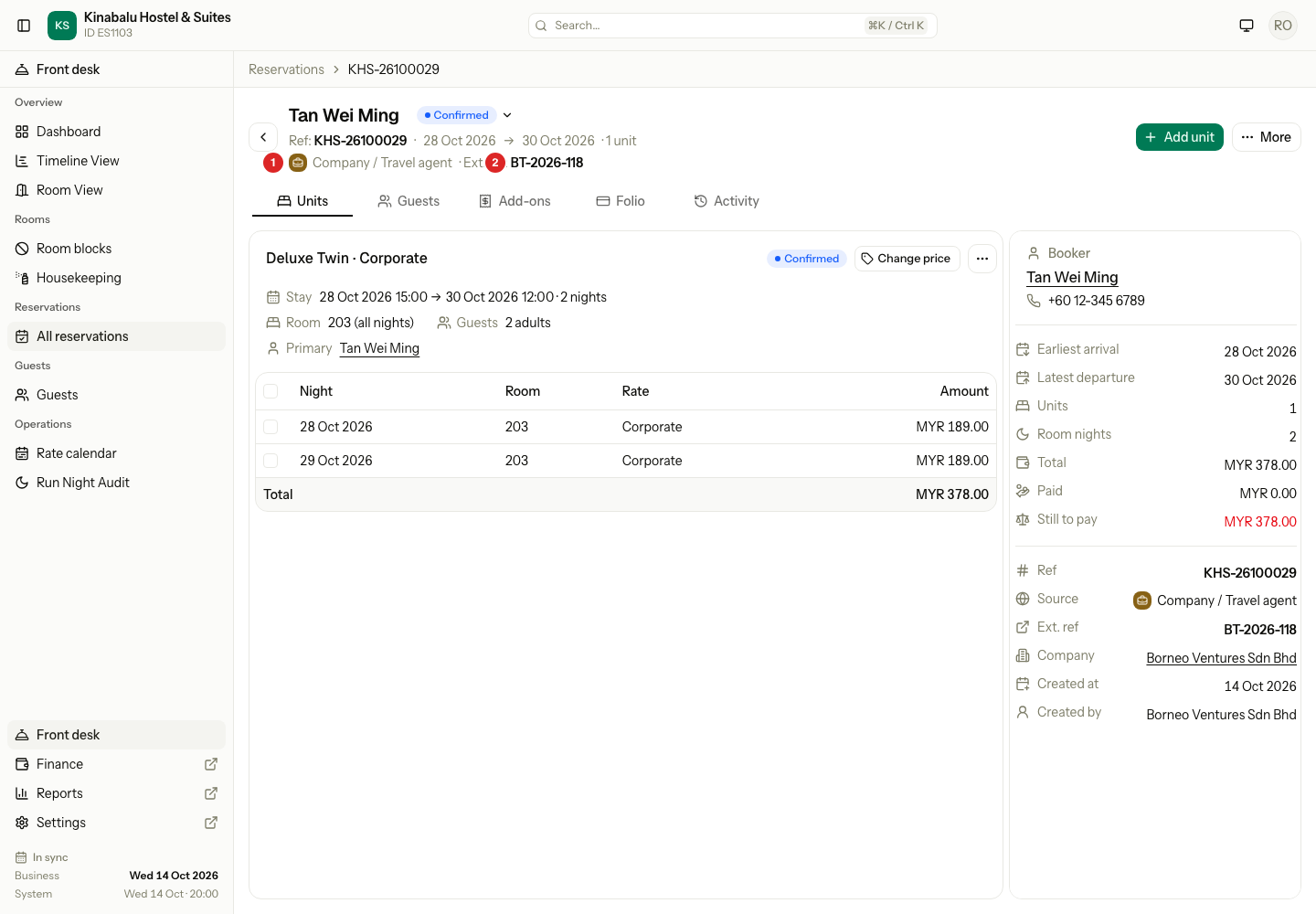
A portal booking is a normal reservation, with these settings.
| Field | Value |
|---|---|
| Status | Confirmed at once. There is no approval step. |
| Source | Company / Travel agent |
| Ext. ref | The company's reference from Your reference |
| Company | The company that booked |
| Created by | The company's name |
| Billing | The company pays. The company is the payer of the Master folio, and you settle it to the city ledger at check-out. |
The room is assigned like any other booking. See Assign rooms and beds. Staff with reservations.manage get a Company portal booking notification.
When a portal booking is refused
Estatell prices the booking again when the company confirms. It refuses a booking that would break a rule, and nothing is saved.
| Situation | What the company sees | What you can do |
|---|---|---|
| The company is suspended | "Your company can't book at this property right now. Contact the property." | Reactivate the company. |
| The room is not free on a night | "Not available on" the date | Offer other dates or a room type. |
| More rooms or beds than are left | "Only 2 left for these dates." | Offer fewer rooms. |
| A rate restriction fails, for example a minimum stay | The restriction, for example "Min stay 2 nights" | Change the restriction in the rate calendar, or book it at the front desk. |
| A package needs another number of nights | "This package sells a fixed number of nights." | Pick other dates. |
| A child's age is missing, or there are too many guests for the room type | A message on the line | Fix the line. |
| A room has no guest name | "Enter a guest name for each room." | Enter the name. |
| The company would go over its credit limit | "This booking would take the company over its credit limit. Contact the property." | See Credit control. |
| The plan is not open to the company | "This rate is not available. Pick another rate." | Open the plan to the company. |
| The plan does not sell the room type | "This room type is not sold on this rate. Pick another room type." | Check the plan's room types. |
| The price changed while the company filled in the form | "The price changed. Check the new total and confirm again." | Nothing. The company confirms again. |
| Any other reason | "This booking cannot be made. Contact the property." | Book it at the front desk. |
The Bookings page
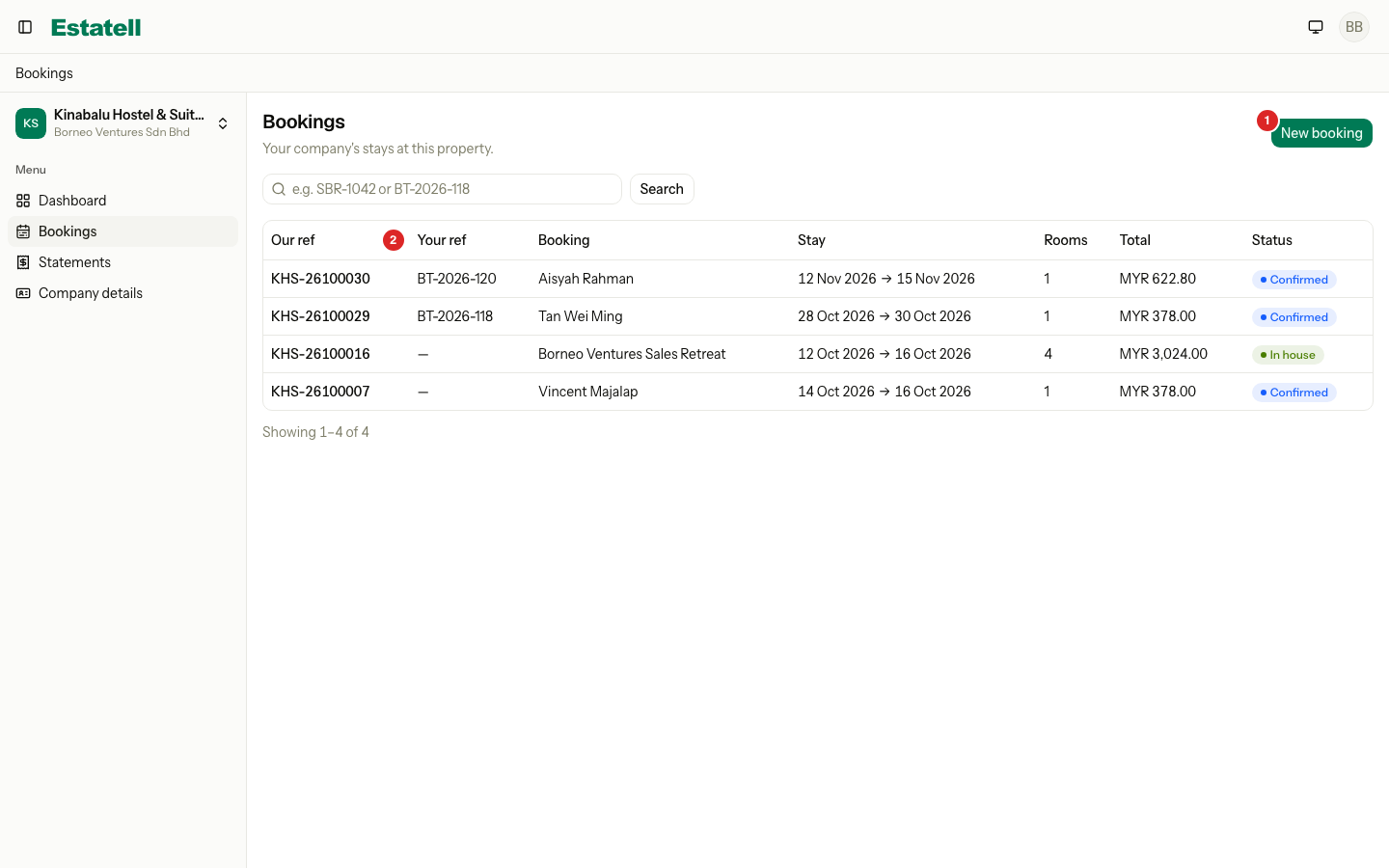
The Bookings page lists the company's stays at one property, 20 on a page. The company can search by Our ref or Your ref.
| Column | What it shows |
|---|---|
| Our ref | Your reservation reference |
| Your ref | The company's reference |
| Booking | The guest name, or the group name |
| Stay | The first arrival and the last departure |
| Rooms | How many rooms or beds |
| Total | The total of the booking |
| Status | Confirmed, In house, Cancel requested and so on |
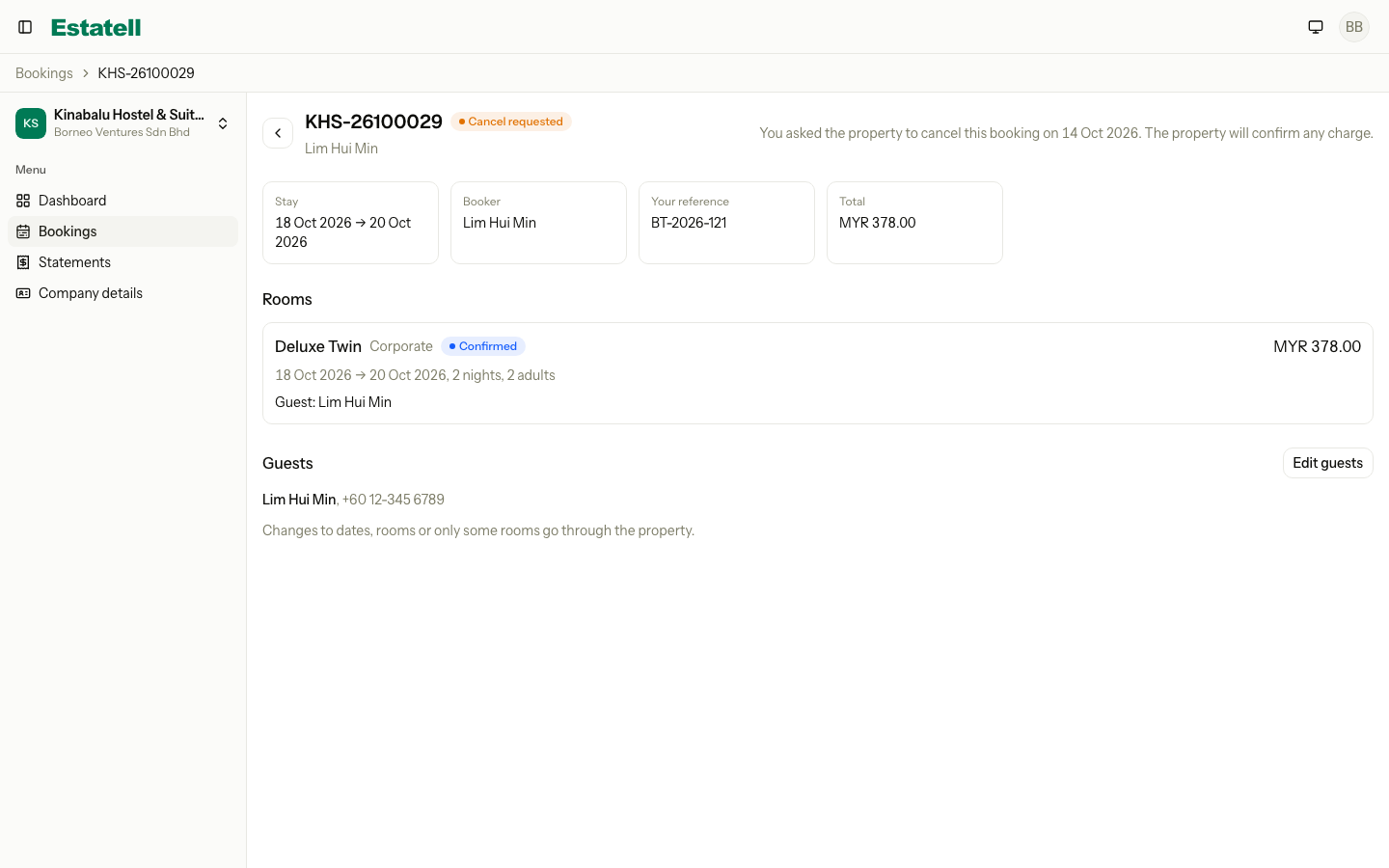
A booking page shows the rooms, the guests, the total and both references. It never shows the folio or your staff notes.
Edit guests
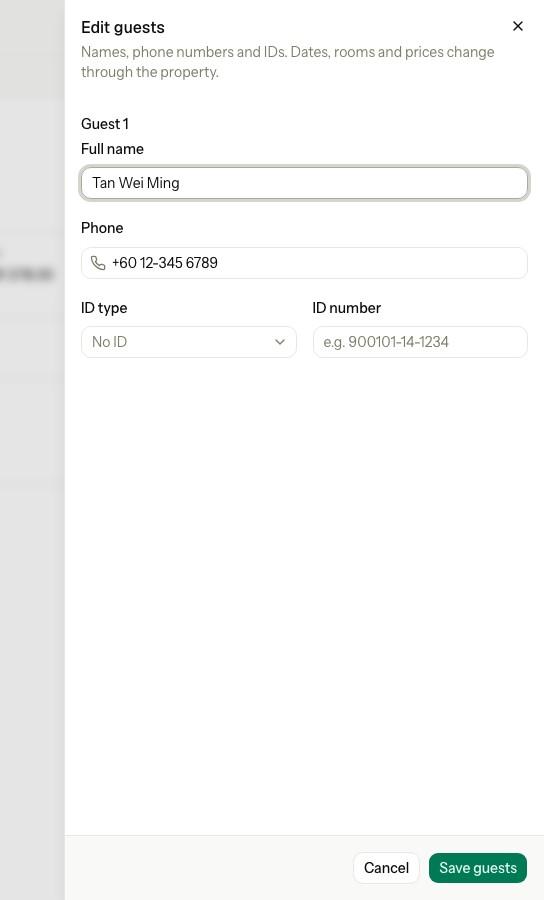
The company can change the names, phone numbers and ID numbers of the guests. It cannot change the dates, the rooms, the plan or the price. It can change guests until check-in, and not after the arrival date.
- Open the booking and select Edit guests.
- Change Full name, Phone, ID type or ID number.
- Select Save guests.
If the company needs another date, another room or a cancel of only some rooms, it must ask you. Make the change at the front desk. See Change stay.
Cancel or ask to cancel
The company can cancel only a whole booking. What it sees depends on the date. The cut-off is the arrival date minus the days you set in Free cancellation until (days before arrival). It counts on the property's business date.
| When | What the company can do | What happens |
|---|---|---|
| On or before the cut-off | Select Cancel booking | The whole booking is cancelled with no charge. You get a Company portal cancellation notification. |
| After the cut-off | Select Request cancellation | Estatell notes the request once, and you get a Company cancellation request notification. The booking stays Confirmed and shows Cancel requested. |
| The cut-off is empty | Select Request cancellation | The same as after the cut-off. |
| The company is suspended | Nothing. The buttons are hidden. | The company must call you. |
| The guest has checked in | Nothing | The company must call you. |
The booking shows the last free day, for example "Free cancellation until 21 Oct 2026."
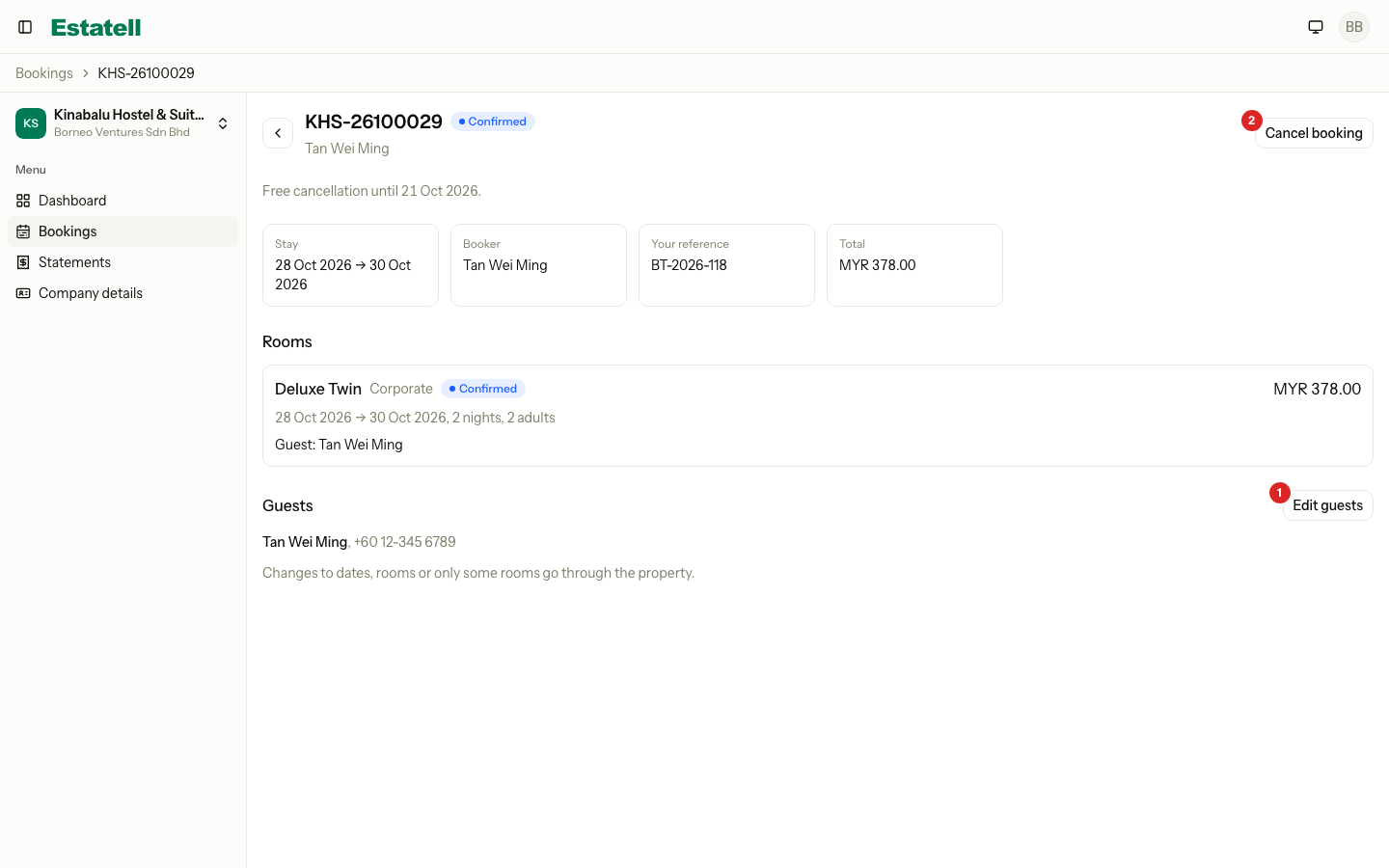
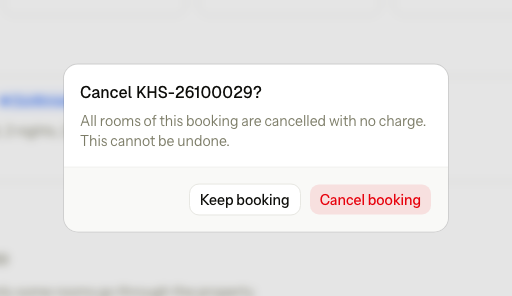
After the cut-off, the company sees Request cancellation.
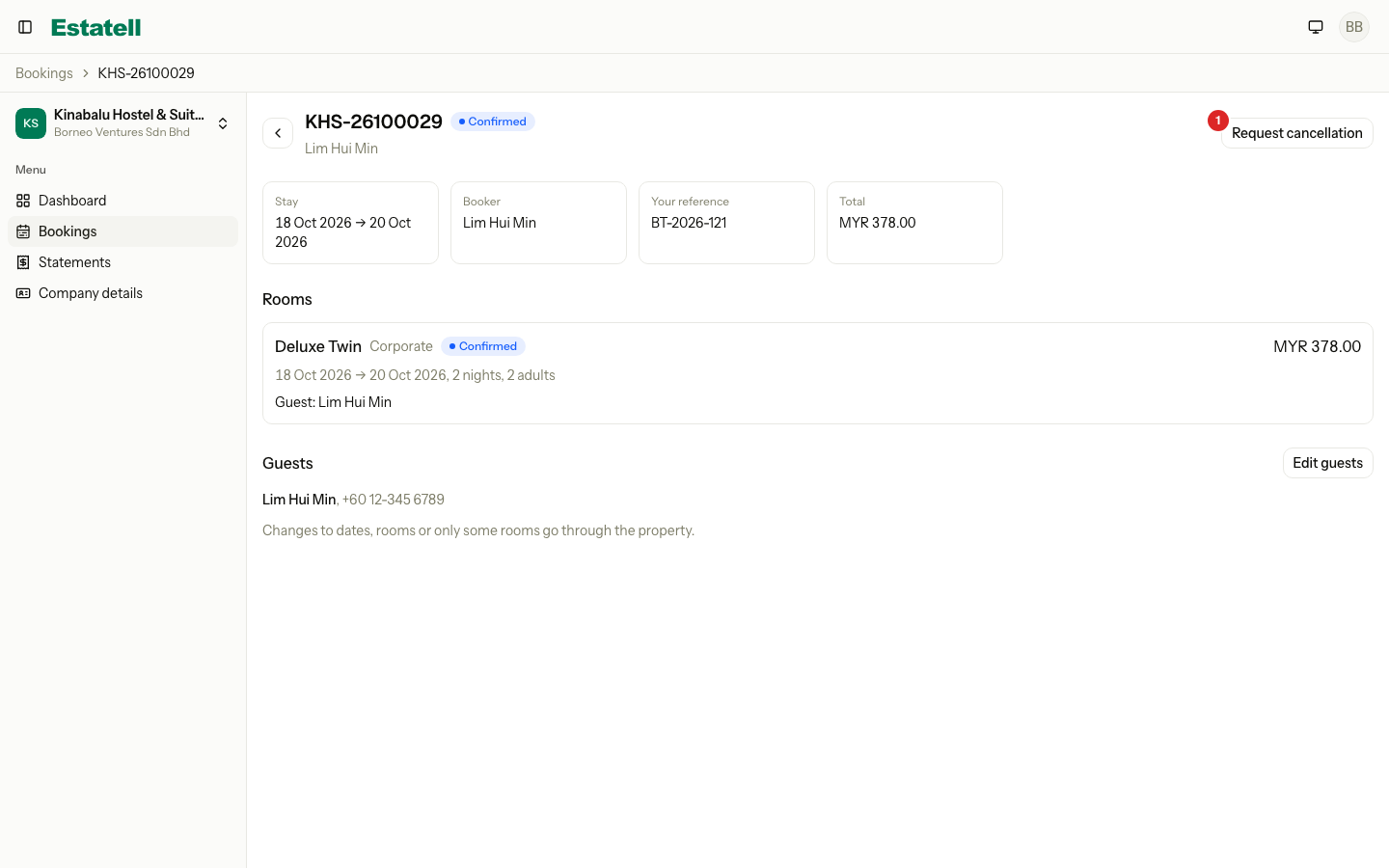
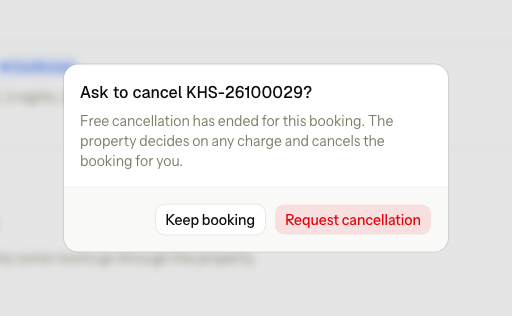
When the company has asked, the page tells it that you will confirm any charge.
Answer a request
- Open the reservation, select More, then Cancel reservation.
- Read the banner. It names the company and the date of the request.
- Check the rooms and decide on any fee, then confirm the cancel.
See Cancel a reservation for the dialog. Cancelling the reservation answers the request.
Special cases
| Situation | What happens | What to do |
|---|---|---|
| A company wants to change the dates | It cannot do it in the portal. | Use Change stay at the front desk. |
| A company wants to cancel one room of two | It cannot do it in the portal. | Cancel that unit at the front desk. See Cancel a reservation. |
| The company asks twice | The second request is refused: "You already asked the property to cancel this booking." | Answer the first request. |
| The company cancels at the last minute | The cancel is free only up to the cut-off. After it, you decide. | Add a fee in the Cancel reservation dialog. |
| A guest is already in house | Edit guests and cancel are off. | Edit the guest at the front desk. |
| The company books for a date before the business date | Estatell does not allow it. | Use the front desk to enter a past stay. |
| The portal booking shows no price | The room type has no price for those dates. | Check the rate calendar. |
| A booking is not in the company's list | It may belong to another company or property. | Open the reservation at the front desk and check Company. |