
Credit control
See what a company owes, set a credit limit, and know when Estatell stops a booking or check-in.
A company on Direct billing pays later, so it can owe the hotel money. Estatell adds up what the company owes and what it may owe, and compares the total with its credit limit. Use this page to read the figures, to know where Estatell checks the limit, and to pass the limit with a reason.
Before you start
- Permission to see the figures:
company.view. Owners, managers, front desk staff and finance staff have it by default. - Permission to pass the limit:
company.credit-override. Owners and managers have it by default. - Permission to change the limit:
company.manage. - The Credit tab shows the limit and terms only for a company on Direct billing. See Companies.
What a company owes
Estatell works out the exposure of a company from two parts. Both show on the Credit tab of the company page.
| Figure | What it counts |
|---|---|
| Open invoices | The balance of the company's city ledger invoices, less credit notes and payments. Money the company paid and nobody has matched to an invoice yet also lowers it. A total below 0 counts as 0, because credit is not a limit. |
| Open folios | The balance of every Open folio where the company is the payer, whatever the reservation status. This includes a guest still in house, and a guest who has left but whose folio nobody has settled yet. A folio with a credit counts as 0. |
| Exposure | Open invoices plus Open folios. |
| Headroom | The credit limit minus the exposure. It can be negative. With no limit it shows No limit. |
A folio leaves Open folios and joins Open invoices when you settle it to the city ledger. The exposure stays the same, so settling never changes the figures.
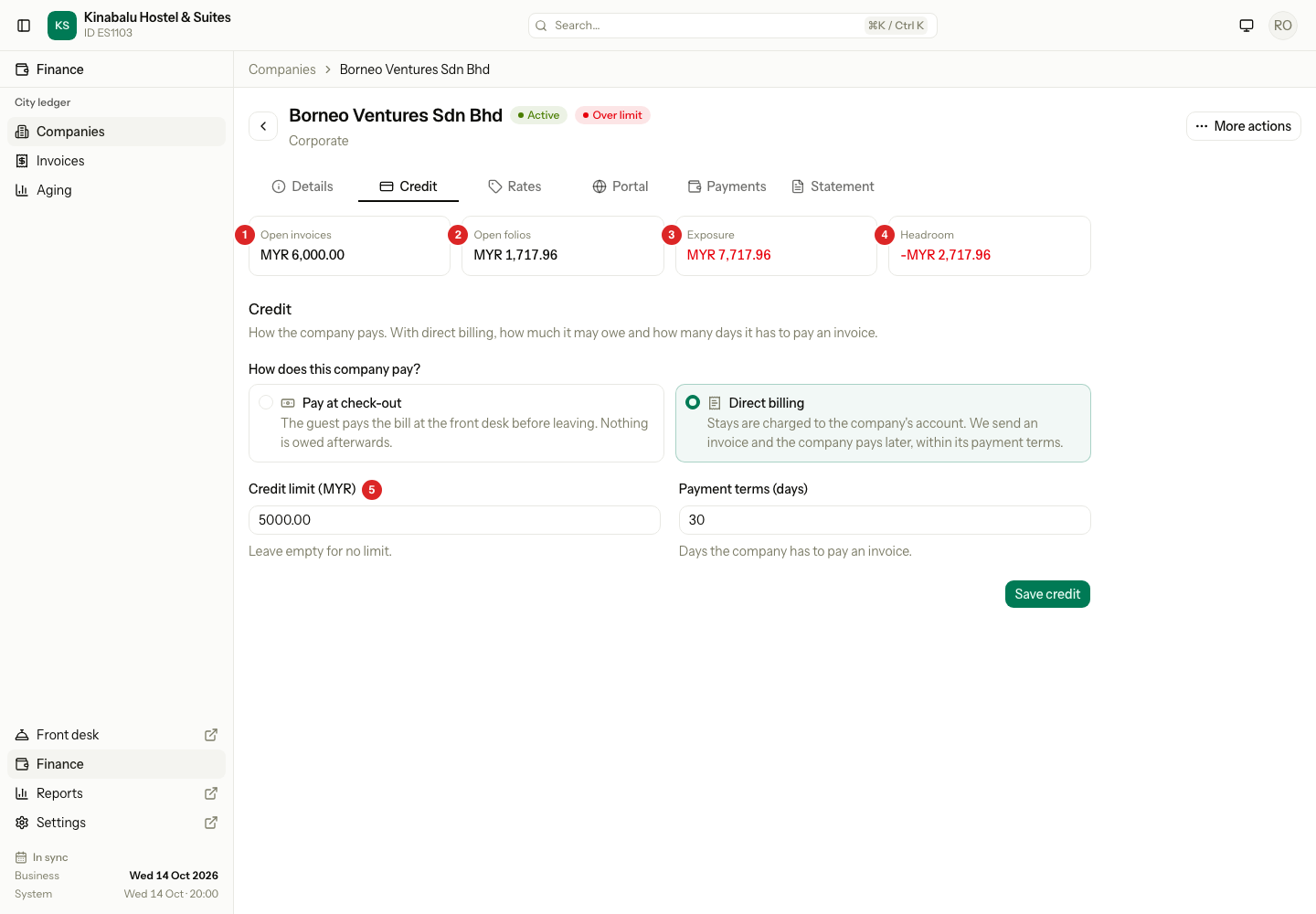
| Number | What it shows |
|---|---|
| 1 | Open invoices |
| 2 | Open folios |
| 3 | Exposure, in red when it is above the limit |
| 4 | Headroom, in red when it is below 0 |
| 5 | Credit limit: the amount you set. Leave it empty for no limit. |
A worked example
A company has a limit of MYR 5,000.
| Part | Amount (MYR) |
|---|---|
| Open invoices | 2,000.00 |
| Open folios (one guest in house) | 1,500.00 |
| Exposure | 3,500.00 |
| Headroom | 1,500.00 |
The company then asks for a new booking.
| New booking | Stay charges with tax (MYR) | Exposure plus the booking (MYR) | Result |
|---|---|---|---|
| 2 rooms for 4 nights | 1,038.40 | 4,538.40 | Allowed. It is below the limit. |
| 4 rooms for 5 nights | 2,100.00 | 5,600.00 | Refused. It is 600.00 over the limit. |
Tax and service charge count. For example, MYR 880 of rooms with 18% tax counts as MYR 1,038.40.
When the exposure is above the limit, a red Over limit badge shows next to the company name, and in the companies list.
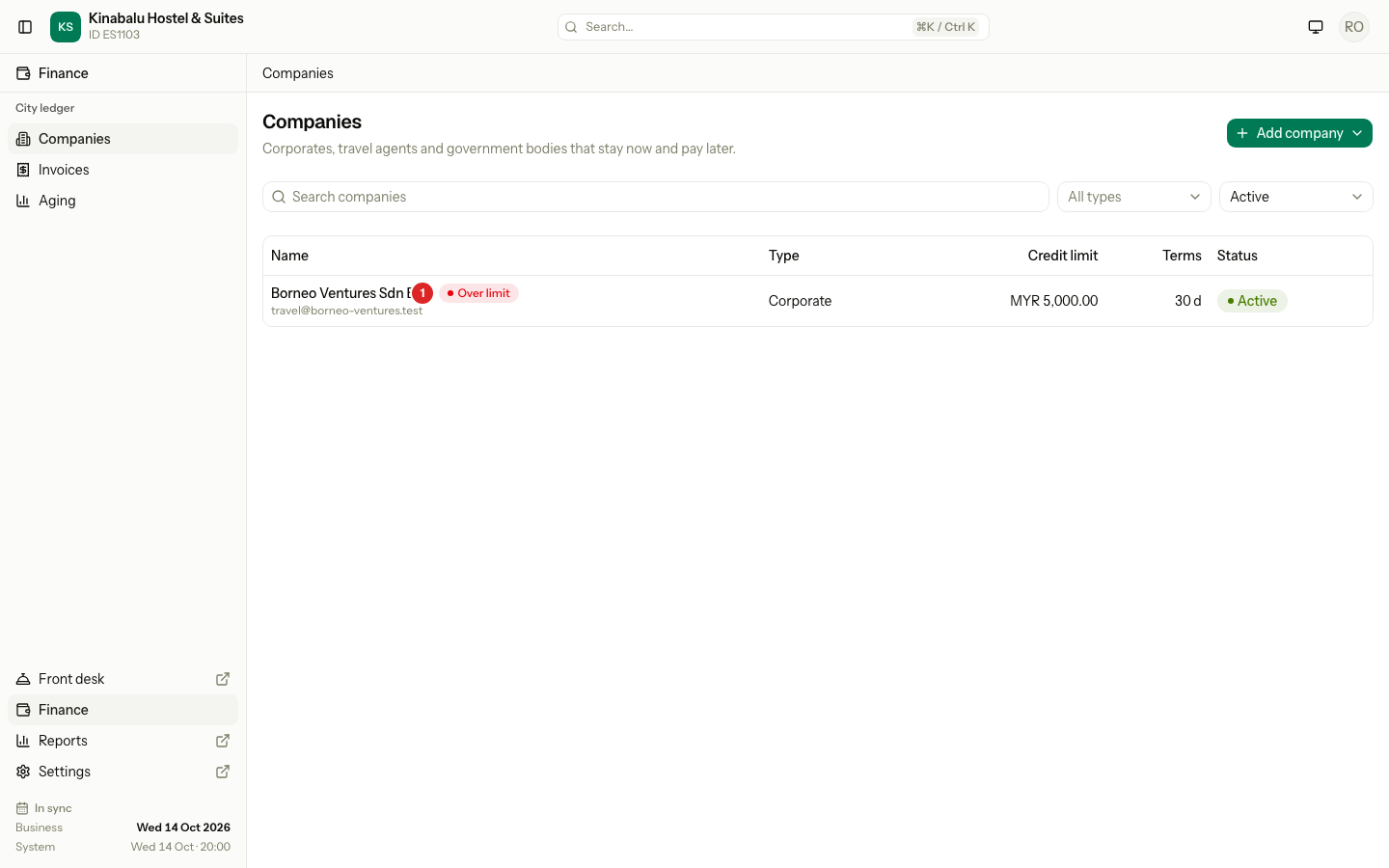
If the company has no limit, the Credit tab shows No limit for Headroom.
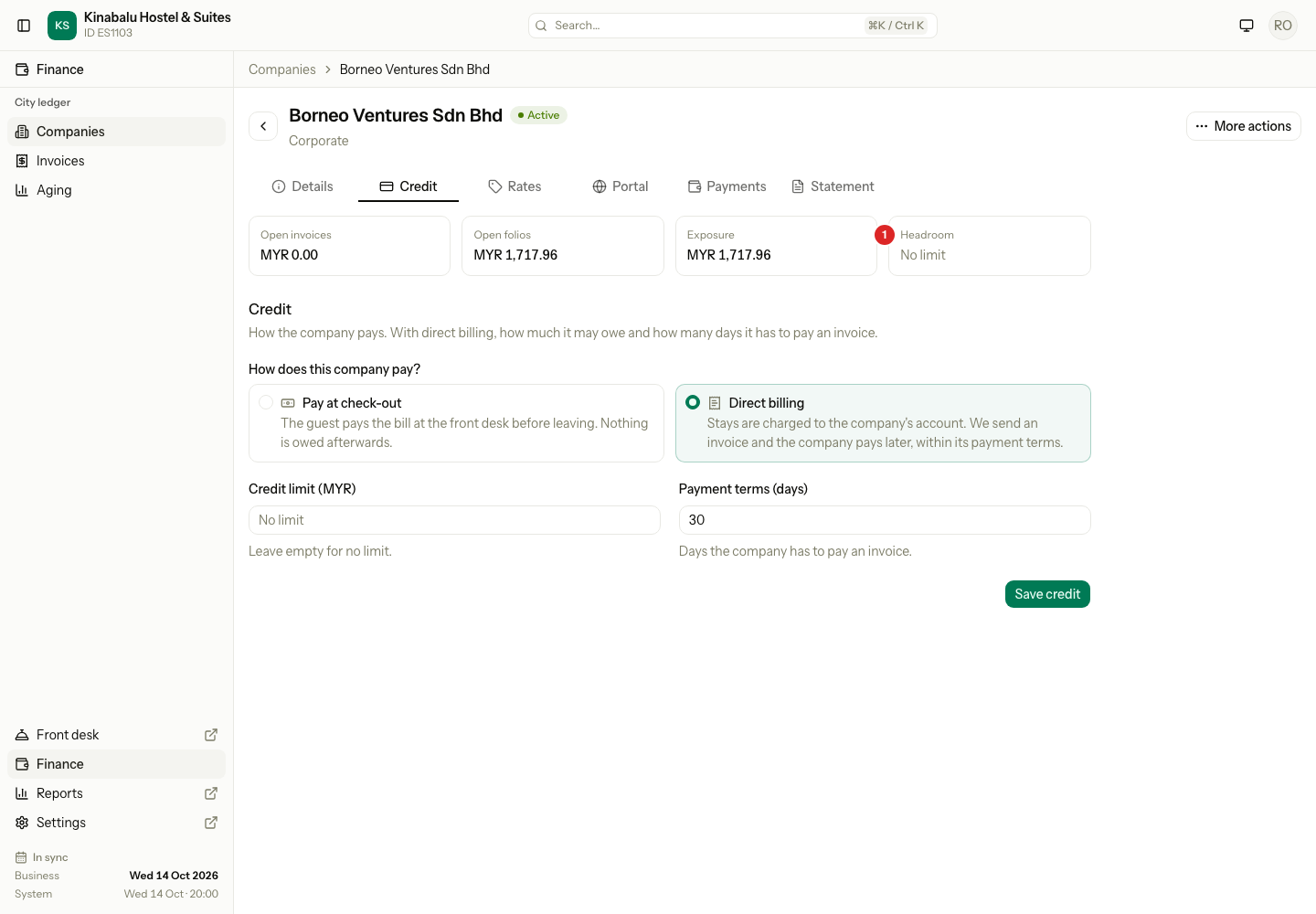
Set the limit
- Open Finance › Companies and select the company.
- Select the Credit tab.
- Under How does this company pay?, choose Direct billing.
- Enter the Credit limit. Leave it empty for no limit.
- Enter the Payment terms (days). This is how many days the company has to pay an invoice.
- Select Save credit.
Where Estatell checks the limit
Estatell checks the limit when a new debt starts. It never stops you from billing a debt that already exists.
| Action | Checked? | What Estatell compares |
|---|---|---|
| New booking with a company | Yes | Exposure plus the stay charges with tax |
| Change company on a reservation | Yes | Exposure plus the stay charges with tax, against the new company |
| Check-in of a unit for a company | Yes | The exposure now. A company that is over the limit is stopped. |
| Booking in the company portal | Yes, with no override | Exposure plus the stay charges with tax |
| Settle to City ledger | No. A warning shows. | Settling adds no new debt. |
| Record a company payment | No | A payment only lowers the debt. |
| A reservation with no company | No | Nothing to check |
| A company with no limit | No | Nothing to check |
Check in all cannot take a reason. A unit of a company that is over its limit fails there. Check that unit in on its own, and give a reason.
Estatell does not hold payments or block the company in any other way. Over limit is a warning and nothing more.
Pass the limit with a reason
A user with company.credit-override can go on when Estatell refuses.
- Do the action as usual, for example save a new booking, or select Check in.
- Read the message: "This company is over its credit limit."
- In Reason for going over the limit (at check-in: Credit limit override reason), write why you go on.
- Save again, or select Check in.
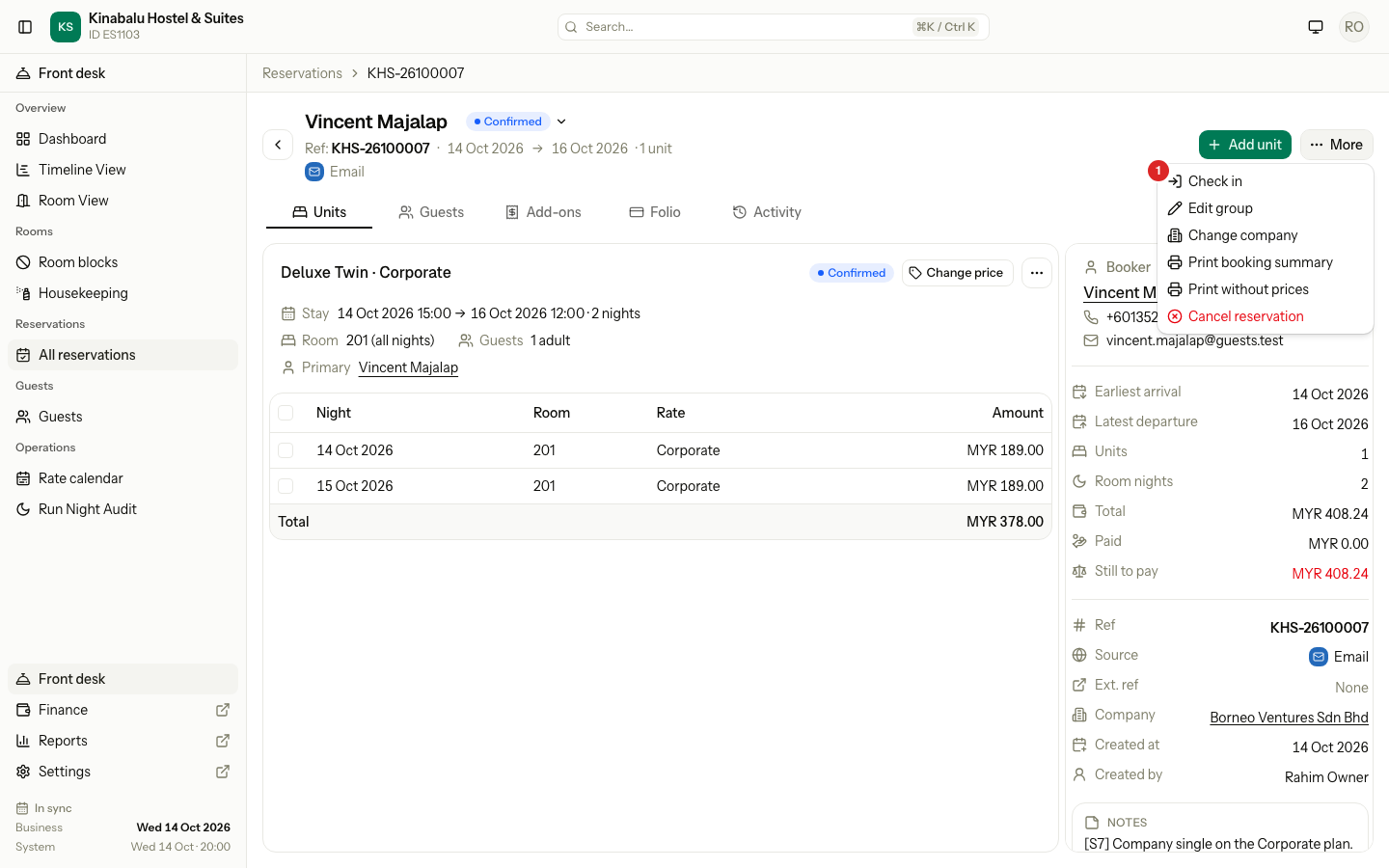
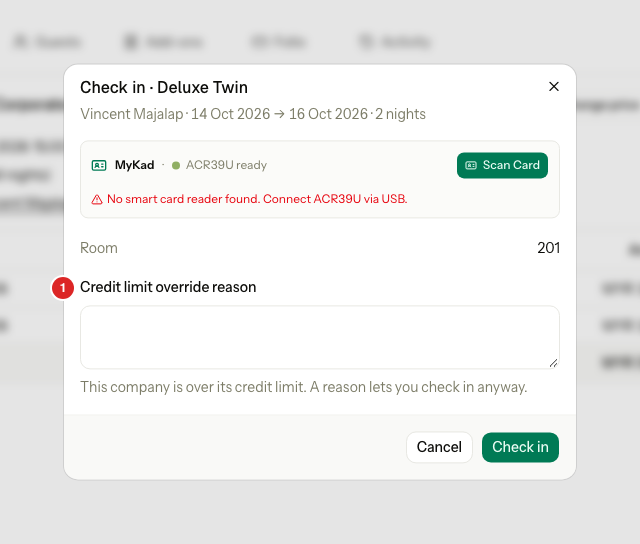
Estatell saves the reason in the company's history, with the exposure, the limit and the amount. Without a reason, the action stays refused.
A user without company.credit-override sees the message and "Ask someone who may override the credit limit." Ask an owner or a manager.
Special cases
| Situation | What happens | What to do |
|---|---|---|
| The company has no credit limit | Estatell never checks it, and Headroom shows No limit. | Set a limit on the Credit tab if you want a check. |
| The exposure is exactly the limit | The company is not over it. | Nothing. |
| Settle to City ledger while the company is over its limit | The confirmation shows "…is over its credit limit by MYR …. The invoice is still issued." The invoice is issued. | Select Settle to City ledger as usual. No reason is asked. |
| A guest from the company is in house and the company goes over the limit | The guest stays. Estatell never checks a unit that is already checked in. | Collect payment, or talk to the company. |
| A folio is not settled yet | It counts in Open folios, but it is not in the aging report or the statement. | Settle it to send the bill. |
| A company books in the portal and is over its limit | The portal shows "This booking would take the company over its credit limit. Contact the property." The company cannot pass it. | Raise the limit, or take a payment, then ask the company to try again. |
| A company with Pay at check-out that has a saved limit | The credit fields are hidden, but Estatell keeps the saved limit and still checks it. | Choose Direct billing, clear Credit limit and save. Then switch back to Pay at check-out. |