
Pricing rules
Set the prices of a rate plan for each pricing basis, or make a plan follow another plan's prices.
The Pricing rules tab sets what a plan charges. You either set prices directly, or make the plan follow another plan with a percent or an amount on top. A plan that follows another is called a derived plan.
Prices are saved for each date. You can also change single dates on the rate calendar.
Before you start
- Permission: Manage property settings. Owners and managers have it by default.
- The plan needs room types. See Create a rate plan.
Set prices directly
This works for Per room, Per guest, Per bed and Day use plans. Packages have their own grid, see Package prices.
- Open Settings, then Rate plans, and select the plan.
- Select the Pricing rules tab. Set prices directly is chosen.
- Choose the Dates, or select Auto fill dates for the next month, 3, 6 or 12 months.
- Choose the View: Simple or By day.
- In Simple, enter the Weekdays and Weekend price of each room type. In By day, enter a price for each day from Mon to Sun.
- Check Weekend nights. It starts from your property setting. Changing it here affects only this save.
- Select Save prices.
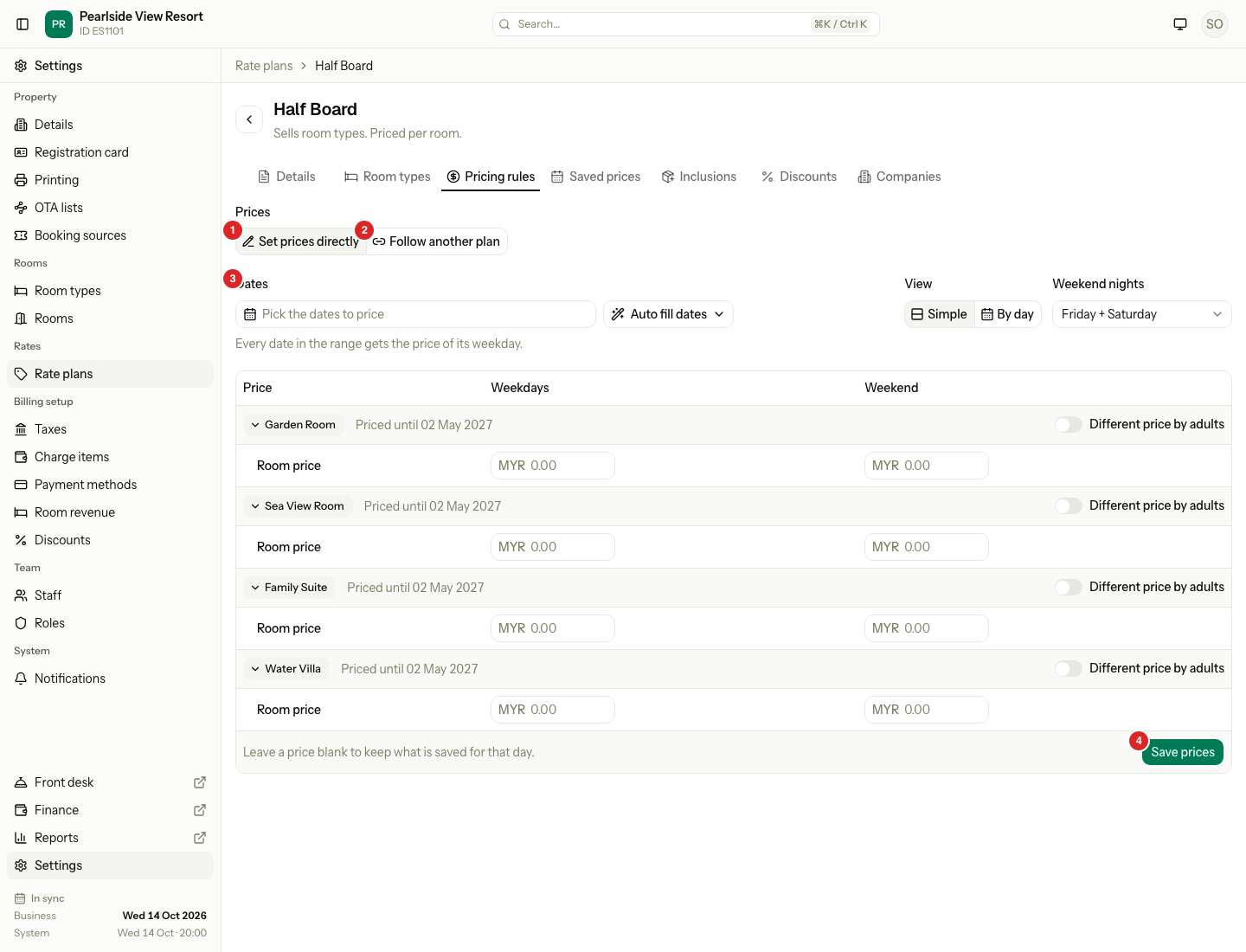
Every date in the range gets the price of its weekday. Leave a price blank to keep what is saved for that day. The form always starts empty. To see what is saved, use the Saved prices tab.
When a room type's prices end within 60 days, a Prices are running out warning shows. Select Extend 12 months to copy the last 7 days forward for 12 months. Stop sell and closed dates are not copied.
Per room
One price per room type for the guests the room type includes. Select Different price by adults to add a row for each adult count. A price for an adult count replaces the room price plus extra adult charge for that many adults.
| Guests in a Garden Room (includes 2) | Price on a weekday on Half Board |
|---|---|
| 2 adults | RM350 |
| 3 adults | 350 + 60 Extra adult = RM410 |
Children never count towards the included guests. Each child pays Extra child.
Per guest
Each room type has rows 1 adult, 2 adults, 3 adults and so on. The 1 adult price is per adult. Prices for more adults are optional totals for that many adults. If you set none, Estatell multiplies the adult price by the number of adults. Children are priced on the Children tab.
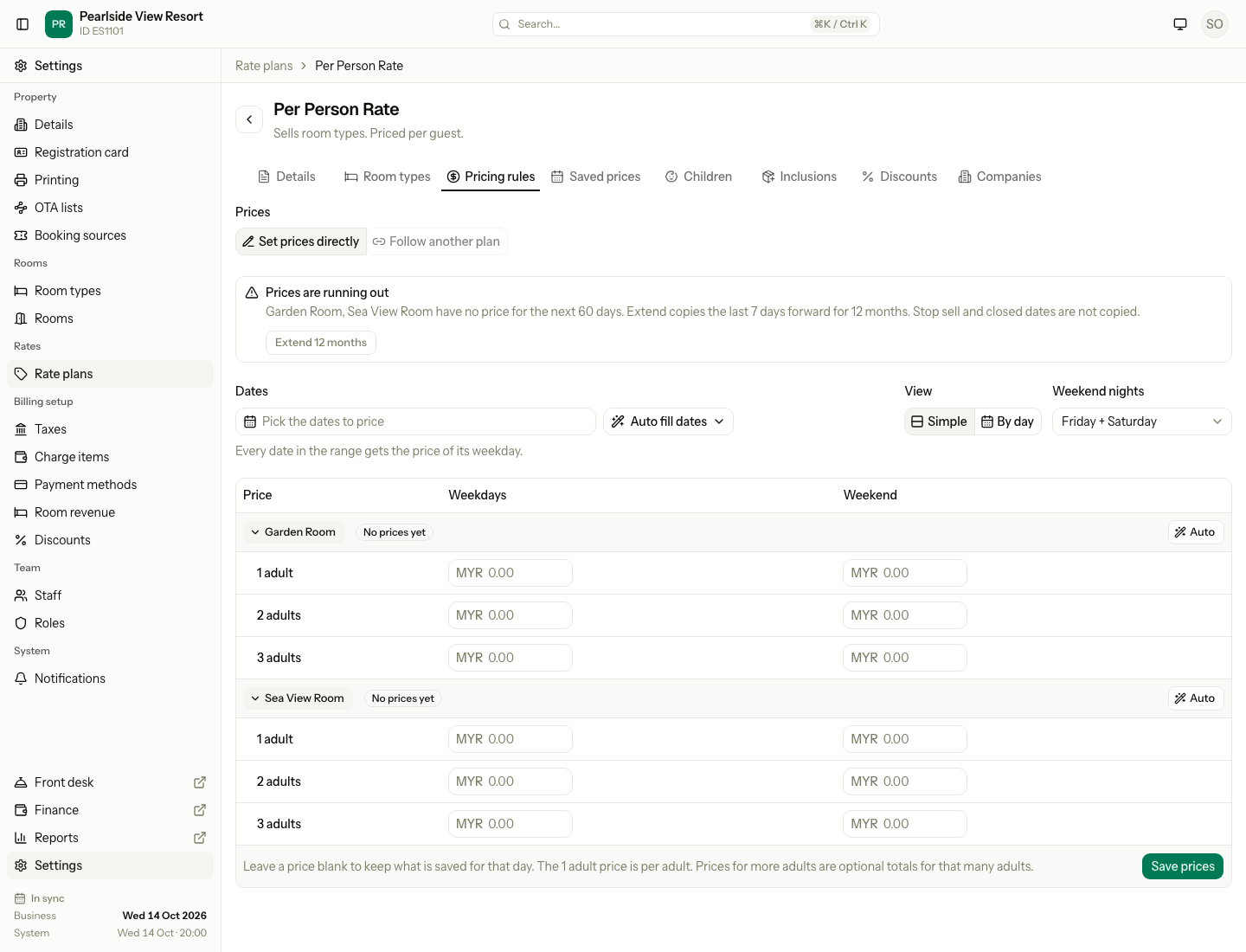
Select Auto on a room type to fill the rows. Enter the 1 adult price first. Choose Per person, each extra adult: Same price, Less or More, by an amount or a percentage. Then select Fill prices. Auto only fills the fields. Check them, then select Save prices.
| Auto setting | 2 adults | 3 adults |
|---|---|---|
| 1 adult RM475, Less RM25 each | 2 × 450 = RM900 | 3 × 425 = RM1,275 |
Per bed
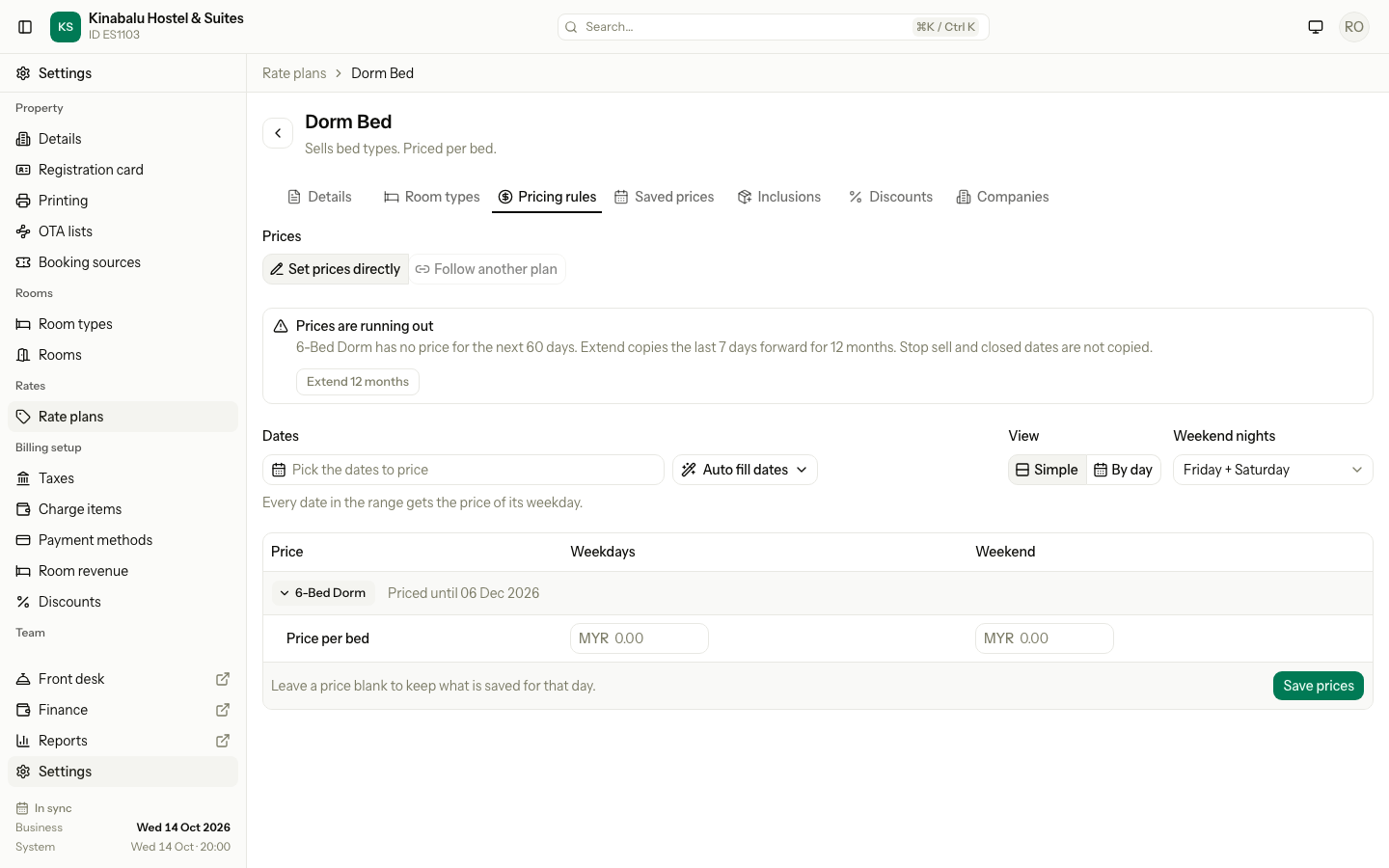
One row, Price per bed, for each room type sold by bed. A dorm booking pays this price for each bed.
Day use
Each room type has one row for each hour count from the plan's first to last hour, for example 2 hours to 6 hours. Enter a Weekdays and Weekend price for each. An hour count with no price is not offered on the booking form.
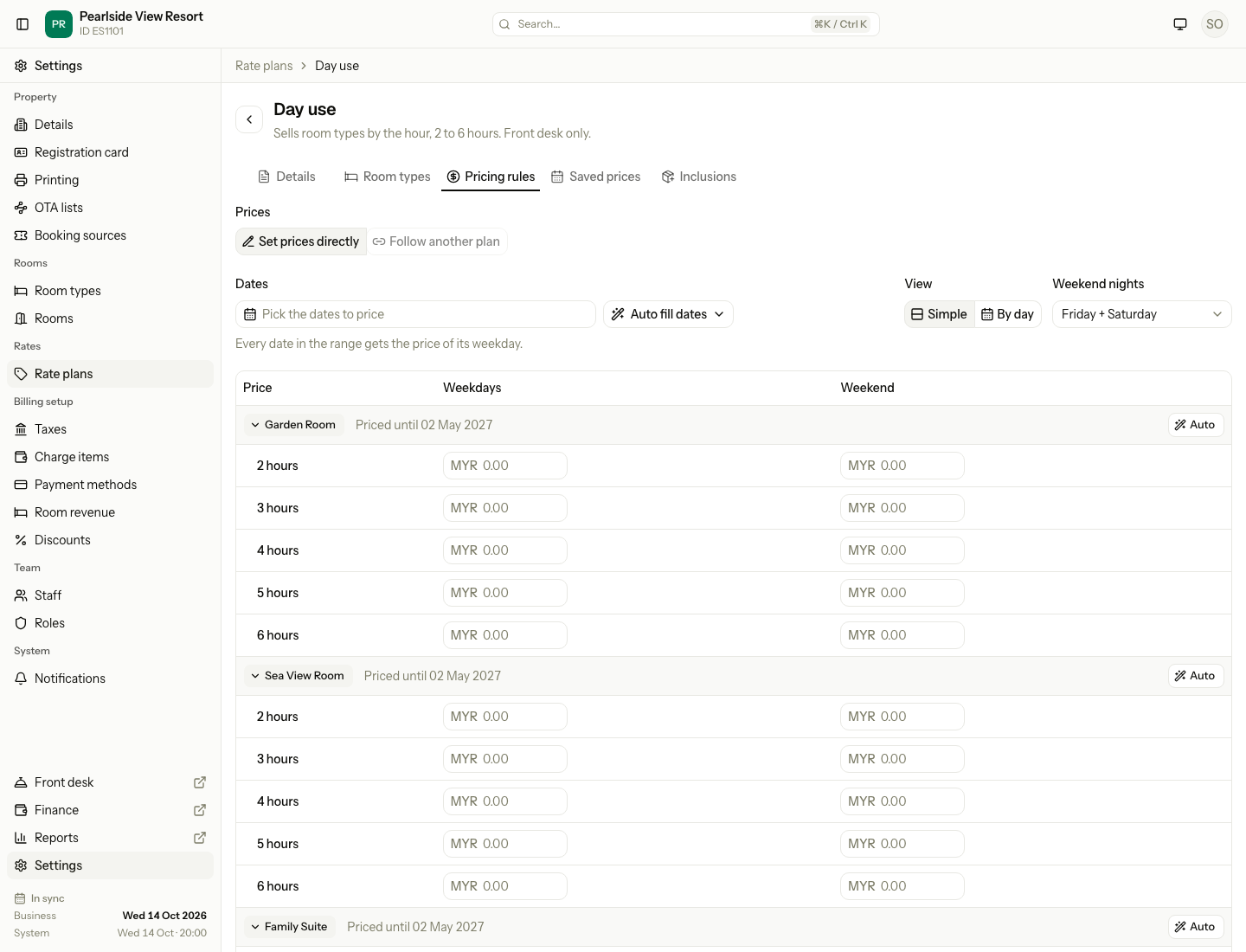
Select Auto to fill the hours. Enter the First block (hours and price), what Each extra hour does (Adds or Takes off) and an optional Never more than cap.
| Auto setting | 2 hours | 3 hours | 4 hours | 5 hours | 6 hours |
|---|---|---|---|---|---|
| First block 2 hours at RM60, each extra hour adds RM20, never more than RM100 | RM60 | RM80 | RM100 | RM100 | RM100 |
Only Stop sell applies to a day use plan. It has no minimum stay or closed to arrival.
Package prices
A package has one price for the whole stay. Its prices depend on the arrival date.
- Open the package and select the Pricing rules tab.
- Under Arrival days, tick the days guests can arrive on. Tick all seven to allow any day.
- For each room type, set the Arrival dates and the Price. Select Add period for another period.
- Select Save pricing.
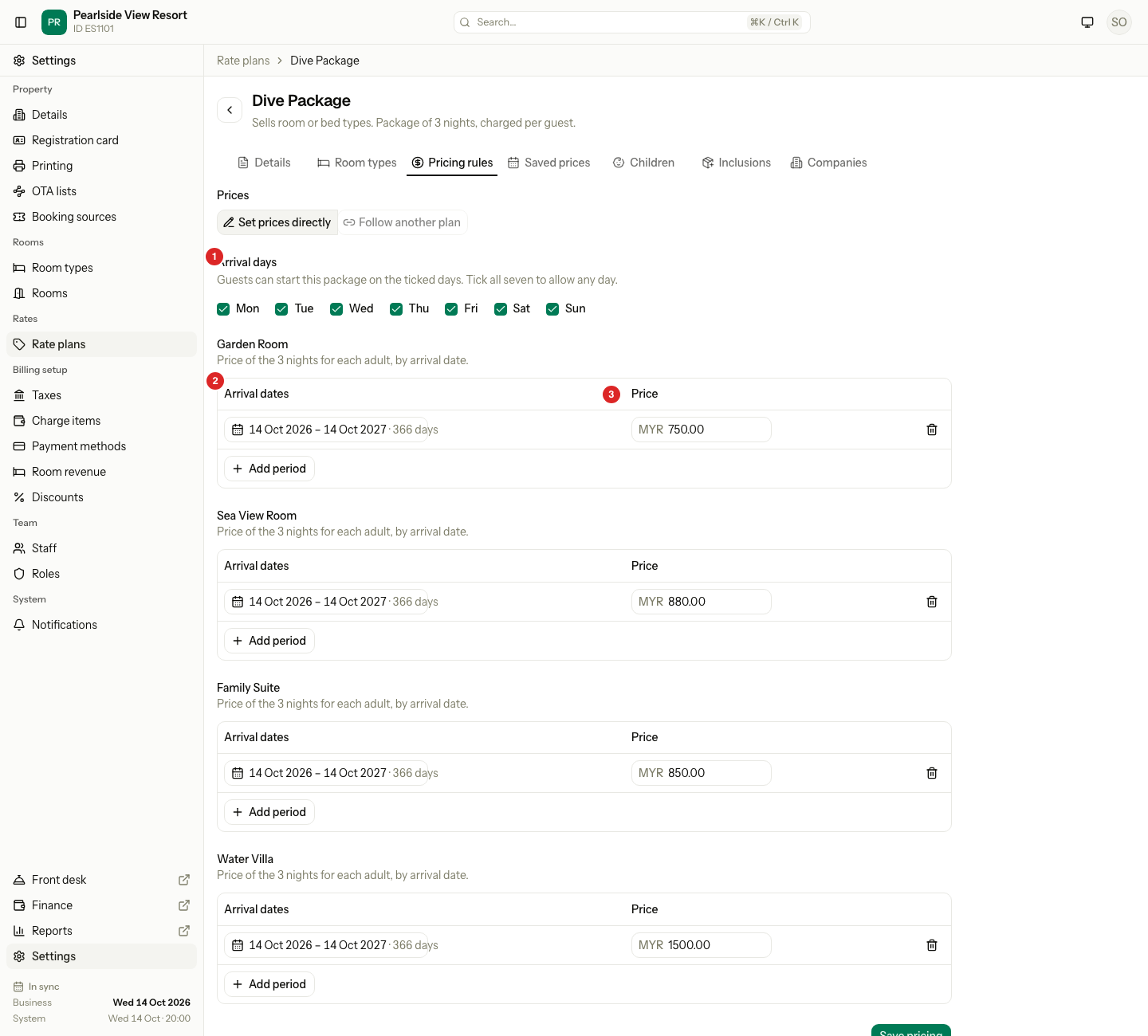
The price is for the whole stay: for each adult when the package is charged per guest, for the room when it is charged per room. A package charged per room adds Extra adult and Extra child for each stay. See Inclusions for how the price is split across the nights.
Follow another plan
A plan that follows another has no prices of its own. Its price is the parent's price on each date, plus or minus a percent or an amount. If the parent's price changes, the plan's price changes at once.
- Open the plan and select the Pricing rules tab.
- Select Follow another plan.
- Choose the plan in Follows.
- Choose the Direction: Down or Up.
- Enter the Value, and choose the Unit: percent or an amount in your currency.
- Check Today's price. It shows each room type's parent price and the new price.
- Select Save pricing.
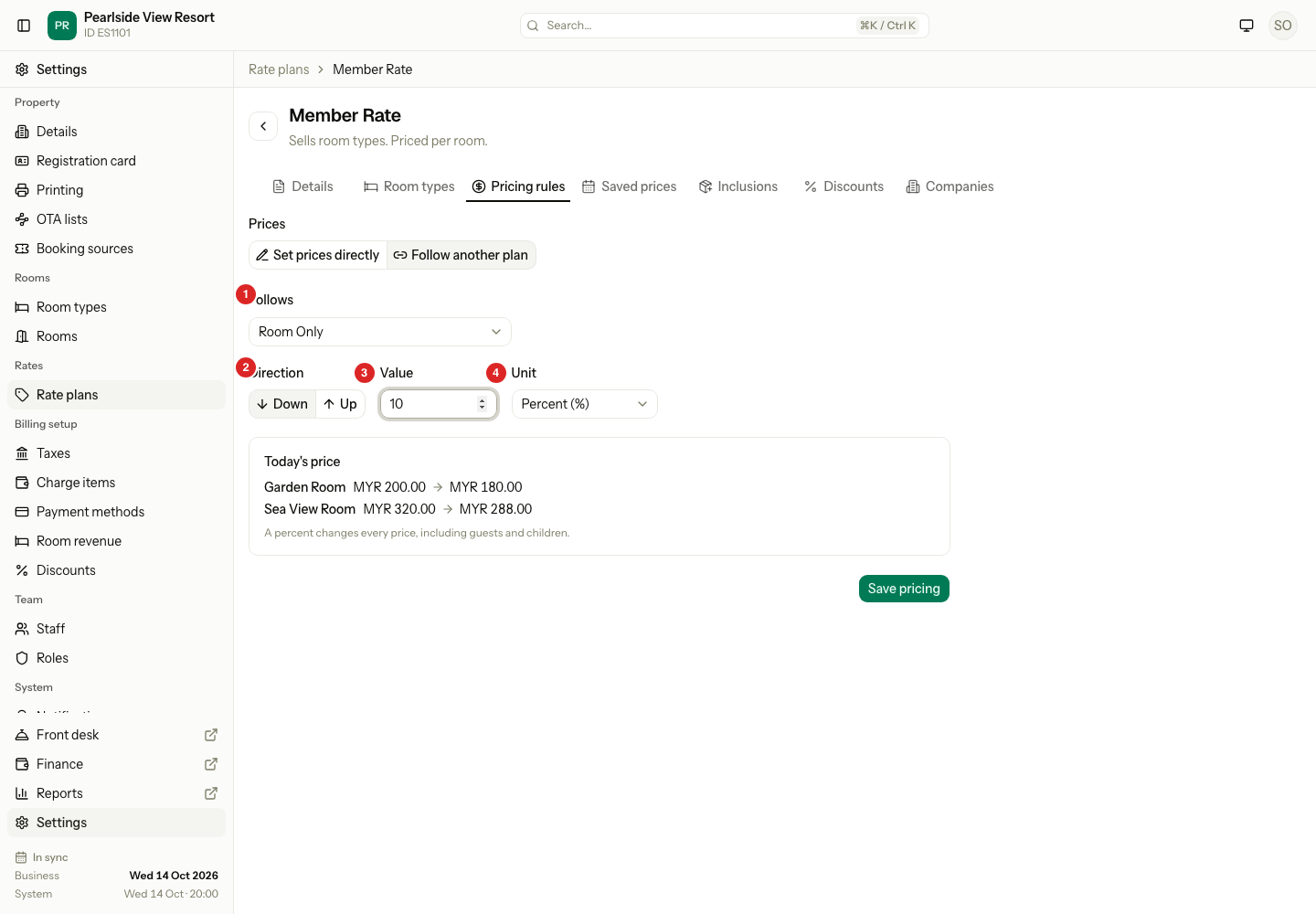
A percent changes the whole night: the room price, extra guests, children and supplement. An amount is added for each guest, bed or room, the way the plan is priced.
Start from the parent
You can also create the derived plan from the parent's row.
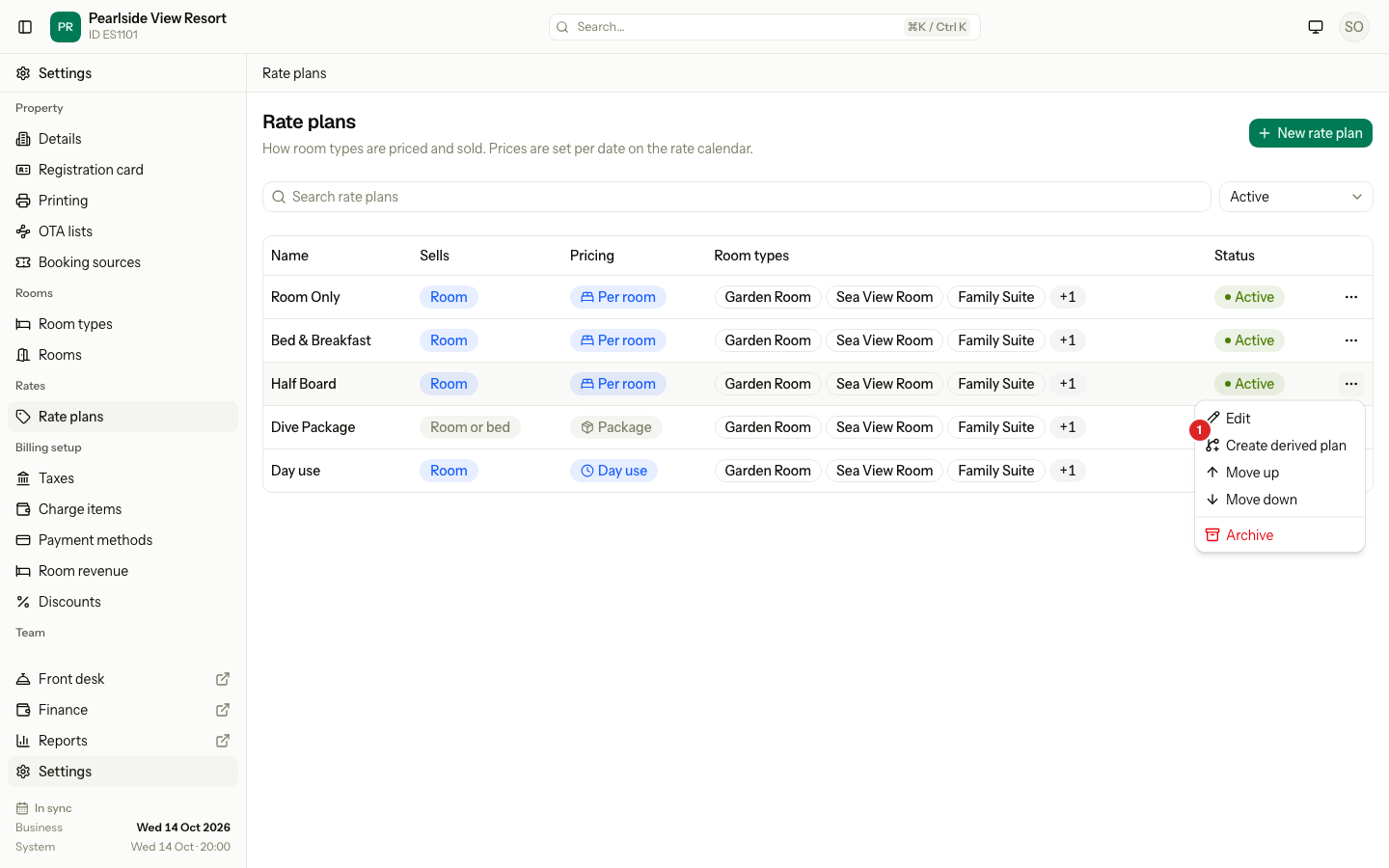
- Open Settings, then Rate plans.
- Select the ⋯ button on the parent's row, then Create derived plan. For a package, it reads Create derived package.
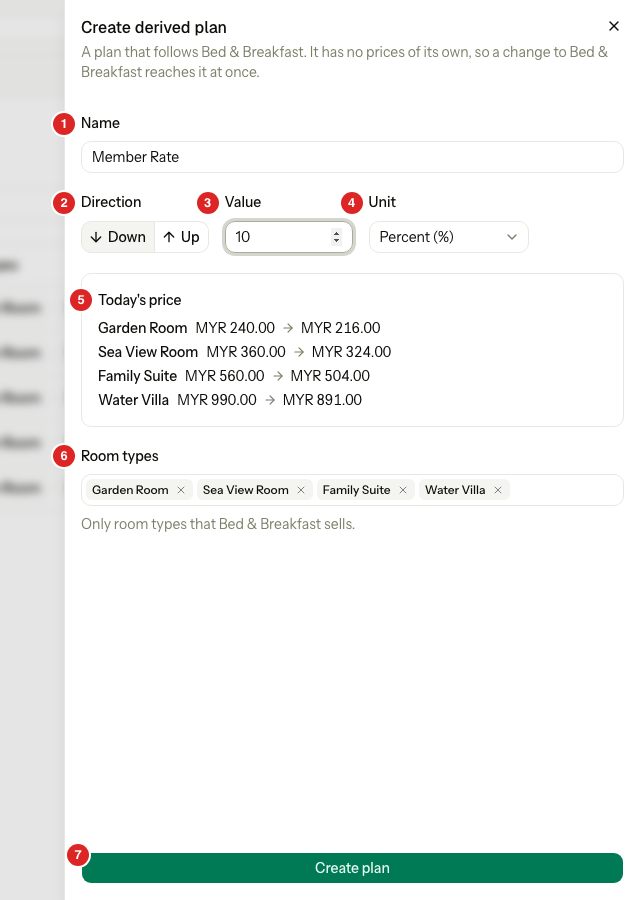
- Enter the Name of the new plan.
- Choose the Direction, enter the Value and choose the Unit.
- Check Today's price.
- Choose the Room types. Only the room types that the parent sells are offered.
- Select Create plan (Create package for a package).
Worked example
"Bed & Breakfast" is the parent. "Member Rate" follows it Down by 10 percent.
| Night | Garden Room on Bed & Breakfast | Member Rate (10% down) | Member Rate if Up RM50 |
|---|---|---|---|
| Weekday | RM240 | RM216 | RM290 |
| Friday or Saturday | RM270 | RM243 | RM320 |
A price never goes below zero. The plan keeps its own restrictions, its name and its room types.
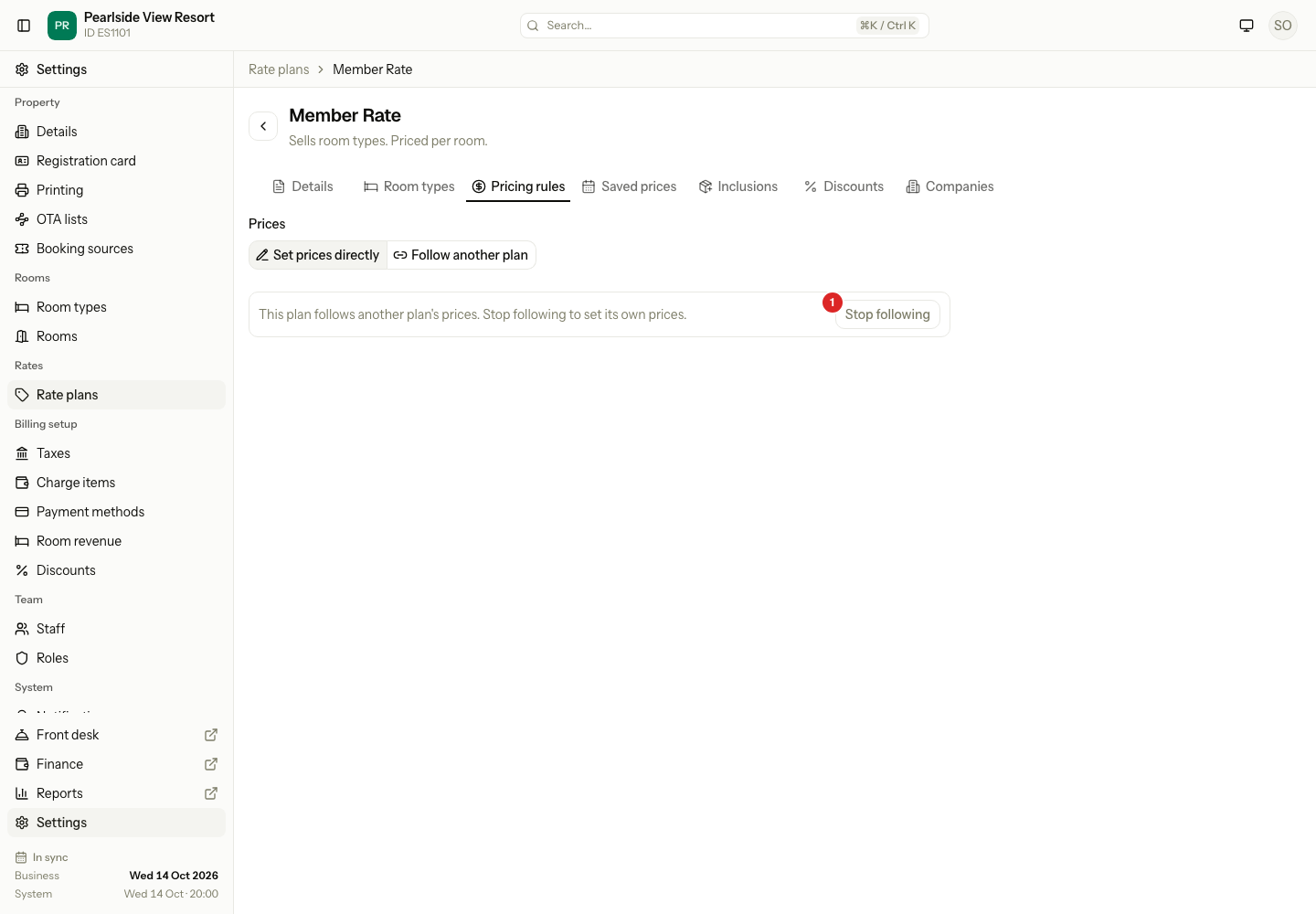
To go back to your own prices, open the plan, select Set prices directly and then Stop following. The plan has no prices until you set them.
Packages can follow only another package with the same nights and charge, and only by a percent. The nights and charge are copied and locked.
Special cases
| Situation | What happens | What to do |
|---|---|---|
| Follow another plan is grey: only one plan | "Add another plan first. This is your only rate plan." | Create another plan first. |
| Follow another plan is grey: other plans follow this one | For example "Breakfast and Corporate follow this plan, so it needs its own prices." | Change the plans that follow it first. |
| Follow another plan is grey: no plan fits | For example "No other plan sells Deluxe and Spa Villa at a nightly price." | The parent must have the same pricing basis, be active, not follow another plan, and sell every room type of this plan. |
| A plan already has its own prices and you save a follow | Estatell warns "Saving removes the prices you set for this plan. Its restrictions stay." | Check before you save. |
| A plan follows a parent that has no price on a date | The plan has no price that day. Today's price shows "No price today on the plan it follows". | Set the parent's price. |
| You want a chain of followers | A plan that follows another cannot be a parent. | Follow the main plan instead. |
| A day use plan | It cannot follow or be followed: "Day use plans set their own prices." | Set its prices directly. |
| Two package periods overlap | "This period overlaps another period of the same room type." | Change the dates. Both end days count. |
| All seven arrival days are unticked | Estatell asks for at least one day. | Tick at least one day. |
| No price is saved for a date | A booking on that date is refused. | Set prices, or use Extend 12 months. |
| Extend 12 months with nothing saved | "There are no prices to copy yet. Set prices first." | Save prices first. |
| You change a price | Existing bookings keep the price they were made with. | Nothing. |