
Saved prices
See the prices a rate plan has saved, date by date, without changing them.
The Saved prices tab shows the prices stored for one plan. The Pricing rules form starts empty each time, so this tab is where you check what is saved. You cannot edit anything here.
Before you start
- Permission: Manage property settings. Owners and managers have it by default.
- The plan needs room types. Without them the tab shows Choose room types.
Steps
- Open Settings, then Rate plans, and select the plan.
- Select the Saved prices tab.
- Use Today to jump to today's column.
- Use the arrows, the date range, or 14 days, 21 days or Month to change the dates you see.
- To see one room type, choose it in the room type filter.
- To change a price, select Edit in Pricing rules.
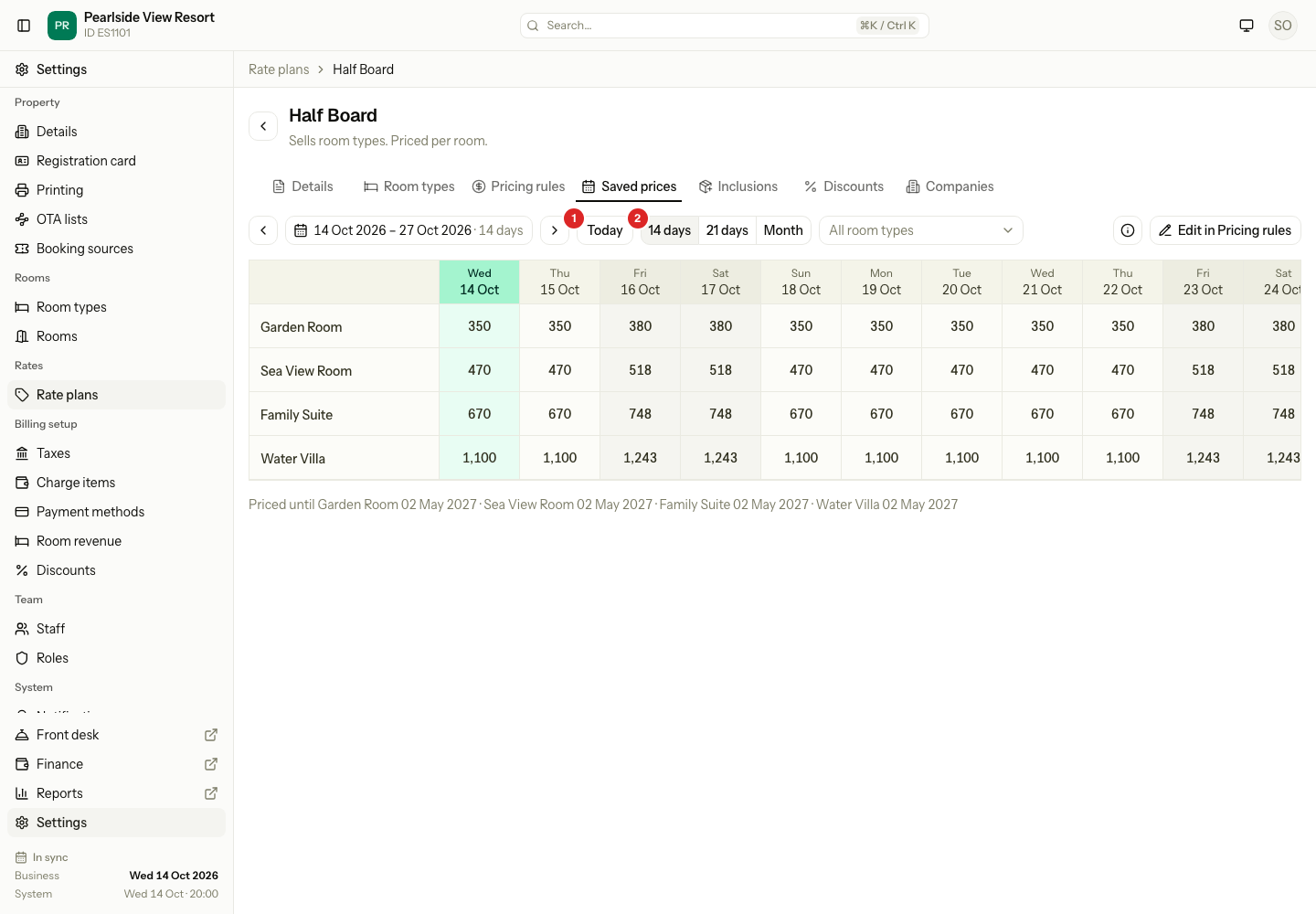
Each row is a room type. Each column is a date. The grid shows up to 62 days. Weekend nights are tinted. A dash means no price is saved for that date. Under the grid, Priced until shows the last priced date of each room type.
| What you see in a cell | What it means |
|---|---|
| A plain price | The saved price for that night. |
| Stop sell, CTA, CTD | Small badges: stop sell, closed to arrival, closed to departure. |
| Min and max stay | The stay limits saved for that date. |
| A dash | No price saved. The room type cannot be sold on that date on this plan. |
The price means different things by basis:
| Basis | The price in the cell |
|---|---|
| Per room | The room price for the guests the room type includes. |
| Per guest | The price for one adult. |
| Per bed | The price for one bed. |
| Package | The price of the whole stay for guests arriving that day, for example 750/3N. |
| Day use | "from" the lowest hour price. Hover to see every hour price. |
A plan that follows another plan shows the parent's price after the change, with a link marker.
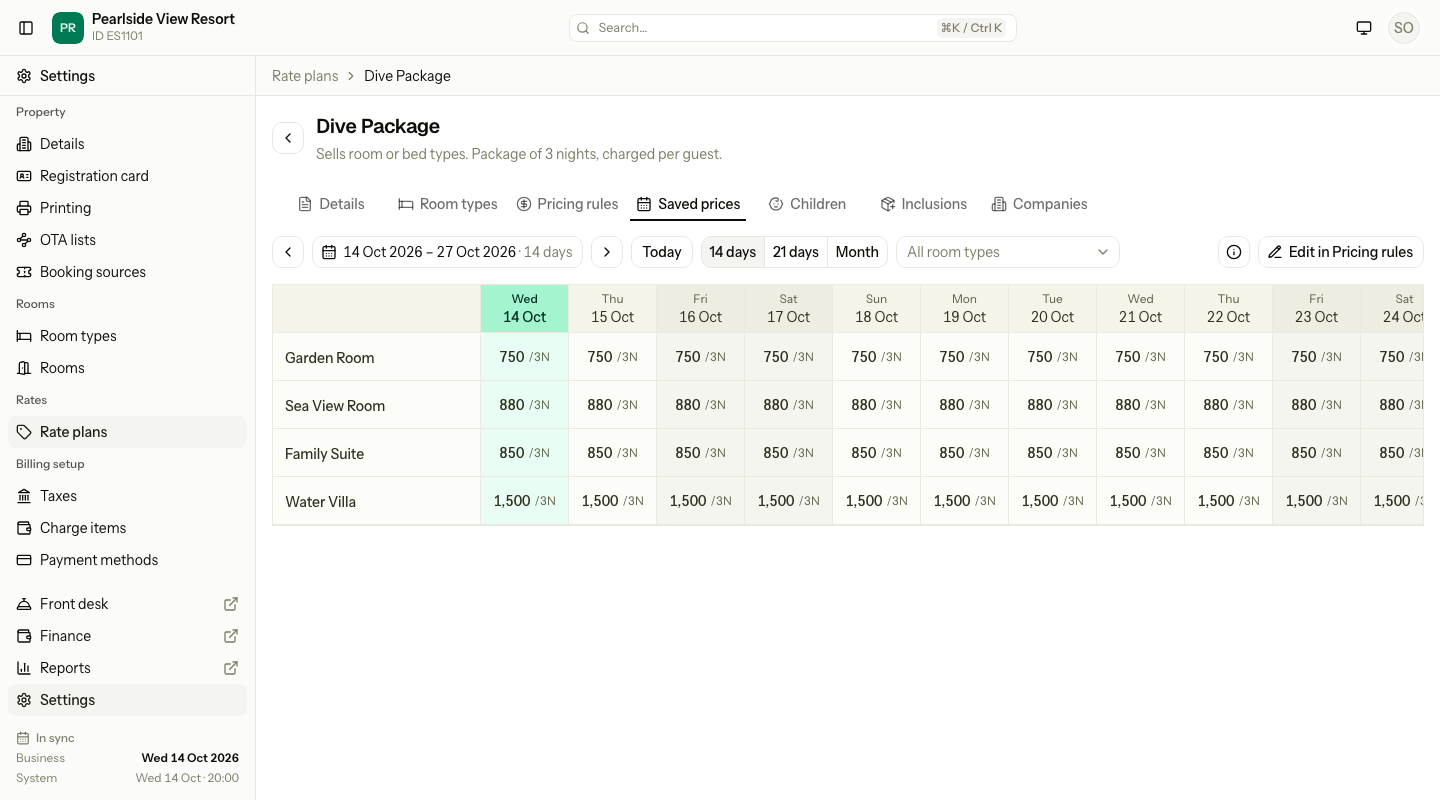
Special cases
| Situation | What happens | What to do |
|---|---|---|
| A date has a dash | No price is saved. | Set it on Pricing rules, or on the rate calendar. |
| You click a cell | Nothing happens. The tab is read only. | Use Edit in Pricing rules. |
| The plan follows another plan | The prices are the parent's, worked out for each date. Priced until is not shown. | Change the parent's prices, or stop following. |
| A package has no price for a date | The cell is empty. | Add an arrival period on Pricing rules. |
| You want more than 62 days | The range stops at 62 days. | Move the range to see later dates. |