
Create a rate plan
Add a rate plan, choose how it is priced, and set its details and room types.
Create a plan when you sell a room type in a new way: with breakfast, as a package, by the hour. You choose the pricing basis and the room types. Then you set the prices on the Pricing rules tab.
Before you start
- Permission: Manage property settings. Owners and managers have it by default.
- Know which pricing basis you need. You cannot change it after you create the plan.
- Have your room types ready. See Room types.
Steps
-
Open Settings, then Rate plans.
-
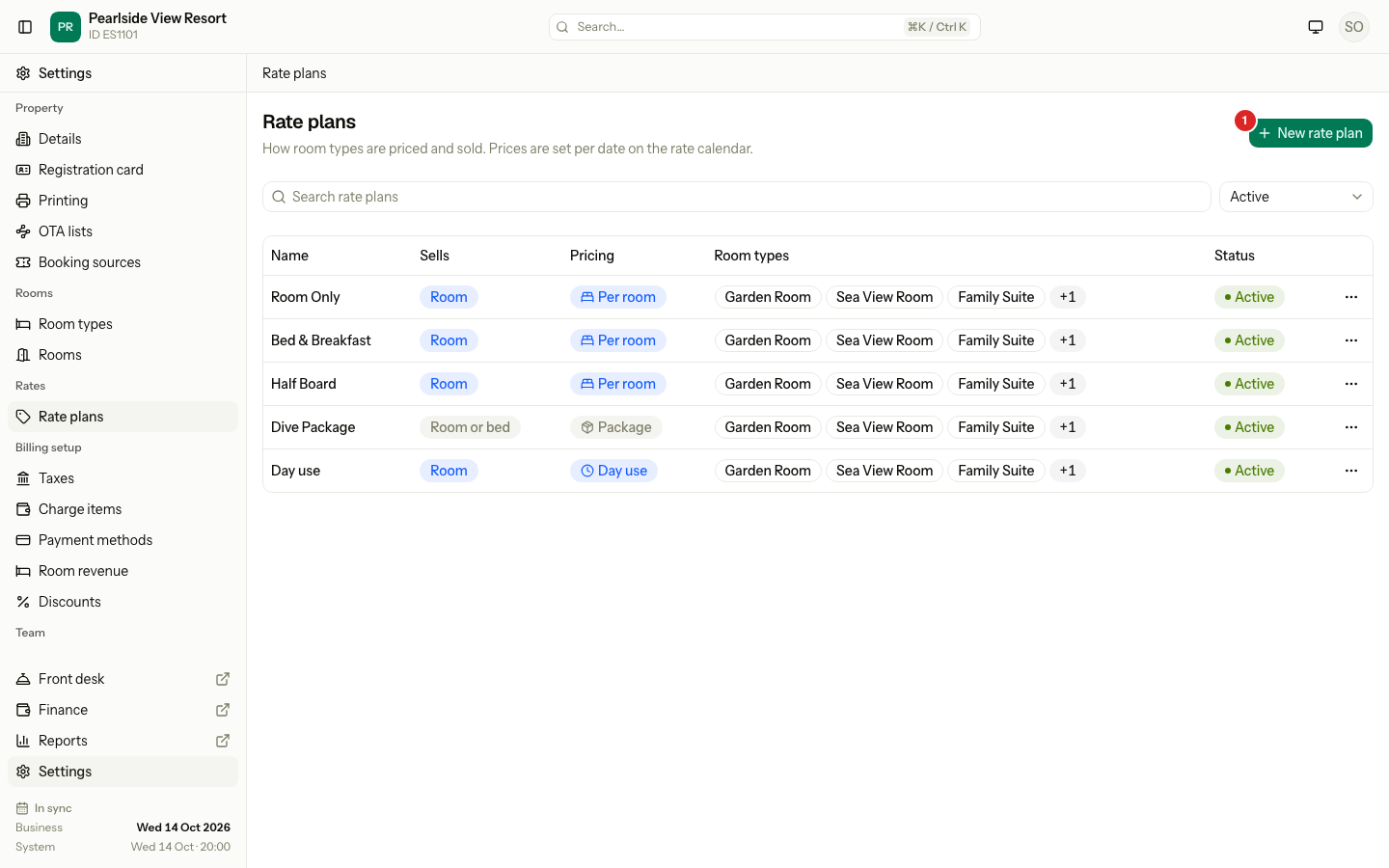
Select New rate plan.
-
Enter the Name, for example "Breakfast".
-
Under Priced, choose Per room, Per guest, Per bed, Package or Day use.
-
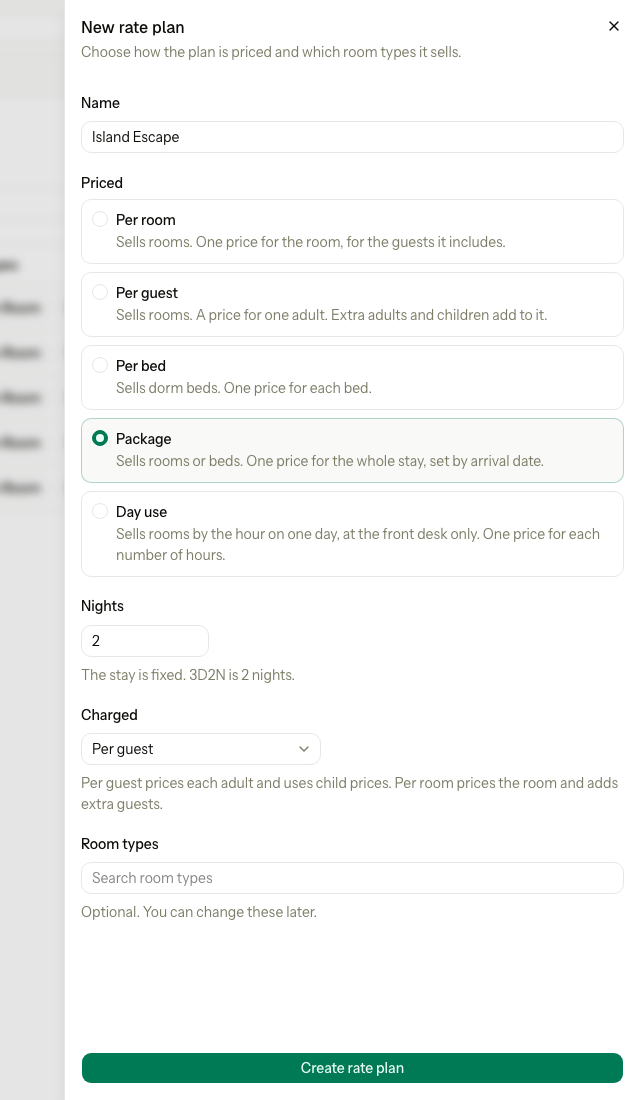
If you chose Package, enter Nights and choose Charged: per guest or per room.
-
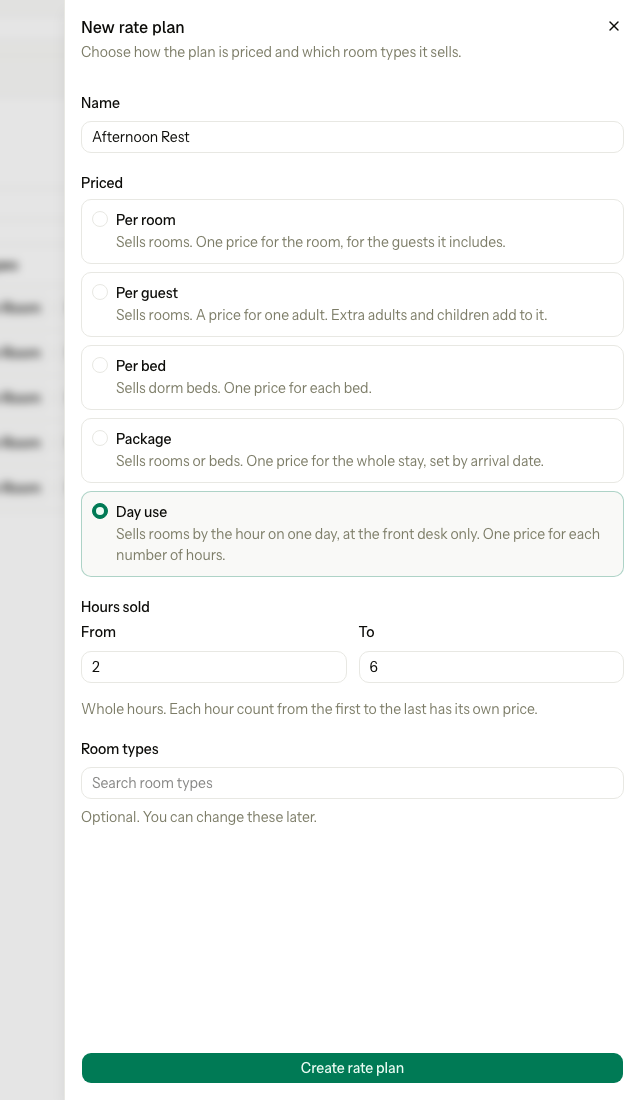
If you chose Day use, enter Hours sold: the first hour count in From and the last in To.
-
Choose the Room types the plan sells. You can leave this empty and do it later.
-
Select Create rate plan.
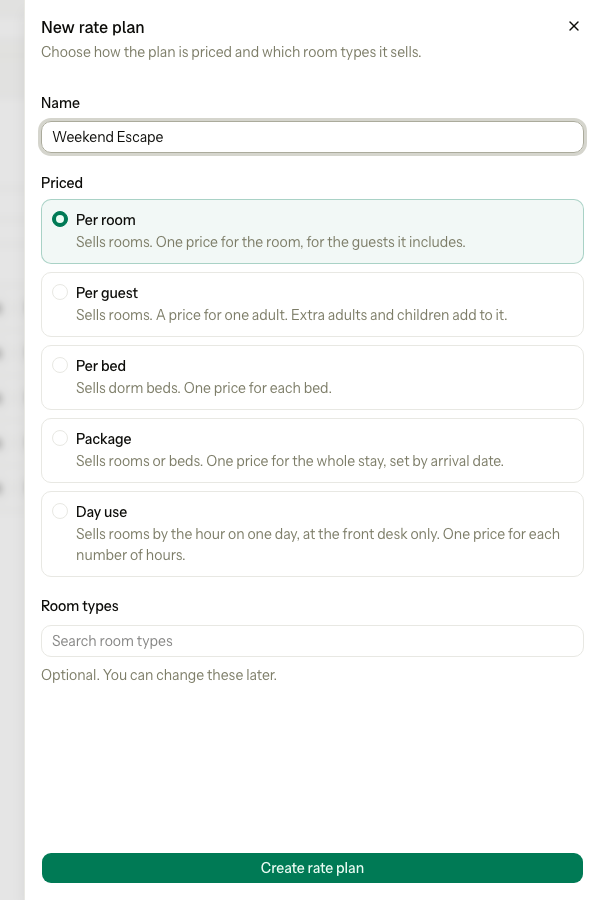
Estatell opens the new plan on its Details tab. If you chose no room types, it opens on the Room types tab.
A package asks for its nights and what it is charged on:
A day use plan asks for the hours it sells:
| Field | What to enter |
|---|---|
| Name | Up to 100 characters. It must differ from every other active plan. |
| Priced | The pricing basis. Fixed after you create the plan. |
| Nights | Package only. From 1 to 30. 3D2N is 2 nights. |
| Charged | Package only. Per guest prices each adult and uses child prices. Per room prices the room and adds extra guests. Fixed after you create the plan. |
| Hours sold | Day use only. Whole hours from 1 to 24. To must not be lower than From. |
| Room types | Optional. A room type that the basis cannot sell is grey, with the reason. |
A new Per guest plan, or a package charged per guest, starts with child prices: the youngest age group is Free and every other group is 50 percent of the adult price. Check them on the Children tab. See Child prices.
Change the details
- Open the plan from the list.
- On the Details tab, change the fields.
- Select Save details.
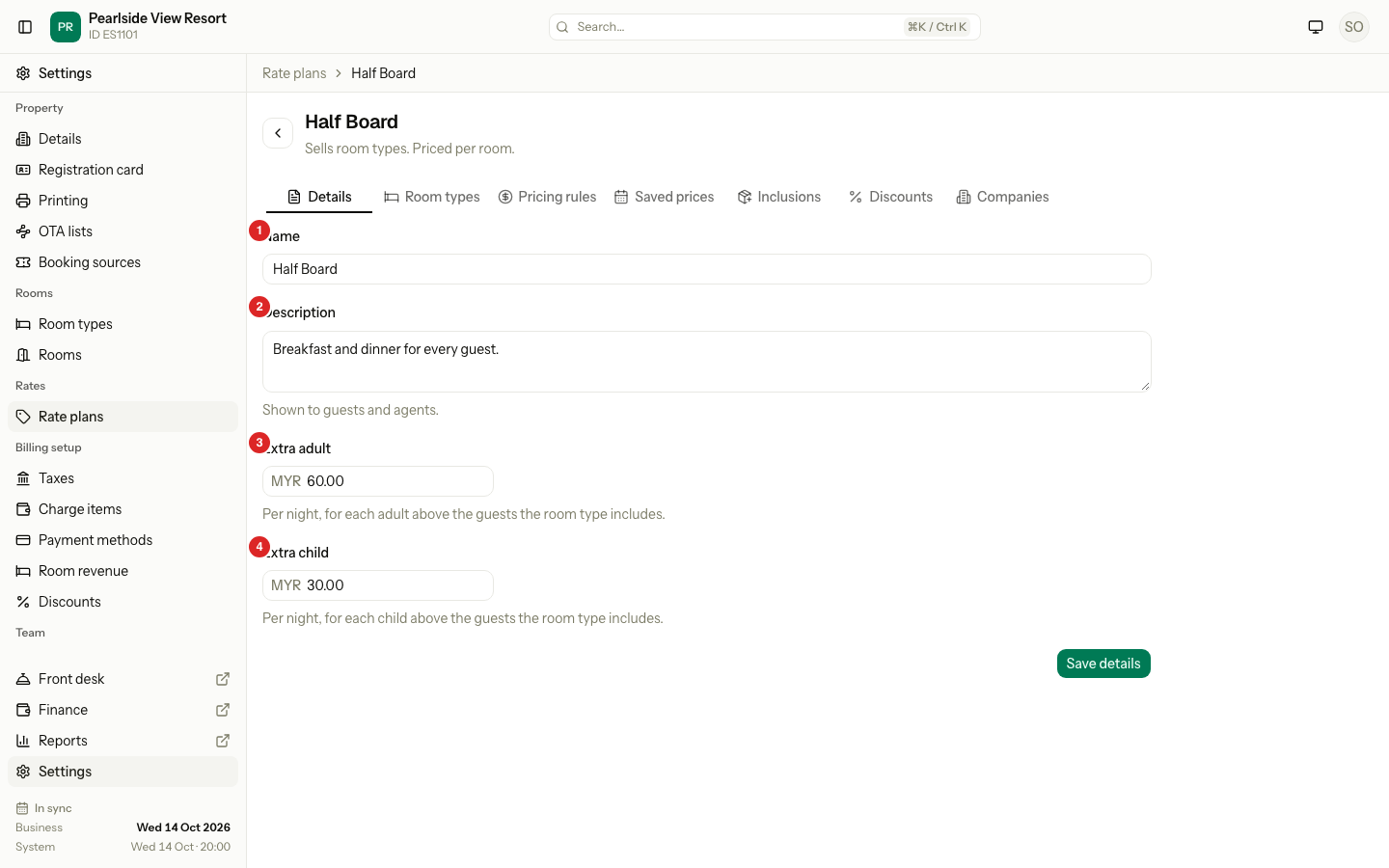
| # | Field | What it does |
|---|---|---|
| 1 | Name | The plan's name on screens and reports. |
| 2 | Description | Up to 2000 characters. Shown to guests and agents. |
| 3 | Extra adult | Per night, for each adult above the guests the room type includes. Per room plans, and packages charged per room (per stay). |
| 4 | Extra child | The same, for each child. |
A Per guest plan shows Single supplement instead: a charge per night when one adult stays alone and you have set no price for one adult. A package also shows Nights. A Per bed plan has only the name and description.
Details of a day use plan
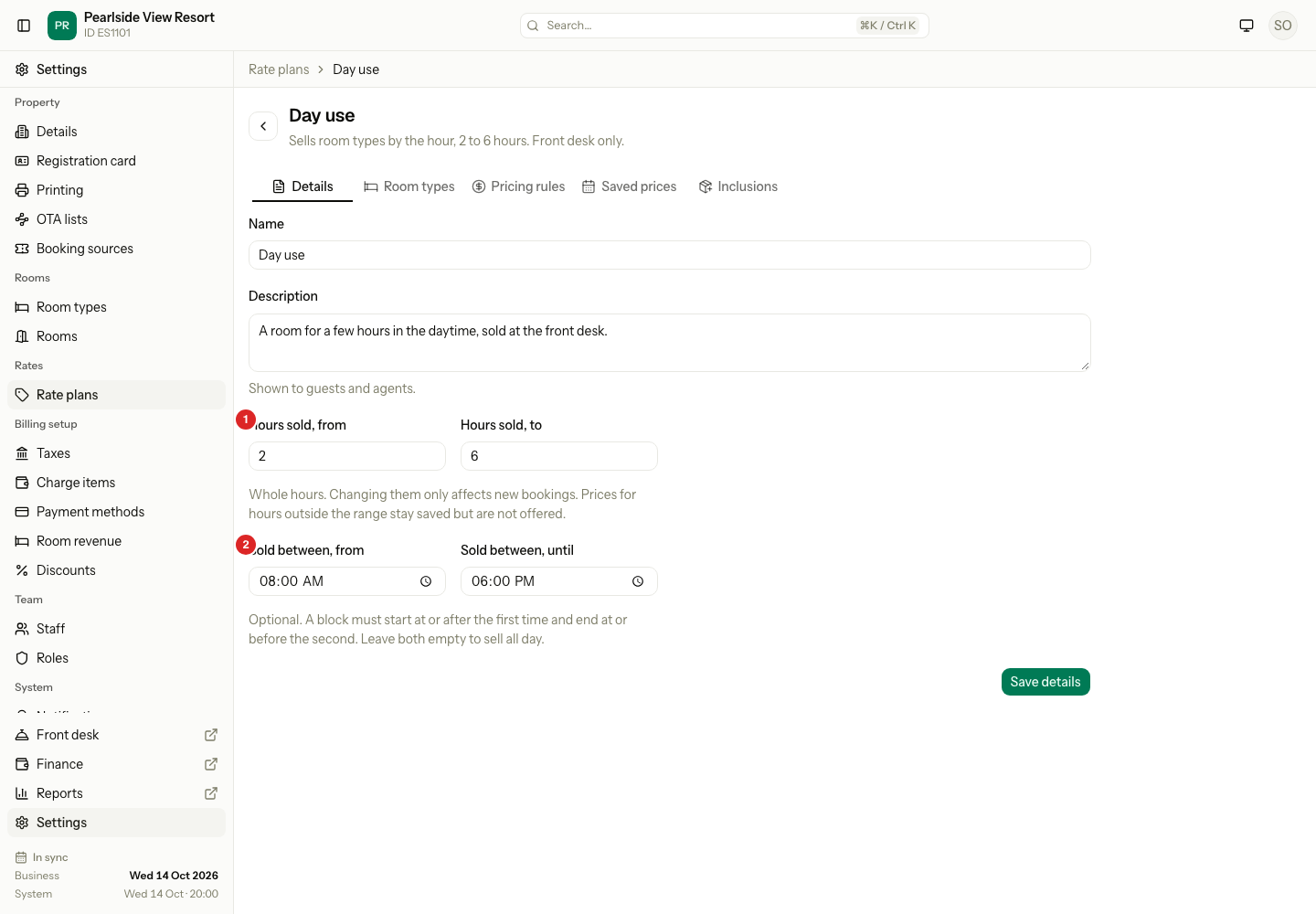
| # | Field | What it does |
|---|---|---|
| 1 | Hours sold, from and to | The shortest and longest block you sell. Each whole hour in between has its own price. |
| 2 | Sold between, from and until | Optional. A block must start at or after the first time and end at or before the second. Leave both empty to sell all day. |
If you change the hours later, only new bookings are affected. Prices for hours outside the new range stay saved but are not offered.
Choose the room types
- Open the plan and select the Room types tab.
- Tick the room types the plan sells.
- Select Save room types.
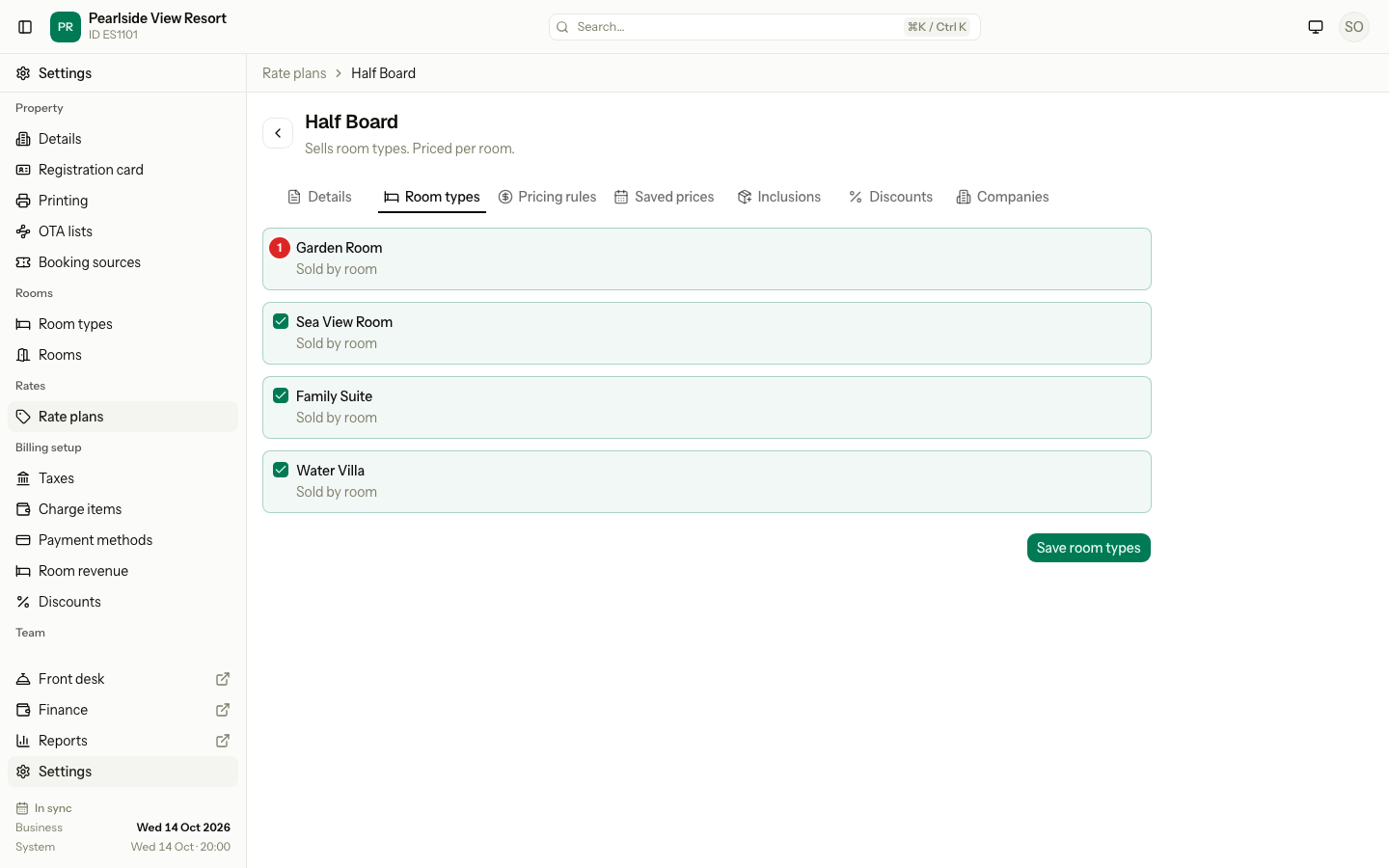
Each room type shows how it is sold, for example "Sold by room". A room type the basis cannot sell is grey, with "Not available with per room pricing."
Special cases
| Situation | What happens | What to do |
|---|---|---|
| The name is already used | "Another active rate plan already uses this name." An archived plan does not count. | Choose another name. |
| You choose a room type the basis cannot sell | "This plan cannot sell one of the chosen room types." | Choose room types sold by room for Per room, Per guest and Day use. Choose room types sold by bed for Per bed. |
| You change the basis in the form after choosing room types | Estatell unticks the room types the new basis cannot sell. | Check the list again. |
| You untick the last plan a room type has | "6-Bed Dorm would have no rate plan. Link another plan first." | Link the room type to another plan first. |
| A plan that follows a parent loses a room type | A room type cannot be removed from a parent while a plan that follows it sells the room type. Estatell says, for example, "Breakfast follows this plan for Deluxe." | Remove the room type from the plan that follows first. |
| A followed package changes its nights | "Dive Package − Petronas follows this plan, so its nights cannot change." | Change the plan that follows it first. |
| A package follows another package | The Nights field is grey: "The nights follow Dive Package." | Change the nights on the package it follows. |
| The day use window is shorter than the minimum hours | "The window must be at least 2 hours long, the minimum hours sold." | Widen the Sold between times, or lower Hours sold, from. |
| The plan is archived | "is archived. Restore it before editing." | Restore the plan. |
| The plan changed while you edited it | "The rate plan changed. Reload the page and try again." | Reload the page. |