
Child prices
Set what each age group pays on a Per guest plan or a package charged per guest.
The Children tab sets the price of each age group on a plan. An age group can be free, a percent of the adult price, or a fixed amount. The tab shows only on Per guest plans and on packages charged per guest.
Per room plans and packages charged per room do not use this tab. They charge Extra child on the Details tab. See Create a rate plan.
Before you start
- Permission: Manage property settings. Owners and managers have it by default.
- Set your age groups first. See Age groups.
Steps
- Open Settings, then Rate plans, and select the plan.
- Select the Children tab.
- For each age group, choose the Price: Free, Percent of adult price or Fixed amount.
- If you chose Percent of adult price, enter the percent from 1 to 100.
- If you chose Fixed amount, enter the amount.
- Select Save child prices.
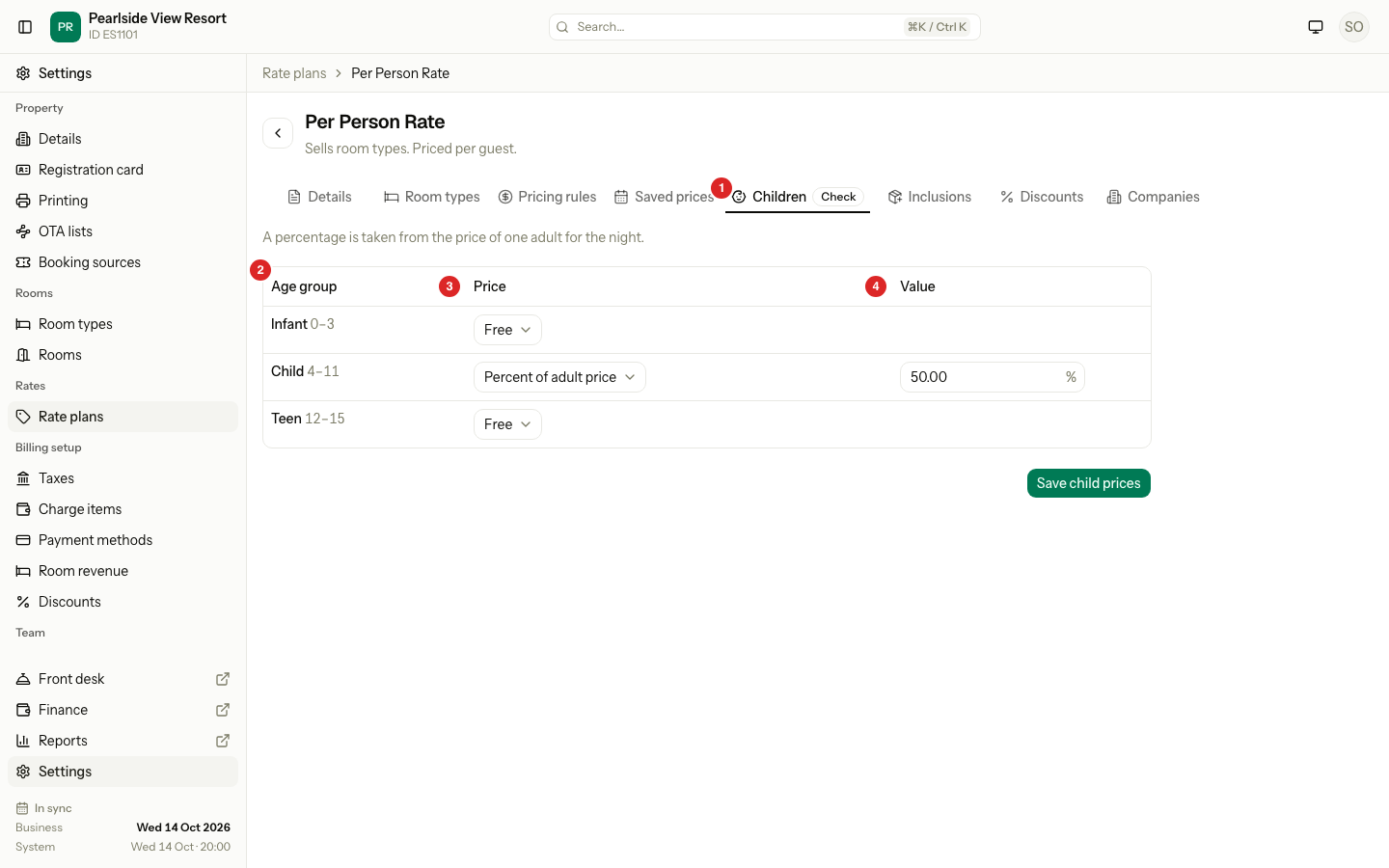
| Choice | What the child pays |
|---|---|
| Free | Nothing. |
| Percent of adult price | That percent of the price of one adult for the night. It does not use the share for two adults. |
| Fixed amount | The amount. On a Per guest plan it is per night. On a package it is for the whole stay. |
Worked example
"Per Person Rate" has 1 adult at RM120 a night. The age groups are Infant 0 to 3 (Free) and Child 4 to 11 (50 percent).
| Guests | Price per night |
|---|---|
| 2 adults | 2 × 120 = RM240 |
| 2 adults and a child aged 8 | 240 + 50% of 120 = RM300 |
| 2 adults, a child aged 8 and an infant aged 2 | 240 + 60 + 0 = RM300 |
The Check badge
When you add an age group, every Per guest plan gets a Free price for it and a Check badge on the Children tab. The list shows Check child prices next to the plan name.
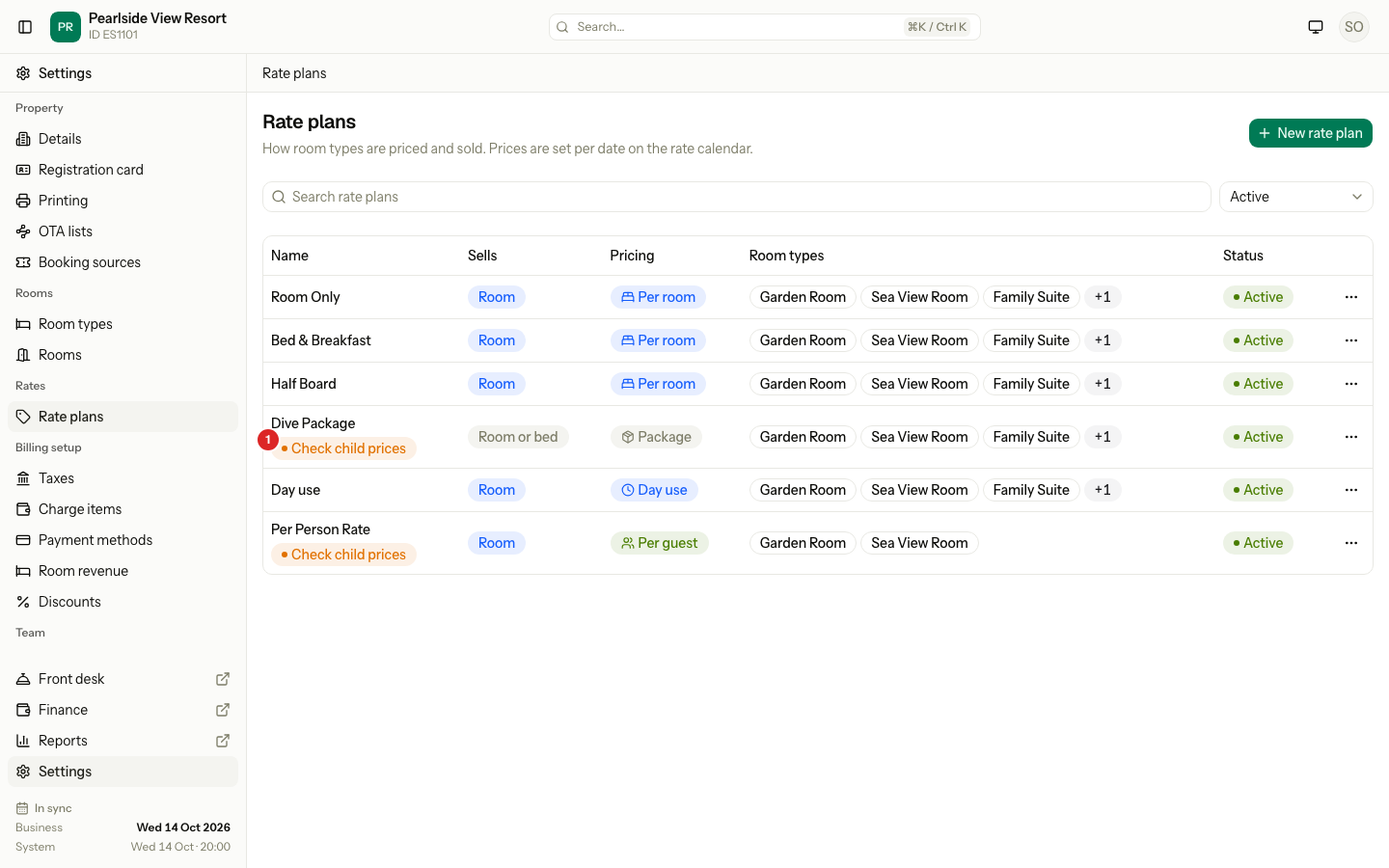
Open the tab, set the price and select Save child prices. The badge goes away.
Special cases
| Situation | What happens | What to do |
|---|---|---|
| The property has no age groups | The tab says "No age groups". Every guest counts as an adult. | Add age groups in Settings → Details. |
| A child is older than the last age group | The guest counts as an adult. | Nothing. Set the ages in Age groups. |
| The plan follows another plan | It uses the child prices of the plan it follows. | Change them on the parent. |
| A package is charged per room | The Children tab does not show. | Use Extra child on the Details tab. |
| A percent is not between 1 and 100 | Estatell refuses to save. | Use Fixed amount for anything else. |
| The plan is archived | "The rate plan or age groups changed. Reload the page and try again." | Restore the plan first. |