
Group check-out
Check out every room of a group and settle its money on one page.
Use group check-out when a group leaves together. One page checks out the rooms you tick, collects what each room owes, refunds deposits, moves charges to the group bill and can take one payment for everyone.
Before you start
- Permission: Check out units. To collect you need Record payments and download receipts, to refund Refund payments, and to move charges to the group bill Transfer folio lines and manage routing.
- The reservation has 2 or more units, with one Checked in or one folio that still holds money.
Steps
- Open the reservation, select More, then Check out all.
- Check the rooms under Ready to check out. Every room is ticked. Untick a room that stays.
- For each room, choose how to settle:
- Nothing to settle when the balance is 0.
- Collect: choose the method. The amount is the balance.
- Add to group bill: move the room's charges to the group bill.
- Refund: give back the deposit or the credit.
- Optional: tick One payment for all to collect everything from one guest.
- Under Group bill (Master folio), tick Send to City ledger after check-out if the company pays by invoice.
- Read the summary line, for example "3 rooms check out · 1 settled · Collect 75.00".
- Select Check out at the top.
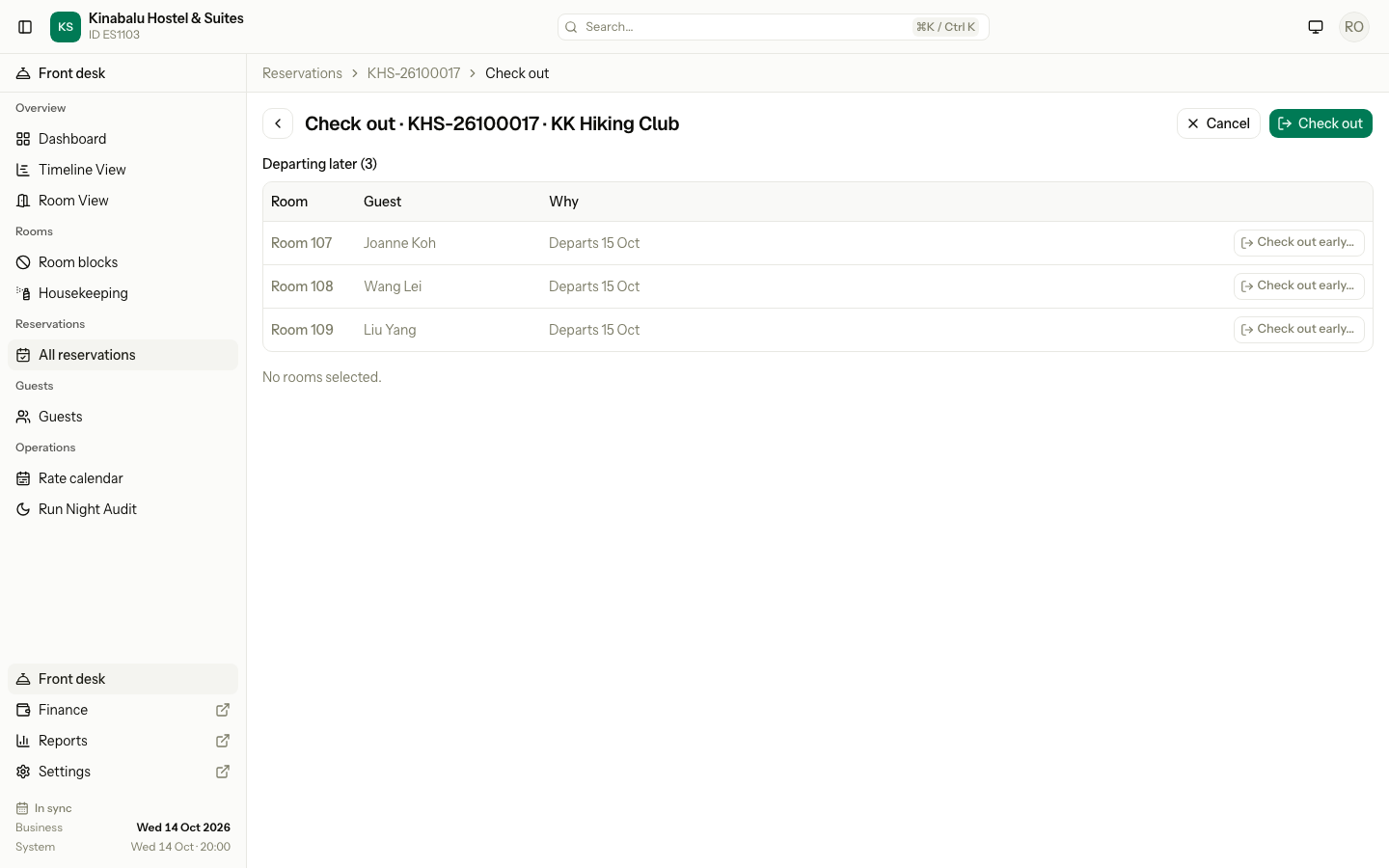
The screenshot shows a group that leaves tomorrow, so every room is under Departing later.
The sections
| Section | Rooms | What you can do |
|---|---|---|
| Ready to check out | Checked in, leaving today | Tick, settle and check out |
| Money to settle | Already out, cancelled or no-show, with money on the folio | Settle only |
| Departing later | Checked in, leaving after today | Check out early… opens the early check-out form for that room |
| Can't check out yet | Not checked in, or another room still charges to this folio | Read the reason |
A room that is out with nothing to settle is not a row. One line under the tables names it.
Special cases
| Situation | Example | What happens | What to do |
|---|---|---|---|
| One room leaves early | Room 108 leaves today, the group tomorrow. | • Room 108 is under Departing later. | • Select Check out early… on its row. It saves on its own. |
| A room paid for another | Room 106 pays for room 107. | • "Room 106 pays for it: still charged tonight" under Can't check out yet. | • Select Move charges, then come back. |
| A room was never checked in | One guest did not come. | • "Not checked in: Cancel or mark no-show." | • Cancel it or mark it no-show. See Cancel and no-show. |
| A room has a deposit and its charges move | Room 103: charges 95.00, deposit 50.00. | • Moving the charges leaves a credit of 50.00. | • Refund the deposit on the same row. |
| A folio is closed but holds money | Room 110 checked out yesterday owing 30.00. | • "Folio closed: reopen it to settle" with Open folio. | • Reopen the folio, then settle. |
| A room was due yesterday | Before the night audit, room 105 was due to leave yesterday. | • It is ready as They left yesterday. | • If the guest stayed last night, check that room out on its own. |
| The company pays by invoice | The group bill goes to the company. | • Send to City ledger after check-out bills the group bill to the company. | • Tick it. |