
Record a company payment
Record money a company paid against its invoices, and print the receipt.
Use Record payment on the company's Payments tab when a company pays what it owes on its invoices, usually by bank transfer. Estatell gives the payment a receipt number. It can match the payment to the oldest open invoices for you.
Before you start
- Permission to record: Record and void AR payments. Owners, managers and finance staff have it by default.
- Permission to see payments and print the receipt: View companies.
- The property must have an open business date.
- Set up your payment methods in Settings. This dialog offers every active method except OTA collected and City ledger. It adds no surcharge.
Advance or company payment?
Money can reach the property before or after the folio goes to the City ledger. Record it in one place only. Recording one transfer in both places counts it twice.
| The company pays | Record it | Where |
|---|---|---|
| Before check-out, for a stay that is not billed yet | As an Advance on the Master folio | The Folio tab. See Record a payment. |
| After you settled the folio and the invoice exists | As a company payment | The company's Payments tab, on this page |
The usual order is the advance first and the bank transfer later. When the company pays an invoice that already shows the advance, the invoice is only for the rest.
Steps
-
Open Finance and select City ledger › Companies.
-
Select the company, then the Payments tab.
-
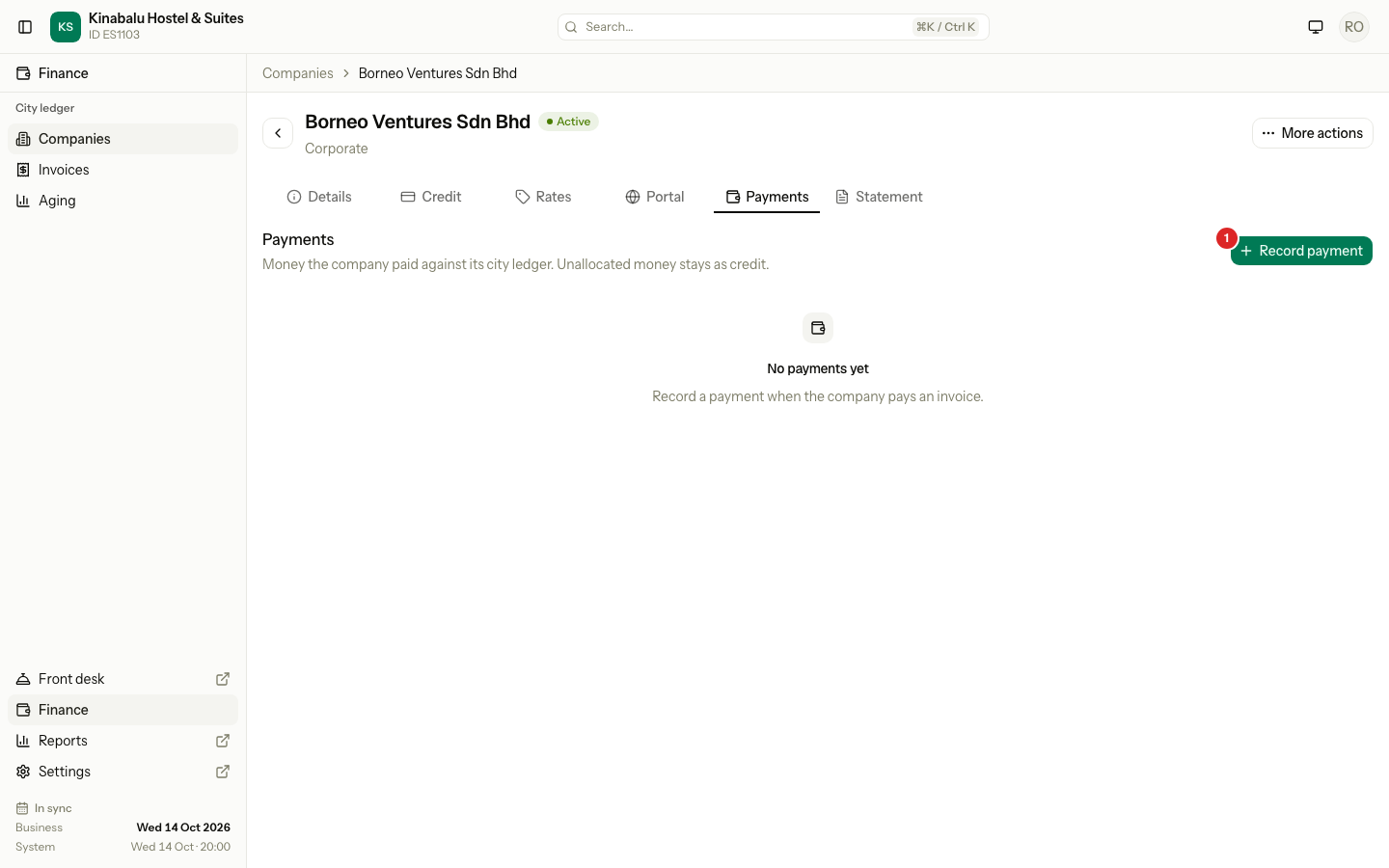
Select Record payment.
-
Choose the Method. Estatell picks the first method in your list.
-
Enter the Amount.
-
If the company paid on an earlier day, pick Received on. Leave it empty for today's business date. You cannot pick a date after today.
-
If the method needs a Reference, enter it, for example the bank transfer number. Card, bank transfer and e-wallet need one by default.
-
Add Notes if they help, for example "Bank transfer for September invoices".
-
Keep Allocate to oldest invoices ticked to match the payment to the company's open invoices, the oldest due date first. Untick it to allocate by hand later. See Allocate and reverse.
-
Select Record payment.
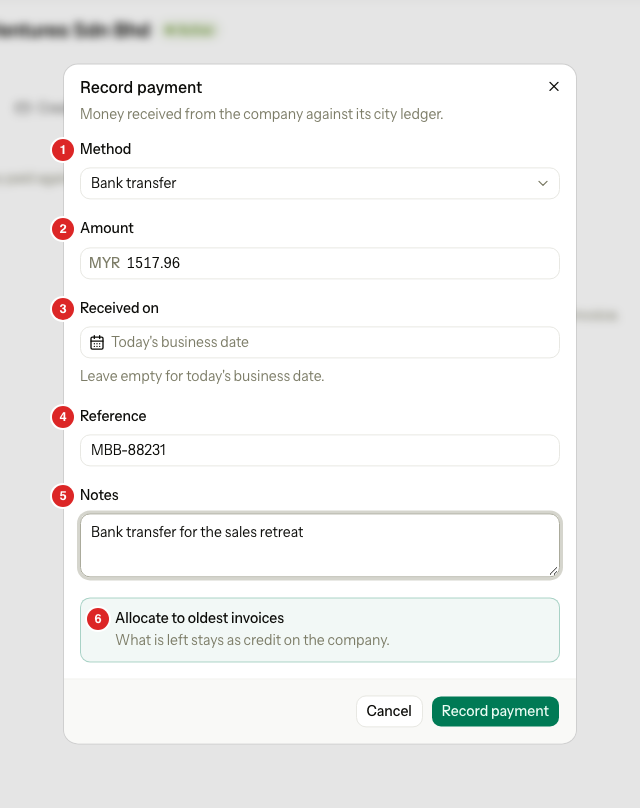
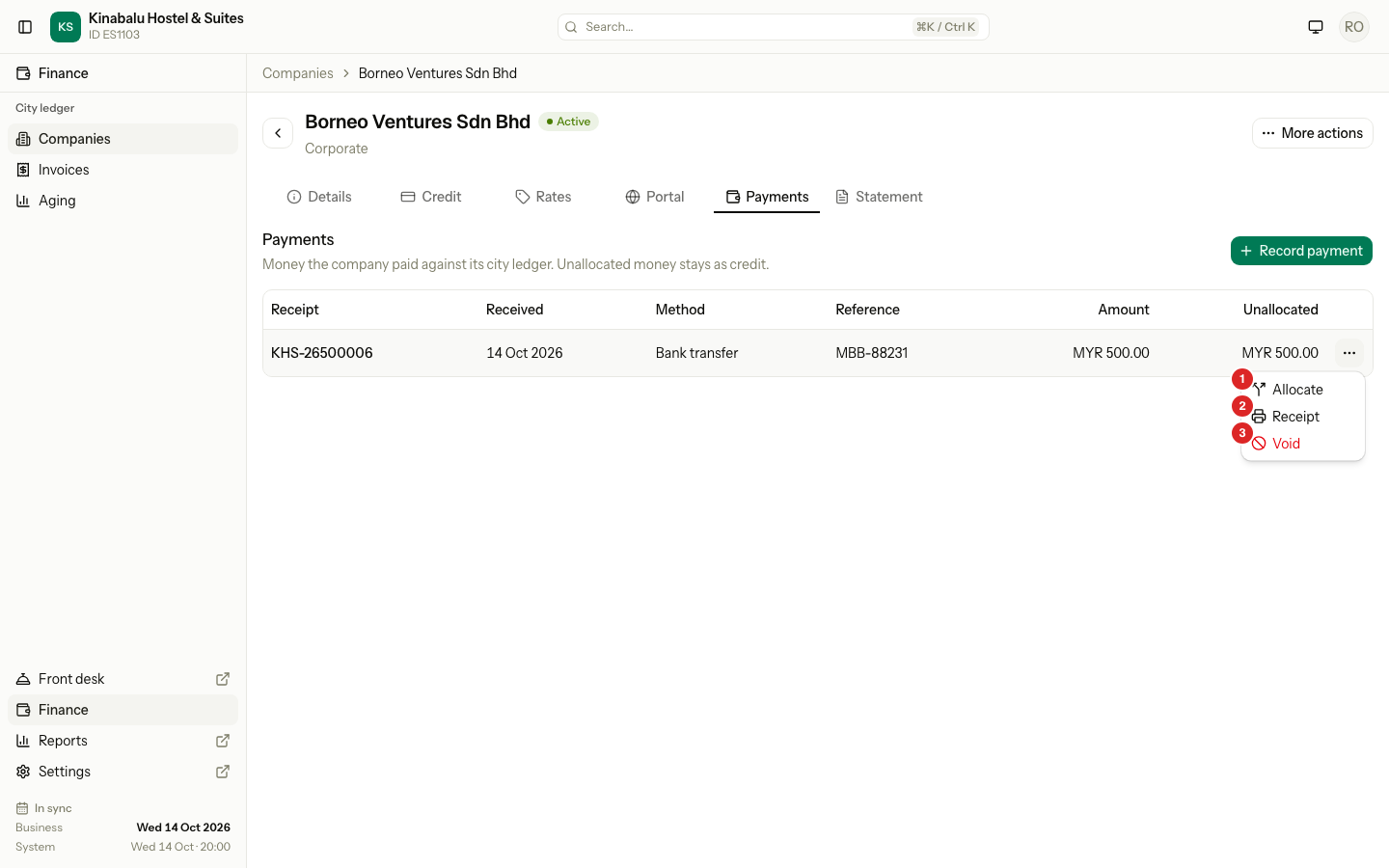
A message shows the receipt number. The payment appears in the list with its Unallocated amount: what is not matched to an invoice yet. Money you do not allocate stays as credit on the company.
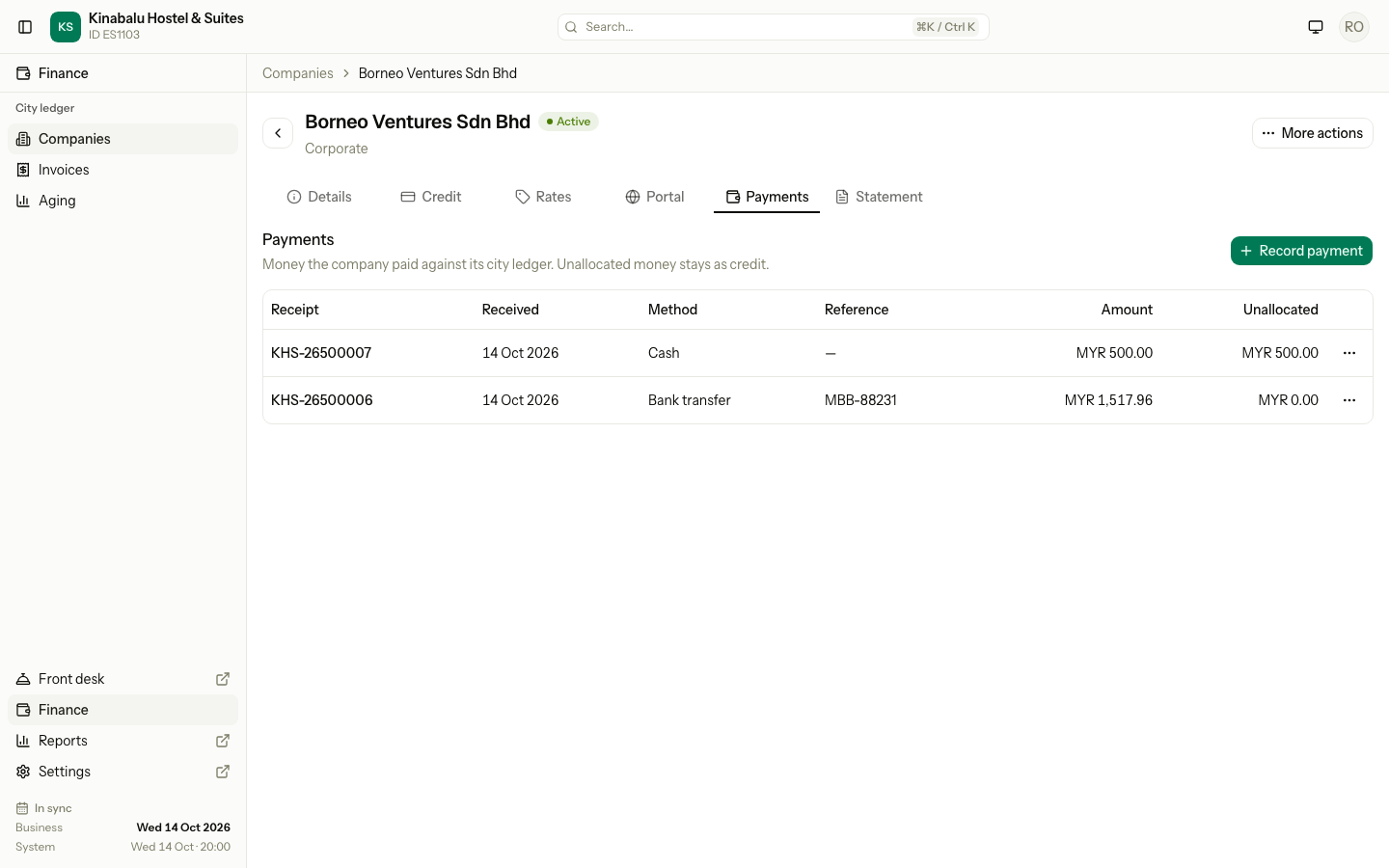
| Column | What it shows |
|---|---|
| Receipt | The receipt number. A Voided badge marks a voided payment. |
| Received | The date the company paid. |
| Method, Reference | How it paid and the reference you entered. |
| Amount | The payment amount. |
| Unallocated | What is not matched to an invoice yet. |
The reference warning
As you type the reference, Estatell checks whether it was already recorded. If so, a warning shows under the field:
- "Reference MBB-88231 was already recorded as AR payment KHS-26500006 on 14 Oct. Check it is not the same money before you record it."
- "Reference MBB-88231 was already recorded on folio KHS-26300003 (receipt KHS-26500005) on 08 Oct. Check it is not the same money before you record it."
If more than one payment matches, the warning names the oldest and adds "and 2 more".
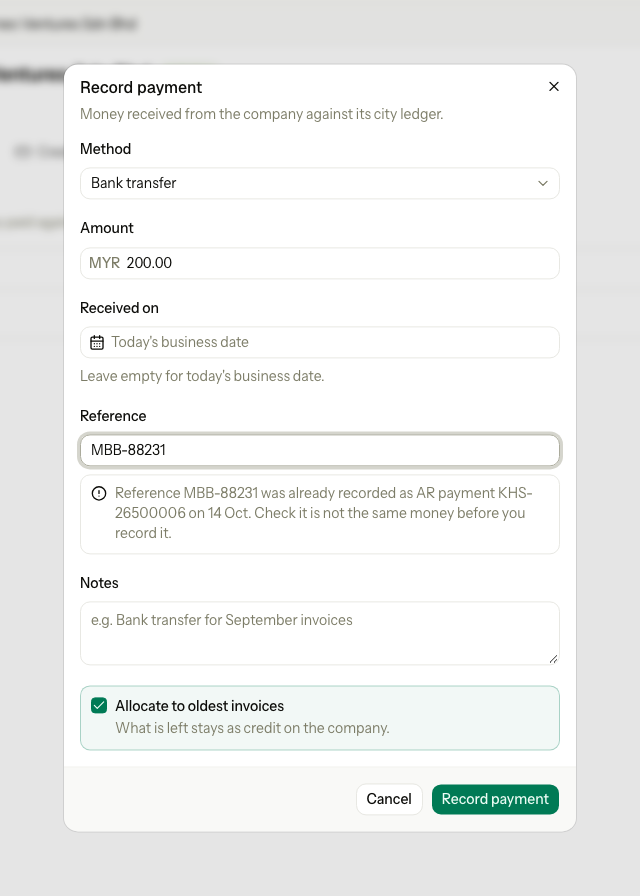
The warning never stops you. Estatell compares the reference with folio payments of the company and with its other company payments, ignoring capital letters and spaces at the ends. A blank reference never matches, and neither do refunds or voided payments. The check goes one way: it looks at folio payments and other company payments when you record a company payment. A payment you record on a folio does not look at company payments.
Print the receipt
Open the row menu of the payment and select Receipt. The PDF is titled "Receipt" and shows the company, "Received against City ledger", the method, the reference, the date, the amount and who received it.
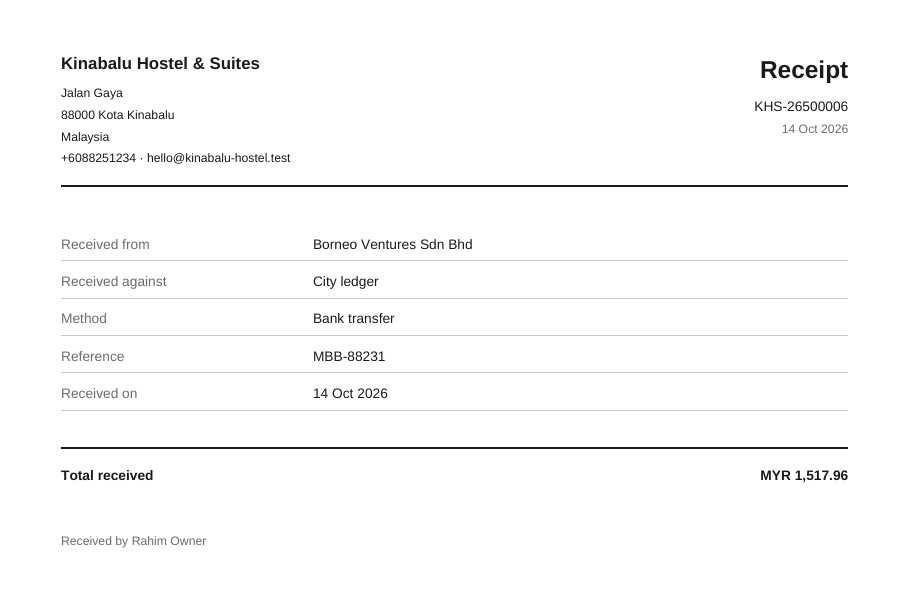
Receipts of company payments and folio payments share one number series. A voided payment keeps its number, and its receipt shows VOID.
When Estatell refuses
A refused payment saves nothing.
| Situation | What Estatell says | What to do |
|---|---|---|
| The method needs a reference and it is empty | "This method needs a reference." | Enter the reference. |
| The amount is 0.00, negative or not a number | "Enter an amount greater than 0, such as 1,200.00." | Enter the amount. |
| Received on is after today | "The payment cannot be received after today." | Pick today or an earlier date, or leave it empty. |
| The method is not available | "This payment method is not available." | Choose another method, or turn the method on in Settings. |
| The property has no business date | "The property has no open business date." | Run the night audit. |
Special cases
| Situation | What happens | What to do |
|---|---|---|
| The company pays more than it owes | Estatell allocates what the invoices need. The rest stays as credit on the company. | Allocate it when the next invoice comes. |
| The company has no open invoice | The payment stays as credit. | Nothing to do. |
| You record a payment twice by a double click | Estatell records it once and says "Payment KHS-26500006 was already recorded." | Nothing to do. |
| You recorded the wrong amount | You cannot edit a payment. | Void it and record it again. See Allocate and reverse. |
| The credit limit | Estatell does not check the limit when a company pays. | Nothing to do. See Credit control. |
| A company paid before the go-live date | Old system is offered only through Add from old system, as credit with no receipt number. | See Old system balances. |