
Credit notes
Lower an invoice with a credit note, credit an invoice that is already paid, and void a credit note.
A credit note lowers an invoice. Estatell never edits an issued invoice, so a correction is a credit note: a negative document linked to the invoice, with a reason.
Before you start
- Permission: Issue and void AR credit notes. Owners, managers and finance staff have it by default.
- The invoice must not be Void.
- A credit note can lower only what the company still owes on the invoice. See Credit a paid invoice.
Issue a credit note
-
Open City ledger › Invoices and select the invoice. You can also open it from the Invoice menu of the closed folio, with Issue credit note.
-
Select Issue credit note.
-
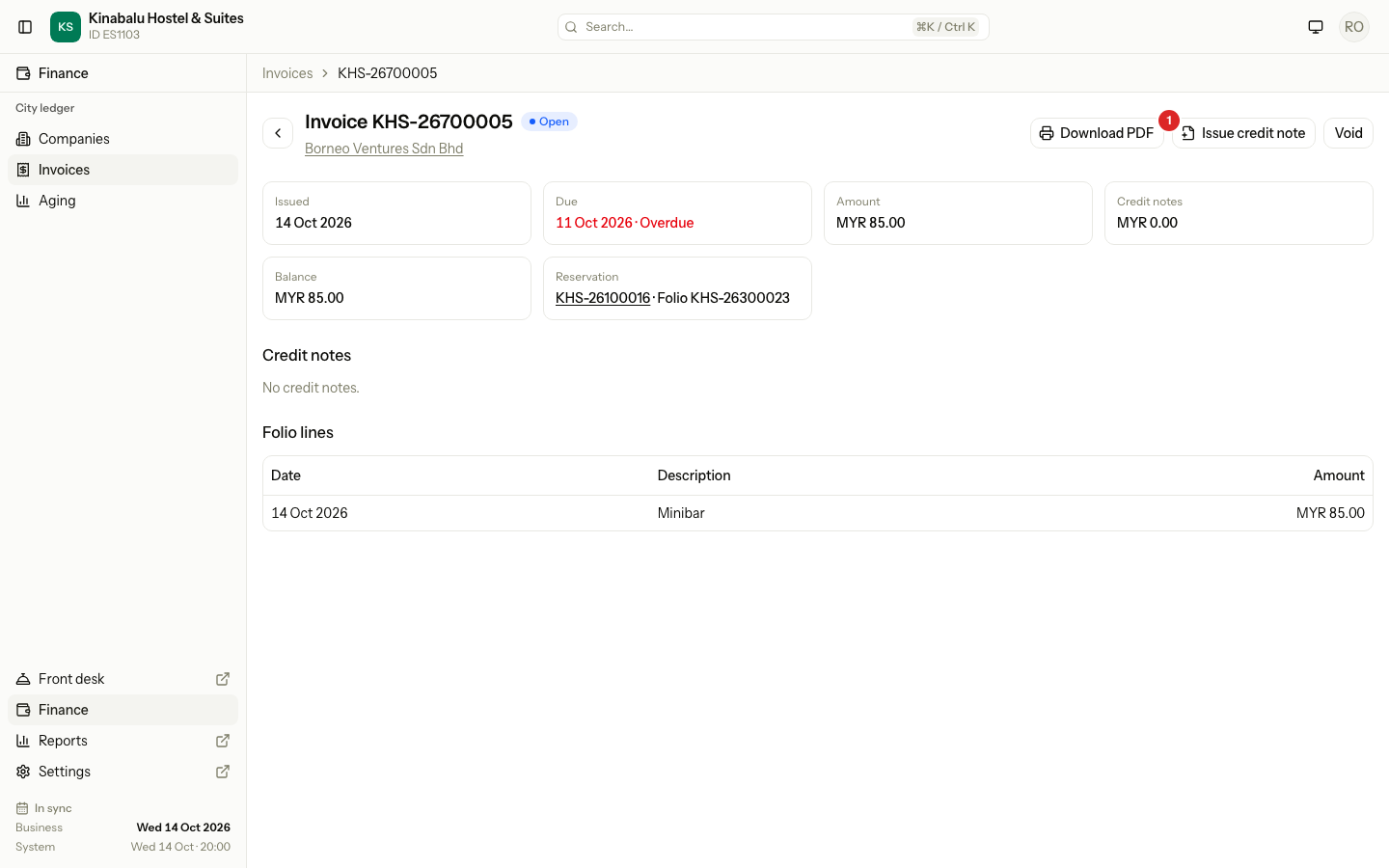
Check the Amount. Estatell fills in the invoice balance. Type a smaller amount for a part credit. It must be more than 0.00, with at most two decimals.
-
Enter the Reason. It is required, and the company sees it on the credit note.
-
Select Issue credit note.
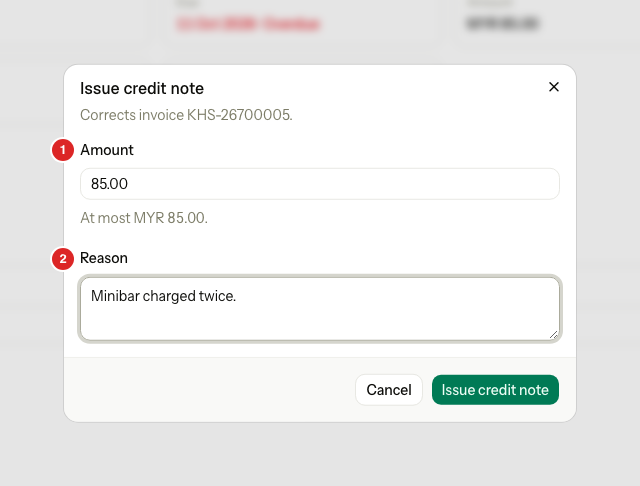
Estatell gives the credit note its own number and the business date. It is Settled at once, because it lowers its invoice as you issue it. When the invoice balance reaches 0.00, the invoice becomes Settled.
What the dialog shows
The dialog changes with the invoice.
| Situation | What the dialog shows |
|---|---|
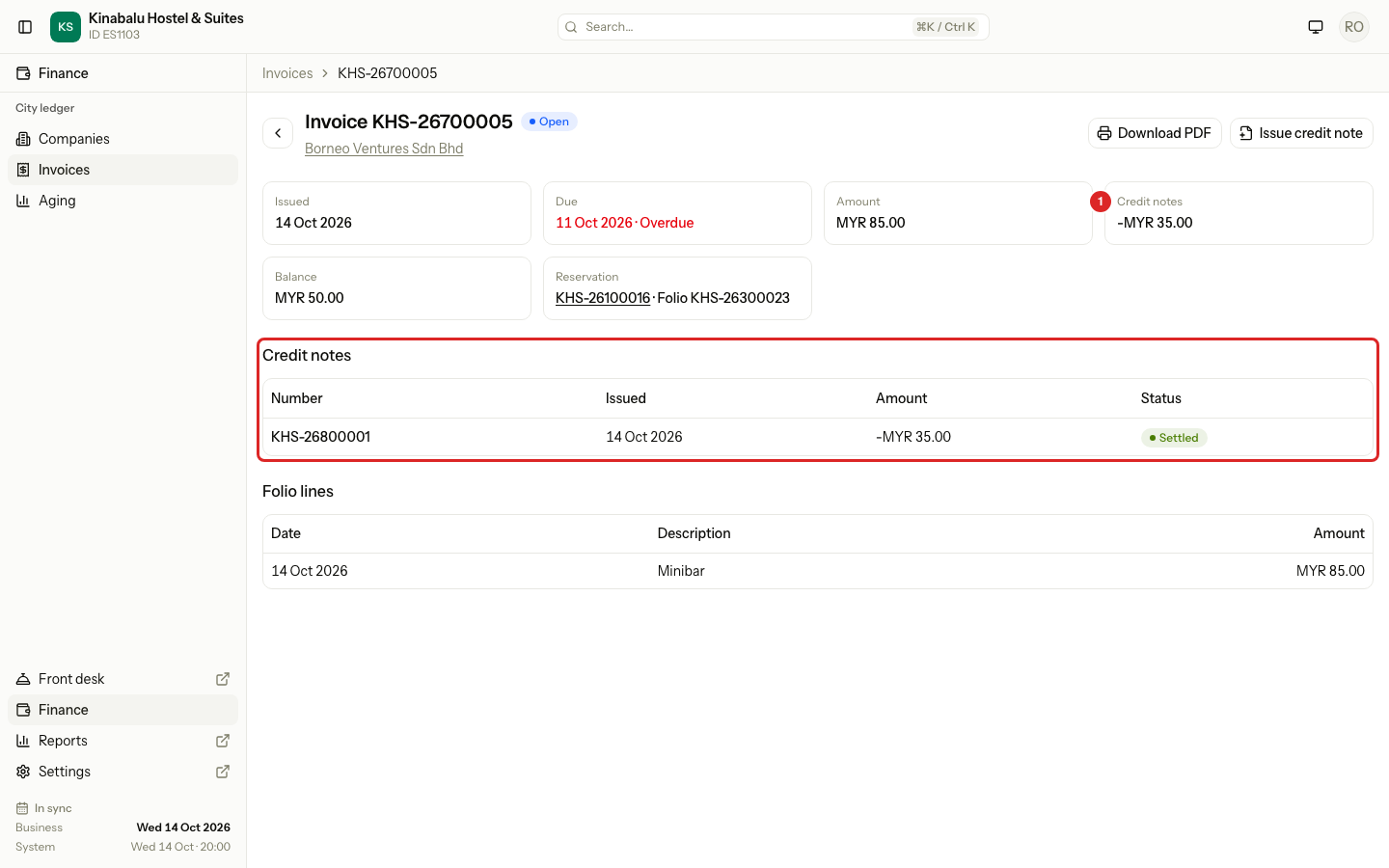
| The invoice owes money | Amount and Reason. Under the amount: "At most MYR 55.00." |
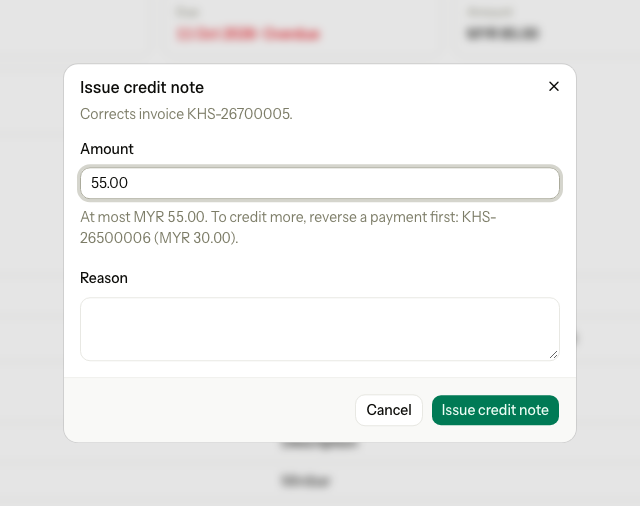
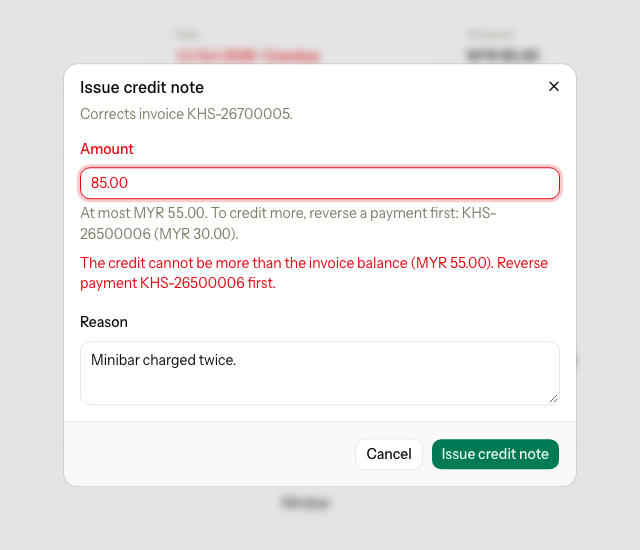
| The invoice owes money and a payment is allocated | The same, and: "To credit more, reverse a payment first: KHS-26500006 (MYR 30.00)." |
| The amount is more than the balance | An error under the amount: "The credit cannot be more than the invoice balance (MYR 55.00). Reverse payment KHS-26500006 first." Without payments it ends after the balance. |
| The balance is 0.00 and payments are allocated | No amount field. The dialog lists each payment with Reverse. See below. |
| The balance is 0.00 because credit notes cover it | "Credited in full by KHS-26800001. Nothing is left to credit." |
| The balance is 0.00 with no credit notes and no payments | "This invoice has no balance left, so there is nothing to credit." |
Credit a paid invoice
A payment lowers an invoice balance, so a paid invoice cannot take a credit note until you free the payment. The button still shows, and the dialog explains what to do.
- Open the invoice and select Issue credit note.
- In the list of payments, select Reverse on the payment to free. Estatell closes the credit note dialog and opens Reverse allocation.
- Enter the reason and select Reverse allocation. See Allocate and reverse.
- The invoice opens again with its balance back, and the credit note dialog opens by itself with the Amount field.
- Issue the credit note.
- Allocate the payment again. What is left stays as credit on the company. See Allocate and reverse.
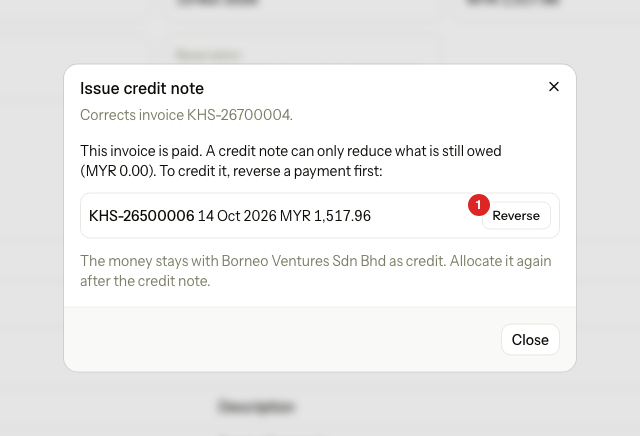
If you can issue credit notes but cannot reverse payments, the dialog lists the payments without Reverse and says "Ask a user who can reverse payments."
Void a credit note
Void a credit note issued by mistake. The invoice owes the money again.
-
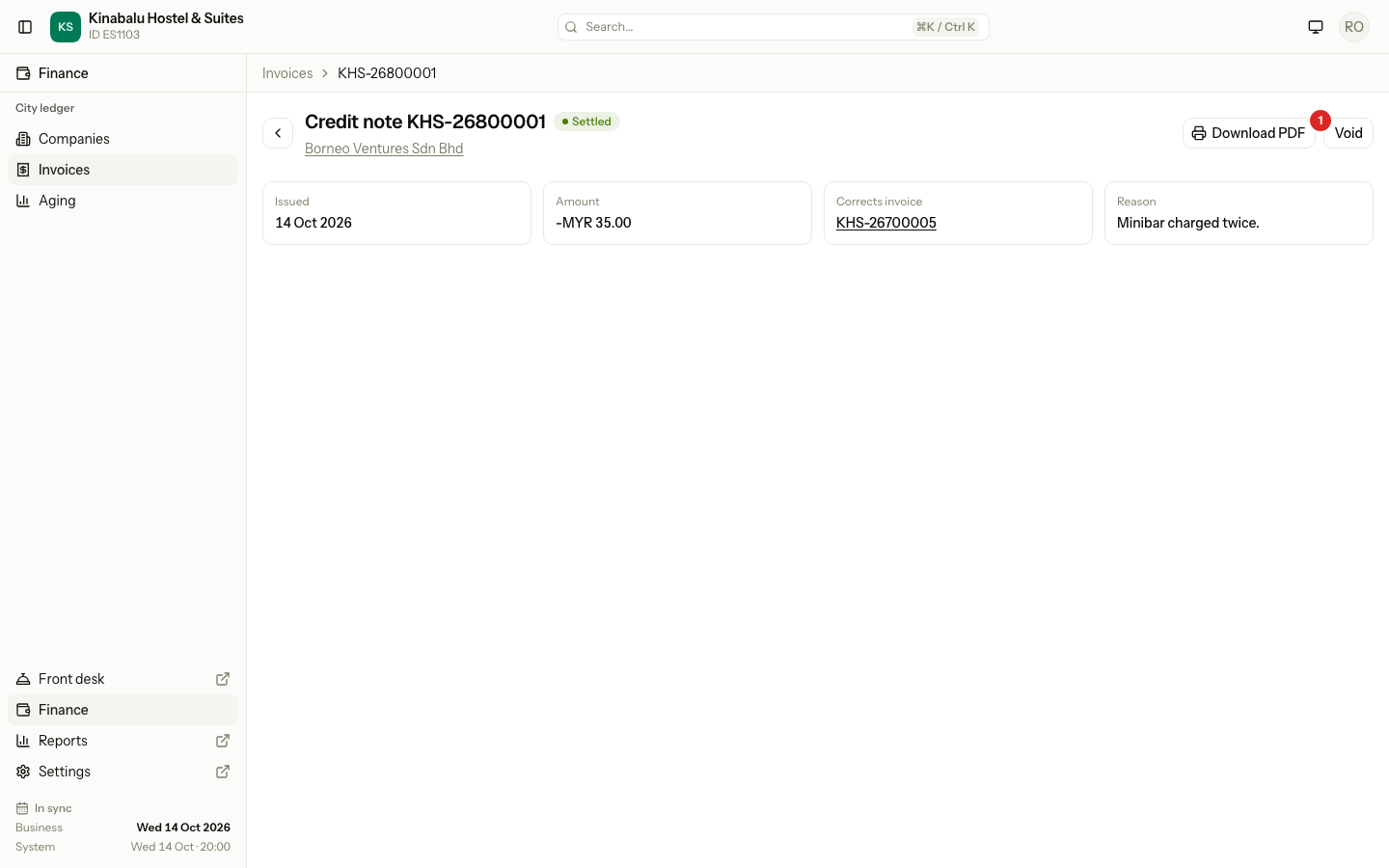
Open the credit note. It has its own page, with a link to the invoice it corrects.
-
Select Void, then Void credit note.
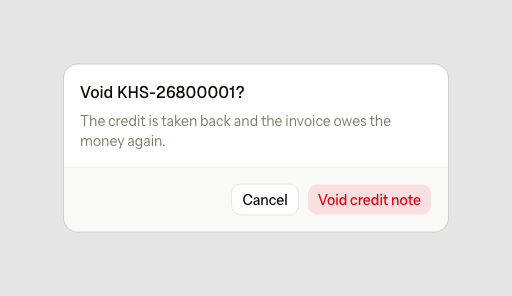
The invoice goes back to Open when it owes money again.
Special cases
| Situation | What happens | What to do |
|---|---|---|
| You want to redo the folio, not lower the invoice | A credit note does not reopen the folio, and it blocks Void on the invoice. | Use Void invoice and reopen. Never issue a credit note just to reopen a folio. See Close and reopen. |
| The reason is empty | "Enter a reason for the credit note." | Enter a reason. |
| The amount is 0.00, negative or not a number | "Enter an amount greater than 0, such as 120.00." | Enter an amount such as 120.00. |
| The invoice is void | "Only an invoice that is not void can take a credit note." | Nothing to do. |
| The property has no business date | "The property has no open business date." | Run the night audit. |
| A credit note is issued for part of the invoice | The invoice stays Open with a lower balance. | Allocate payments for the rest. |
| One-step "credit a paid invoice" | Estatell has no single button that reverses, credits and allocates again. | Follow the steps above. |