
Invoices
Find a company invoice, read its page, print the PDF and void it.
An invoice is what a company owes the property after you settle a folio to the City ledger. City ledger › Invoices lists every invoice and credit note of the property.
Before you start
- Permission to see invoices: View companies. Owners, managers, finance and front desk staff have it by default.
- Permission to void: Settle folios to City ledger and void AR invoices. Owners, managers and finance staff have it by default.
- Invoices come from Settle to City ledger.
Find an invoice
- Open Finance and select City ledger › Invoices.
- To search, type a number or a company name in the search box.
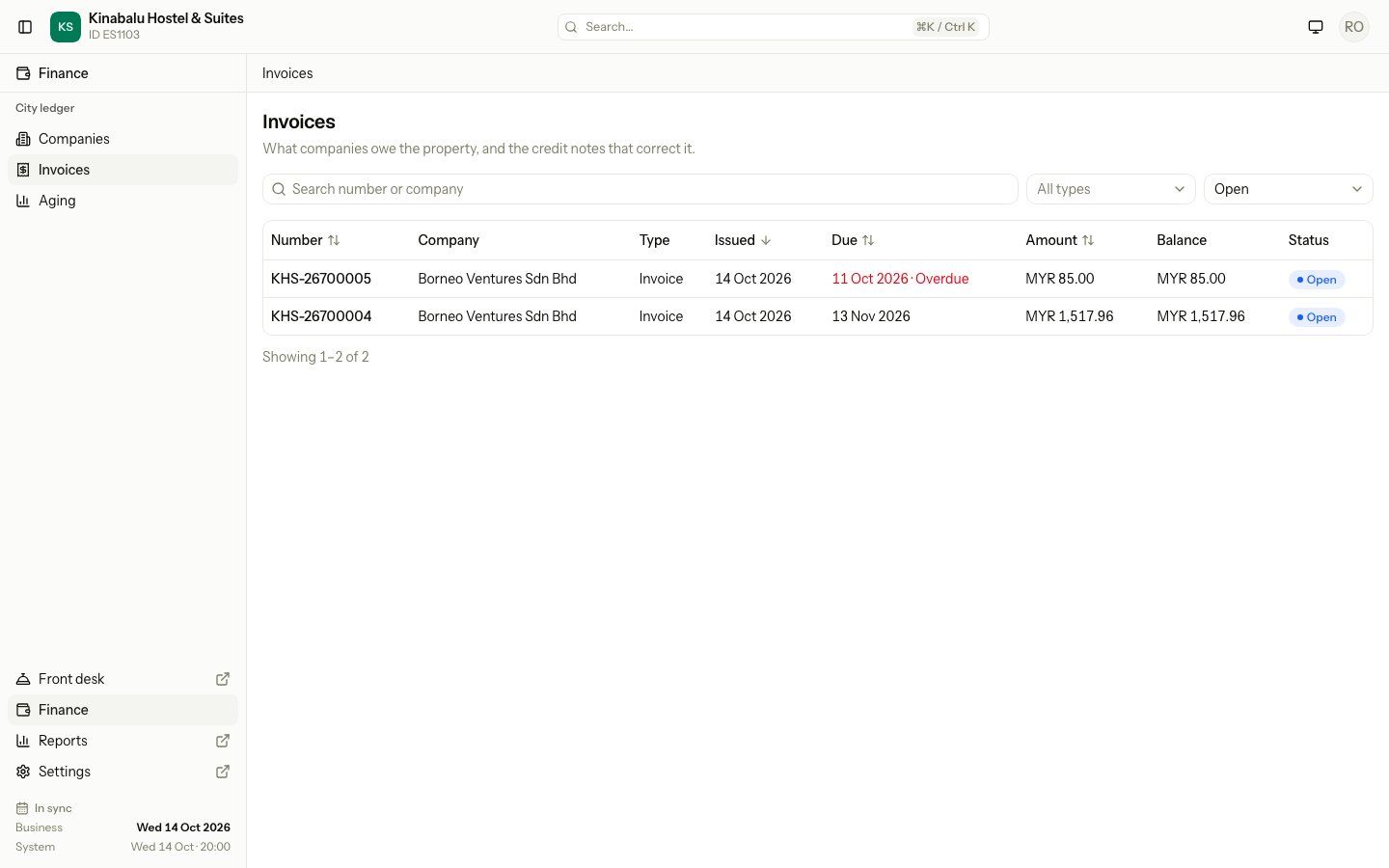
- To narrow the list, choose a Type (invoice or credit note) or a Status (Open, Settled or Void).
- Select a row to open the invoice.
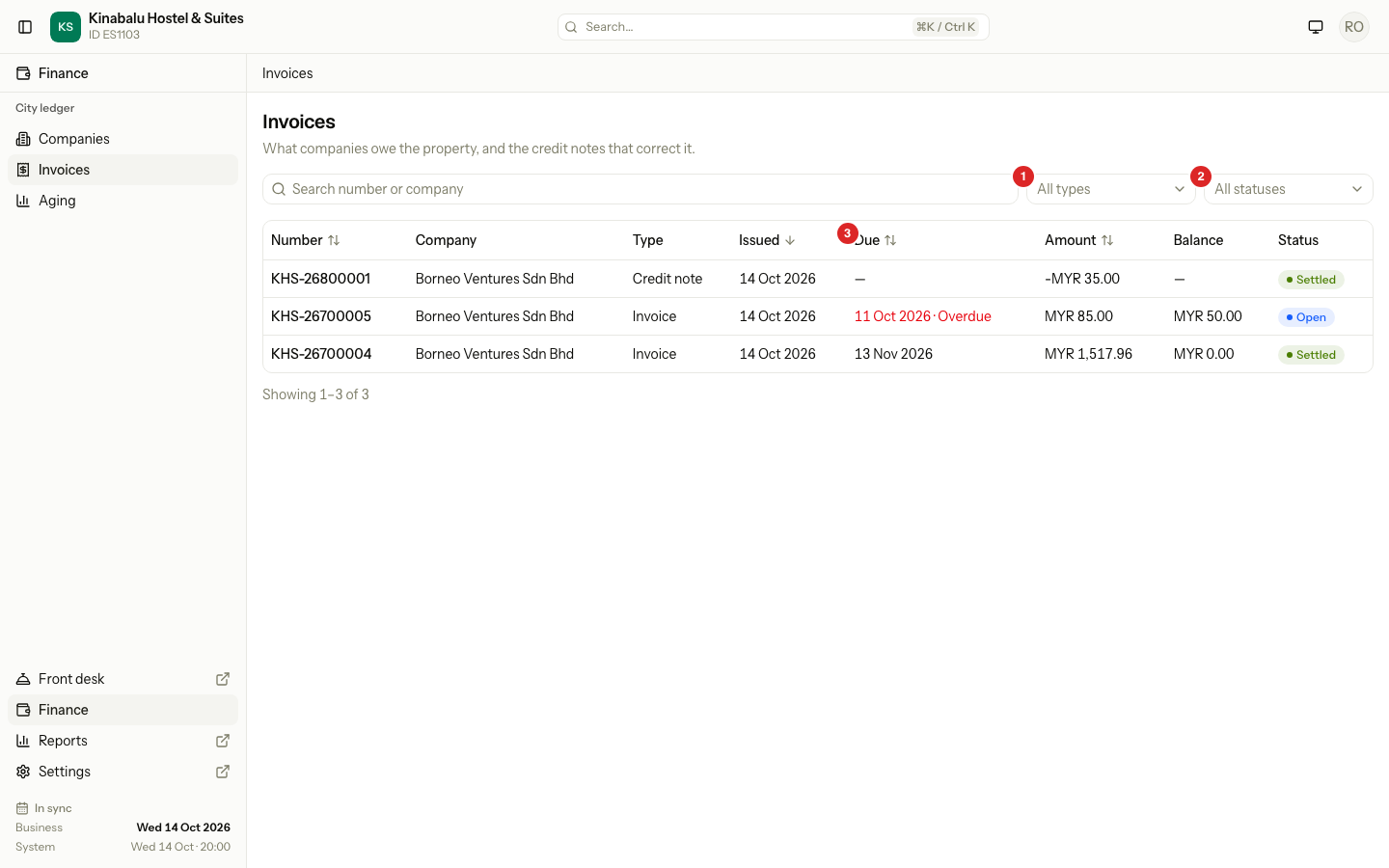
| Column | What it shows |
|---|---|
| Number | The invoice or credit note number. A Migrated badge marks an invoice copied from the old system. |
| Company | The company that owes it. |
| Type | Invoice or Credit note. |
| Issued | The business date it was made. |
| Due | The date the company should pay by. An Open invoice past its due date shows the date in red with Overdue. A credit note has no due date. |
| Amount | The invoice amount. A credit note is negative. |
| Balance | What is still owed on an invoice. A credit note shows no balance. |
| Status | Open, Settled or Void. |
Click Issued or Due to sort. The list shows the newest first.
The invoice page
The page has these parts:
| Part | What it shows |
|---|---|
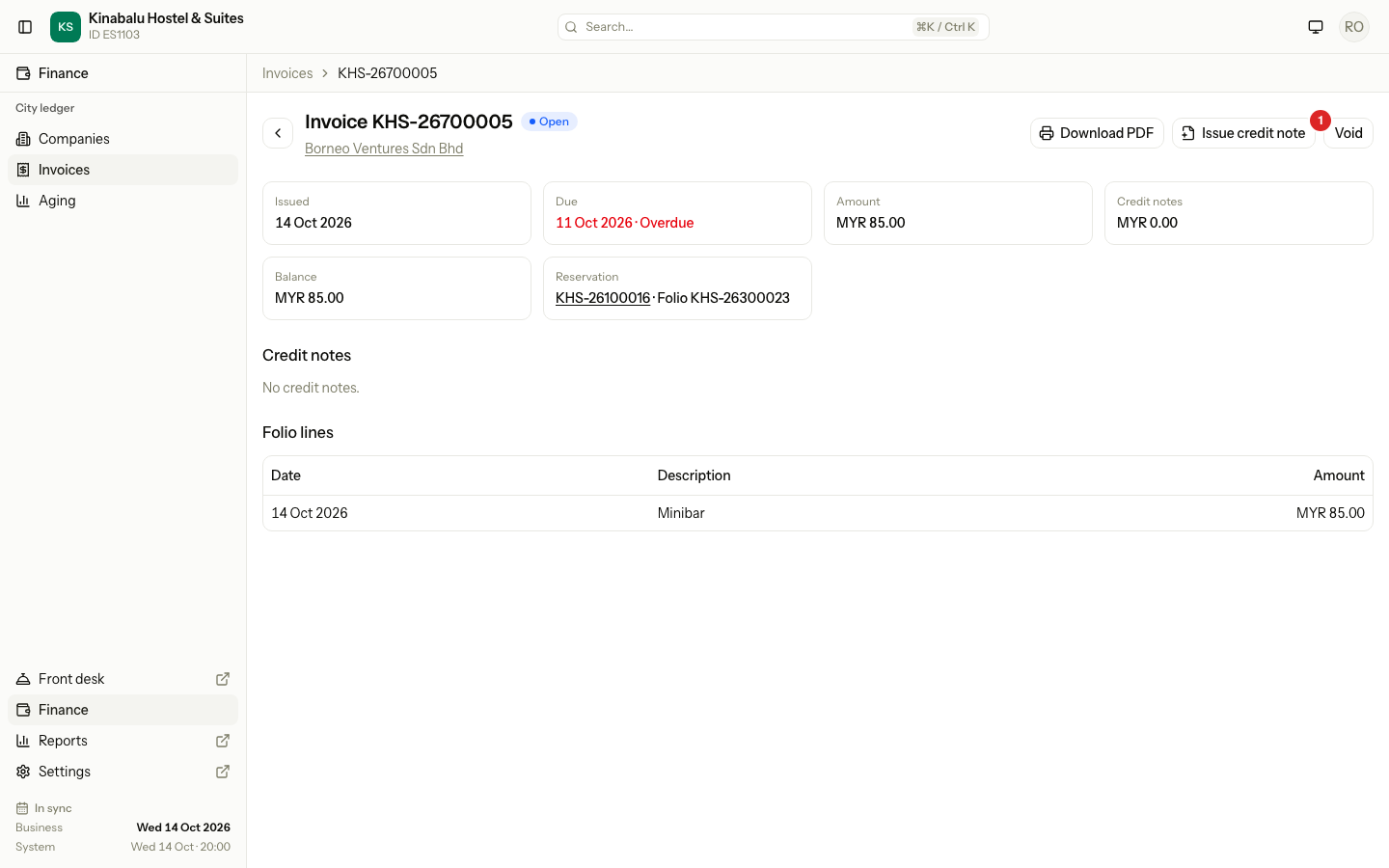
| Header | The number, the status, a link to the company, and the buttons Download PDF, Issue credit note and Void. |
| Figures | Issued, Due, Amount, Credit notes and Balance, and the reservation and folio the invoice came from. |
| Credit notes | Credit notes issued against this invoice. See Credit notes. |
| Payments | Payments allocated to this invoice, with Reverse on each one that is applied. See Allocate and reverse. |
| Folio lines | The lines of the folio the invoice was made from. You cannot change them. |
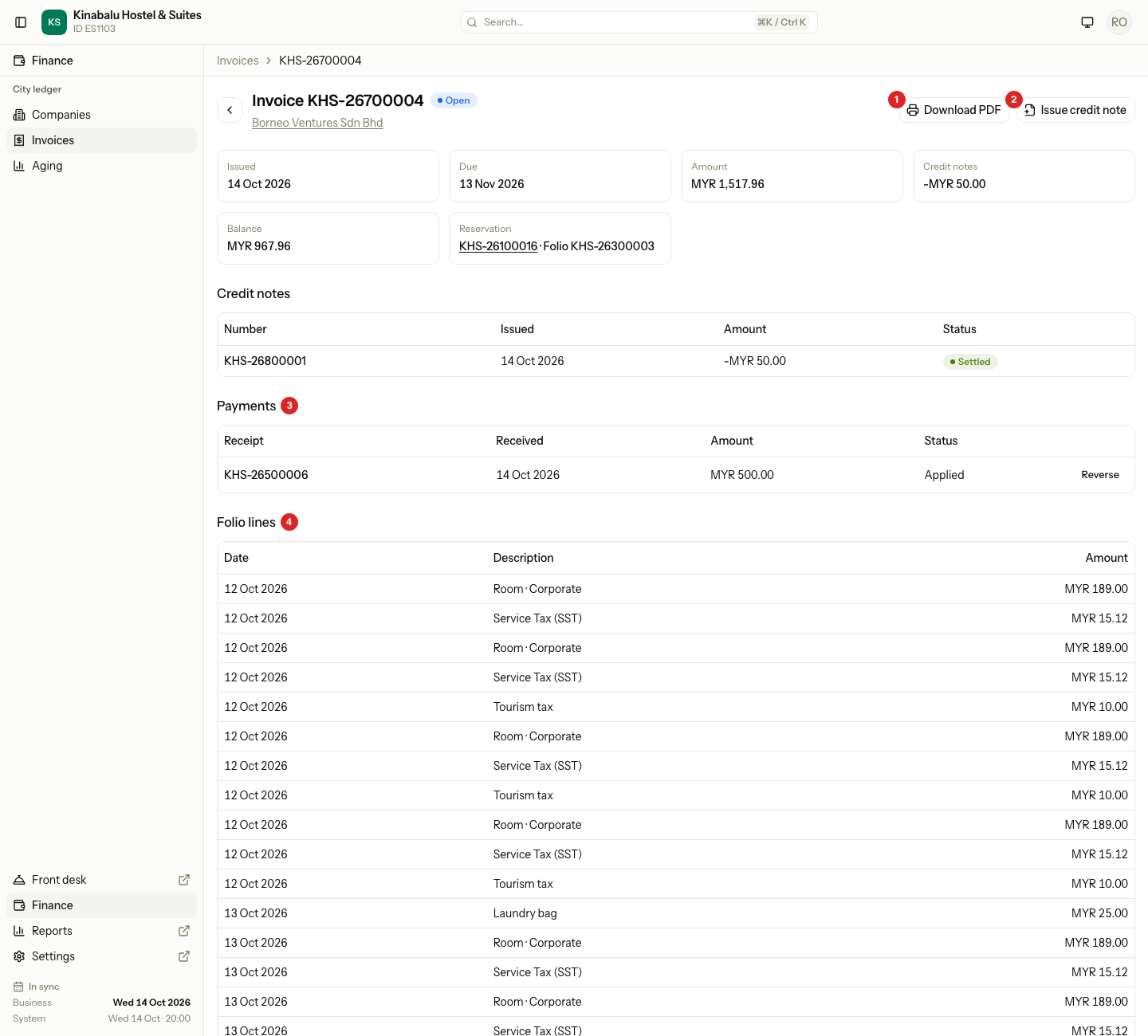
The Credit notes figure and the Balance change as you issue credit notes and allocate payments.
Print the invoice
Select Download PDF. Estatell makes the PDF when you ask, with the letterhead from your printing settings. It shows the company's name, tax numbers and billing address, the folio lines grouped by room and guest, and the totals.
If the guest paid part of the bill at the hotel, the PDF shows Total, then Paid at the hotel with each payment in brackets, then Amount due. Amount due is the invoice amount, and it is always the last line.
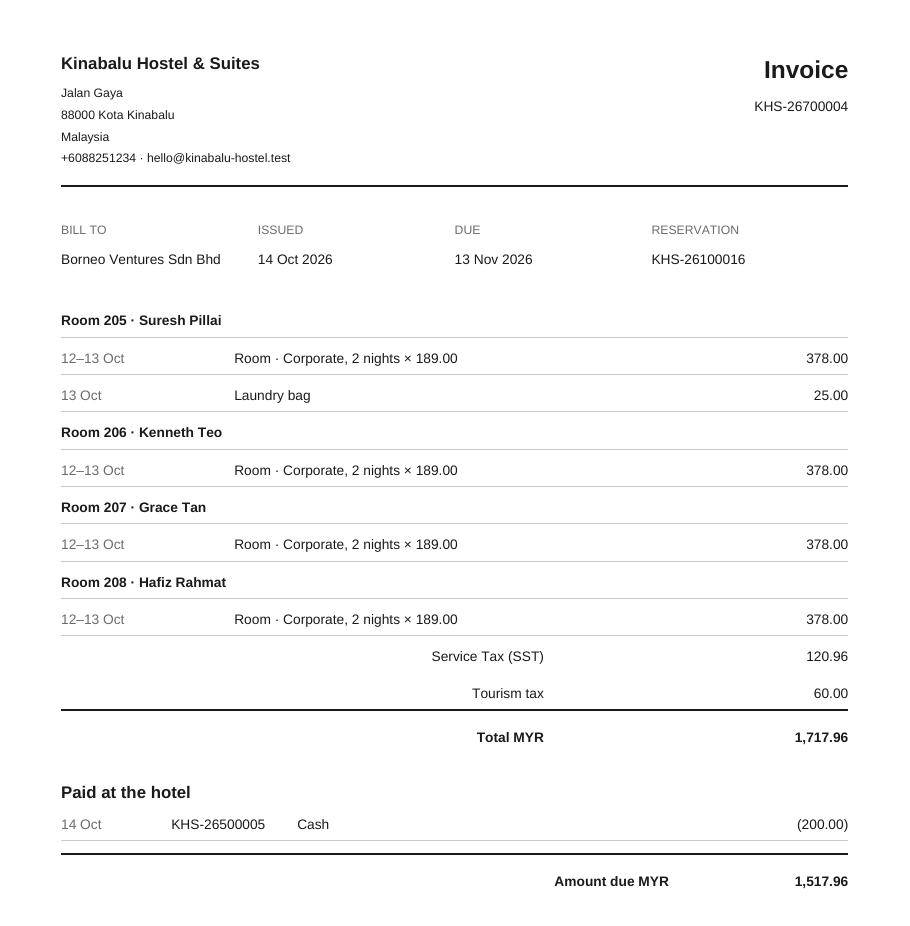
A void invoice prints with VOID across its heading.
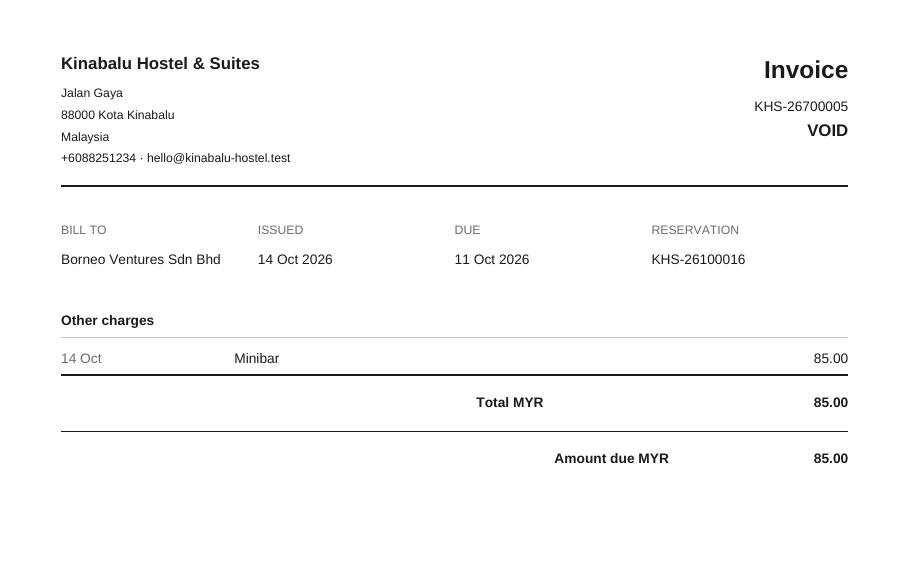
An invoice copied from the old system has no folio lines and no PDF here. Its PDF is in the old system.
Void an invoice
Void an invoice that Estatell should no longer count, for example one made for the wrong folio.
-
Open the invoice.
-
Select Void.
-
Read the confirmation, then select Void invoice.
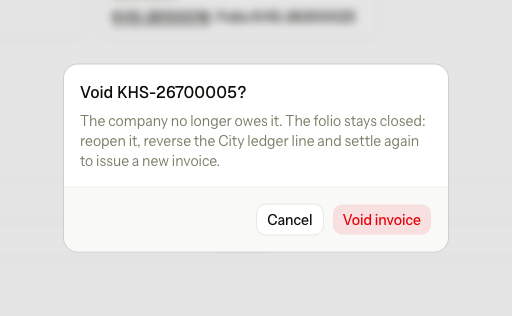
The invoice becomes Void. The folio stays closed. To bill it again, reopen the folio, reverse the City ledger line and settle again. The Invoice menu of the closed folio has Void invoice and reopen, which does all of that at once. See Close and reopen.
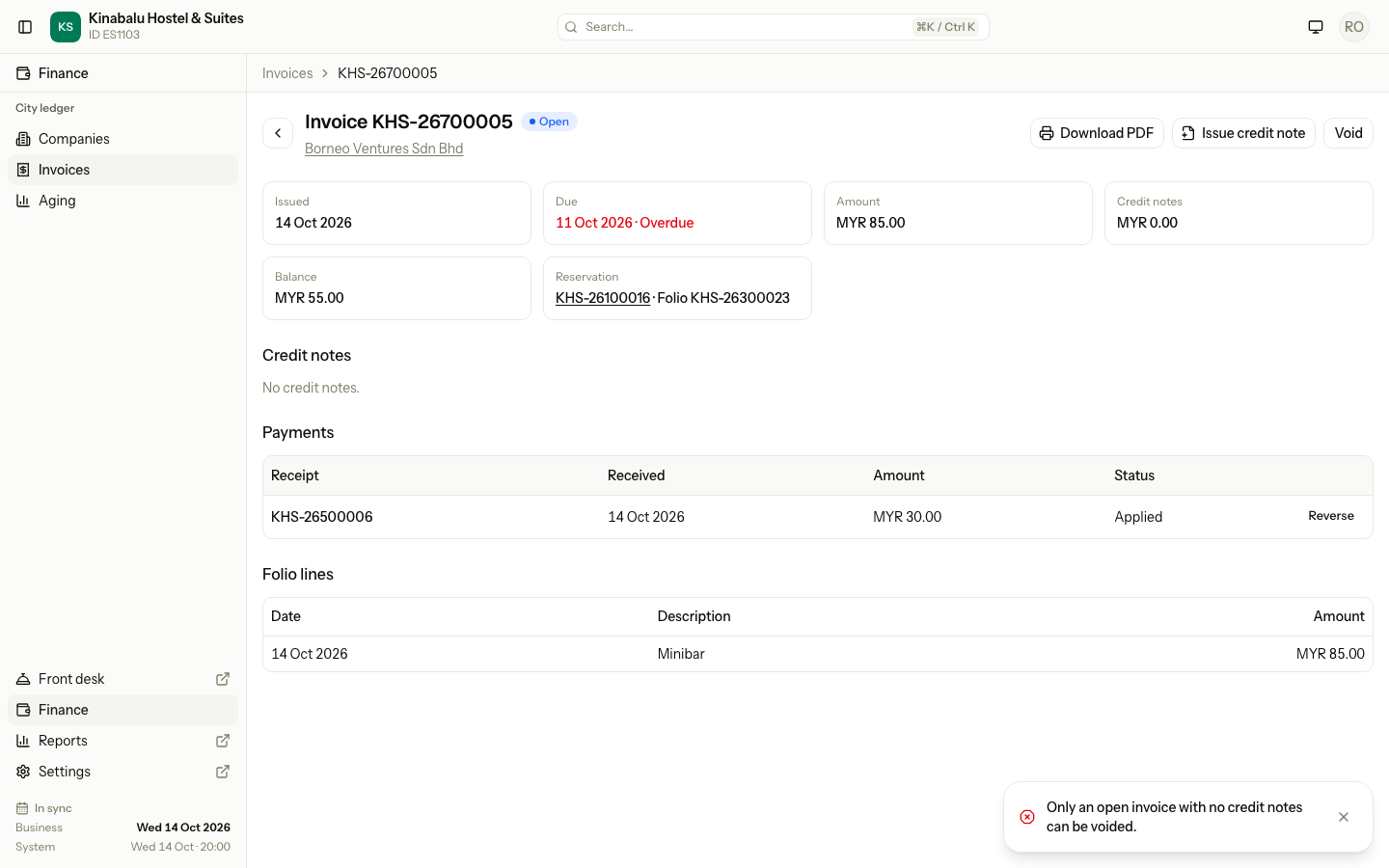
When Estatell refuses a void
| Situation | What Estatell says | What to do |
|---|---|---|
| The invoice has a credit note that is not void | The Void button is hidden. | Void the credit note first. See Credit notes. |
| A payment is allocated to the invoice | The same message. | Reverse the allocation first. See Allocate and reverse. |
| The invoice is Settled | The Void button is hidden. | Reverse the payment, or void the credit note, so the invoice opens again. |
| The invoice is already void | "This document is already void." | Nothing to do. |
Special cases
| Situation | What happens | What to do |
|---|---|---|
| A list with no invoices | The list says "No invoices yet. An invoice is issued when a folio paid by a company is settled to City ledger." | Settle a folio first. |
| A filter matches nothing | The list says "No invoices match these filters." | Select Clear filters. |
| An invoice is past its due date | The due date is red with Overdue. | Ask the company to pay. See Aging and statements. |
| An invoice copied from the old system | It has a Migrated badge and no PDF. | See Old system balances. |
| A credit note | It has its own page, a negative amount and a link to the invoice it corrects. | See Credit notes. |
| You settle a folio again after voiding its invoice | The new invoice has the same number. | Nothing to do. |