
Guest list
See who arrives, who is in house, who departs and who has checked out, with each reservation's balance.
The Guest list is the front desk's daily list. It has four tabs: Arrivals, In-house, Departures and Checked out. Each tab shows its own count and its own table.
Before you start
- Permission: View and export reports. Owners, managers and finance staff have it by default.
- Open Reports in the staff sidebar, then Guest list under Front desk.
- The dates work like every report. See Use a report.
The tabs
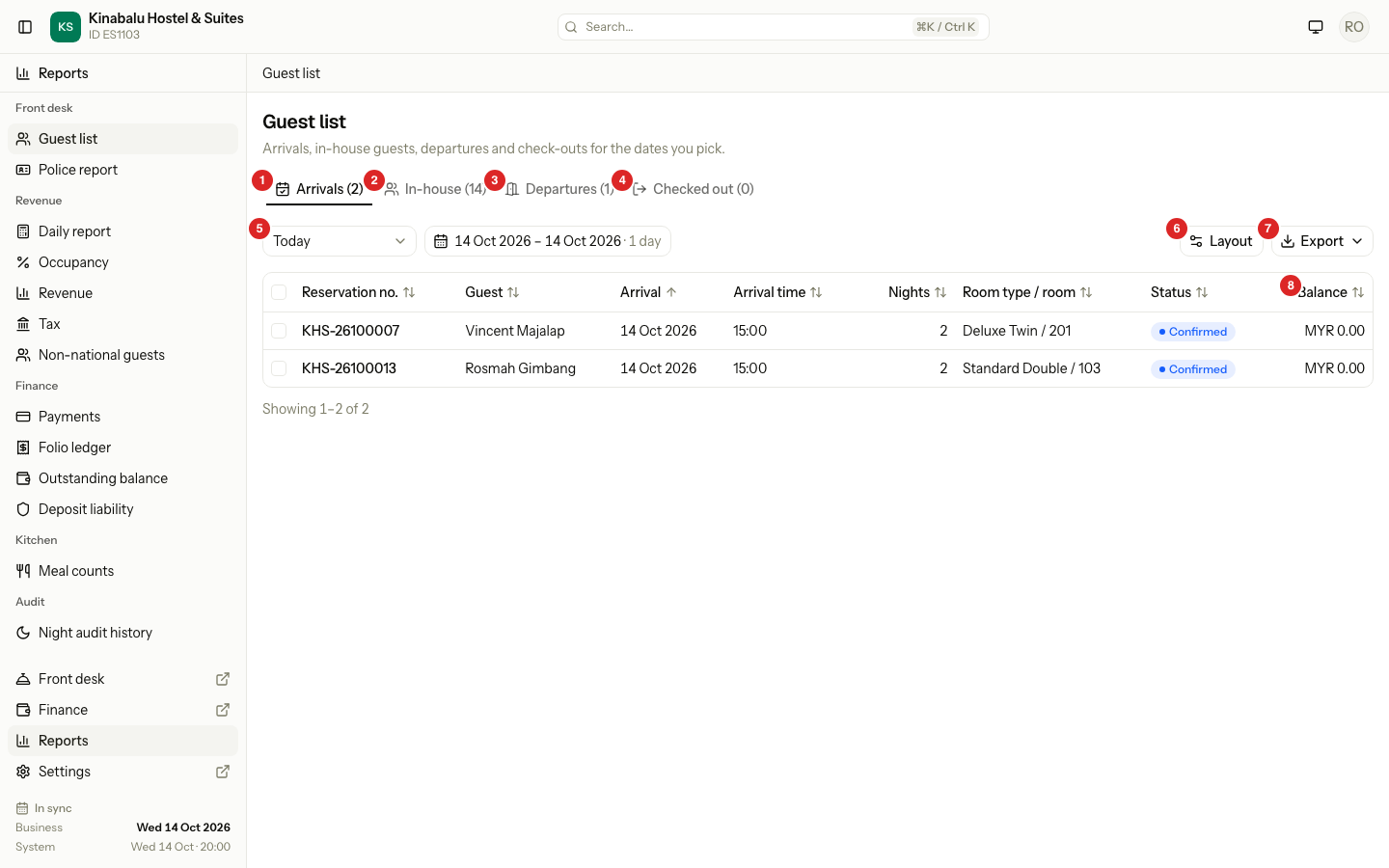
The number in brackets is the count for the dates you picked. It updates when you change the dates.
| Tab | Who is on it | Dates |
|---|---|---|
| Arrivals | Rooms and beds that arrive in the dates. It includes guests who have not arrived yet. | A range, up to 31 days. |
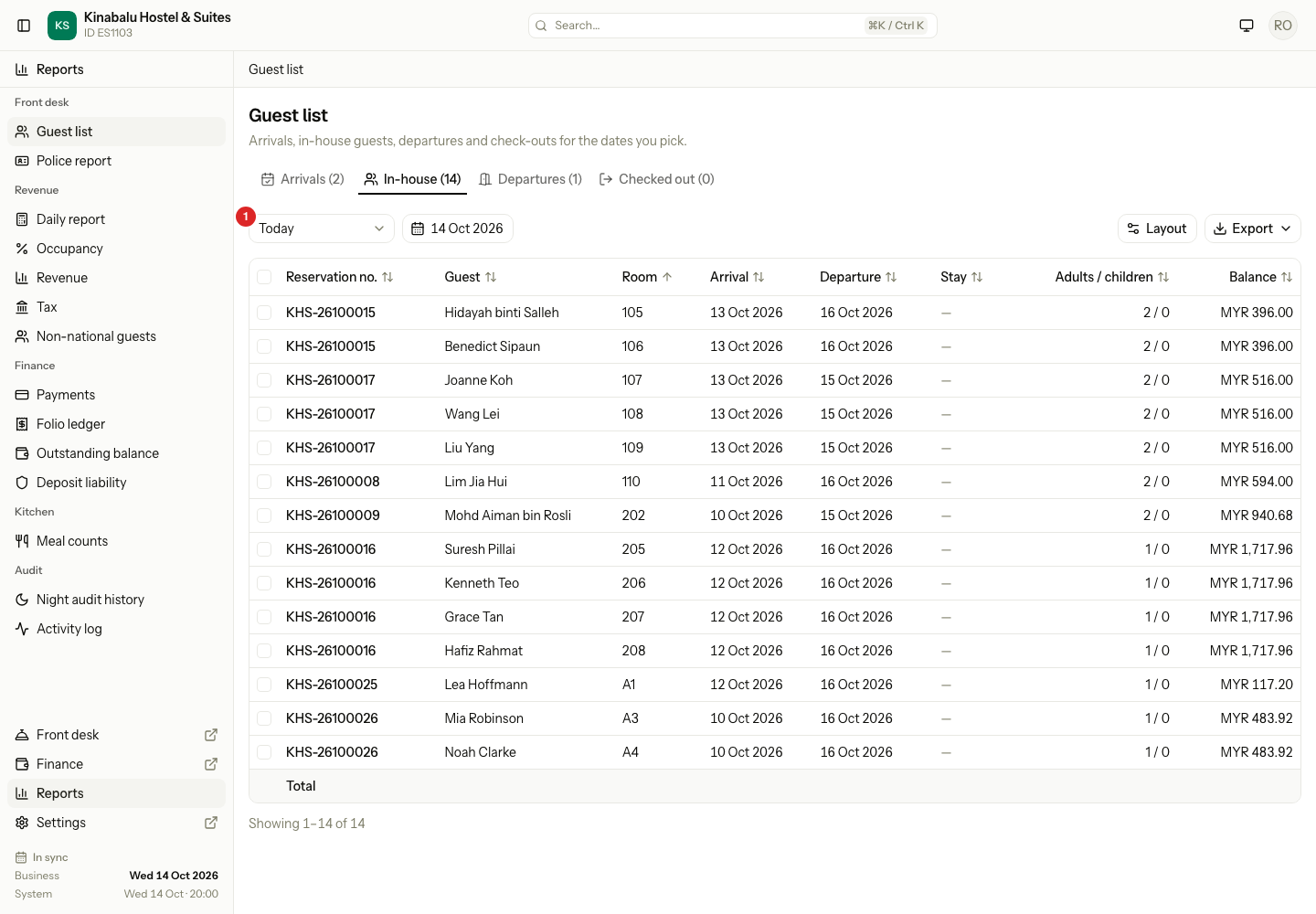
| In-house | Rooms and beds that are occupied on the date. | One date. |
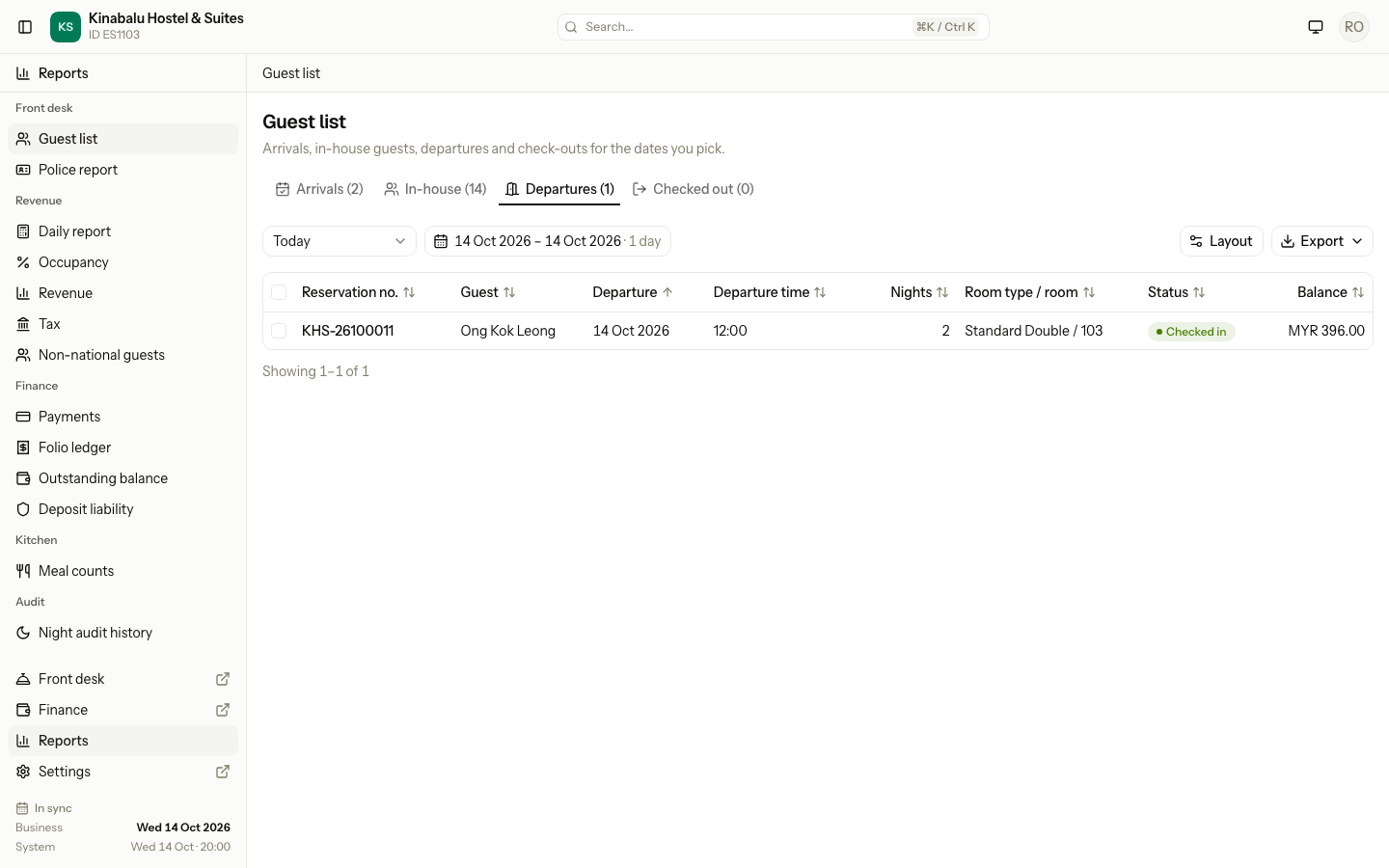
| Departures | Rooms and beds that depart in the dates. | A range, up to 31 days. |
| Checked out | Rooms and beds that checked out in the dates. | A range, up to 31 days. |
Each row is one room or bed of a reservation, not one reservation. A booking of three rooms gives three rows.
Who is counted
| Situation | Arrivals | In-house | Departures | Checked out |
|---|---|---|---|---|
| Confirmed, guest not here yet | Yes | No | Yes | No |
| Checked in | Yes | Yes | Yes | No |
| Checked out | Yes | Yes, on the days it stayed | Yes | Yes |
| Cancelled | No | No | No | No |
| No-show | No | No | No | No |
In-house counts the arrival day and not the departure day. A guest who arrives on 13 Oct and leaves on 16 Oct is in house on 13, 14 and 15 Oct. Estatell uses the dates only. A guest who checked out early is in house only on the nights they stayed.
When you pick a range, the In-house count and table use the first date of the range. Select the In-house tab and choose the date you want.
Read the columns
| Column | What it shows |
|---|---|
| Reservation no. (Booking on Checked out) | The reservation number. |
| Guest | The primary guest of the room or bed. If there is none, the person who made the booking. |
| Arrival, Departure | The dates of the stay. |
| Arrival time, Departure time | The expected time. |
| Nights | The number of nights. For a day use booking it shows the label instead. See Special cases. |
| Room type / room | The room type, and the room or bed once one is assigned. |
| Room | The room or bed. |
| Status | The status of the room or bed, such as Confirmed or Checked in. |
| Balance | What the guest owes on the whole reservation. See Balance. |
Arrivals shows the room or bed of the first night. Departures and Checked out show the one of the last night. In-house shows the one of the date you picked.
Other columns are hidden at first, for example Phone, Company, Adults and Children. Show them in Layout. See Report layout.
Balance
Balance is the balance of the whole reservation, from all its folios that are not void. It is not the balance of one room.
If a booking has three rooms, all three rows show the same balance. Do not add them up.
Departures and checked out
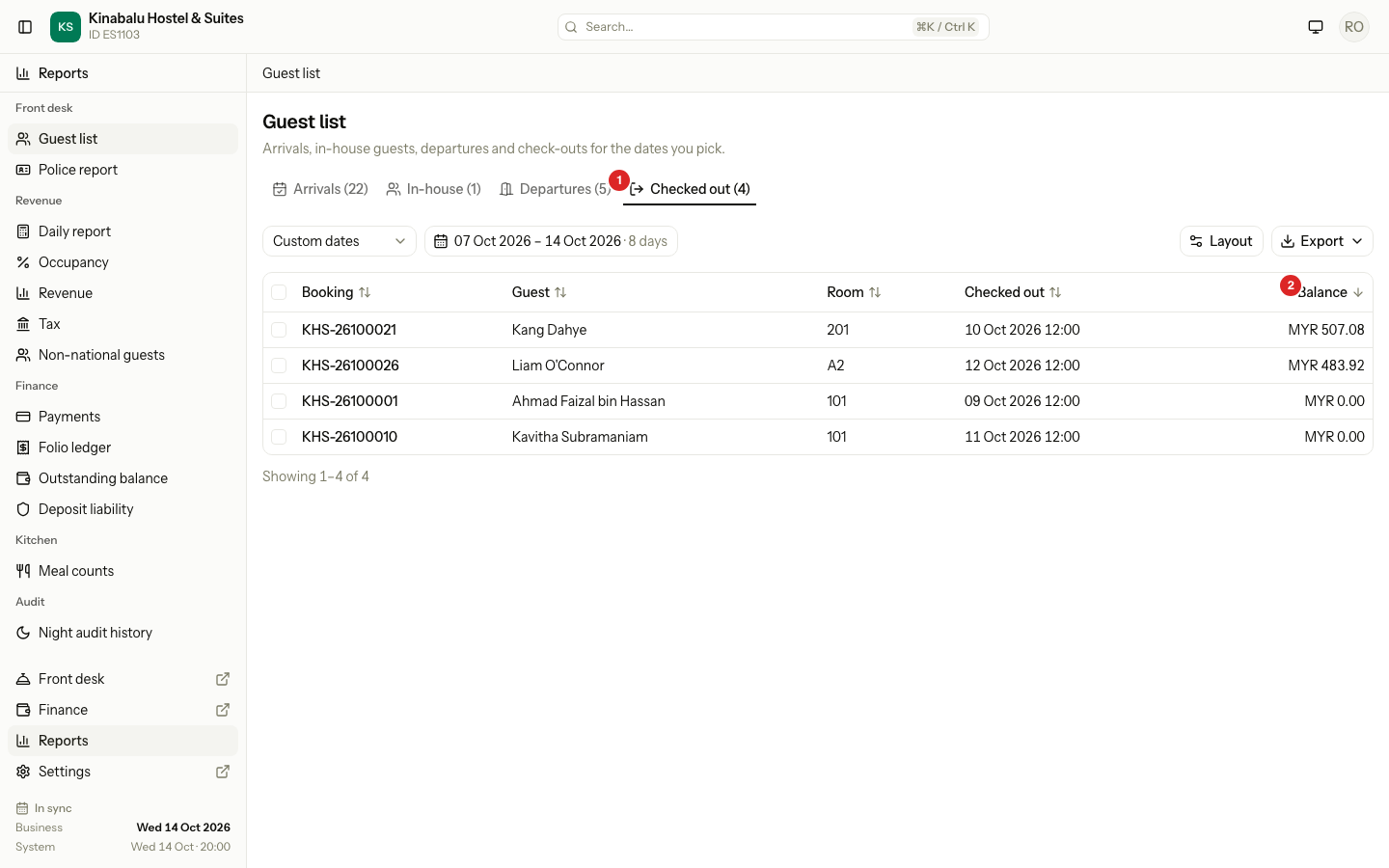
Checked out shows when each guest checked out, in the property's time zone. It lists the guest with the highest balance first, so you can see who left without paying in full.
A layout for each tab
Each tab has its own layout. Select Layout on a tab to change that tab only. The sheet title says which one, for example "Layout · Guest list › Departures". See Report layout.
Export the list
Select Export and choose a format. The file holds the tab you are on. See Use a report.
Special cases
| Situation | What happens | What to do |
|---|---|---|
| A guest has not arrived by the end of the day | They stay on Arrivals for their arrival date. They are not on In-house. | Check them in, or follow the night audit rule for missed arrivals. |
| A guest checks out early | The departure date moves to the day they left. They leave In-house from that day and appear on Checked out for it. | None. |
| A booking is cancelled or a guest is a no-show | The room or bed is on none of the tabs. | Find it in Reservations. |
| A day use booking | It arrives and leaves on the same date. It is on In-house that date. Nights (and Stay on In-house) shows a label such as "Day use · 10:00–14:00". | None. |
| A reservation has several rooms | There is one row for each room. Each row shows the same Balance. | Do not add the balances. |
| The guest has no name on the room or bed | The row shows the person who made the booking. | None. |
| The count on In-house looks small | It counts the first date of the range only. | Pick the date you want, or open In-house and pick one date. |
| The total row on In-house shows no figures | It adds up Adults and Children. Those columns are hidden at first. | Show Adults and Children in Layout. |