
Meal counts
See how many adults and children to feed at each meal, for today and for the days ahead.
The Meal counts report tells the kitchen how many guests to feed. It shows one row for each date and meal, with the number of adults and children. The numbers come from the meals in each guest's rate plan.
Before you start
- Permission: View and export reports. Owners, managers and finance staff have it by default.
- At least one rate plan must include a meal. See Meals and meal periods.
Read the report
-
Open Reports in the staff sidebar, then Meal counts under Kitchen.
-
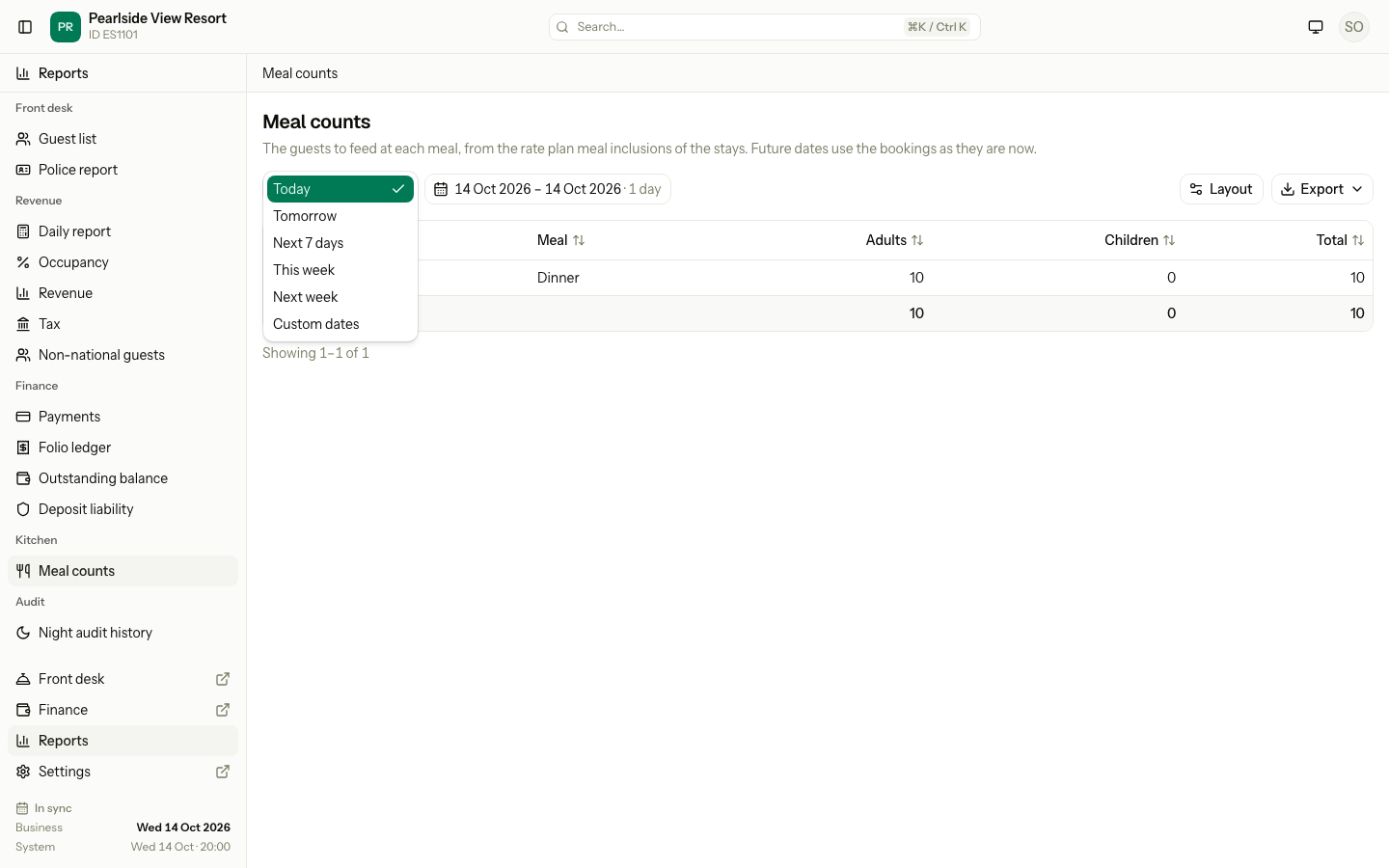
Open Quick dates and choose a range.
-
Read the table.
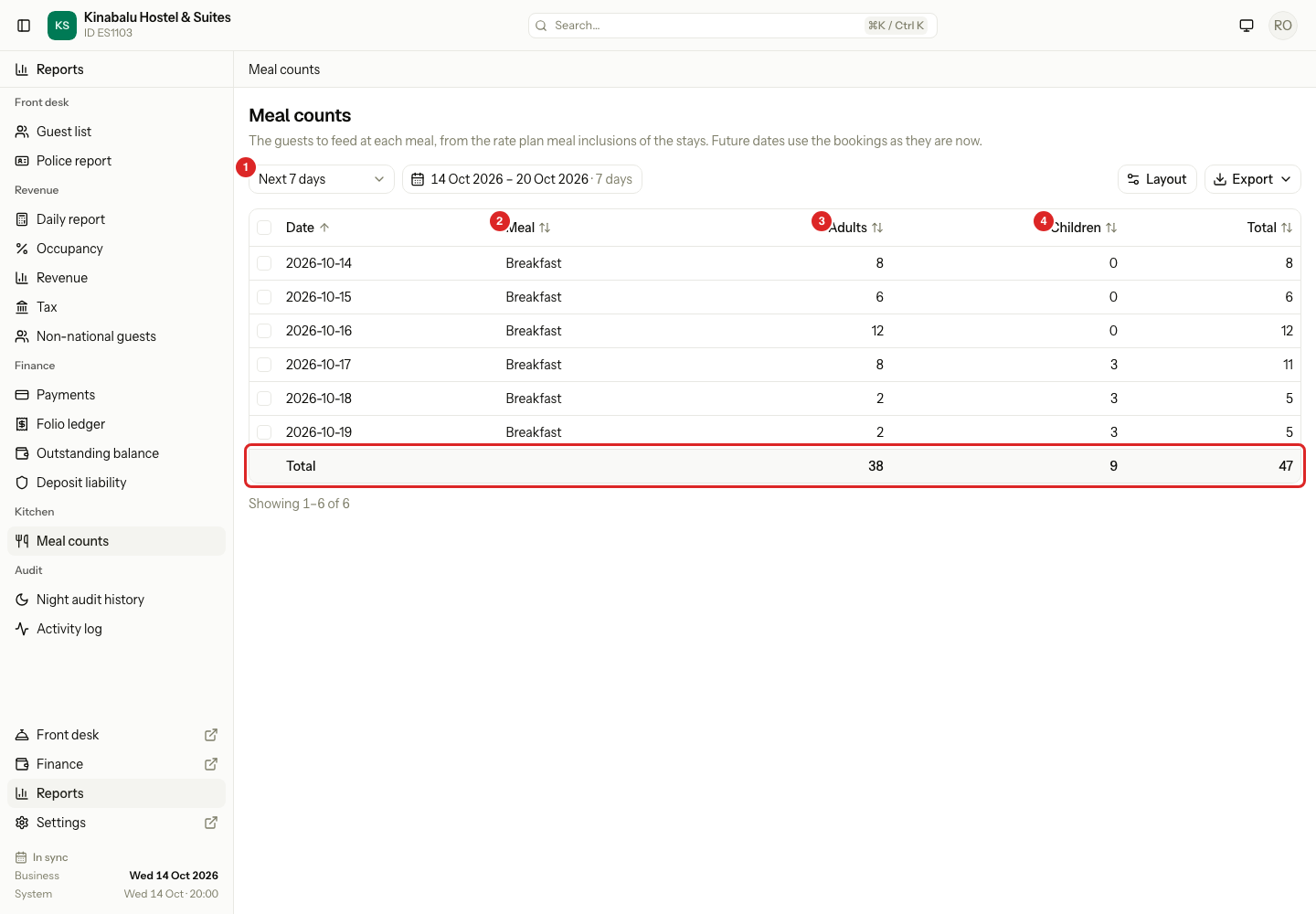
| Column | What it shows |
|---|---|
| Date | The day the meal is served. |
| Meal | The meal period, for example Breakfast, Lunch or Dinner. |
| Adults | The number of adults to feed. |
| Children | The number of children to feed. |
| Total | Adults and children together. |
The Total row at the bottom adds up each column for the dates you picked.
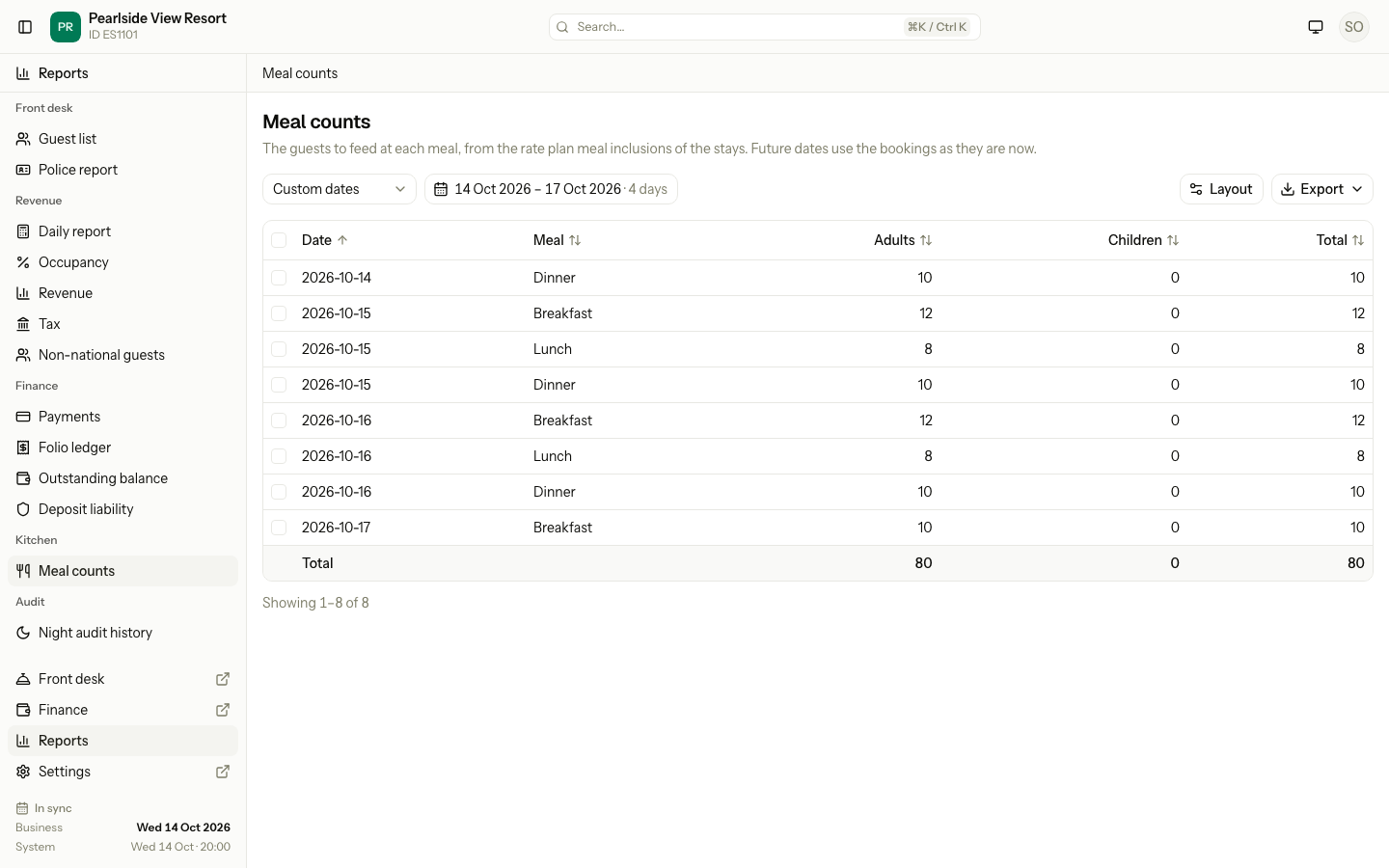
A date has one row for each meal that has guests. The rows are in date order. Inside a date, they follow the time of the meals. A date with no meals has no row.
Quick dates
The kitchen looks ahead, so this report has its own list.
| Quick date | The days it covers |
|---|---|
| Today | The open business date. |
| Tomorrow | The next day. |
| Next 7 days | Today and the six days after it. |
| This week | Monday to Sunday of this week. |
| Next week | Monday to Sunday of next week. |
You can also pick any dates up to 31 days. See Use a report.
Who is counted
Estatell counts each guest of the bookings that are Confirmed, Checked in or Checked out. It counts the adults and the children of each booking once for each meal. If a booking has two meal inclusions for the same meal, it counts the guests once.
Estatell does not count cancelled bookings, no-shows or day use.
Future dates
You can pick dates in the future. Estatell uses the bookings as they are now. The numbers change when guests book, cancel or change their stay. Run the report again on the day to get the final numbers.
Special cases
| Situation | What happens | What to do |
|---|---|---|
| No rate plan includes a meal | The table says "No rate plan includes meals". | Add a meal to a rate plan. See Meals and meal periods. |
| Rate plans include meals, but no guest is owed one in the dates | The table says "No meals in these dates". | Pick other dates. |
| A guest checks out early | The meals after the new departure date drop out. | None. |
| A booking is cancelled or a guest is a no-show | The meals leave the counts. | None. |
| A day use booking | It has no meals. | None. |
| Children | They are one count. Estatell does not split infants or age groups. | None. |
| You need to give the kitchen a printout | Export the report as PDF. | See Use a report. |