
Roles and permissions
See what each default role can do, and change it or add your own role.
A role is a set of permissions. A permission lets a person do one thing, such as check in a guest or refund a payment. Every person has one role. You see and change roles on the Roles screen, under Team in Settings.
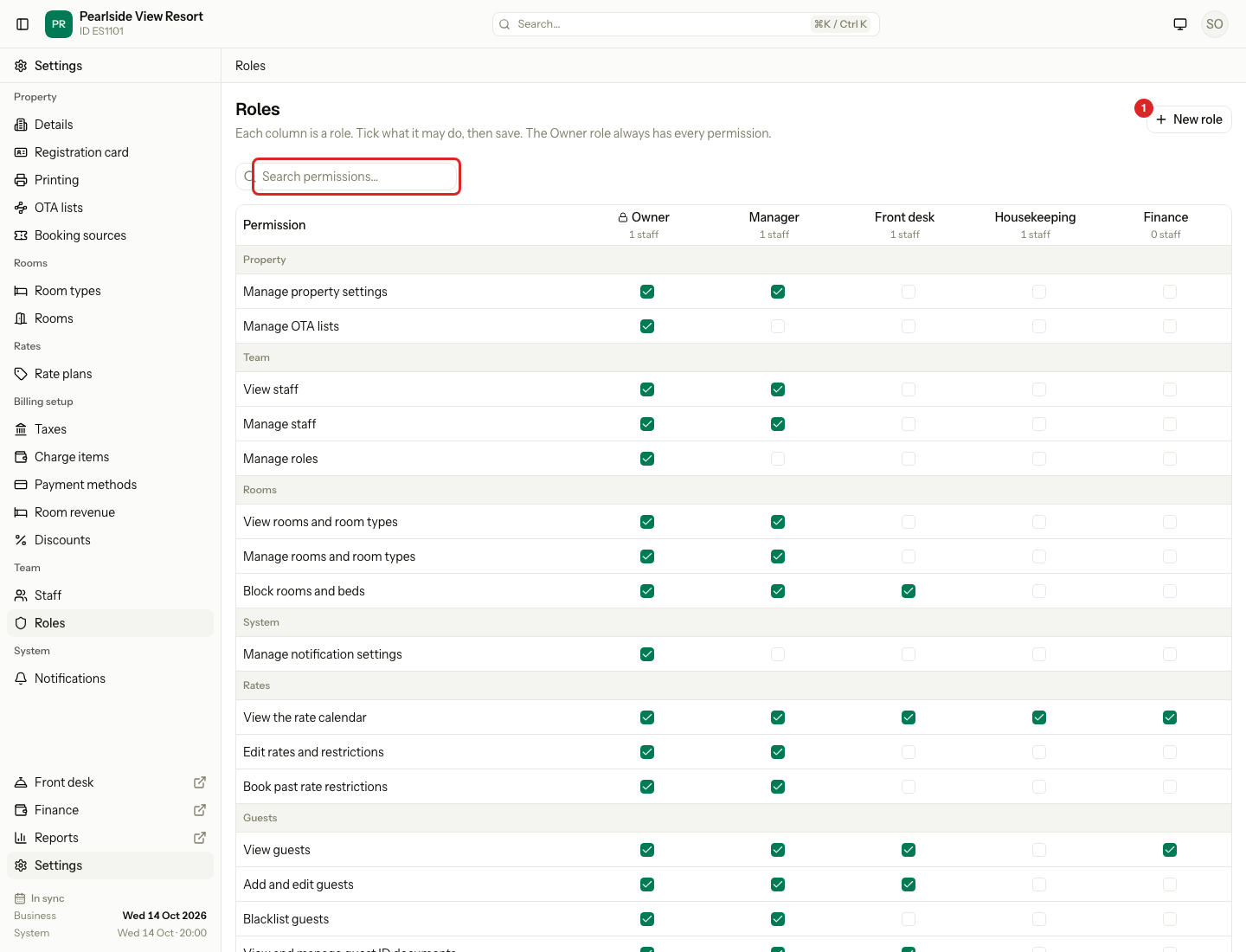
| Number | What it is |
|---|---|
| 1 | New role. Adds a role of your own. |
The red box marks the search field. Each column is a role. Each row is a permission, grouped under a heading such as Guests or Folio. Under each role name you see how many staff have it, and Custom for roles you added.
Before you start
- Permission: Manage roles. Only Owners have it by default.
Change what a role can do
- Open Settings, then Roles.
- To find a permission, type in Search permissions. The list narrows as you type.
- Tick a box to give a role a permission. Clear it to take the permission away.
- Select Save permissions. To undo your changes, select Discard.
Save permissions and Discard show only after you change something. One save covers every role you changed. Staff see the change the next time they open a page. If nothing changed, Estatell says "No permissions changed."
The Owner column has a lock. It is always ticked and you cannot change it.
Add your own role
Add a role when the five default roles do not fit, for example a Night manager.
- Select New role.
- Enter the Name. It must be different from your other roles, and 60 letters or fewer.
- Select Create role.
- Tick the permissions the role needs, then select Save permissions.
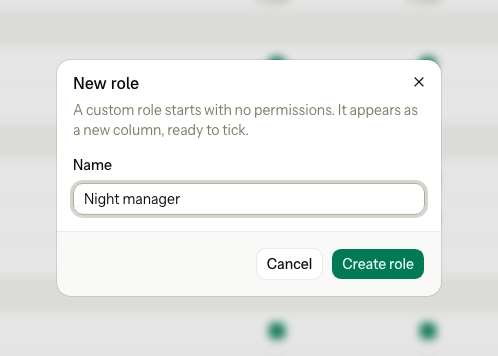
A new role starts with no permissions. It shows as a new column, and Estatell says "Role Night manager created. Tick its permissions and save." The role has no effect until you save its permissions.
Give a person a role
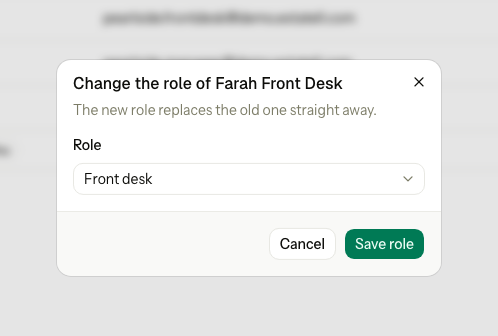
Roles are given on the Staff screen, not here. When you add a person, you choose the role. To change it later, use Change role. See Add staff and Manage staff.
Default permissions
These are what a new property has. The Owner has every permission, so it is not in the tables. A row with ❌ in every column means only the Owner has that permission.
You can change the four other roles at any time. If you change a default role, Estatell keeps your change when it adds new permissions later. A new permission goes to the default roles it suits, and never to a role you changed on purpose.
Property
| Permission | Manager | Front desk | Housekeeping | Finance |
|---|---|---|---|---|
| Manage property settings | ✅ | ❌ | ❌ | ❌ |
| Manage OTA lists | ❌ | ❌ | ❌ | ❌ |
Team
| Permission | Manager | Front desk | Housekeeping | Finance |
|---|---|---|---|---|
| View staff | ✅ | ❌ | ❌ | ❌ |
| Manage staff | ✅ | ❌ | ❌ | ❌ |
| Manage roles | ❌ | ❌ | ❌ | ❌ |
Rooms
| Permission | Manager | Front desk | Housekeeping | Finance |
|---|---|---|---|---|
| View rooms and room types | ✅ | ❌ | ❌ | ❌ |
| Manage rooms and room types | ✅ | ❌ | ❌ | ❌ |
| Block rooms and beds | ✅ | ✅ | ❌ | ❌ |
System
| Permission | Manager | Front desk | Housekeeping | Finance |
|---|---|---|---|---|
| Manage notification settings | ❌ | ❌ | ❌ | ❌ |
Rates
| Permission | Manager | Front desk | Housekeeping | Finance |
|---|---|---|---|---|
| View the rate calendar | ✅ | ✅ | ✅ | ✅ |
| Edit rates and restrictions | ✅ | ❌ | ❌ | ❌ |
| Book past rate restrictions | ✅ | ❌ | ❌ | ❌ |
Guests
| Permission | Manager | Front desk | Housekeeping | Finance |
|---|---|---|---|---|
| View guests | ✅ | ✅ | ❌ | ✅ |
| Add and edit guests | ✅ | ✅ | ❌ | ❌ |
| Blacklist guests | ✅ | ❌ | ❌ | ❌ |
| View and manage guest ID documents | ✅ | ✅ | ❌ | ❌ |
| Merge duplicate guests | ✅ | ❌ | ❌ | ❌ |
| Archive guests | ❌ | ❌ | ❌ | ❌ |
Reservations
| Permission | Manager | Front desk | Housekeeping | Finance |
|---|---|---|---|---|
| View reservations | ✅ | ✅ | ❌ | ✅ |
| Manage reservations | ✅ | ✅ | ❌ | ❌ |
| Change the price of booked nights | ✅ | ❌ | ❌ | ✅ |
Folio
| Permission | Manager | Front desk | Housekeeping | Finance |
|---|---|---|---|---|
| Post charges to folios | ✅ | ✅ | ❌ | ✅ |
| Reverse folio lines | ✅ | ❌ | ❌ | ✅ |
| Transfer folio lines and manage routing | ✅ | ❌ | ❌ | ✅ |
| Apply and remove folio discounts | ✅ | ✅ | ❌ | ✅ |
| Apply discounts with an entered amount | ✅ | ❌ | ❌ | ✅ |
| Close folios | ✅ | ✅ | ❌ | ✅ |
| Reopen closed folios | ✅ | ❌ | ❌ | ✅ |
| Print folio vouchers and invoices | ✅ | ✅ | ❌ | ✅ |
| Use the Manual Folio Editor | ✅ | ❌ | ❌ | ❌ |
| See which folio lines were entered manually | ✅ | ❌ | ❌ | ✅ |
Payments
| Permission | Manager | Front desk | Housekeeping | Finance |
|---|---|---|---|---|
| Record payments and download receipts | ✅ | ✅ | ❌ | ✅ |
| Refund payments | ✅ | ✅ | ❌ | ✅ |
| Refund to a method other than the payment's own | ✅ | ❌ | ❌ | ✅ |
City ledger
| Permission | Manager | Front desk | Housekeeping | Finance |
|---|---|---|---|---|
| View companies | ✅ | ✅ | ❌ | ✅ |
| Manage companies | ✅ | ❌ | ❌ | ✅ |
| Pass a company credit limit check | ✅ | ❌ | ❌ | ❌ |
| Settle folios to City ledger and void AR invoices | ✅ | ❌ | ❌ | ✅ |
| Issue and void AR credit notes | ✅ | ❌ | ❌ | ✅ |
| Record and void AR payments | ✅ | ❌ | ❌ | ✅ |
| Allocate AR payments and reverse allocations | ✅ | ❌ | ❌ | ✅ |
Registration card
| Permission | Manager | Front desk | Housekeeping | Finance |
|---|---|---|---|---|
| Manage registration terms | ✅ | ❌ | ❌ | ❌ |
| Prepare and sign registration cards | ✅ | ✅ | ❌ | ❌ |
| Send registration card links | ✅ | ✅ | ❌ | ❌ |
| Void registration cards | ✅ | ❌ | ❌ | ❌ |
Front desk
| Permission | Manager | Front desk | Housekeeping | Finance |
|---|---|---|---|---|
| View the Timeline View and Room View | ✅ | ✅ | ❌ | ❌ |
| Check in units | ✅ | ✅ | ❌ | ❌ |
| Check out units | ✅ | ✅ | ❌ | ❌ |
| Check in without a registration card | ✅ | ❌ | ❌ | ❌ |
| Do not charge cancellation and no-show fees | ✅ | ❌ | ❌ | ❌ |
| Undo a check-in made today | ✅ | ❌ | ❌ | ❌ |
| Undo a check-out made today | ✅ | ❌ | ❌ | ❌ |
Night audit
| Permission | Manager | Front desk | Housekeeping | Finance |
|---|---|---|---|---|
| Run the night audit | ✅ | ❌ | ❌ | ❌ |
| Force close the night audit | ✅ | ❌ | ❌ | ❌ |
| Receive the night audit report | ✅ | ❌ | ❌ | ❌ |
Reports
| Permission | Manager | Front desk | Housekeeping | Finance |
|---|---|---|---|---|
| View and export reports | ✅ | ❌ | ❌ | ✅ |
Housekeeping
| Permission | Manager | Front desk | Housekeeping | Finance |
|---|---|---|---|---|
| View the housekeeping board | ✅ | ✅ | ✅ | ❌ |
| Update room status, assignments and flags | ✅ | ✅ | ✅ | ❌ |
| Mark rooms as inspected | ✅ | ✅ | ❌ | ❌ |
Special cases
| Situation | What happens | What to do |
|---|---|---|
| You want a manager to edit roles | • Managers do not have Manage roles. | • Tick Manage roles for Manager, as an Owner. Give it only to people you trust: they can give themselves any permission. |
| You want to change the Owner role | • The Owner column is locked. | • Nothing. The Owner always has every permission. |
| You take a permission away from a role | • Everyone with that role loses it. Pages they cannot use disappear from their menu. | • Check the list before you save. Think about who will lose access. |
| You add a role and nobody has it | • It shows 0 staff. It does nothing until you give it to someone. | • Use Change role on the Staff screen. |
| You want to rename or delete a custom role | • Estatell cannot do this yet. | • Add a new role with the right name, move the staff, and stop using the old one. |
| You tick boxes and do not select Save permissions | • Estatell saves nothing. | • Select Save permissions. |
| A manager wants to give the Owner role | • The Owner role is not in their list. | • Ask an Owner. |
| A permission is ticked but the person still cannot do the task | • A task can need more than one permission. For example, to collect money at check-in, a person needs Check in units and Record payments and download receipts. | • Tick the missing permission. The page of the task says which ones it needs. |