
Room revenue
Choose the taxes on room nights, and the separate taxes on day use.
Room revenue decides which taxes Estatell adds to room nights. The same taxes also apply to the fees for a no-show, a cancellation, an early departure and a late check-out. A table shows what a guest pays for a sample night before you save.
The Day use tab does the same for day use stays, which keep their own taxes.
Before you start
- Permission: Manage property settings. Owners and managers have it by default.
- Add your taxes first. See Taxes. With no taxes, the page shows "No taxes yet" and a Go to taxes button.
Steps for room nights
- Open Settings, then Room revenue under Billing setup. The Taxes tab opens.
- Under Taxes on room revenue, choose the taxes from the list. A tax that is off shows "(off)" and is skipped until you turn it on.
- Check the Posting preview. It changes as you choose.
- Select Save taxes.
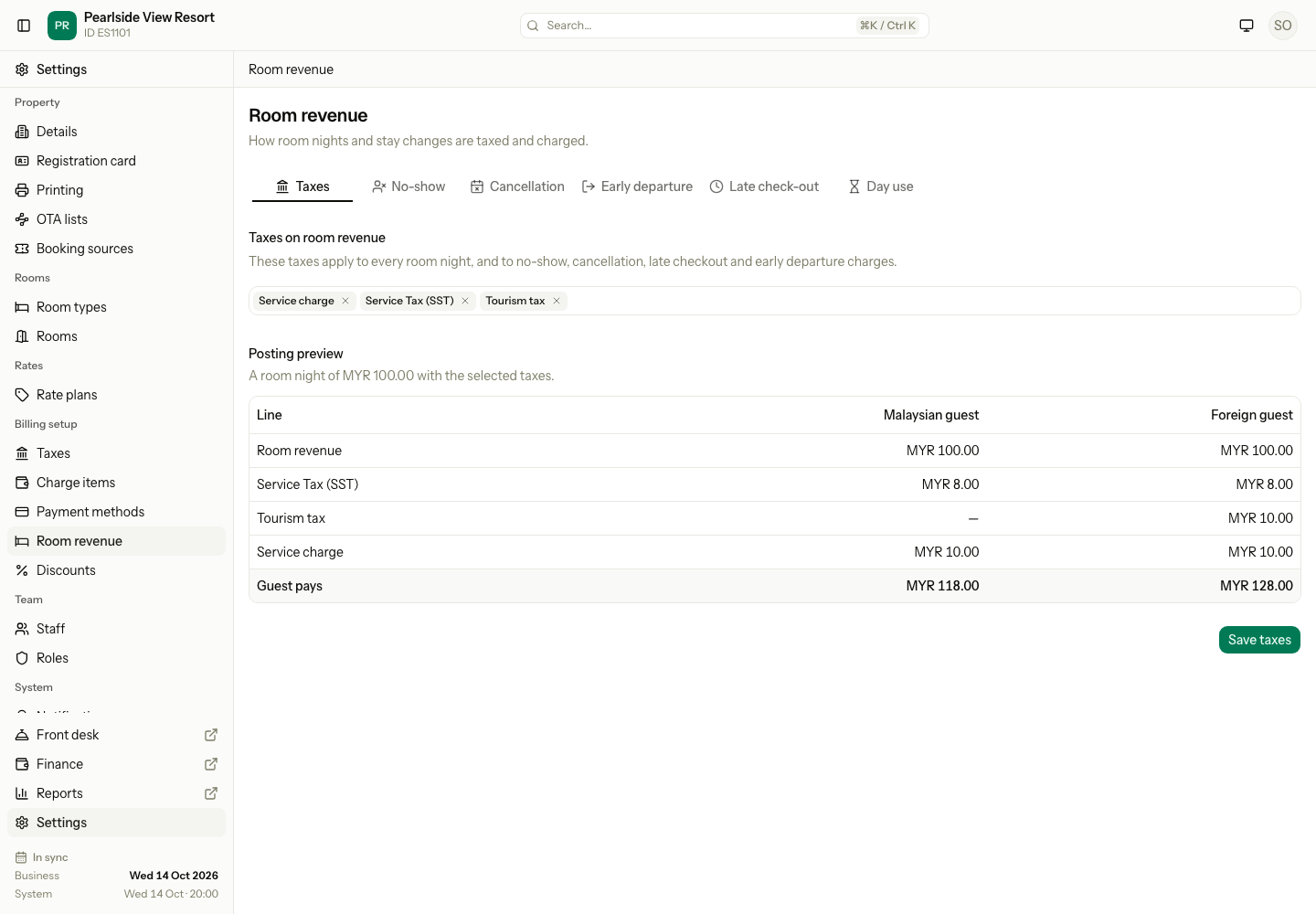
Example: the posting preview
The preview shows one room night of MYR 100.00 for a Malaysian guest and a foreign guest. Foreign guests are shown because a tax can be for foreign guests only.
| Line | Malaysian guest | Foreign guest |
|---|---|---|
| Room revenue | MYR 100.00 | MYR 100.00 |
| Service Tax (SST) 8% | MYR 8.00 | MYR 8.00 |
| Tourism tax | – | MYR 10.00 |
| Service charge 10% | MYR 10.00 | MYR 10.00 |
| Guest pays | MYR 118.00 | MYR 128.00 |
A dash means the tax does not apply to that guest. A tax with Included in the price shows "included in the price", and the room line shows the price without it. If the included taxes are more than the sample price, the table shows a message instead of amounts.
Steps for day use
- Select the Day use tab.
- Under Taxes on day use, choose the taxes.
- Check the Posting preview, then select Save taxes.
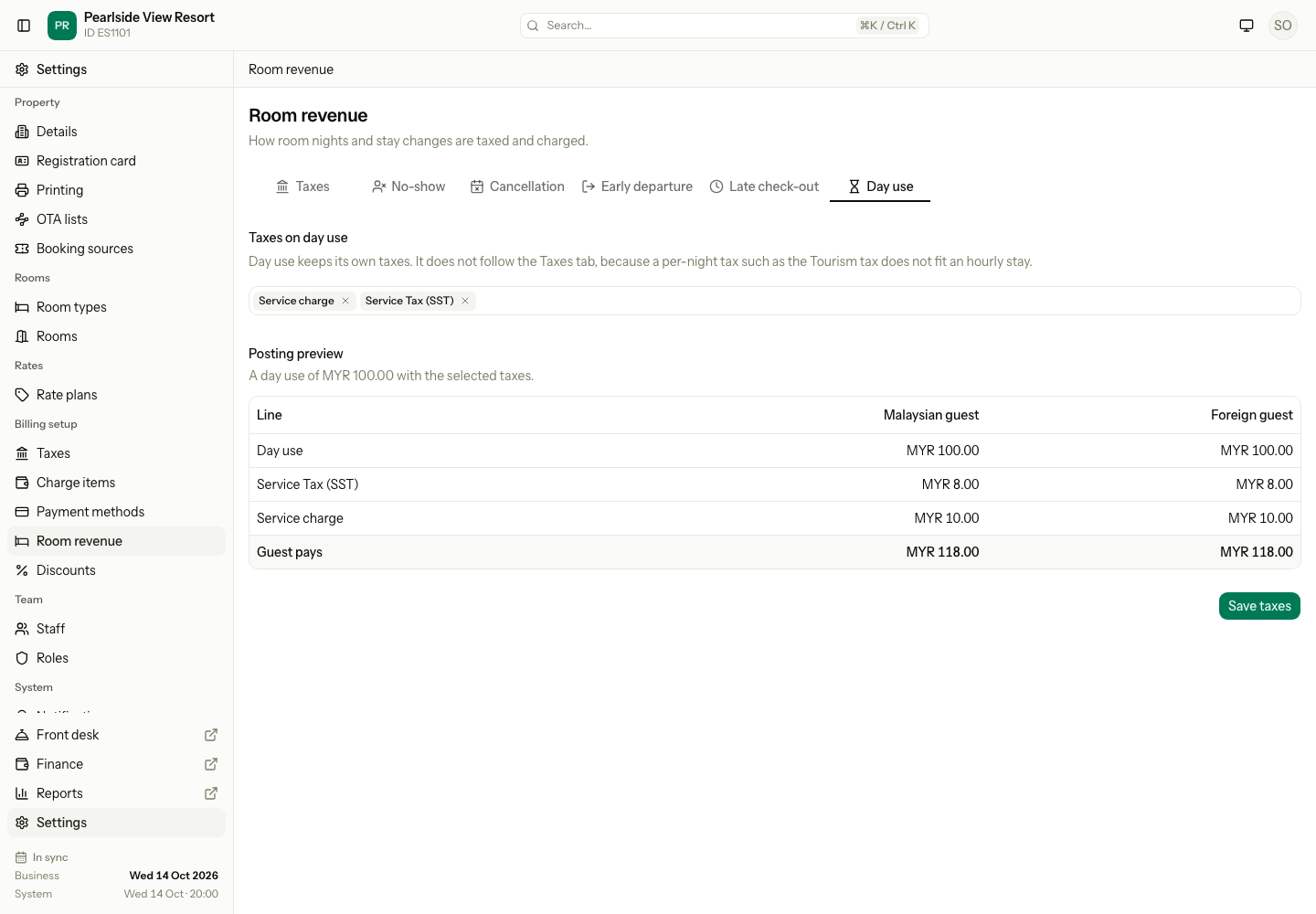
Day use does not follow the Taxes tab. A tax per night, such as the tourism tax, does not fit an hourly stay. When Estatell first sets up Day use, it picks your taxes except the flat ones. A later change on the Taxes tab does not change Day use. The tab is always there, also when you have no day use rate plan.
The other tabs
Each fee tab sets one fee and the policy text the guest sees. The fee is explained where staff charge it.
| Tab | Read |
|---|---|
| Cancellation and No-show | Cancel and no-show |
| Early departure | Early departure |
| Late check-out | Late check-out |
On each fee tab, Use room revenue taxes is on by default, so the fee gets the same taxes as a room night. Turn it off to give the fee its own taxes. Saving the Taxes tab does not change a fee that has its own taxes.
Special cases
| Situation | What happens | What to do |
|---|---|---|
| You choose no tax | Room nights have no tax. | Choose a tax if guests should pay one. |
| A chosen tax is off | The preview shows "Off". Estatell skips it. | Turn it on in Taxes. |
| You change the taxes | New charges use them. Charges already on a bill keep the old taxes. | Fix an old bill with a correction. |
| You leave with unsaved changes | Estatell asks if you want to save. | Save, or leave without saving. |
| A fee has its own taxes | The Taxes tab does not change it. | Change it on that fee's tab. |
| Foreign guest has no nationality | Estatell cannot work out a foreign-only tax. | Add the nationality to the guest. |