
Close and reopen
Close a folio that is settled, find its invoice number, and reopen it to fix a late charge.
Closing a folio ends it. It gets its invoice number and takes no new charges, payments or discounts. Reopen it when a late charge or a mistake turns up.
A guest's own folio closes by itself at check-out. You close other folios by hand.
Before you start
- Permission to close: Close folios. Owners, managers, front desk staff and finance staff have it by default.
- Permission to reopen: Reopen closed folios. Owners, managers and finance staff have it by default. Front desk staff can reopen a guest's own folio on the same business day only. See Who can reopen.
- To close a folio, its balance must be 0.00.
How a folio changes status
The invoice number is issued the first time a folio closes. A reopened folio keeps it, and closing again issues no new number.
Close a folio
-
Open the reservation and select the Folio tab.
-
Choose the folio in the rail. Check that Balance shows MYR 0.00.
-
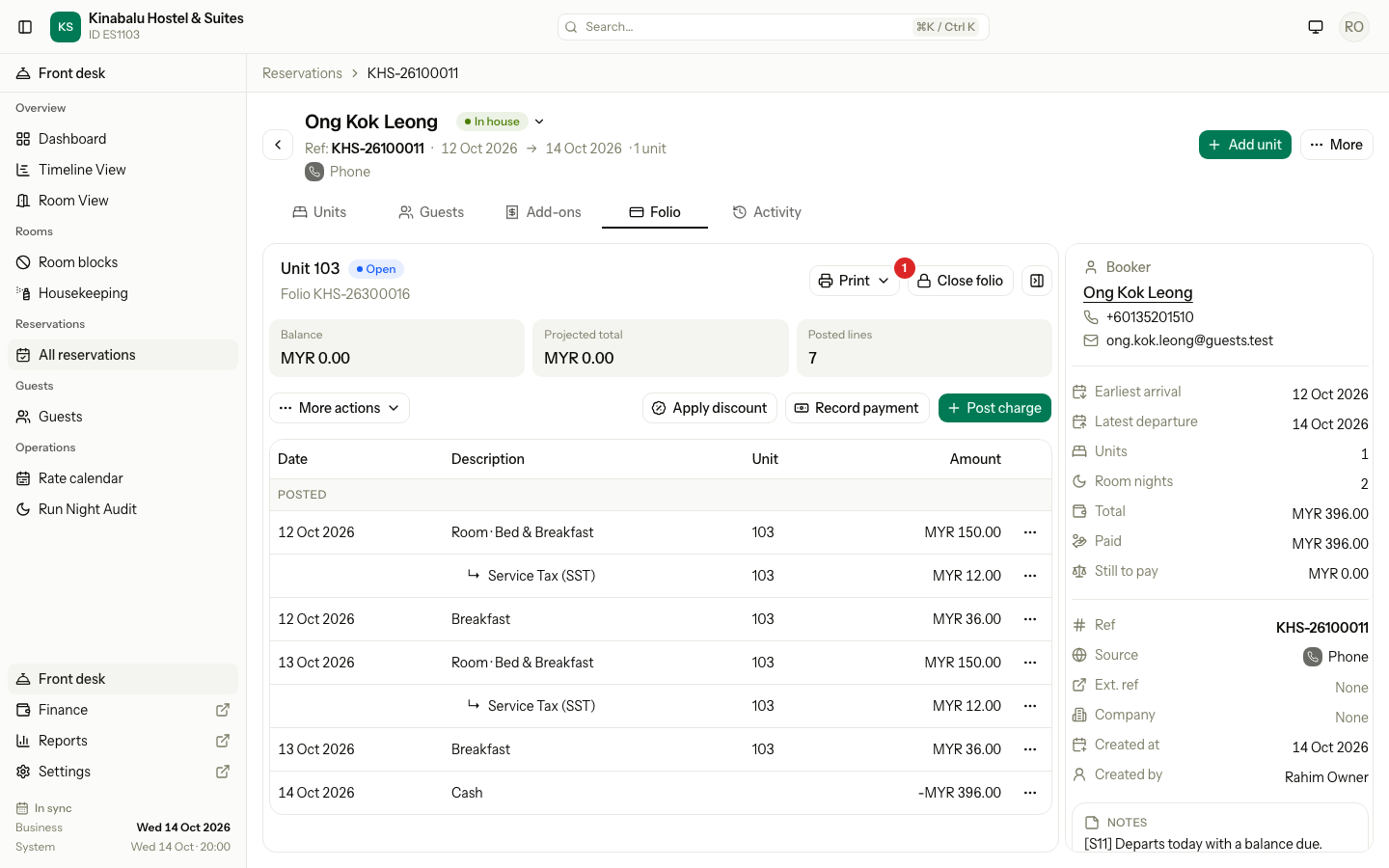
Select Close folio.
-
Read the message and select Close folio.
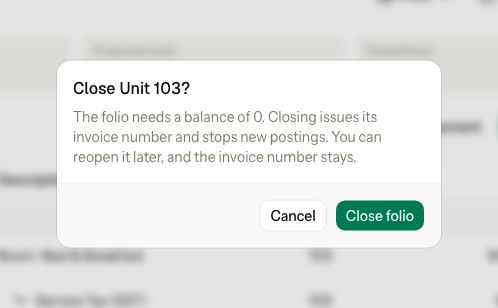
The folio now shows Closed. Its invoice number shows next to the folio number. Closing changes the status only. It never changes a line on the folio.
When a folio closes by itself
| Folio | When it closes |
|---|---|
| A guest's own (unit) folio | At check-out, in the same step. See Check out. |
| A guest's own folio of a room that already checked out | When a later change brings it back to 0, for example a payment or a reversal. |
| A folio you move charges off | After Move charges, if the room is checked out and the folio is now at 0. |
| A company's third-party folio | When you select Settle to City ledger. See AR invoices and payments. |
| The Master folio | Never by itself at check-out. Close it by hand, or settle it. |
Why a close is refused
Estatell checks the folio in this order. A refused close saves nothing.
| Situation | What estatell says | What to do |
|---|---|---|
| A room of a Master folio is still checked in | "Rooms 205, 206, 207, 208 are still in-house. Check out all units first." For one room: "Room 205 is still in-house. Check out all units first." | Check out every room, then close the Master folio. |
| A room that is not out yet still charges its scheduled nights to this folio | "Room 107 still charges its scheduled nights to this folio. Send them to another folio first." It names every room it finds. | Use Move charges to send those nights to another folio. |
| The balance is not 0 | "Only a folio with a balance of 0.00 can be closed. Settle it or move the charges first." | Record a payment, or move the charges. See Record a payment. |
| The folio is already closed | "This folio is closed. Reopen it on the folio tab first, then try again." | Nothing to do, or reopen it. |
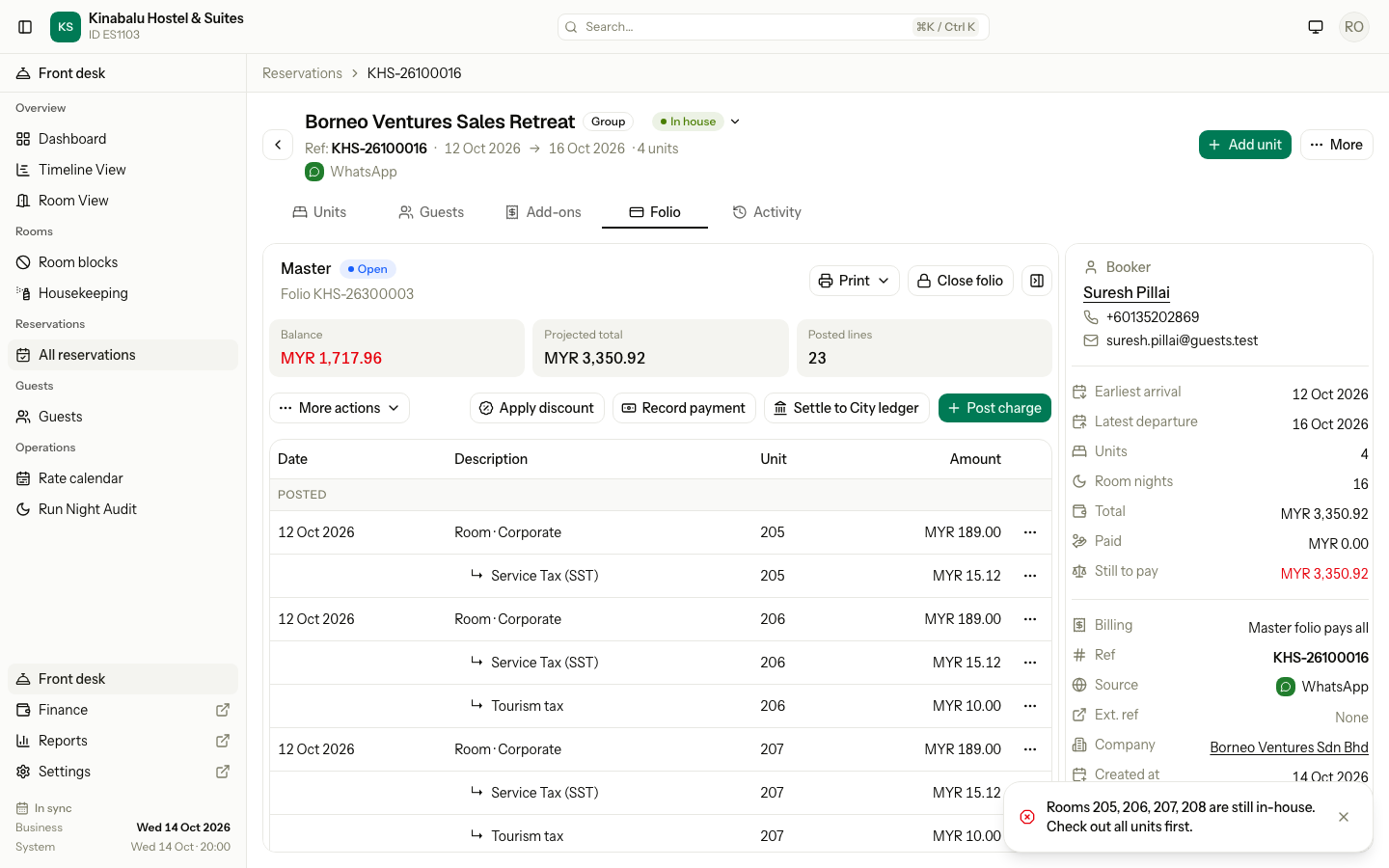
A guest's own folio and a third-party folio can close while rooms are still checked in. Only a Master folio cannot.
The closed notice
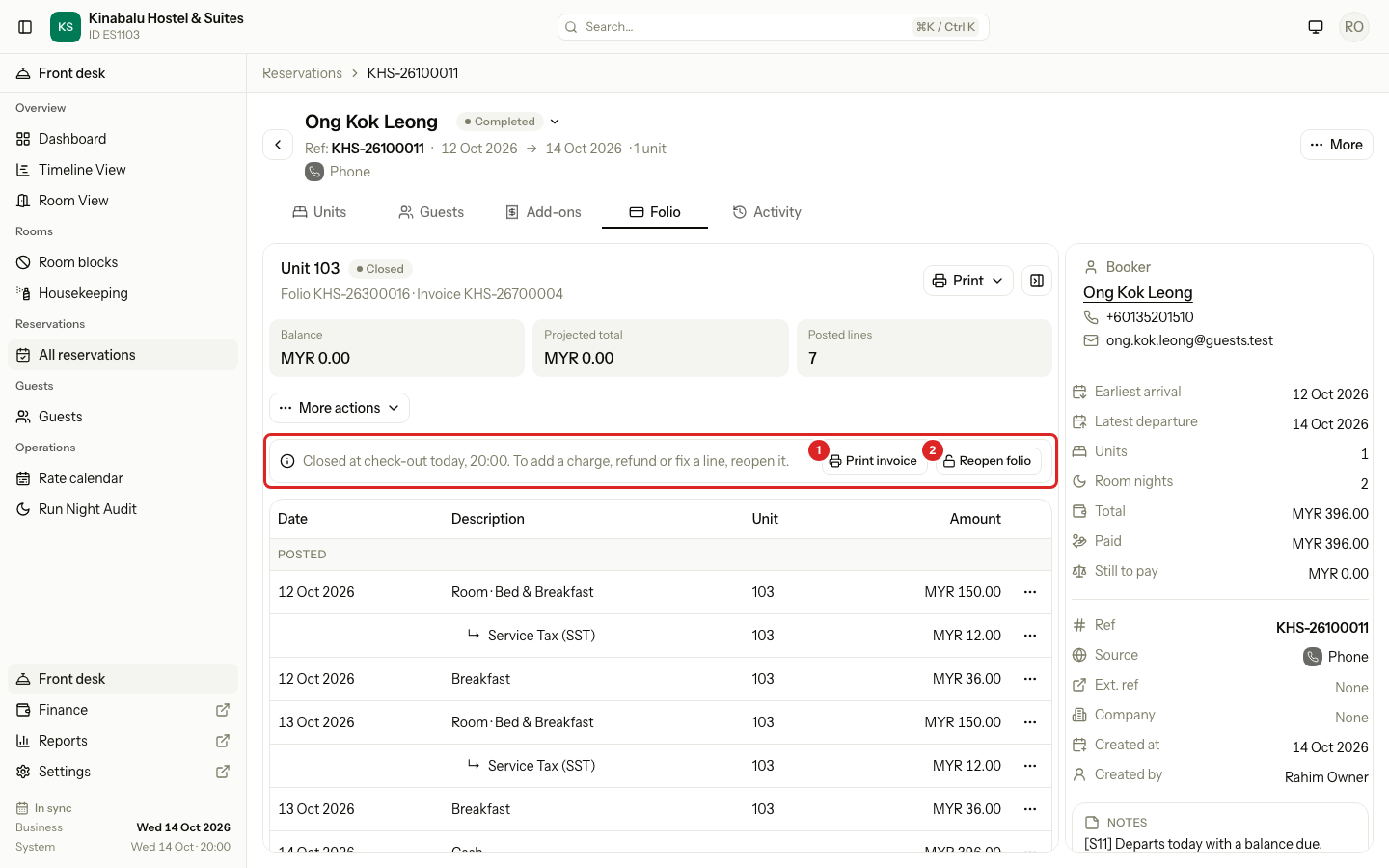
A closed folio shows a notice above its rows. It says when the folio closed and what to do.
| Notice | When |
|---|---|
| "Closed at check-out today, 20:00. To add a charge, refund or fix a line, reopen it." | The check-out closed the folio, and you may reopen it. |
| "Closed at check-out yesterday. Ask a manager to reopen it." | The check-out closed the folio, and you may not reopen it. |
| "Closed today, 11:42." / "Closed yesterday." / "Closed on 5 Oct." | You or a later change closed the folio, not the check-out. The same second sentence follows. |
| "Billed to Acme Sdn Bhd on invoice F-0031. Use a third-party folio or a credit note." | The folio is settled to the City ledger. It cannot reopen. |
The notice has two buttons on the right: Print invoice (see Invoices and vouchers) and Reopen folio. Only the buttons you may use show.
Reopen a folio
Reopen a folio to add a late charge, such as a minibar charge or damage, to refund an overpayment, or to fix a line.
- Open the Folio tab and choose the closed folio.
- In the notice, select Reopen folio.
- Add the charge, refund or fix. See Post charges.
- Close the folio again, or leave it open. A guest's own folio closes by itself at 0 after the next change if the room is checked out.
The folio keeps its invoice number.
Who can reopen
| Who | Which folio | When |
|---|---|---|
| Owners, managers and finance staff | Any closed folio without a City ledger invoice | Any time |
| Front desk staff | A guest's own folio | On the business date it closed. After the night audit, ask a manager. |
A folio with a City ledger invoice never reopens. Use a credit note, or void the invoice and reopen, or make a second third-party folio for the late charge. Estatell says: "This folio has a city ledger invoice. Issue a credit note instead of reopening it."
Special cases
| Situation | What happens | What to do |
|---|---|---|
| A guest wants to pay a late charge after check-out | The folio is closed and shows no Post charge. | Reopen it, post the charge, take the payment. |
| A front desk user opens a folio that closed yesterday | The notice says "Ask a manager to reopen it." | Ask an owner, manager or finance user. |
| A closed folio of a company that was invoiced | The notice names the company and the invoice. | Make a second third-party folio for the late charge. See Routing. |
| You need to correct a closed folio's lines | Charges, discounts, moving and reversing are hidden. | Reopen it first. |
| You close a folio by mistake | Nothing is lost. | Select Reopen folio. The invoice number stays. |
| Reopen folio on a folio that is already open | "Only a closed folio can be reopened." | Reload the page. |