
Migrated and old stays
Bring stays from your old system into Estatell, with or without the old folio.
Use these two modes while you move from an old system to Estatell. Both are for stays that began before your go-live date, the first business date of your property in Estatell.
| Mode | The stay | Money |
|---|---|---|
| Migrated stay | Began before go-live. The guest is still here, or left on or after go-live. | The old nights are not charged. You bring the old folio in. |
| Old stay | Began and ended before go-live. | None. History only. |
A stay that began on or after go-live is a past stay.
Before you start
- Permission: Manage reservations and Manual folio. Owners and managers have both by default.
- The migration window is open. The two modes show in Reservation mode only while it is open. If you do not see them, ask your owner or Estatell support.
Migrated stay
For a guest who is in the house on go-live day, or who left on or after it.
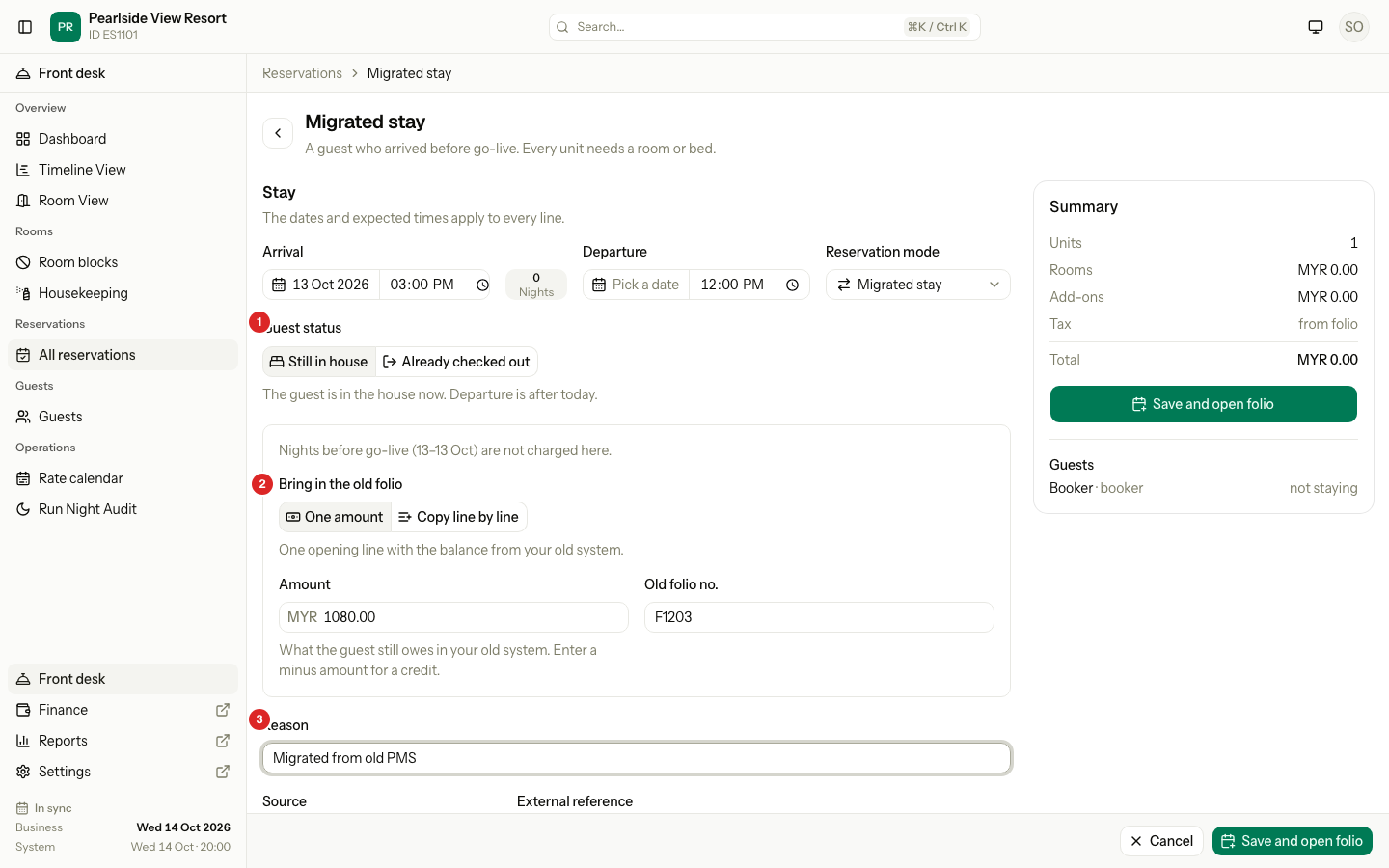
| # | Part | What it shows or does |
|---|---|---|
| 1 | Guest status | Still in house or Already checked out. |
| 2 | Bring in the old folio | One amount or Copy line by line. Above it, the nights before go-live that are not charged. |
| 3 | Reason | Why the stay is entered. Required and logged. |
- Open Reservations › All reservations, select New, then Migrated stay.
- Pick the Guest status: Still in house or Already checked out.
- Enter Arrival (before go-live) and Departure.
- Under Bring in the old folio, pick how:
| Choice | Use it when | What happens |
|---|---|---|
| One amount | You only need the balance. | Enter the Amount the guest still owes in your old system, and the Old folio no. Enter a minus amount for a credit. One line, Opening balance, posts to the folio. |
| Copy line by line | You want every charge and payment as in the old folio. | The stay saves with no opening line, then the old folio page opens. Enter each line there. |
- Enter the Reason, for example "Migrated from old PMS".
- Pick a room for every night. Nights before go-live show "before go-live" and no price.
- Select Save and open folio.
Nights before go-live are never charged. The nights from go-live on are charged by the night audit, as for any stay. For Already checked out, the nights from go-live up to the departure post now, the folio stays open, and a "Settle the folio now?" dialog shows after One amount.
A payment made in the old system is part of the amount. A payment you receive after go-live is a normal payment.
Old stay
For a stay that ended before go-live. It keeps room history, the police report and the guest's stay history. It holds no money.
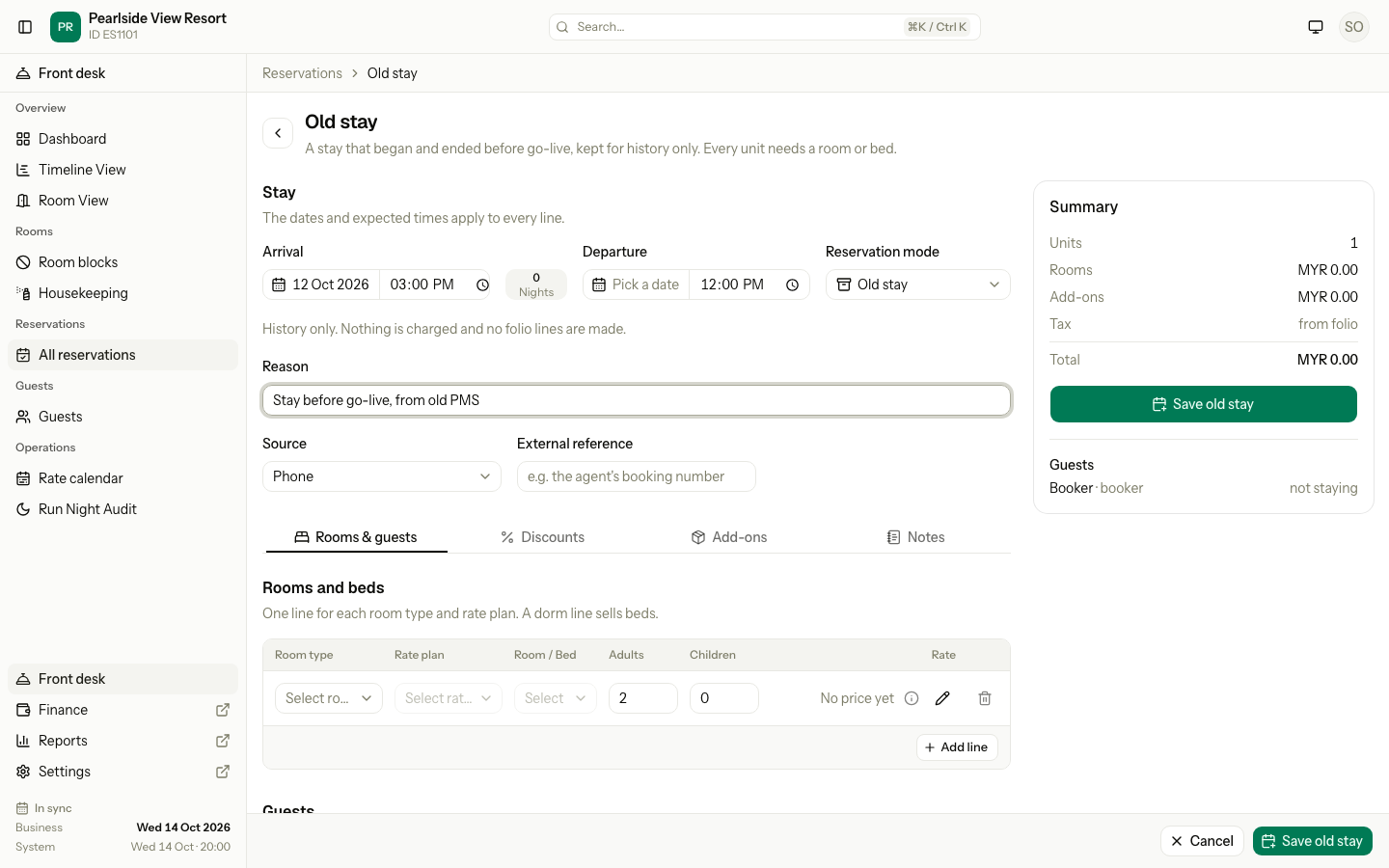
- Open Reservations › All reservations, select New, then Old stay.
- Enter Arrival and Departure. Both are before go-live.
- Enter the Reason, for example "Stay before go-live, from old PMS".
- Pick a room for the whole stay, and add the guests.
- Select Save old stay.
The reservation page opens with "Old stay GRH-26100231 created." No charges are made, and each folio is closed at zero with no invoice number. The room is not marked dirty. The stay does not count in revenue, tax or cash-up.
To add a line later, reopen the folio and use the Manual Folio Editor.
Special cases
| Situation | What happens | What to do |
|---|---|---|
| Migrated stay began on or after go-live | "Use Past stay for a stay that began after go-live." | Use Past stay. |
| Migrated stay with a departure before go-live | "The guest left before go-live. Use Old stay." | Use Old stay. |
| Old stay ends on or after go-live | "This stay ends on or after go-live. Use Migrated stay." | Use Migrated stay. |
| Already checked out, with a departure after today | "The guest has left, so departure cannot be after today. Choose Still in house." | Change the departure, or the guest status. |
| A room is taken on one of the nights | The line shows an error, and nothing is saved. | Pick a room that is free for the whole stay. |
| A night before go-live has no rate | The night prices at 0.00. It is never charged. | Nothing. A night from go-live on with no rate is refused. |
| The reason is empty | "Enter a reason." | Enter one. |
| You picked the wrong way to bring in the old folio | Switching from one way to the other reverses the lines of the first. | Switch, while the window is open. |