
Readiness checks
What the Run Night Audit sheet lists before a run, what the audit does with each row if you leave it, and how to fix a row from the sheet.
Before the night audit closes a day, Estatell looks for guests and folios that need a person. The Run Night Audit sheet lists them. Fix them during the day, so the audit has nothing to wait for at night.
The checks are for the current business date only. The sheet only reads: opening it changes nothing.
Before you start
- Permission to open the sheet: Run the night audit. Owners and managers have it by default.
- Permission to use a fix button: Manage reservations, as well as Run the night audit. A button you may not use does not show.
- Check in and Check out: these also need Check in units or Check out units. See Check in and Check out.
- The property must be live. See Business date.
Open the sheet
-
In the staff sidebar, under Operations, select Run Night Audit.
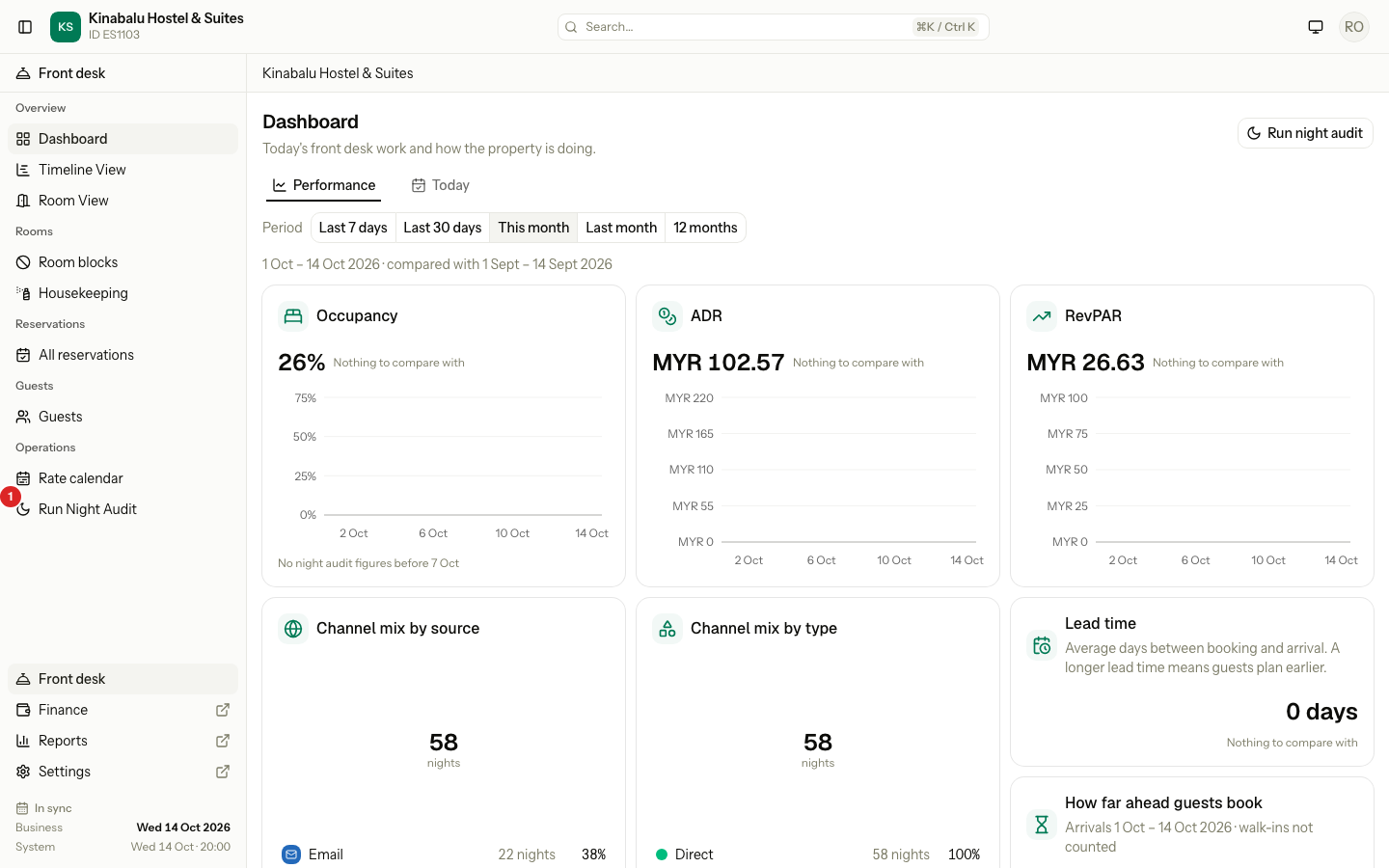
-
Wait a moment. The sheet loads when it opens.
The top of the sheet says which day it closes: "Closes Wed 14 Oct and opens Thu 15 Oct". Below it, one line sums up the sheet.
| The line says | It means |
|---|---|
| "Fix 1 thing before you run the audit." | At least one blocker is open. Run audit is off. |
| "Ready to run. 3 reservations need a look." | No blocker. The audit can run, and it deals with the rows by itself. |
| "Ready to run. Nothing needs you." | Nothing is listed. |
If the business date has not ended, the sheet shows Not over yet instead of this line. See Run the night audit.
Read the sheet
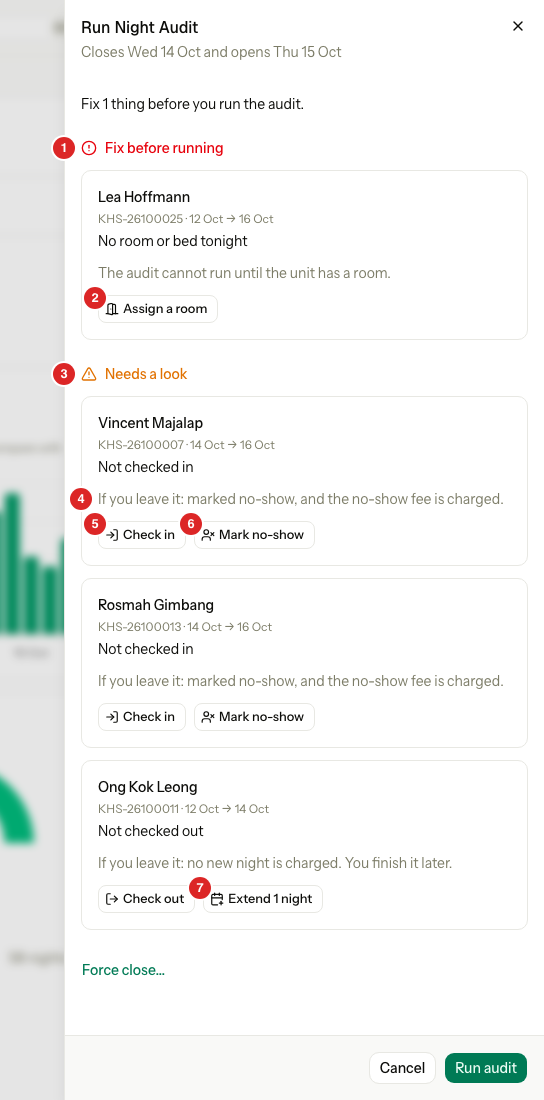
| Number | What it is |
|---|---|
| 1 | Fix before running: a blocker. The audit cannot run until you fix it. |
| 2 | The button that fixes the row. |
| 3 | Needs a look: the audit can run. Each row says what the audit will do. |
| 4 | If you leave it: what the audit does with this row if nobody touches it. |
| 5 | Check in: opens the reservation's own check-in dialog over the sheet. |
| 6 | Mark no-show: fixes the row in place. |
| 7 | Extend 1 night: fixes the row in place. |
Each row is one reservation with one problem. It shows the guest, the reservation number, the dates, what is wrong, and the buttons. A group booking is one row, not one row for each room. Select Treat one unit by itself to see its rooms and fix one of them.
The text after If you leave it comes from your own settings, so it says what the audit will really do. Change those settings on the Operations tab. See Operations. This page does not repeat them.
The checks
| Check | Blocker | What it finds | Buttons |
|---|---|---|---|
| No room or bed tonight | Yes | A guest who is checked in has a night with no room and no bed. | Assign a room (Assign rooms for a group) |
| Not checked in | No | A booking that should have arrived on or before today, and is not checked in. A booking marked as a late arrival is not listed. | Check in, Check in all, Mark no-show, Mark all no-show |
| Not checked out | No | A guest who is checked in and should have left on or before today. A day use that has ended shows "Day use · ended 14:00". | Check out, Check out all, Extend 1 night |
| Folio still open after check-out | No | A guest's own folio that is still open after the guest checked out. | Open folio |
| Master folio not billed | No | A Master or third-party folio that is open and owes money, after every room has left. The row shows the amount owed. | Open folio |
| Money held on a closed booking | No | An open folio with money on it that nobody has refunded, on a booking that is cancelled, missed or finished. The row shows the amount to refund. | Open folio |
| Left from an earlier audit | No | Something an earlier audit could not finish, such as a room charge. | Retry, Fix price, Dismiss, Open |
The last row has its own page. See Earlier audit issues.
What the audit does if you leave it
| Check | If you leave it |
|---|---|
| No room or bed tonight | "The audit cannot run until the unit has a room." |
| Not checked in | With Mark no-show as your missed arrival rule: "marked no-show, and the no-show fee is charged." Otherwise: "kept as a late arrival. Nothing is charged." |
| Not checked out | With Extend one night as your overdue departure rule: "one more night is charged and the departure moves a day." Otherwise: "no new night is charged. You finish it later." |
| Not checked out (a day use) | "nothing is charged and the unit stays checked in. A day use is never extended. Check the guest out." |
| Folio still open after check-out | "The audit does not touch it. Close it when the balance is settled." |
| Master folio not billed | "The audit does not touch it. Settle the folio to the city ledger, or collect the balance and close it." |
| Money held on a closed booking | "The audit does not touch it. Refund the money, or post the charge it covers." |
The three folio checks only warn. The audit never changes a folio, so a company bill can never stop the audit.
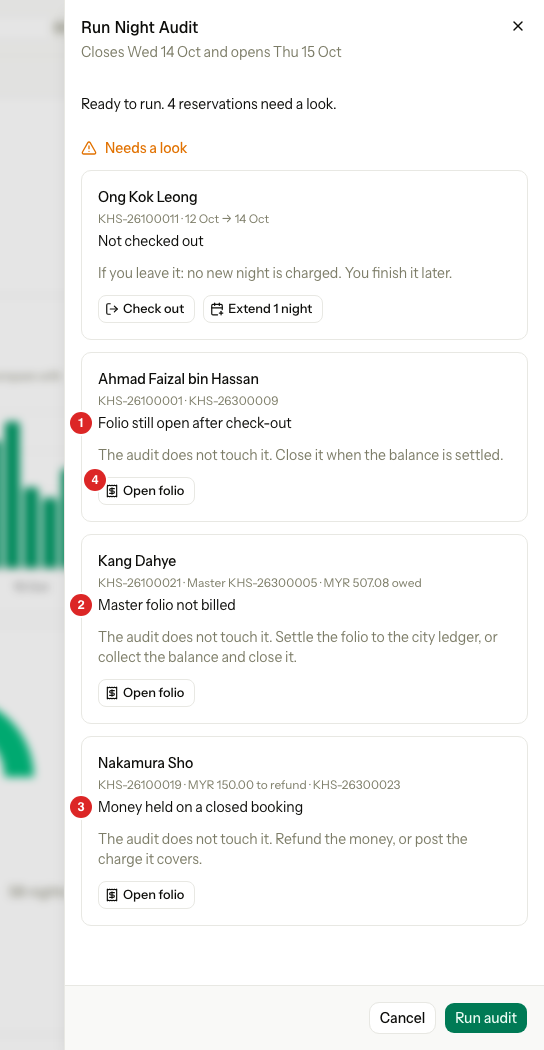
| Number | What it is |
|---|---|
| 1 | Folio still open after check-out. The row shows the folio number. |
| 2 | Master folio not billed. The row shows the folio and the amount owed. |
| 3 | Money held on a closed booking. The row shows the amount to refund and the folio. |
| 4 | Open folio: opens the folio tab of the reservation. The sheet closes. |
Fix a row
Some buttons fix the row where it is. Some open the reservation's own dialog over the sheet. Some are links.
| Button | What it does |
|---|---|
| Assign a room, Assign rooms | Gives each listed unit a free room or bed for the whole stay. If nothing is free, Estatell says so and nothing changes. |
| Mark no-show, Mark all no-show | Asks first, then marks the unit as no-show. |
| Extend 1 night | Asks first, then moves the departure one day later and charges one more night. It shows only for a unit that should leave today, and never for a day use. |
| Check in, Check in all, Check out | Open the same dialog as the reservation page, over the sheet. |
| Check out all | Opens the group check-out page, where every room is settled and checked out together. |
| Open folio, Open | Open the reservation or its folio. The sheet closes. |
After every fix, the sheet loads again, so a row you fixed leaves the list.
Mark no-show
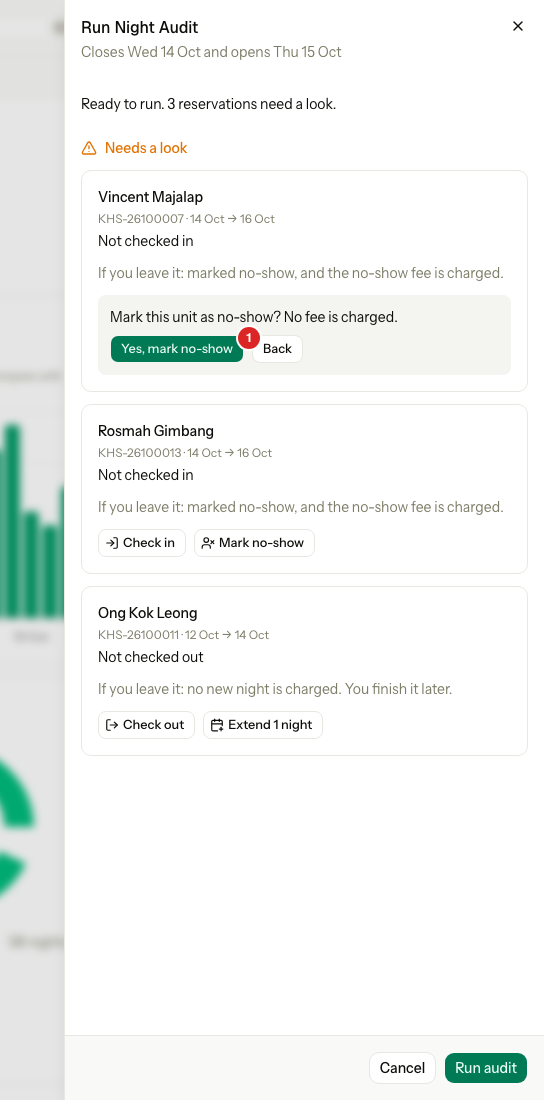
- Select Mark no-show on the row.
- Read the question. It names the no-show fee, or says "No fee is charged."
- Select Yes, mark no-show. Select Back to change your mind.
Check in and check out
The dialogs are the reservation page's own, so their rules, previews and refusals are the same.
- Select Check out on the row.
- Fill in the dialog and confirm. See Check out.
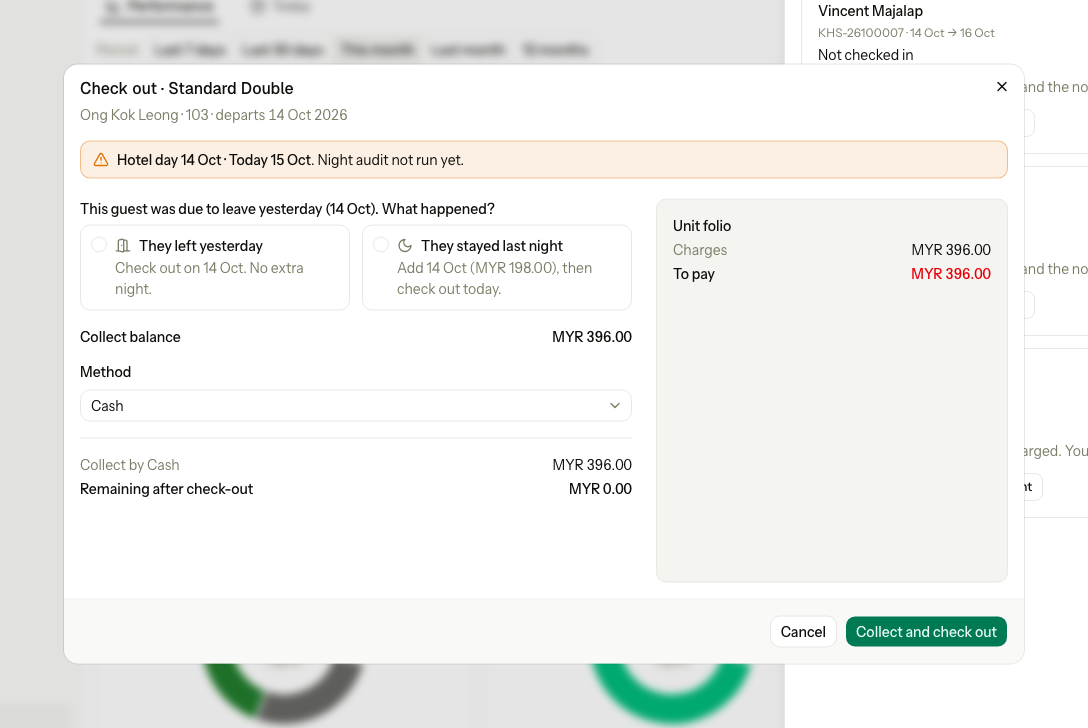
When the dialog closes, the sheet loads again.
Special cases
| Situation | What happens | What to do |
|---|---|---|
| A fix button is missing | You do not have Manage reservations, or Check in units or Check out units. | Ask an owner or manager. |
| You may not check in or check out | The row shows a Check in or Check out link to the reservation page. A room listed inside a group row shows no button. | Use the reservation page, or ask someone who can. |
| Assign a room finds no free room | Estatell shows a message and nothing changes. | Free a room, or move a guest. See Assign rooms and beds. |
| A unit changed after the sheet loaded | The fix skips it. The others in the row still run. | Read the message. The sheet shows what is left. |
| A guest in a group is not checked in, but the others are | The row says "2 units — not checked in" and lists them. | Select Check in all, or treat one unit by itself. |
| A blocker cannot be fixed tonight | Run audit stays off. | A user with Force close the night audit can run anyway. See Force close. |