
Privacy
Remove a guest's personal data on request, and set how long ID scans are kept.
Guests can ask you to delete their personal data. In Estatell this is called Archive. Archiving removes the name, contact details, notes and ID documents of a guest, and keeps the stays and payments, so your accounts stay complete.
This page describes what Estatell does. It is not legal advice. Ask your own adviser what the Personal Data Protection Act (PDPA) needs from your business.
What Estatell protects by itself
- Every guest belongs to one property. Other properties cannot see them.
- ID numbers are encrypted. ID scans are stored in private storage.
- Only staff with View and manage guest ID documents can see ID numbers and scans. Estatell writes down each time someone looks. See Identity documents.
- Marketing consent is an opt-in. It is recorded on the registration card. See Registration cards.
- Nothing is archived or deleted without a person asking. The one exception is old ID scans, when you set a retention time. See How long ID scans are kept.
Before you start
- Permission: Archive guests. Only owners have it by default.
- Archiving cannot be undone. Be sure the guest asked for it, and that you checked who the guest is.
Archive a guest
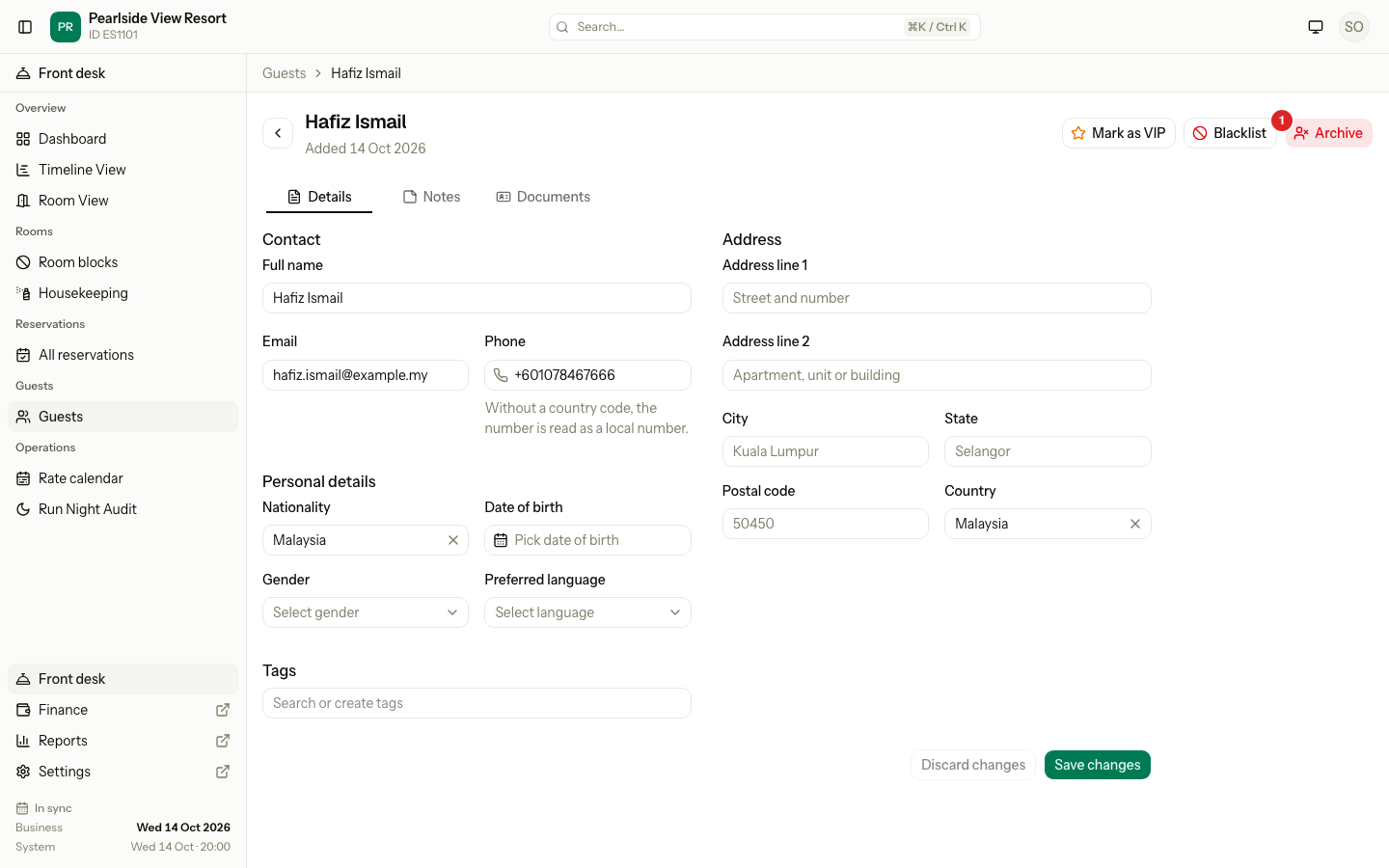
- Open Guests and select the guest.
- Select Archive at the top right.
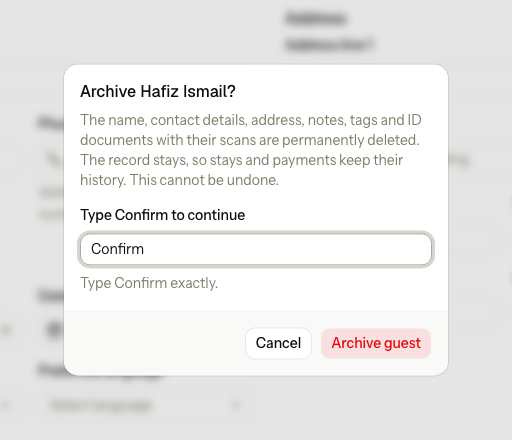
- Read the message.
- Type
Confirmin the box. The button stays off until you type it exactly, with a capital C. - Select Archive guest.
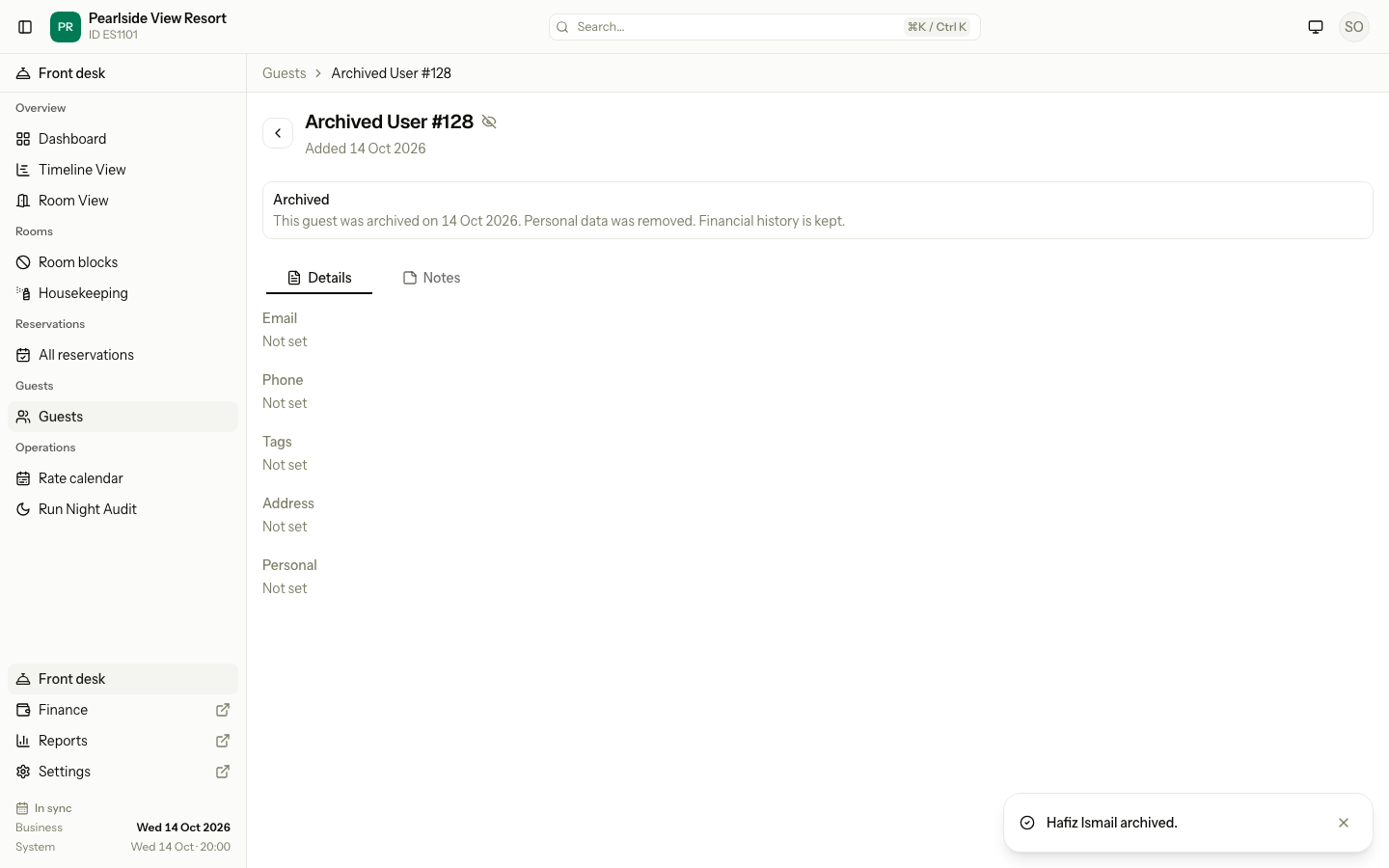
Estatell shows "Name archived." The guest page now shows an Archived notice, and the name is "Archived User" with the guest's number, for example "Archived User #107".
To archive many guests at once, use the bulk actions on the guest list. The same rules and the same Confirm apply. See Guest list.
Removed or kept
| What | After archiving |
|---|---|
| The name | Removed. It becomes "Archived User #" and the guest's number. |
| Email, phone, nationality, date of birth, gender, language, address and country | Removed. |
| The VIP mark, the blacklist and its reason, the marketing consent | Removed. The reason is also removed from the earlier activity log entries, because it can name people. |
| All notes | Removed. |
| Tags on the guest | Removed from the guest. The tags themselves stay for other guests. |
| ID documents, with their numbers and scans | Removed. |
| The guest record, its number and its property | Kept. |
| The date the guest was added | Kept. |
| The date it was archived | Kept. Estatell sets it. |
| Reservations that point to the guest | Kept. They show the new name. |
| Folios and payments | Kept. |
Estatell writes one entry in the activity log. It holds how many notes and documents were removed. It holds no personal details.
An archived guest:
- Shows an Archived notice and badge on the guest page.
- Has no Documents tab and no buttons to change anything. VIP, Blacklist, Merge, Archive, Add note and the form are gone.
- Is left out of the guest list, unless you choose Archived in the status filter.
- Is never offered as a duplicate. See Merge guests.
- Stays open at its address, because the stays and payments that belong to it link there.
When archiving is refused
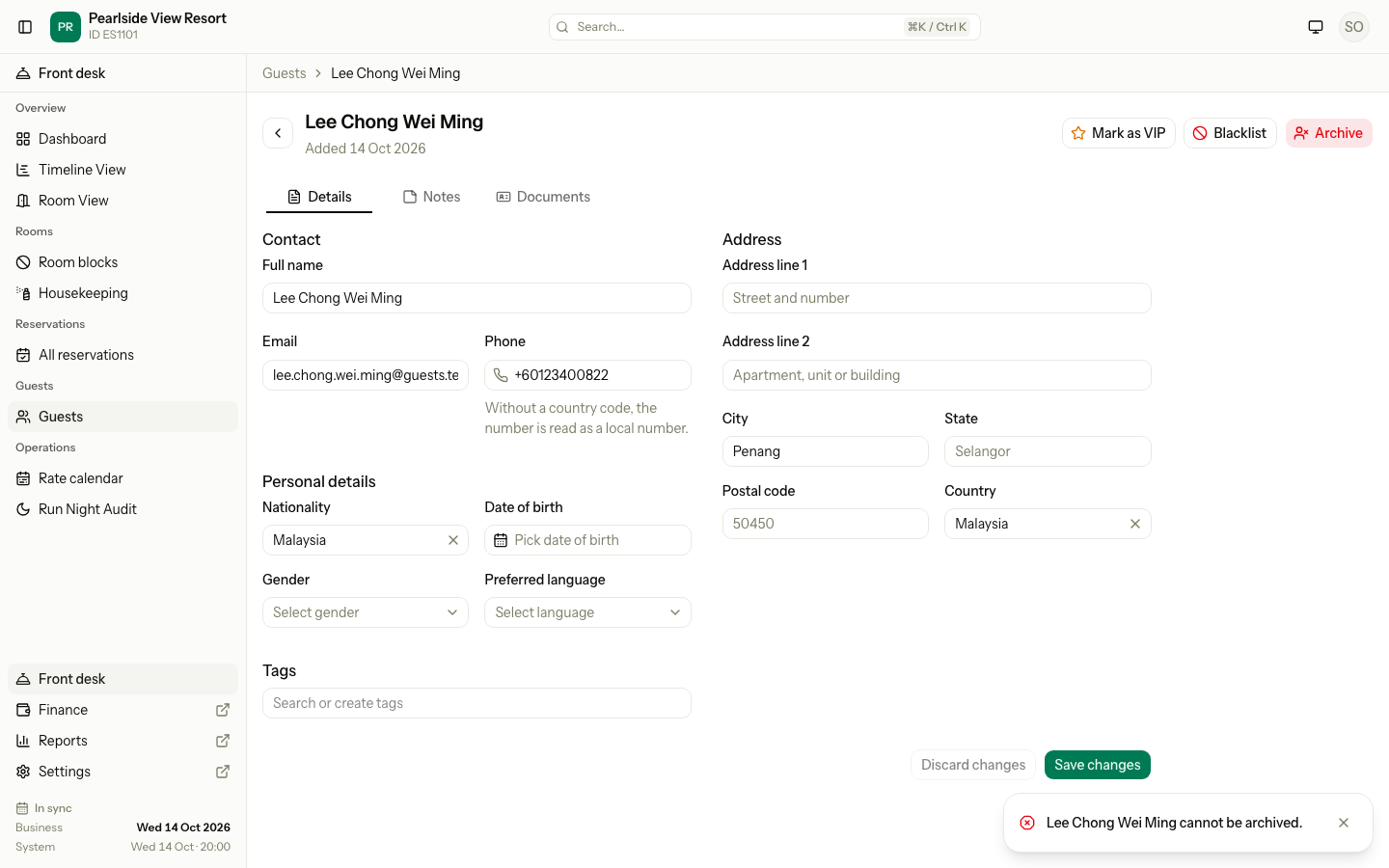
Estatell shows "Name cannot be archived." and changes nothing. The message does not give the reason, so use this table.
| Why | What it means | What to do |
|---|---|---|
| The guest is in house | The guest is a guest of a unit that is checked in. A person who only booked, and does not stay, is not in house. | Check the guest out first. See Check out. |
| The guest has an open balance | The guest pays a folio whose balance is not 0. A voided folio does not count. | Settle the folio, then archive. |
| The guest was merged into another guest | The record is already hidden, and its page opens the guest it was merged into. | Archive the guest it was merged into, if that is the one the person asked about. See Merge guests. |
| The guest is already archived | Nothing is left to remove. | Nothing. |
A guest whose only stays are upcoming and confirmed can be archived. Estatell does not refuse. The reservation stays, and its guest name changes to "Archived User #" and the number. Before you archive, check the guest's reservations, and cancel or hand them over if the guest will no longer come.
How long ID scans are kept
By default, ID scans stay until you remove them. You can set a time limit for the whole property:
- Open Settings, then Registration card.
- On the General tab, enter ID document retention (days), from 1 to 3650. Leave it blank to keep scans.
- Select Save changes.
See Registration card: General.
Once you set a number of days:
- Every night at 03:30 (server time), Estatell deletes the front and back scans that were uploaded more than that many days ago. It counts from the day the scan was uploaded.
- The document and its number stay. You can still search by the number. Only the scan files go.
- Estatell writes one entry in the activity log for each guest it cleaned. It lists which documents lost scans. It holds no ID numbers.
- Each property is cleaned on its own. A problem in one property does not stop the others.
- The Documents tab tells staff how many days scans are kept.
To get a scan back after it is deleted, upload it again. A new upload starts a new count.
Special cases
| Situation | What happens | What to do |
|---|---|---|
You type confirm with a small c | • The Archive guest button stays off. | • Type Confirm with a capital C. |
| You do not see Archive | • You do not have Archive guests. | • Ask an owner. |
| A guest asks you to delete only their ID scans | • Archiving removes much more than that. | • Remove the document on the Documents tab. See Identity documents. |
| A guest asks for their data and has an open balance | • Estatell refuses to archive. | • Settle the balance first. |
| You archived the wrong guest | • It cannot be undone. | • The name and details are gone. Ask the guest for the details and add them again as a new guest. |
| You set the retention time to 30 days | • The next night run deletes scans uploaded more than 30 days ago. | • Download any scan you still need before you save the setting. |
| You clear the retention box | • Estatell keeps all scans from then on. Scans that were already deleted do not come back. | • Nothing. |