
First sign-in
Sign in for the first time with the temporary password your owner gave you, and choose your own password.
Your owner can add you to the property with a temporary password. This page shows your first sign-in. If your owner invited you by email, you set your password from the link in the invitation instead. See Add staff.
Sign in for the first time
- Ask your owner for your sign-in details: the web address, your email and your temporary password.
- Open the login page. Enter your email and the temporary password.
- Select Log in.
- On the Set your password page, enter a New password, and enter it again in Confirm password.
- Select Set password and continue.
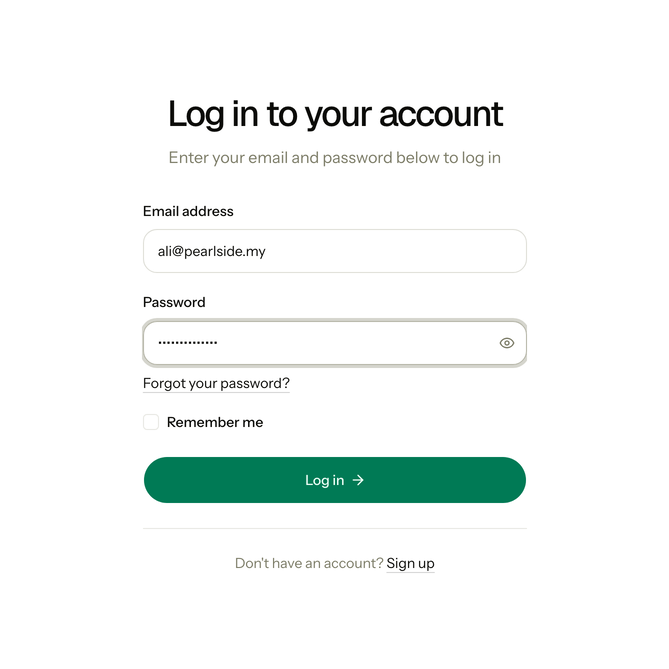
A temporary password has two words and four digits, for example Kopi-7342-Meja. It works only once.
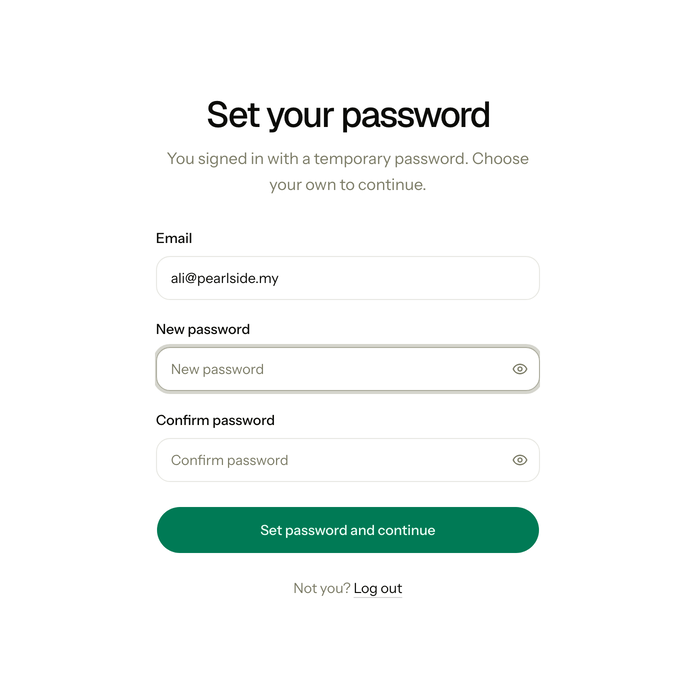
The page says "You signed in with a temporary password. Choose your own to continue." You cannot open any other page until you set a password. After you set it, Estatell opens your home page. You sign in with your new password from then on.
Your new password follows the same rules as at sign-up. See Sign up.
If you are the owner
You give the temporary password to your staff. You can copy a message with the sign-in details, or export the details as a file with one slip for each person. A temporary password works for 14 days. To give someone a new one, select Reset password in the staff list. See Manage staff.
Special cases
| Situation | What happens | What to do |
|---|---|---|
| The temporary password is older than 14 days | • The login page says "This temporary password has expired. Ask your property owner for a new one." | • Ask your owner to reset your password, then sign in with the new one. |
| You lost the temporary password | • Nobody can read it back to you. | • Ask your owner to reset your password. |
| You open another page before you set a password | • Estatell takes you back to Set your password. | • Set your password. If you are on the wrong account, select Log out. |
| Your owner resets your password | • The old password stops working and Estatell signs you out everywhere. | • Sign in with the new temporary password, then set your own again. |
| Your account is deactivated | • The login page says "Your account is deactivated. Ask the property owner to reactivate it." | • Ask your owner. |
| You forget the password you chose | • You cannot sign in. | • Select Forgot your password? on the login page. If you have no working email, ask your owner to reset it. |