
Boat manifest
Print one list for each boat of a day, with the guests on it and the seats taken, for the jetty and the boat crew.
The Boat manifest lists who travels on each boat of one date. There is one list for each departure, with the number of guests. The front desk also sees the charter and own boat trips of the day. Print the manifest and give a page to each boat crew.
The report shows in Reports only when the Estatell team has turned the Boats feature on for your property.
Before you start
- Permission: View and export reports. Owners, managers and finance staff have it by default.
- Add the departures in Boat settings and set the trips on the bookings. See Boat trips.
Read the manifest
-
Open Reports in the staff sidebar, then Boat manifest under Front desk.
-
Pick the date. Today and Tomorrow are in the Quick dates list. See Use a report.
-
Choose Boat in or Boat out. Boat in opens first.
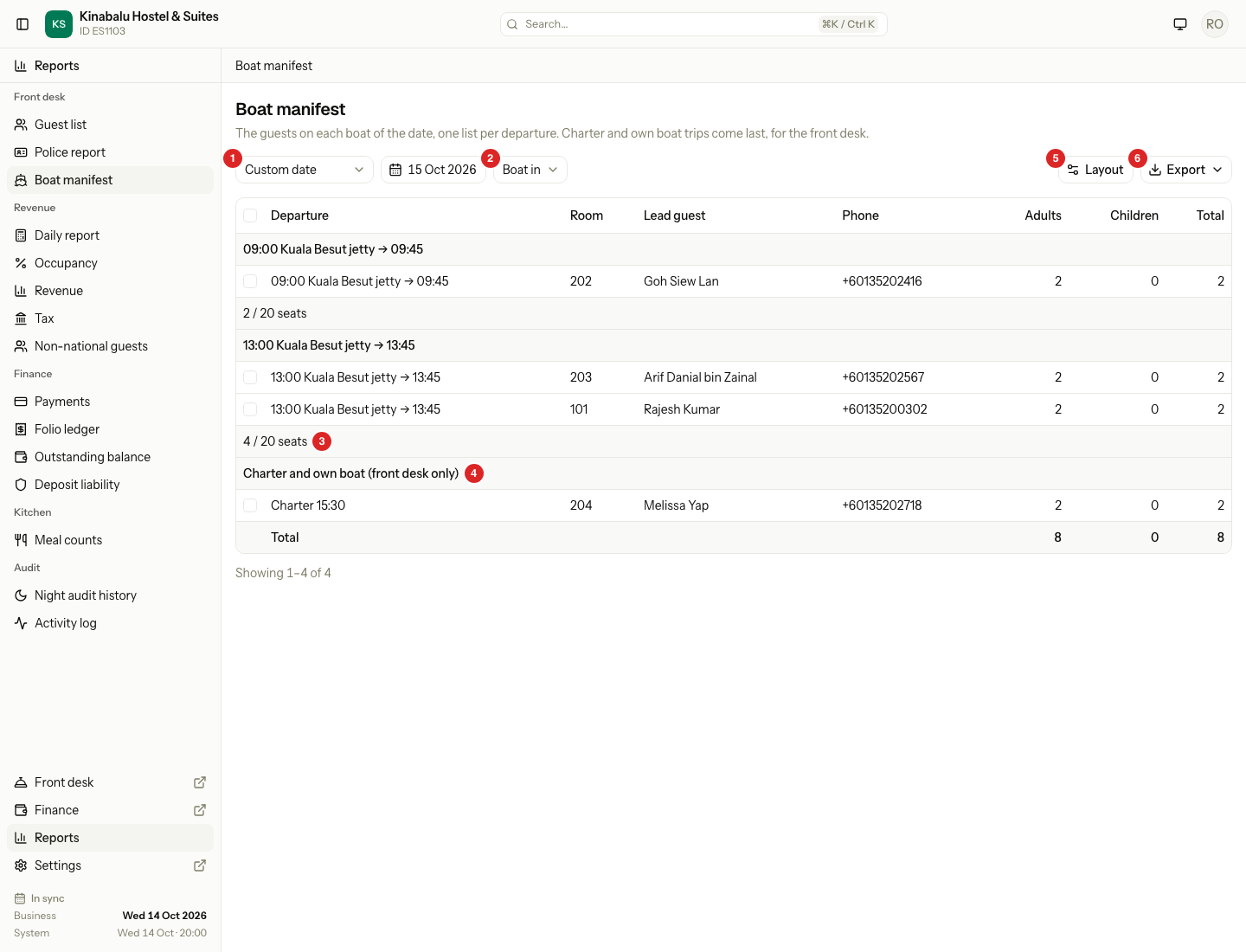
The manifest shows one trip for each room. The trip is on the date you picked: the arrival date for Boat in, and the departure date for Boat out. The rooms are in the order of the departures. Charter and own boat trips come last, in a group named "Charter and own boat (front desk only)".
Each boat has a line with its seats, for example "4 / 20 seats". A boat with no seat limit shows only the number of guests. If more guests are booked than the boat holds, the line shows in the warning colour. The last row, Total, adds up the adults, the children and all guests of the date and direction.
The columns do not sort. The order is the order of the boats.
| Column | What it shows |
|---|---|
| Departure | The time, the pick-up point and the arrival time, for example "09:00 Kuala Besut jetty → 09:45". A charter shows "Charter 15:30". An own boat shows "Own 11:30". |
| Room | The room number or bed. For Boat in it is the room of the first night. For Boat out it is the room of the last night. If no room is set yet, it shows the room type. |
| Lead guest | The lead guest of the room. If the room has none, the booker. |
| Phone | The lead guest's phone. |
| Adults | The adults in the room. |
| Children | The children in the room. |
| Total | Adults and children together. |
| Reservation no. | The reservation number. Hidden at first. |
| Note | The note of the trip. Hidden at first. |
To show or hide a column, use Layout. See Report layout.
The manifest lists the lead guest only. It never shows every guest, and it never shows ID numbers.
Which rooms are on it
| Room status | On the manifest? |
|---|---|
| Confirmed | Yes |
| Checked in | Yes |
| Checked out | Yes |
| Cancelled | No |
| No-show | No |
When there are no trips
If no room has a boat trip on that date and direction, the manifest says "No boat in trips on 14 Oct." and "Pick another date or direction to see the boat trips."
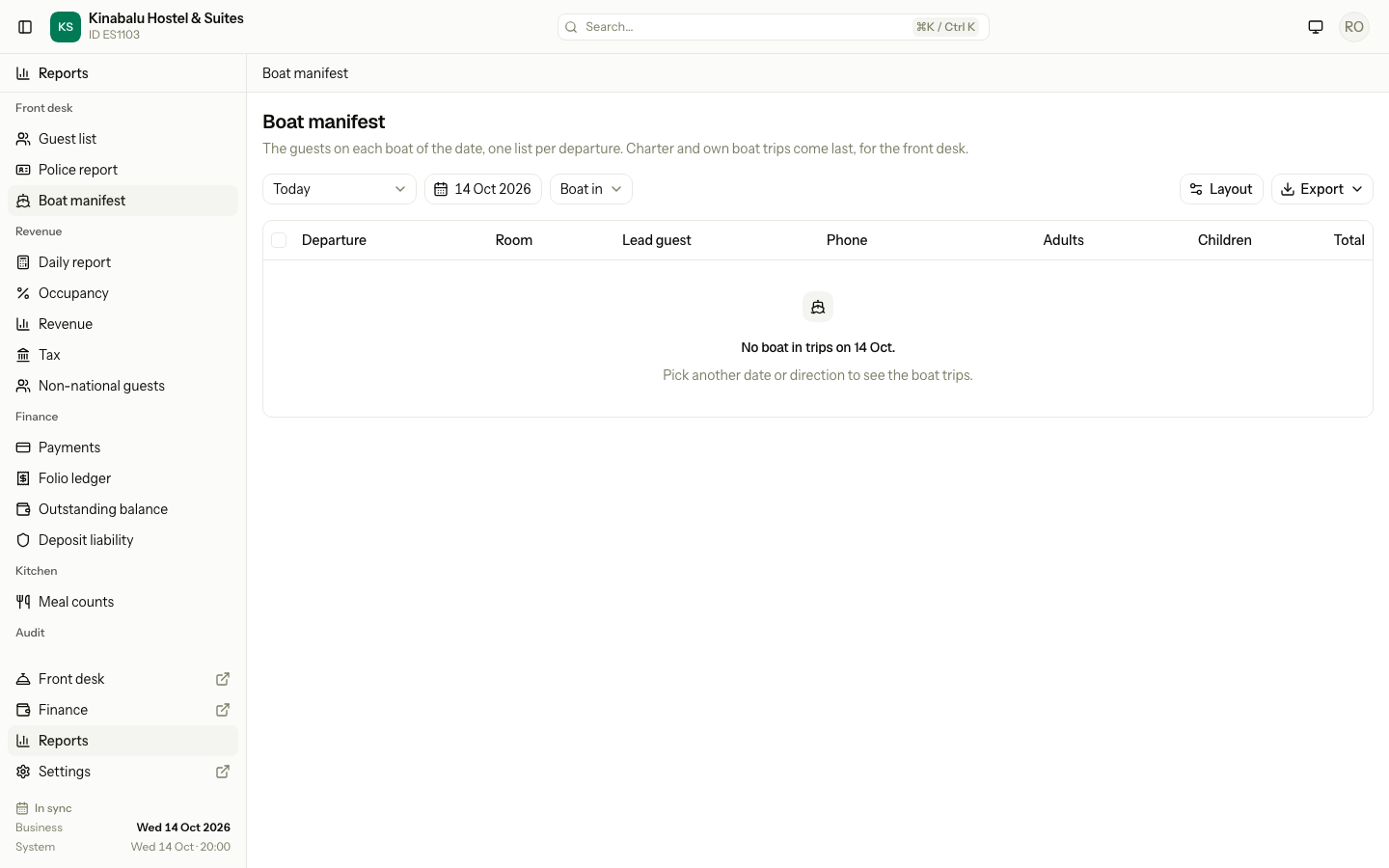
If your property has no departures at all, the message says "No departures yet" and "Add departures in Settings, Boats." Owners and managers see an Open Boats settings button.
Print the manifest
- Open the manifest for the date and direction.
- Select Export, then PDF.
The PDF uses the letterhead of your printing settings, on a portrait page. Each departure starts on its own page, so each boat crew gets its own sheet.
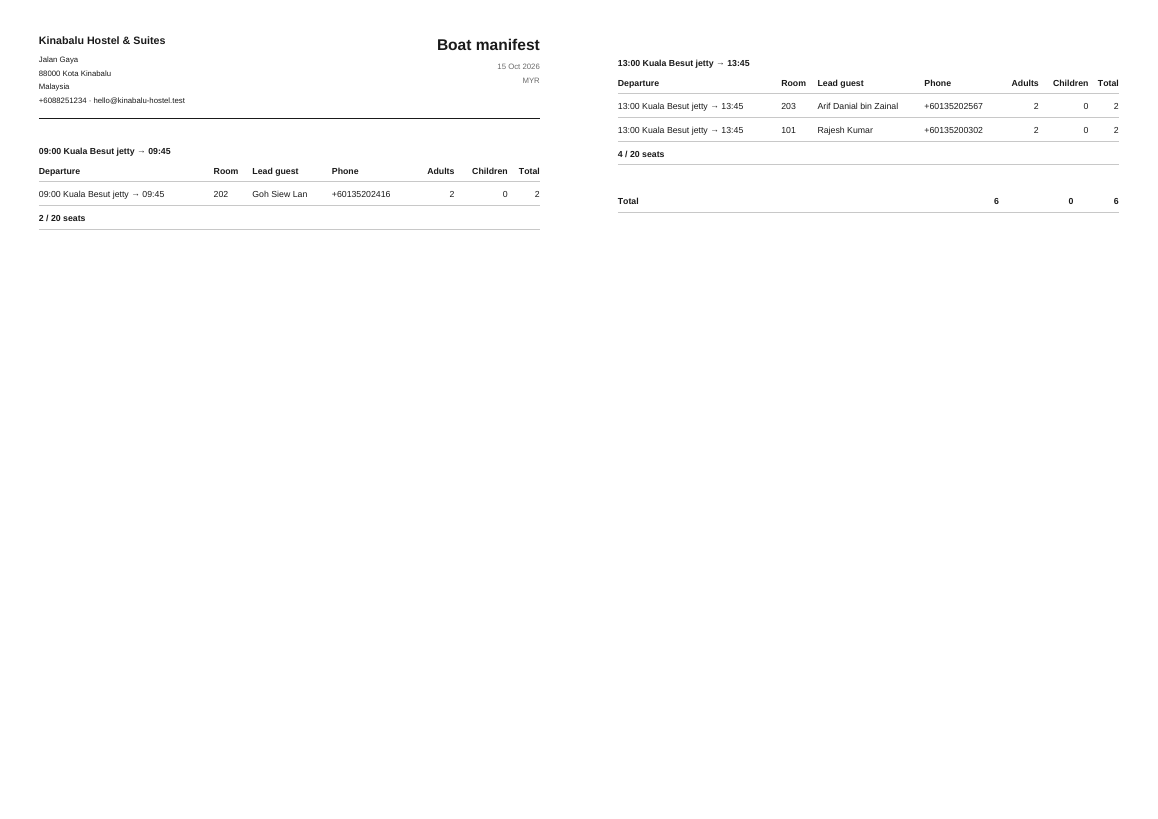
The Charter and own boat group is left out of the PDF. The boat crew does not need it. To print it, tick its rows before you export. They print on a last page. See Use a report to export, to choose rows, and to get a CSV or Excel file.
The total at the bottom of the PDF adds up only the rows it prints.
Special cases
| Situation | What happens | What to do |
|---|---|---|
| A boat has more guests than seats | The seats line shows in the warning colour. The manifest still lists everyone. | Move a booking to another boat with Change. See Boat trips. |
| A room has no lead guest | The manifest shows the booker. | Add the guest on the reservation. |
| A room has no room number yet | The Room column shows the room type. | Assign the room. See Assign rooms and beds. |
| A trip uses a departure that is now off | The trip stays on the manifest. | Nothing. The boat still runs for that guest. |
| A guest takes their own boat | The trip is in the Charter and own boat group, and not on the PDF. | Tick the rows to print them. |
| You cannot find Boat manifest in Reports | Your property does not use Boats, or you do not have the permission. | Ask the Estatell team, or an owner to check your role. |
| A day use booking | It has no boat trip, so it is never on the manifest. | Nothing. |