
Late check-out
Let a guest leave later on the departure day, and charge the late check-out fee.
Use Late check-out when a guest asks to keep the room for a few hours on the departure day. It sets a later departure time and charges the late check-out fee. For an extra night, extend the stay instead. See Change a stay.
Before you start
- Permission: Check out units. To skip the fee you also need Do not charge cancellation and no-show fees.
- The unit is Checked in, and today is its departure date.
- Set up first: the late check-out policy, in Settings › Billing setup › Room revenue › Late check-out. See Set the policy.
Steps
-
Open the reservation.
-
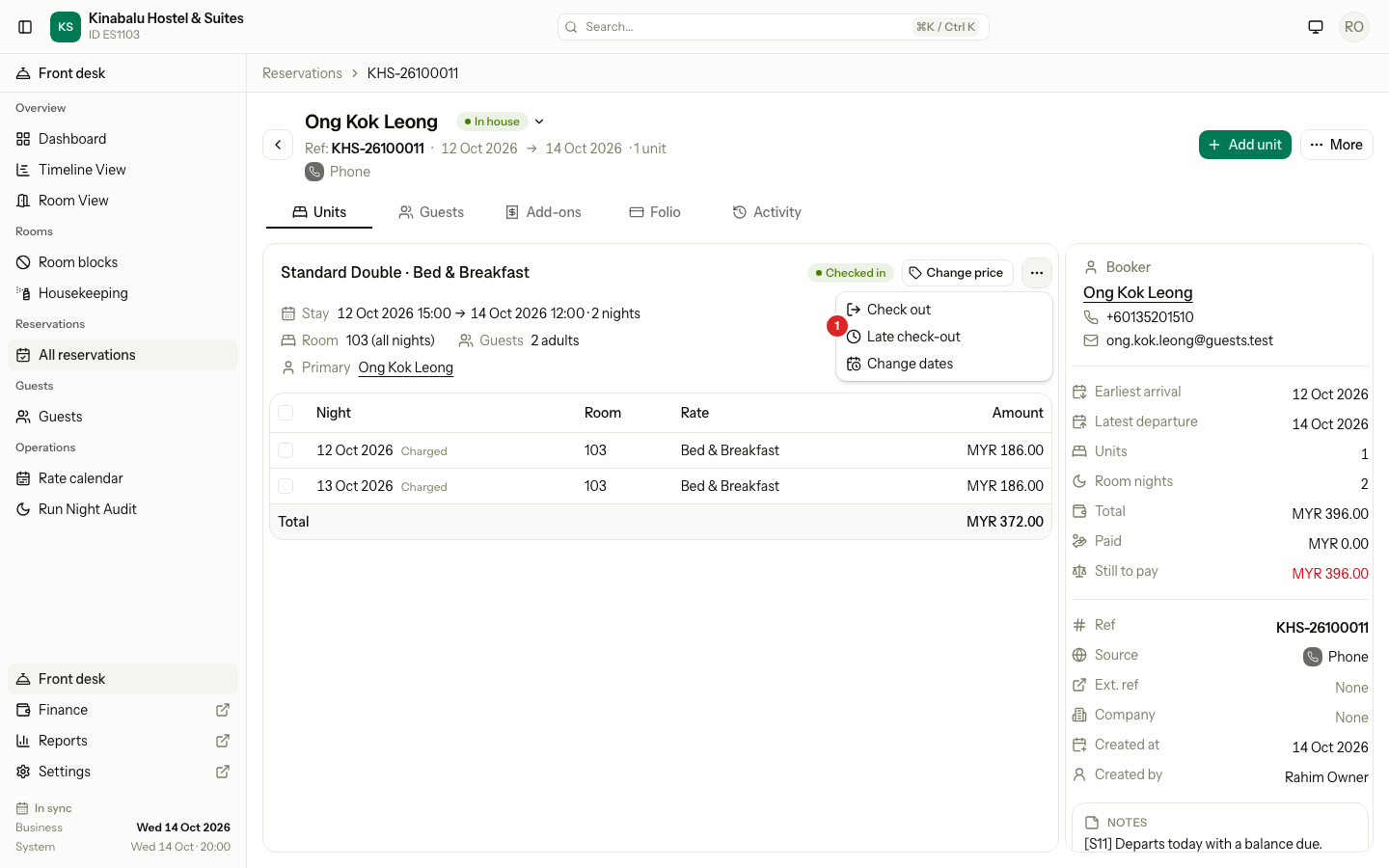
Select the ⋯ menu on the unit, then Late check-out.
-
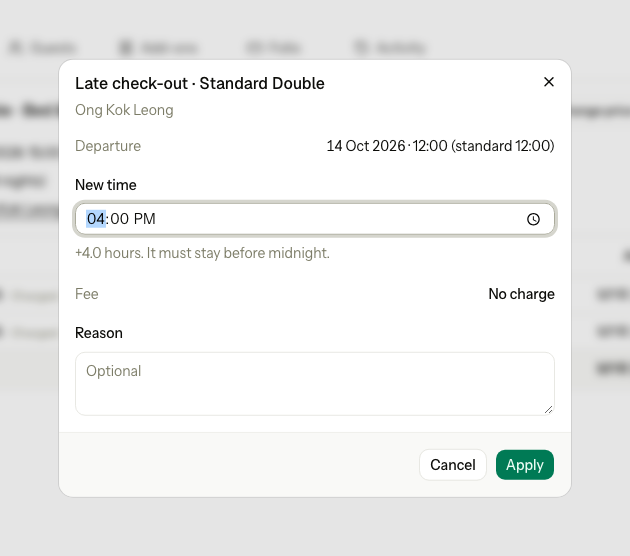
Check Departure. It shows today's time and the standard time.
-
Enter the New time. It must be later than the current time on the booking, and before midnight.
-
Check the Fee.
-
To skip the fee, tick Do not charge and enter a Reason. Without a fee the reason is optional.
-
Select Apply.
-
When the guest leaves, check them out as normal. See Check-out.
How the fee is worked out
Set the policy
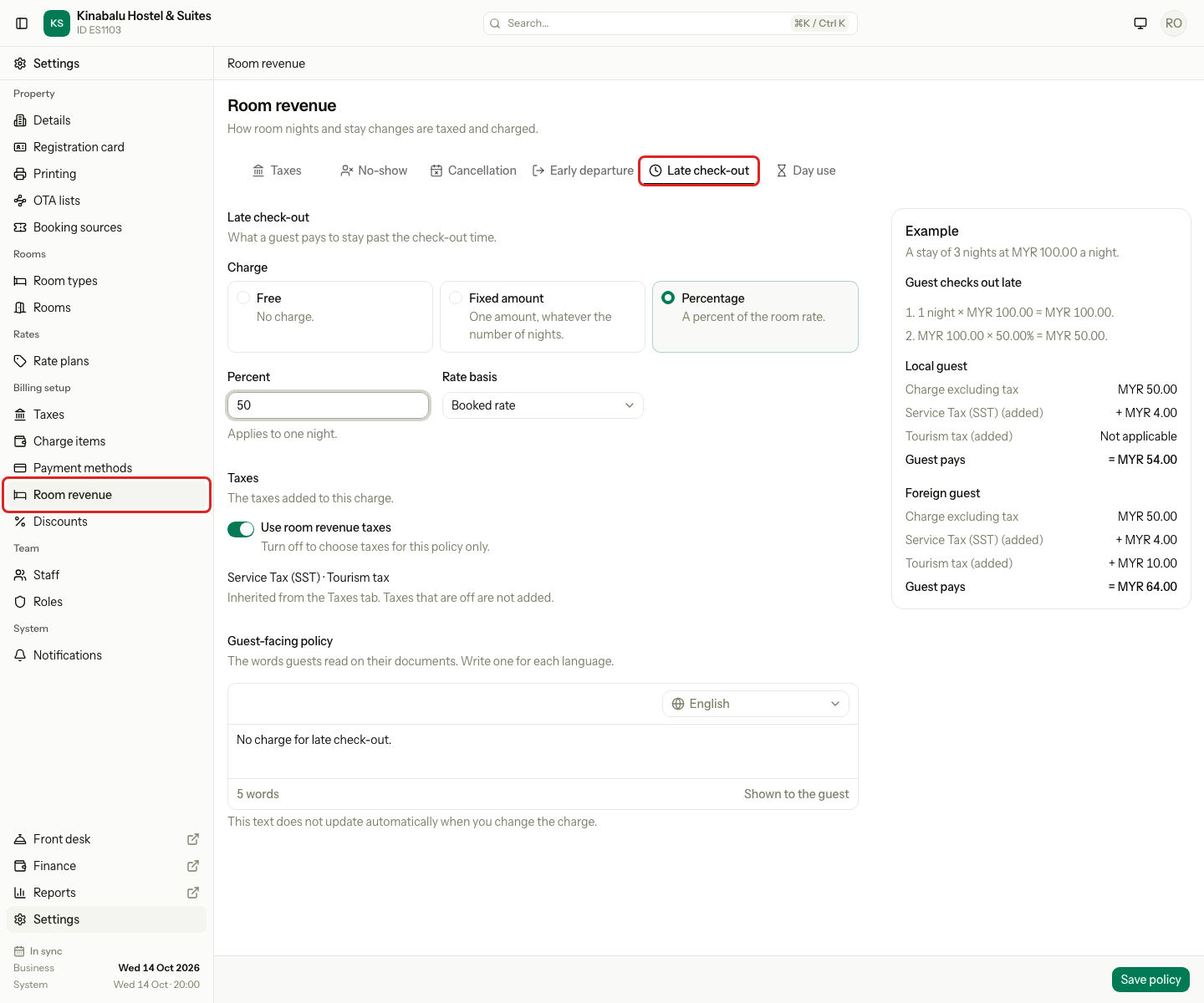
Owners and managers set it in Settings › Billing setup › Room revenue › Late check-out. Choose the Charge, check the Example, then select Save policy.
| Policy | Fee |
|---|---|
| Free | Nothing. The fee shows No charge. |
| Fixed amount | The amount, once |
| Percentage | A percentage of one night, for example 50% of MYR 280.00 = MYR 140.00 |
The fee posts to the unit's folio with tax, on the business date.
Special cases
| Situation | Example | What happens | What to do |
|---|---|---|---|
| Not the departure date | The guest leaves tomorrow. | • Late check-out is not in the menu. • "A late check-out is only for the departure date." | • Wait until the departure date. |
| The time is not later | New time 11:00, the booking says 12:00. | • "Choose a time later than the current departure time." | • Enter a later time. |
| The guest stays the night | The guest now wants to leave tomorrow. | • Late check-out stops at midnight. | • Extend the stay by one night. See Change a stay. |
| Skip the fee | A loyal guest. | • Do not charge needs a reason. | • Tick it and enter the reason. |