
Single unit
A reservation with one room or bed, and the statuses each unit goes through.
A single unit reservation holds one room or one bed for one stay. A couple in one Garden Room is a single unit reservation. Most bookings are this kind.
Every reservation is made of units, so what this page says about a unit is also true for each unit in a group or each bed in a dorm.
Before you start
- Permission: Manage reservations. Owners, managers and front desk staff have it by default.
- Set up first: see Create a booking.
Book a single unit
Fill in the booking form with one line. When you add a second unit, the reservation becomes a group.
On the reservation page, the unit shows its status next to its name. Open the unit's menu to change its dates, cancel it, mark it no-show or move its room.
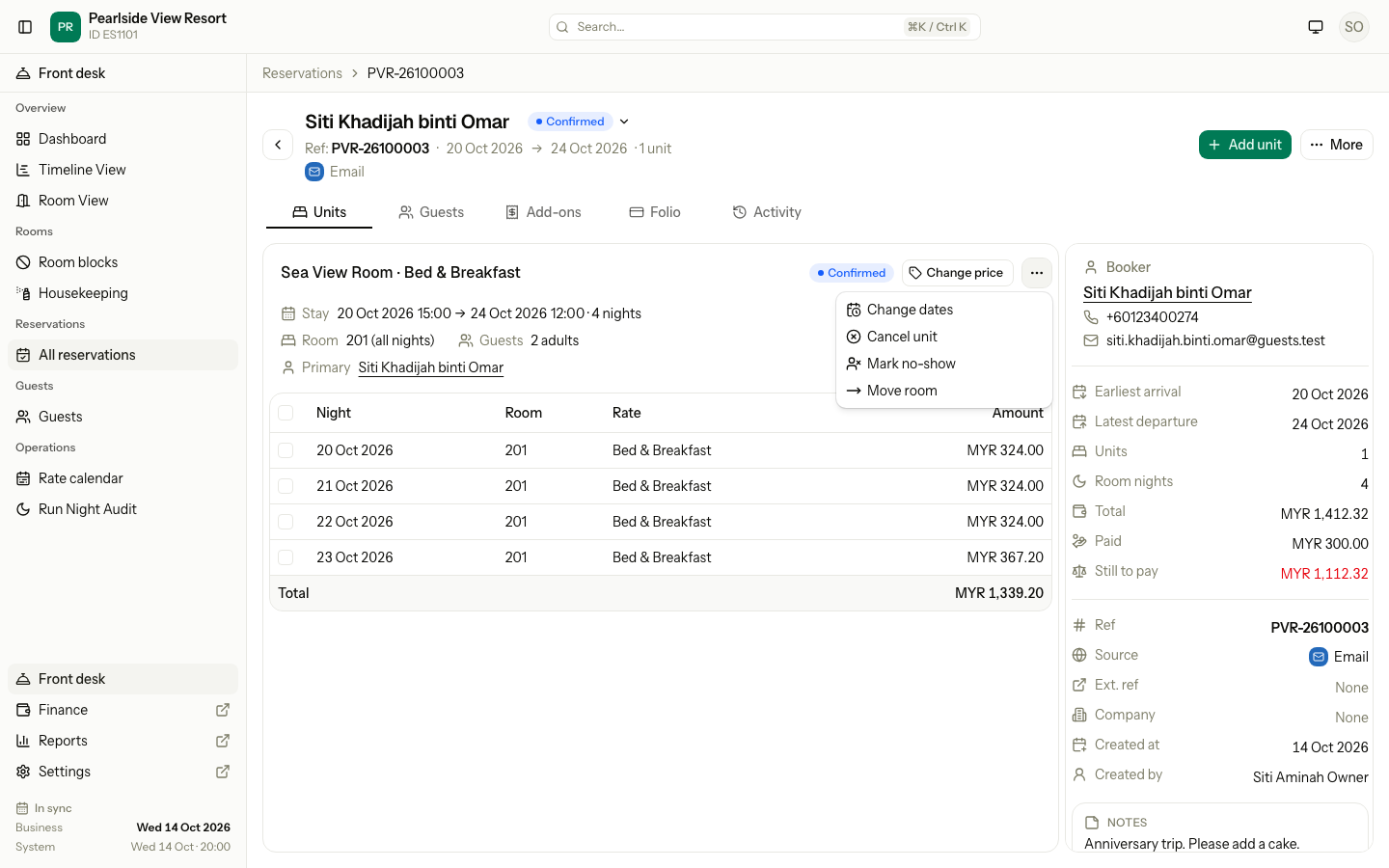
Unit statuses
| Status | Meaning | Holds the room? |
|---|---|---|
| Confirmed | Booked, not arrived yet | Yes |
| Checked in | The guest is in the room | Yes |
| Checked out | The guest has left | Yes, for the past nights |
| Cancelled | The booking was cancelled | No |
| No-show | The guest did not arrive | No |
Estatell sets the reservation status from the statuses of its units.
Reinstate a unit
You can reinstate a cancelled or no-show unit. It goes back to Confirmed. It needs a free room for its nights. See Reinstate.
Special cases
| Situation | What happens | What to do |
|---|---|---|
| A unit is cancelled or marked no-show | Its room is free again for those nights, and the unit loses its room. | Reinstate the unit to book it again. It needs a free room. |
| A rate changes after the booking | The booked nights keep their price. | To change a booked price, see Change a night's price. |