
Signed cards
Download a signed card as a PDF, void a card and sign again, and why a signed card never changes.
A signed card is a record. Estatell keeps exactly what the guest saw and signed. You can download it, and you can void it if it is wrong.
Before you start
- Permission to download: Prepare and sign registration cards. Owners, managers and front desk staff have it by default.
- Permission to void: Void registration cards. Owners and managers have it by default.
Download the PDF
- Open the reservation, the Guests tab, the ⋯ menu, then Registration card.
- Select Download PDF.
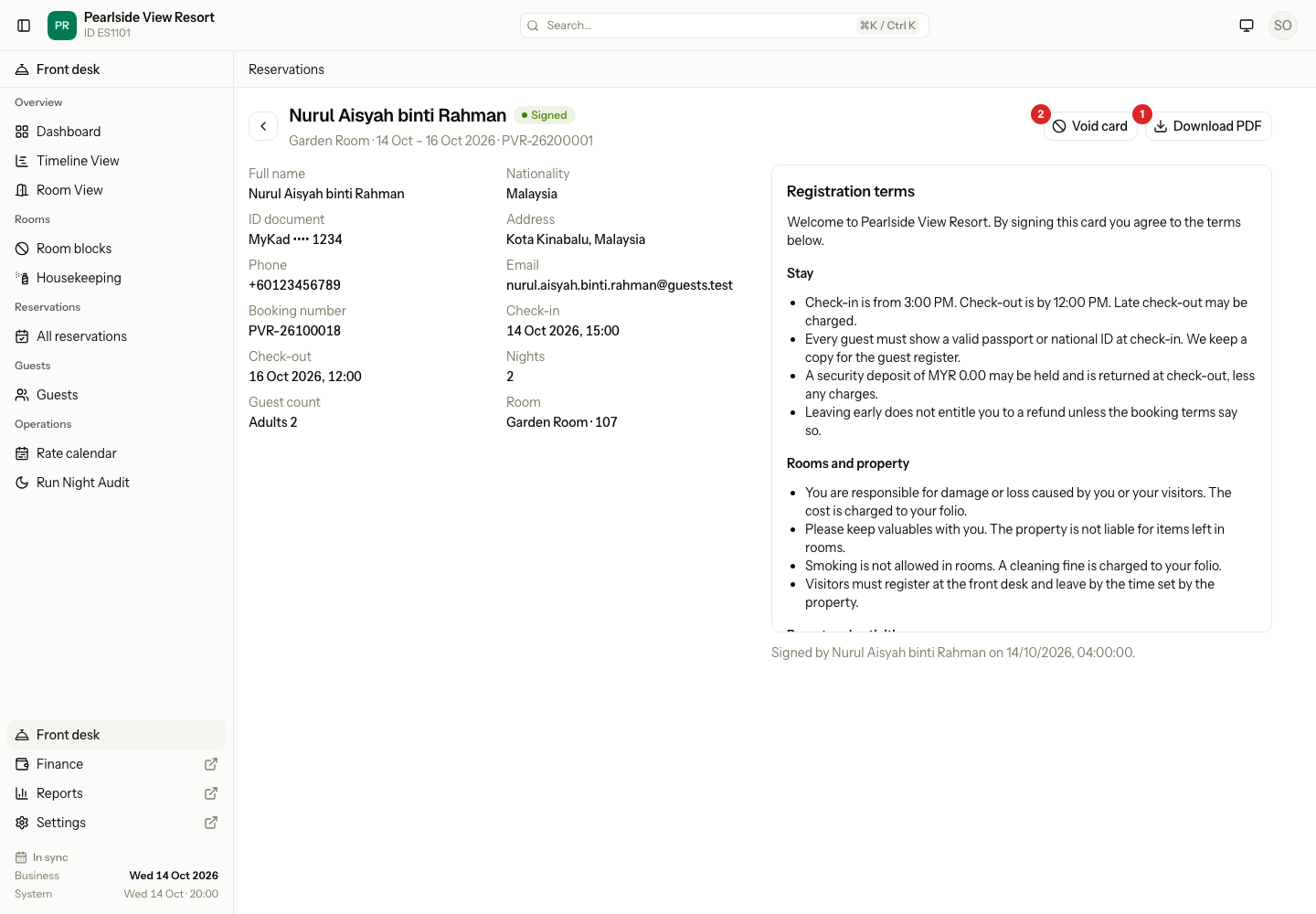
| # | What | What it does |
|---|---|---|
| 1 | Download PDF | Downloads the card in the language the guest signed in. |
| 2 | Void card | Cancels the card. See below. |
The PDF has the property name, the guest details, the stay, the terms with the boxes the guest ticked, and the signature. The first download makes the file. Later downloads use the same file.
Void a card and sign again
Void a card when it has a mistake, or the terms changed and the guest must sign again.
- Open the card page.
- Select Void card.
- Type a Reason. It is required. It takes 250 characters at most.
- Select Void card in the dialog.
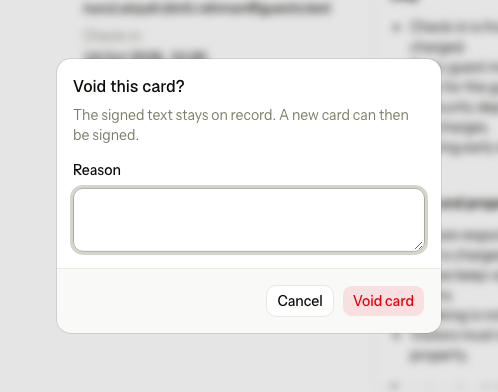
The card becomes Void. The signed text stays on record. Estatell says "Registration card voided. A new card can be signed." and opens a new Draft. Hand it to the guest as before. See Sign a card.
Why a signed card never changes
- The guest signed that exact text, with those details and that price. If it changed later, the signature would mean nothing.
- Estatell keeps a frozen copy of the card when it is signed. A later change to the terms, the layout, the room rate or the guest's profile does not touch it.
- The only way to change a signed card is to void it and sign a new one.
- A void card stays on record, with its reason and who voided it.
Special cases
| Situation | What happens | What to do |
|---|---|---|
| A front desk user wants to void a card | Void card is not shown. | Ask an owner or manager. |
| The guest changes their phone number after signing | The signed card keeps the old number. | Nothing. The guest's profile has the new number. |
| You publish new terms after the guest signed | The signed card keeps the old terms. | Void the card and sign again, if the guest must accept the new terms. |
| You void a draft | The draft becomes Void. A new draft starts when you open the card again. | Nothing. |
| You void a card by mistake | A void card cannot be brought back. | Sign a new card. |
| The reason is empty | Estatell asks for a reason. | Type a reason. |
| There is no signed card to download | "There is no signed card to download." | Sign the card first. |
| The card is void and you want the PDF | The PDF is for a signed card only. | Open the card from the reservation. Estatell starts a new draft. |
| Check-in needs a card and you voided the signed one | Check-in says the card is not signed. | Sign the new card, or check in without a card if you may. |
| A support user is looking at your property | Void card can be hidden. It follows the owner's setting for money corrections by support. | Void the card yourself. |