
Folio discounts
Take a discount off charges that have posted, check what it covers first, and remove it if it was a mistake.
Use Apply discount to take a discount off a guest's bill, for example a staff rate or a goodwill gesture. Estatell shows the charges the discount covers before it posts anything. The tax on those charges goes down with the discount.
This page is about discounts you apply on a folio. To set up the discounts staff can choose, see Discounts. A discount from a long stay rate is part of the rate plan and is not applied here.
Before you start
- Permission: Apply and remove folio discounts. Owners, managers, front desk staff and finance staff have it by default.
- To enter an amount: Apply discounts with an entered amount. Owners, managers and finance staff have it. Without it you can still apply a percentage discount, or a fixed discount at its set value.
- The folio must be Open and have a posted charge that can take a discount.
- Add the discounts first under Settings → Billing setup → Discounts.
The three kinds of discount
| Kind | Shown as | The amount | Who can use it |
|---|---|---|---|
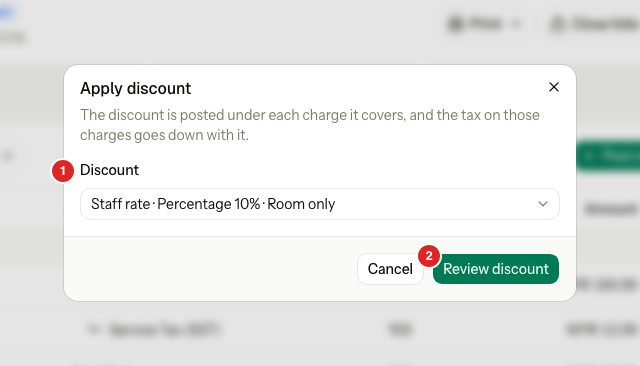
| Percentage | Staff rate · Percentage 10% · Room only | The percentage of each charge | Everyone who may apply discounts |
| Fixed amount | Name · Fixed amount 50.00 · Scope | The set value. You can change it only if the discount allows it. | Everyone for the set value. Changing it needs the entered amount permission. |
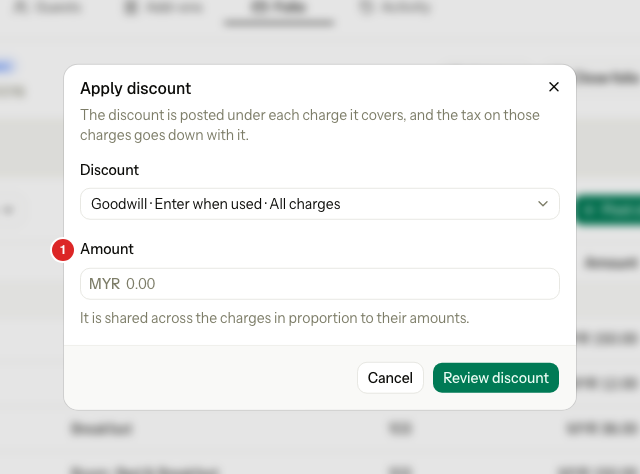
| Enter when used | Goodwill · Enter when used · All charges | The amount you type | Only people with the entered amount permission. Others do not see it in the list. |
The last part of each name is what the discount covers.
| Covers | Which charges |
|---|---|
| Room only | Room charges |
| All charges | Every charge on the folio |
| Selected charges | The charge items the discount lists |
Apply a discount
-
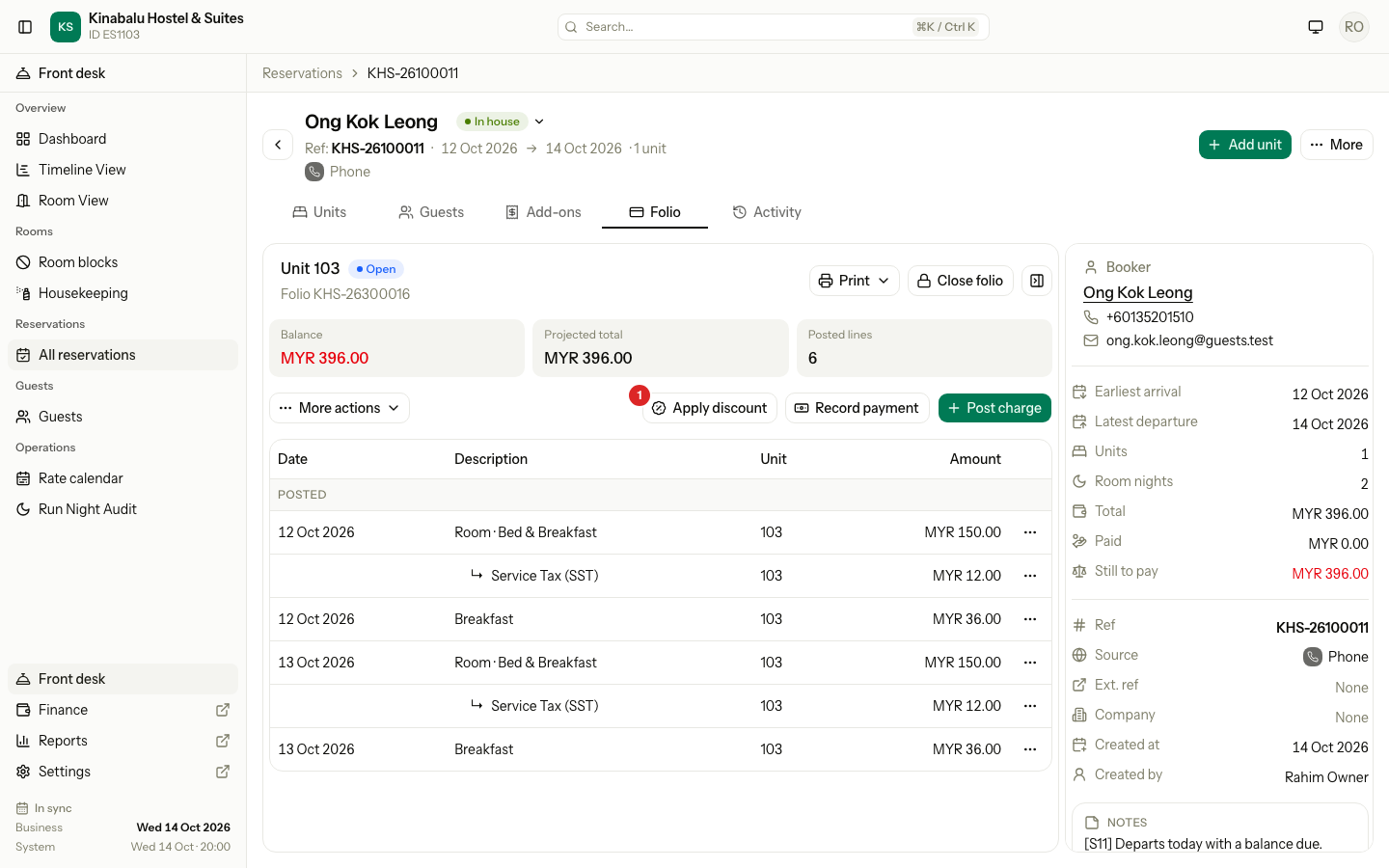
Open the reservation and select the Folio tab.
-
Select the folio that holds the charges.
-
Select Apply discount.
-
In Discount, choose the discount.
-
If an Amount box shows, enter the amount. Estatell shares it across the charges in proportion to their amounts.
-
Select Review discount.
For an Enter when used discount, the Amount box shows under Discount.
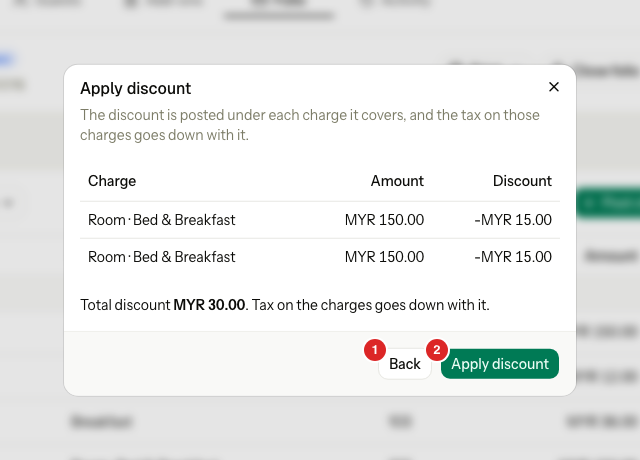
- Check the table. Each row is a charge the discount covers, its amount and its share of the discount. Below it, Total discount shows the sum.
- Select Apply discount. Select Back to choose another discount.
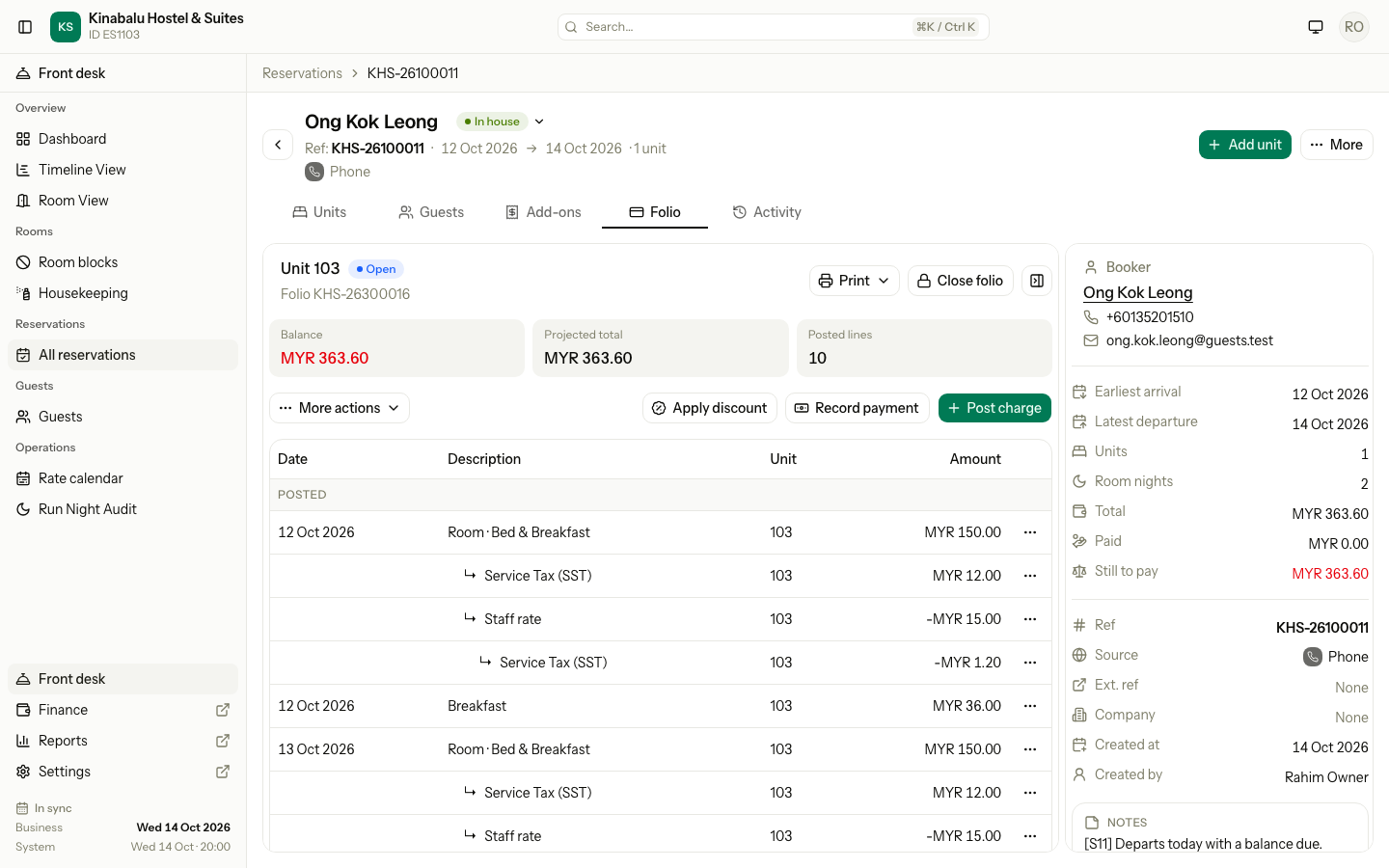
Estatell posts a negative line under each charge, then a negative tax line under it. The folio shows them indented, in that order.
Worked example
A night costs MYR 150.00. Service tax is 8%. A flat tourism tax of MYR 10.00 applies. The discount is 10%, room only.
| Line | Before | Discount | After |
|---|---|---|---|
| Room · Bed & Breakfast | 150.00 | −15.00 | 135.00 |
| Service Tax (SST) 8% | 12.00 | −1.20 | 10.80 |
| Tourism tax (flat, per night) | 10.00 | 0.00 | 10.00 |
| Night total | 172.00 | −16.20 | 155.80 |
- The tax goes down by the same share as the charge: 10% of 12.00 is 1.20.
- A flat tax, such as a tourism tax of MYR 10.00 each night, never goes down.
- A discount of MYR 30.00 split over two charges of MYR 150.00 gives MYR 15.00 to each. When a share does not divide evenly, the last charge takes the odd cent.
Rules
- A charge takes one discount. If a charge already has a discount, it is not on the list. This holds for a discount from the booking too. To change it, remove the discount and apply another.
- Posted charges only. A scheduled night cannot take a folio discount. After the night audit posts it, you can. A discount chosen when the booking was made shows on the scheduled night already.
- The folio holds the charges. A discount covers the charges on the folio you apply it on. If the room charges are on the Master folio, a Room only discount finds nothing on a unit folio. Apply it on the Master folio. See Routing.
- Reversing a charge reverses its discount and the tax lines too.
Remove a discount
-
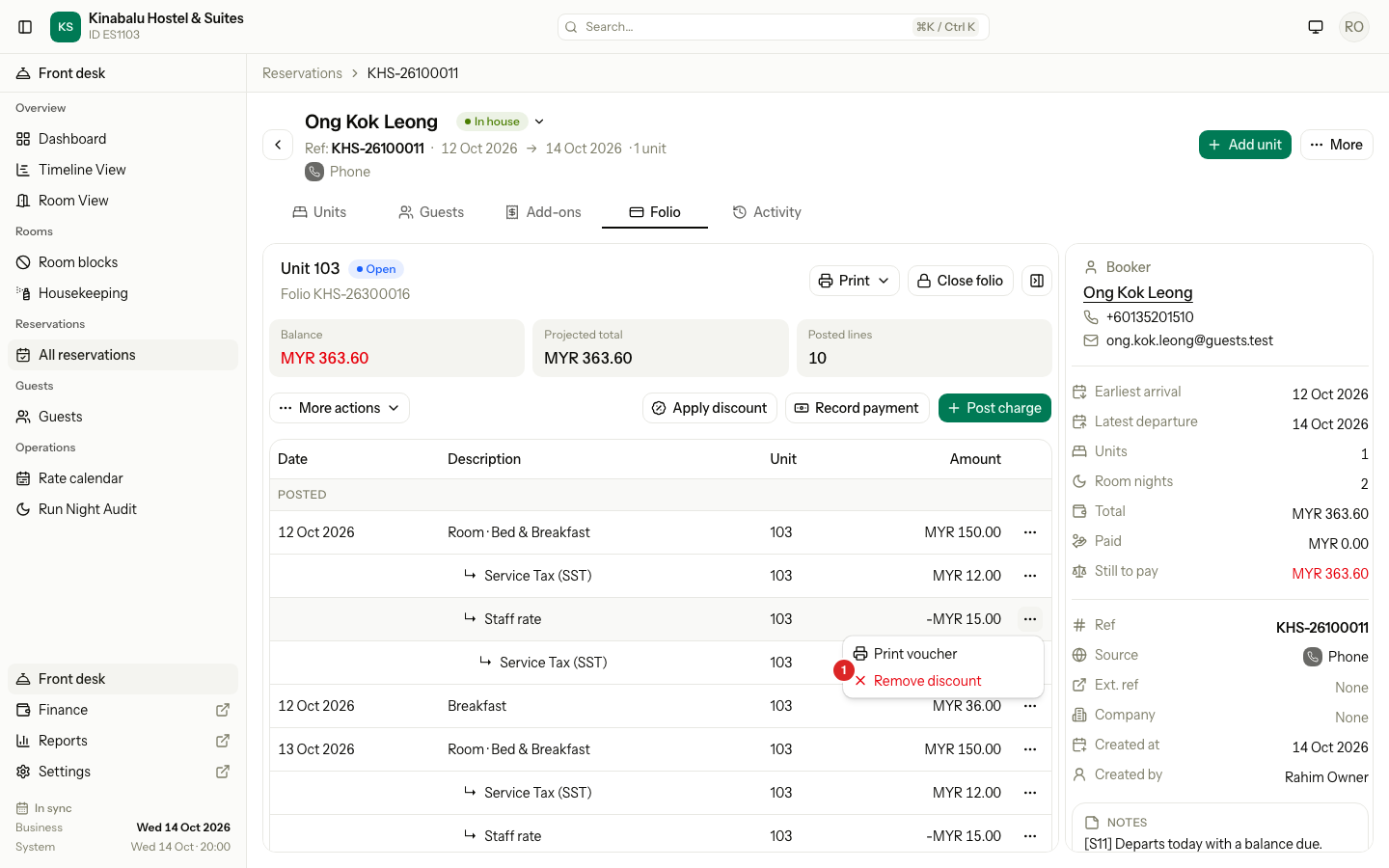
Find the discount line on the Folio tab. It is the indented line named after the discount.
-
Select the ⋯ menu on its row, then Remove discount.
-
Read the dialog and select Remove discount.
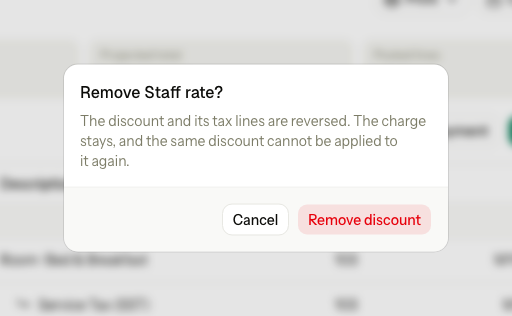
The discount and its tax lines are reversed. The charge stays. You can apply a different discount to that charge. You cannot apply the same discount to it again.
Special cases
| Situation | What happens | What to do |
|---|---|---|
| Apply discount is not on the tab | The folio is closed, no charge can take a discount, or you lack the permission. | Check the folio. Reopen it if you may. |
| The dialog says No discount is available for you. | There are no discounts you may use. | Ask an owner or manager to apply it, or to set up a discount. |
| Enter when used discounts are missing from the list | You do not have the entered amount permission. | Ask a manager. |
| No charge on this folio can take this discount. | Every charge that matches already has a discount, or none matches the discount's scope. | Choose another discount, or check you are on the right folio. |
| Enter the discount amount. | An Enter when used or Fixed amount discount has no amount. | Type the amount. |
| The amount is higher than the charges | The amount cannot be more than the total of the covered charges. Estatell shows a message in the dialog and posts nothing. | Enter a smaller amount. |
| The folio changed. Check the new quote and apply again. | A charge or the discount changed while the dialog was open. | Select Back, review again, and apply. |
| This line is not a discount. | You tried to remove a line that is not a discount. | Open the menu on the discount line itself. |
| This folio is closed. Reopen it on the folio tab first, then try again. | A closed folio takes no changes. | Reopen it. See Close and reopen. |
| A share rounds to 0.00 | No line posts for that charge. | Use a bigger amount or a different discount. |