
Business date
The day Estatell posts to, how it differs from the calendar date, and what the sidebar and the dashboard say about it.
Every charge, payment and refund in Estatell belongs to a business date, not to the calendar date. The business date is the hotel's working day. It changes only when the night audit closes it.
So a minibar charge at 01:00 on 15 Oct still counts for 14 Oct, if the night audit has not run yet.
Before you start
- Permission: every member of staff sees the business date. Only owners and managers can run the night audit. See Roles and permissions.
Business date and calendar date
| Business date | Calendar date | |
|---|---|---|
| What it is | The day the hotel is working on | The date on the wall clock, in the property's time zone |
| Who moves it | The night audit, once a day | Time |
| What uses it | Charges, payments, refunds, reports, check-in and check-out | Only the System line in the sidebar |
| Can it fall behind? | Yes, until the night audit runs | No |
Here is one night at a hotel with the Night audit time set to 02:00. The business date is Wed 14 Oct.
| Calendar time | The business date is | A charge posted now counts for |
|---|---|---|
| Wed 14 Oct, 20:00 | Wed 14 Oct | 14 Oct |
| Thu 15 Oct, 01:00 (after midnight, before the audit) | Wed 14 Oct | 14 Oct |
| Thu 15 Oct, 02:05 (the audit has run) | Thu 15 Oct | 15 Oct |
Set the audit time on the Operations tab. See Operations.
How a business date changes
When a date closes, the next day opens at once. There is always one current date: Open, or Auditing while the audit runs.
A failed audit leaves the date Auditing. Run the audit again to continue. See Run the night audit.
A closed date never changes. There is no undo for a night audit. If you find a mistake in a closed day, post the correction on the current business date. See Post charges.
The business date in the sidebar
The bottom of the staff sidebar always shows the business date next to the calendar date. The word at the top says what state it is in. The color is never the only sign: the words say the same.
| State | Color | What it means | What to do |
|---|---|---|---|
| In sync | Grey | The business date is today's calendar date. | Nothing. |
| Night audit pending | Orange | The calendar date is one day after the business date. This is normal after midnight, until the audit runs. | Nothing, if the audit runs by itself. Otherwise run it. See Run the night audit. |
| Night audit running | Blue, spinning | The night audit holds the date and is working. | Wait. The sidebar changes when it ends. |
| Business date is N days behind | Red | The calendar date is two or more days after the business date. For example "Business date is 2 days behind". | Run the night audit. The dashboard shows an alert. |
| Not live yet | Grey | The property has not gone live, so there is no business date. | Go live. See Go live. |
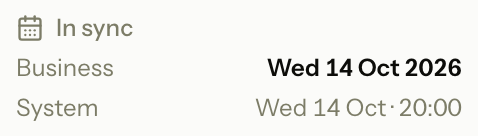
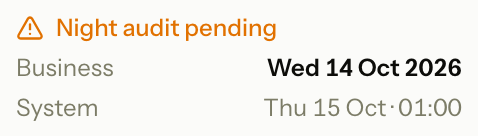
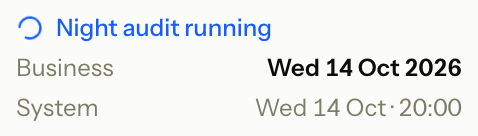

If you collapse the sidebar, it shows only the day, such as 14 Oct, with a small colored dot. Hover over it to read the business date, the system date and the state.
The indicator follows the server's clock, so a wrong clock on your computer changes nothing. While the state is not In sync, it also asks the server every five minutes, so it changes when the audit ends.
The dashboard alert
When the business date is two or more days behind, the Dashboard shows a red Night audit bar with an Open audit button.
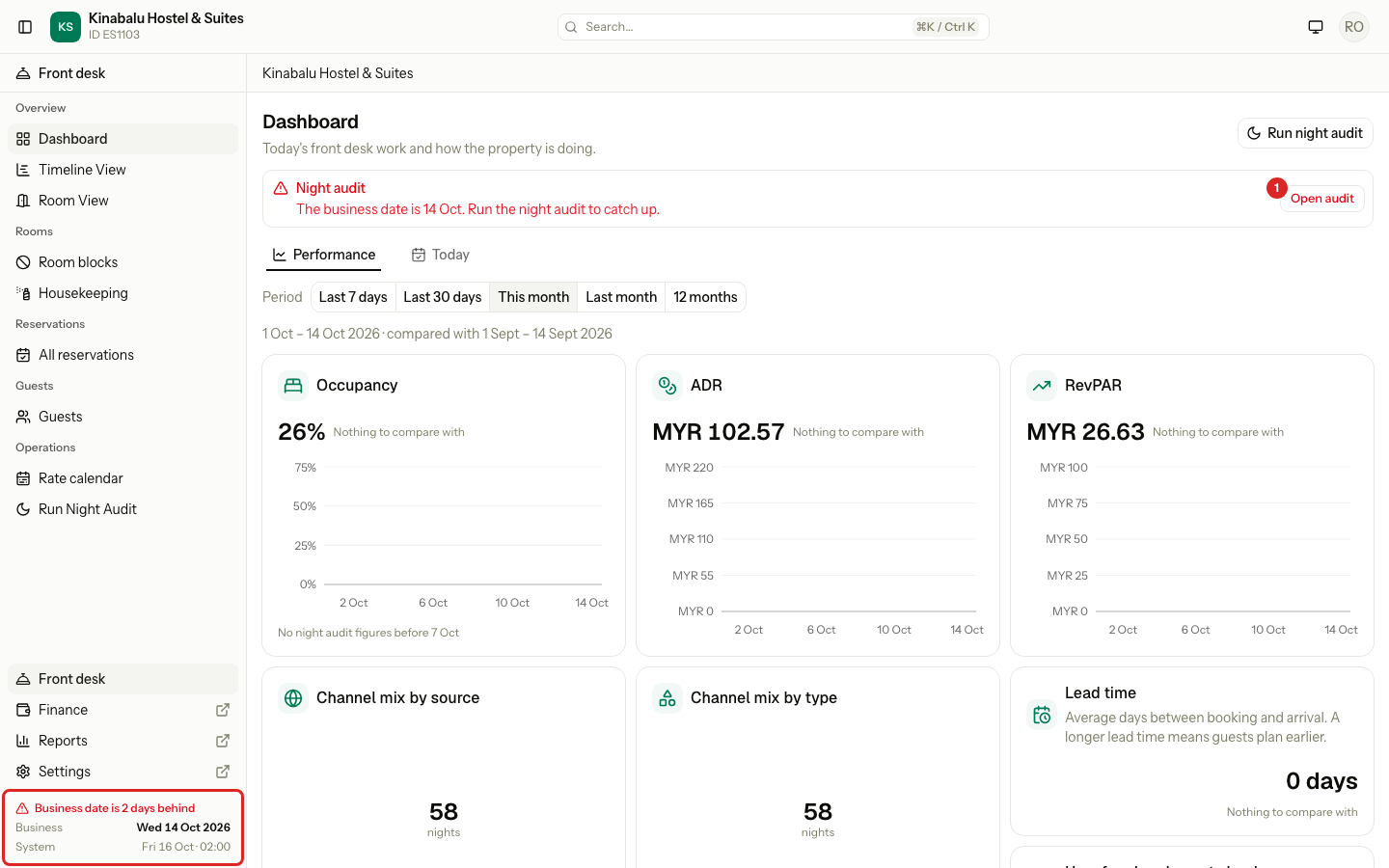
The bar also shows when the last audit failed, or when a problem stops the audit from running. See Overview of the dashboard for each sentence. Open audit shows only to staff who may run the night audit.
The "Hotel day" notice
Guests check in and out after midnight, before the audit has run. Staff do not have to think about it. When you open Check in, Check out or a group check-out while the audit is pending, a strip at the top says which day is which:
Hotel day 14 Oct · Today 15 Oct. Night audit not run yet.
While the audit runs, the strip says "Night audit running." instead.
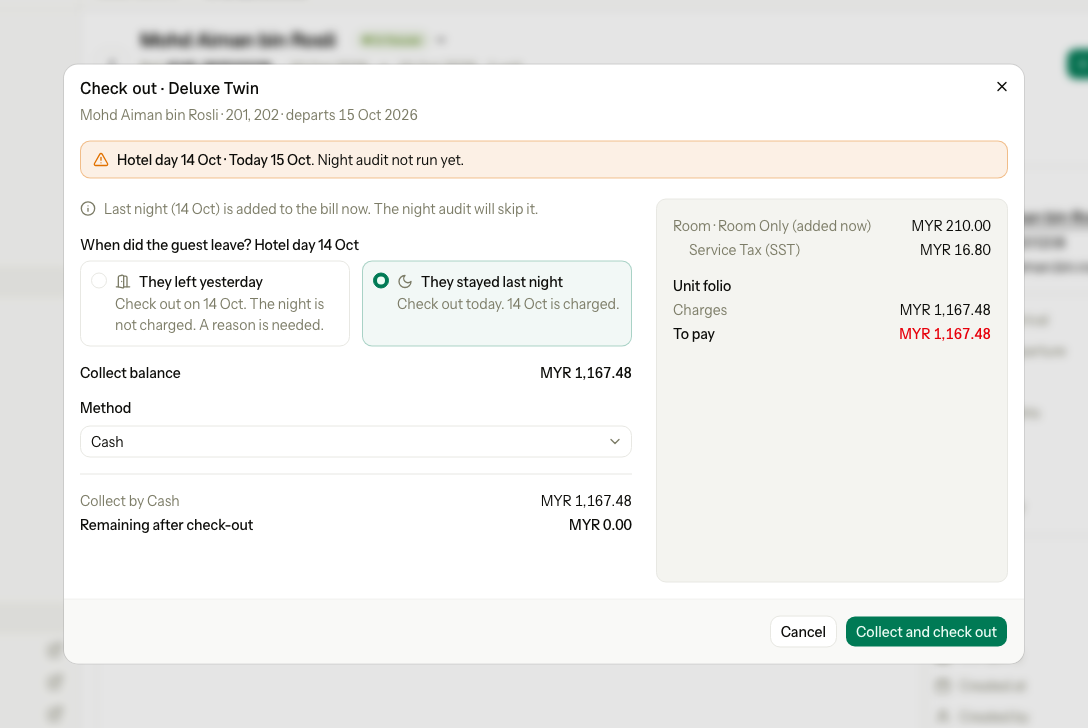
Under the stay, a line says what this means for the guest. For a check-out, Estatell adds last night's room charge to the bill first, and the night audit skips it. You do not post it by hand.
For a guest who left the night before, the form may ask When did the guest leave? with two cards:
| Card | What it does |
|---|---|
| They left yesterday | Checks the guest out on the hotel day. The night is not charged. A reason is needed. |
| They stayed last night | Adds the night to the bill and checks the guest out today. |
For the check-out rules, see Check out and Overdue stays. For check-in, see Check in.
The strip does not show when the business date is two or more days behind. Run the night audit first.
Special cases
| Situation | What happens | What to do |
|---|---|---|
| You post a charge at 01:00 | It counts for the business date, which is still yesterday. | Nothing. The reports show it on yesterday. |
| You need to fix a charge on a closed day | A closed date takes no new postings. | Post a correction on the current business date. See Post charges. |
| You want to undo a night audit | There is no undo. | Post corrections on the current business date. |
| The sidebar says Night audit running for a long time | The audit may have failed. A failed audit leaves the date Auditing. | Open the audit and look for Resume audit. See Run the night audit. |
| Nobody runs the audit for several days | The business date falls behind. Reports stay on the old date, and new charges post to it. | Run the night audit until the date catches up. |
| The sidebar says Not live yet | Nothing can be posted before go-live. | Finish go-live. |